trajecktory
Running my job search like a pipeline.
After my last role, I refused to run my search on a spreadsheet, so I built the operating system I would want any revenue team I lead to be running. trajecktory runs my entire job search from one local dashboard: it scans job boards, scores each role against my resume, and tailors a resume and cover letter per posting; it schedules the follow-ups so nothing goes cold; it works the right contacts through a referral, recruiter, and in-network CRM, and drafts my LinkedIn and X posts in my voice, scheduled through Buffer; and it captures replies straight from Gmail. Every AI-written message is mine to edit before it sends. Open source, built solo. Same instinct as every system I shipped in-house: build the infrastructure, do not just advise on it.
Funnel discipline, leading indicators, attribution, and a clean system of record: the analytics story.
Sourcing, multi-threading, cadence, and "what do I do next?": the rep-workflow and outbound story.
Finding your next role is a sales motion. You source, qualify, multi-thread to a champion, build a value case backed by evidence, follow up on cadence, and watch where deals leak. Most candidates run that in a spreadsheet, at best. I built trajecktory to run my search the way a revenue leader runs a pipeline: scan and score every posting against my profile, track each opportunity through deal-style stages, nudge me when a warm lead goes quiet, and give a weekly read on what is converting and where to spend time next. Pipeline discipline, speed-to-lead, and win/loss analysis, applied to a career.
The daily command center
One screen that answers "what do I do today?"
KPI cards (verified touches, LinkedIn connects, cadence adherence, screens booked, reply rates), an activity trend, and a by-send-week table showing what became of each week's applications. The workflow rail on the left runs the pipeline end to end: API scan, triage, merge, verify, health check. This is the daily-standup view I would give a CRO, pointed at my own search.
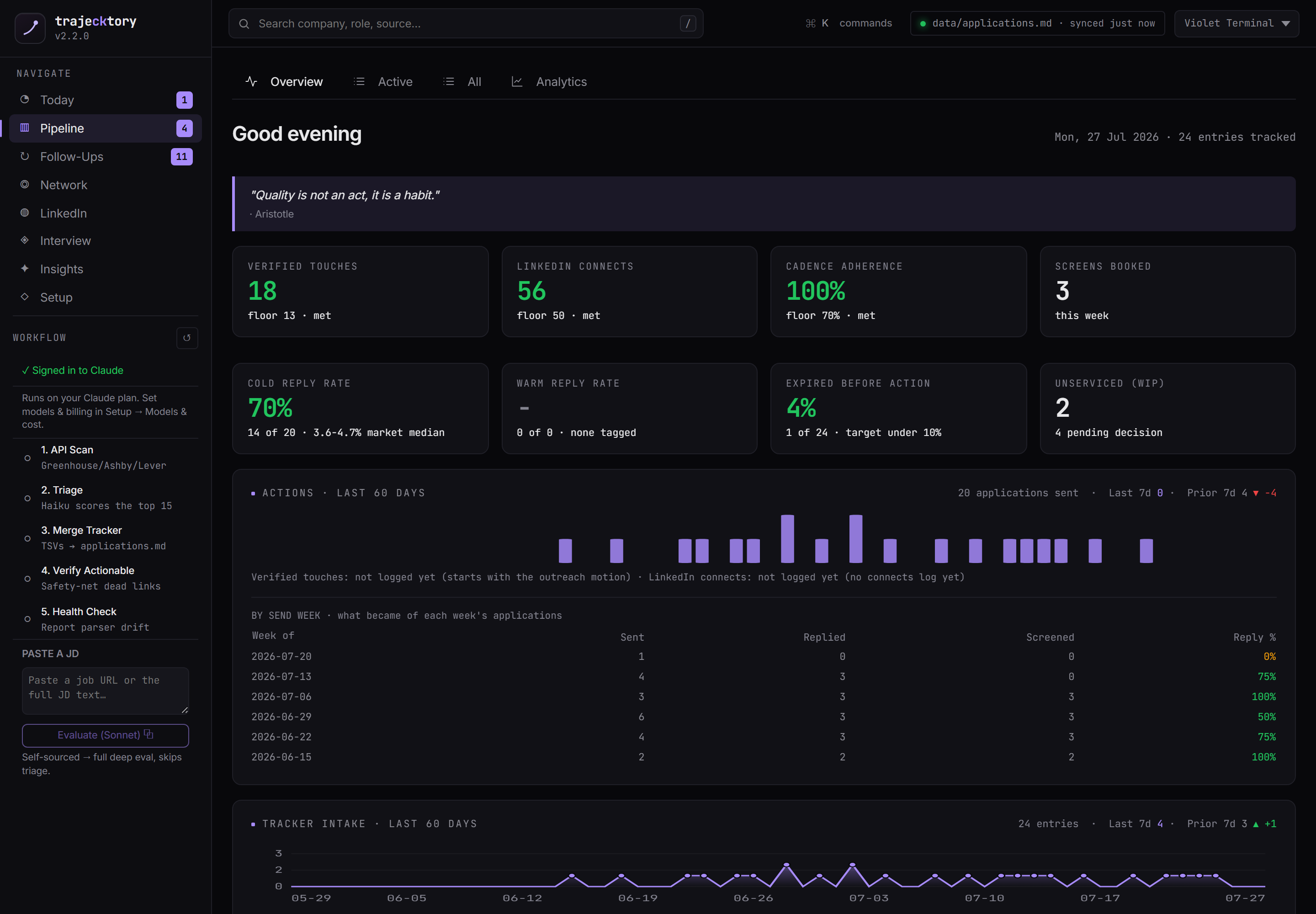
A Today tab that runs the week like a rep
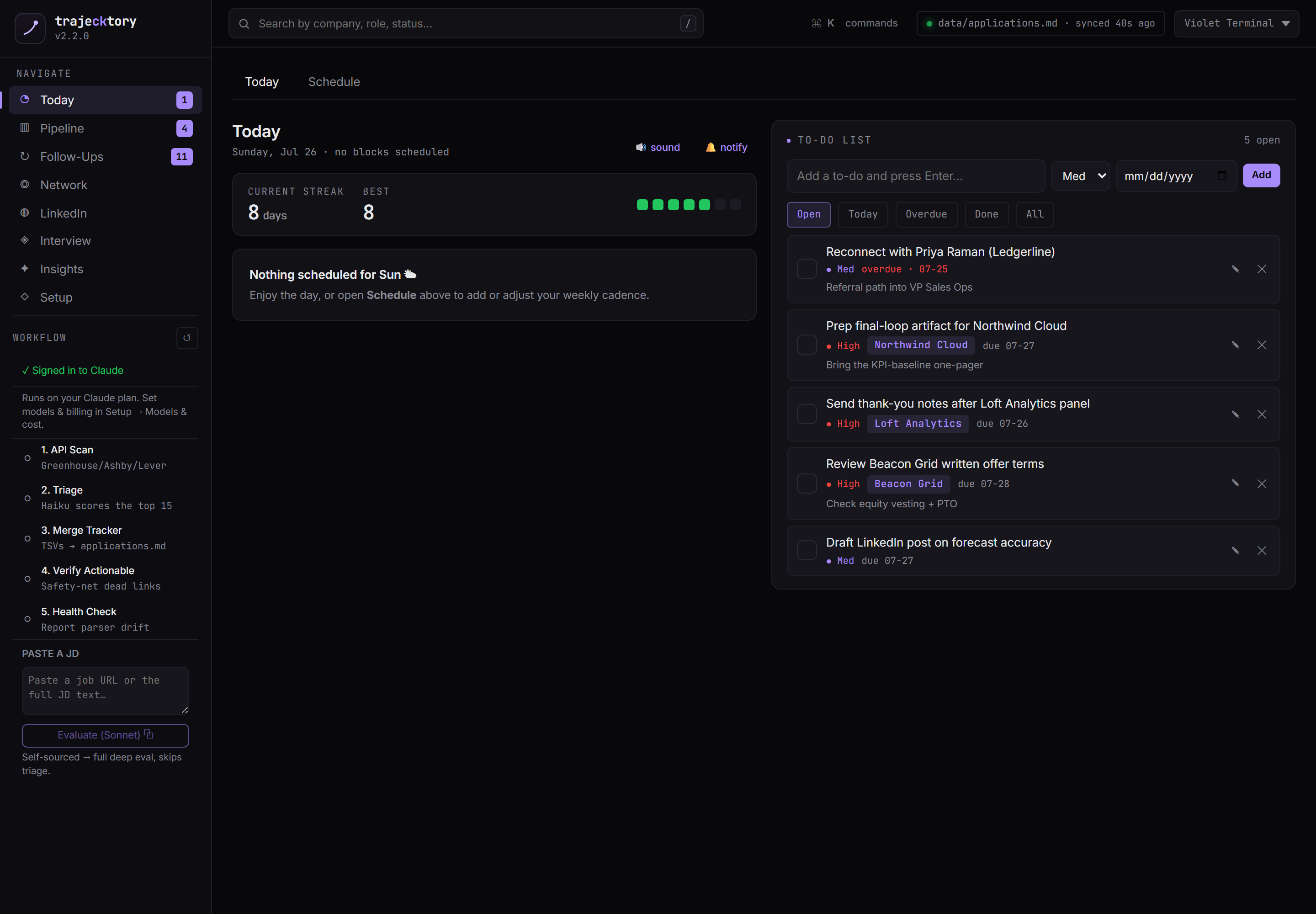
New A daily cadence view with a streak counter, a focus timer, and a to-do list where every task links back to the application it belongs to. It is the difference between "I should follow up sometime" and "these five touches are due today." The discipline layer that keeps a search from drifting.
Leading indicators and cadence adherence on the front page, with a clean weekly denominator.
A rep dashboard that answers "what's next?" in one glance, with a streak and a linked task list.
One JD in, a full deal qualification out
Paste a job URL or the JD text and a chain of specialized agents produces one synthesized evaluation: fit and CV match, comp analysis, listing legitimacy, interview prep, and per-role resume and LinkedIn tailoring. The drawer carries it all, tab by tab, plus notes, the linked contacts, and the raw posting. This is what "agentic" means in practice: many focused passes, orchestrated into one deliverable a senior leader can act on in seconds. Every draft it produces is yours to edit.
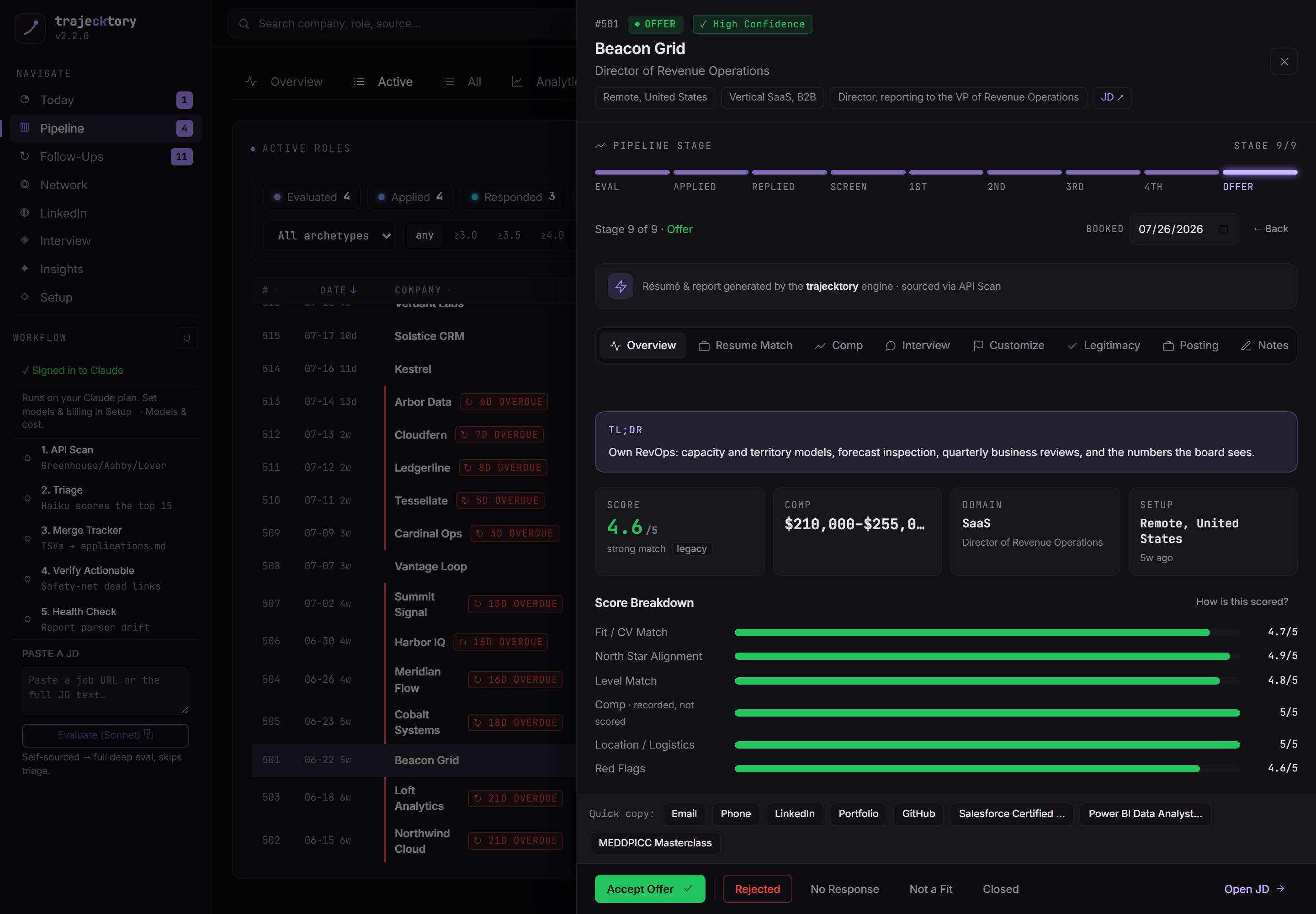
The qualification-call summary an SDR leader would kill for, produced in seconds.
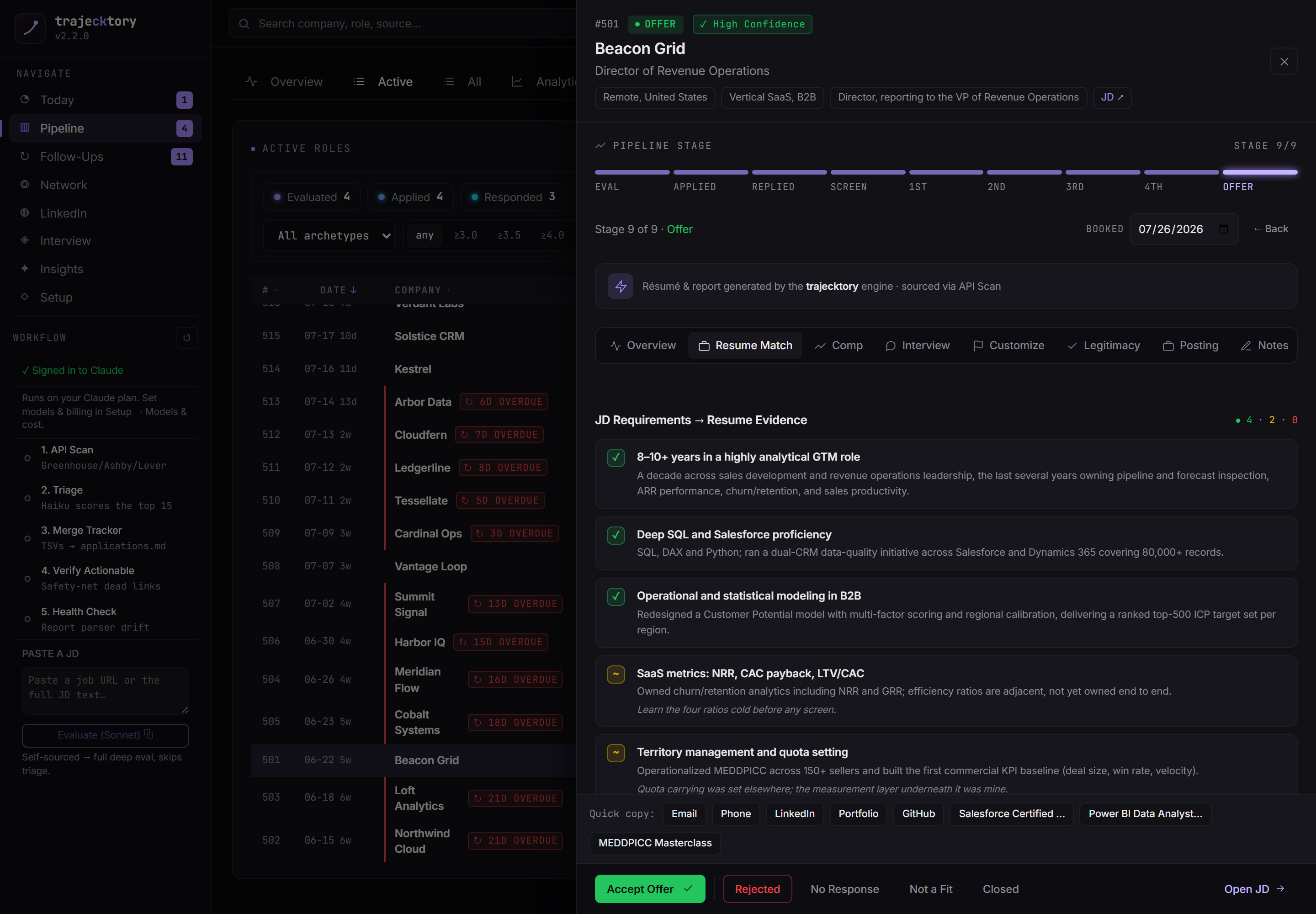
Requirement-to-evidence mapping with gaps surfaced, in the structure of a battlecard.
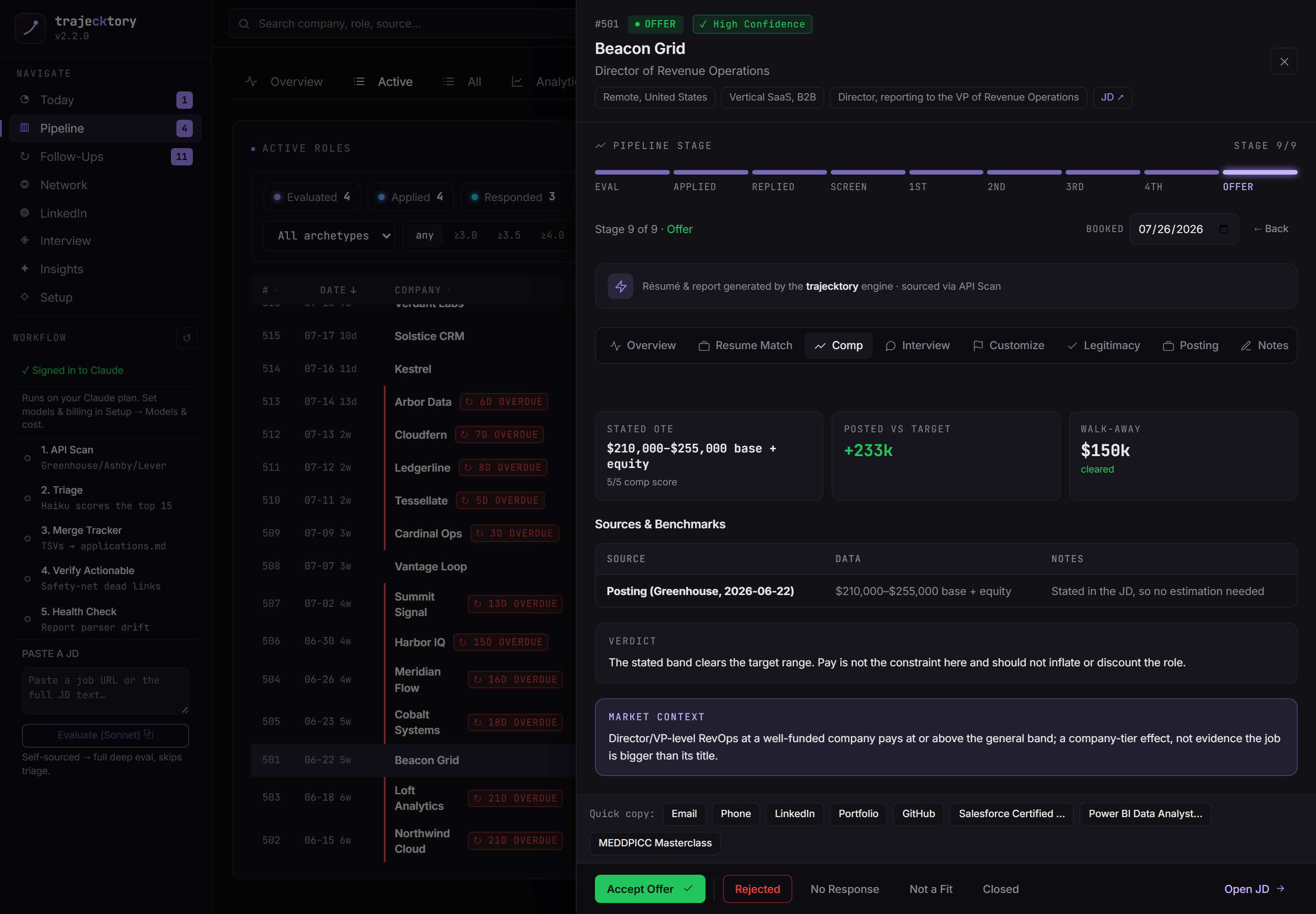
Deal-value modeling with a floor, so you know what the deal is worth before you negotiate.
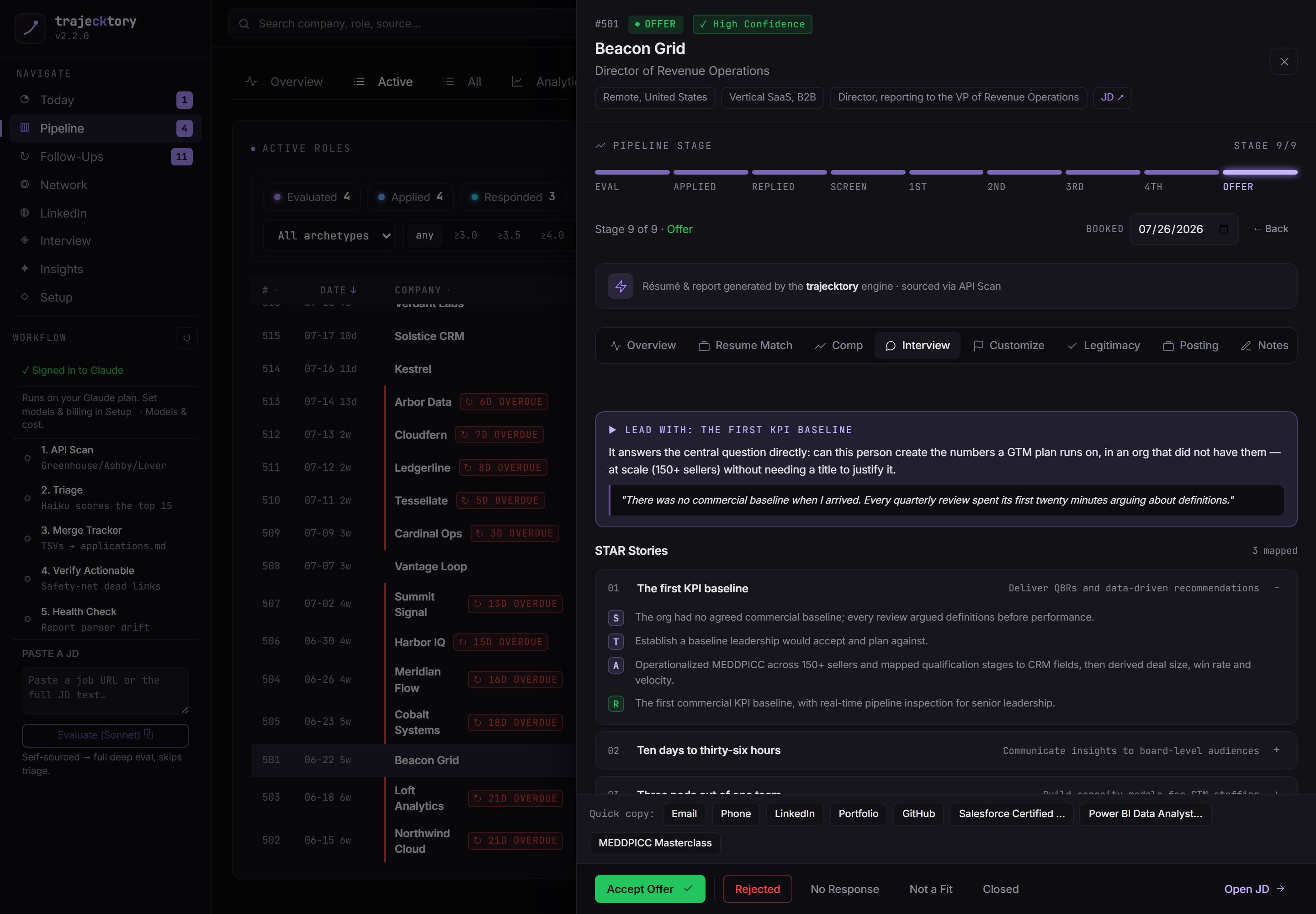
Champion enablement: the strongest narratives, tied to what the role actually asks for.
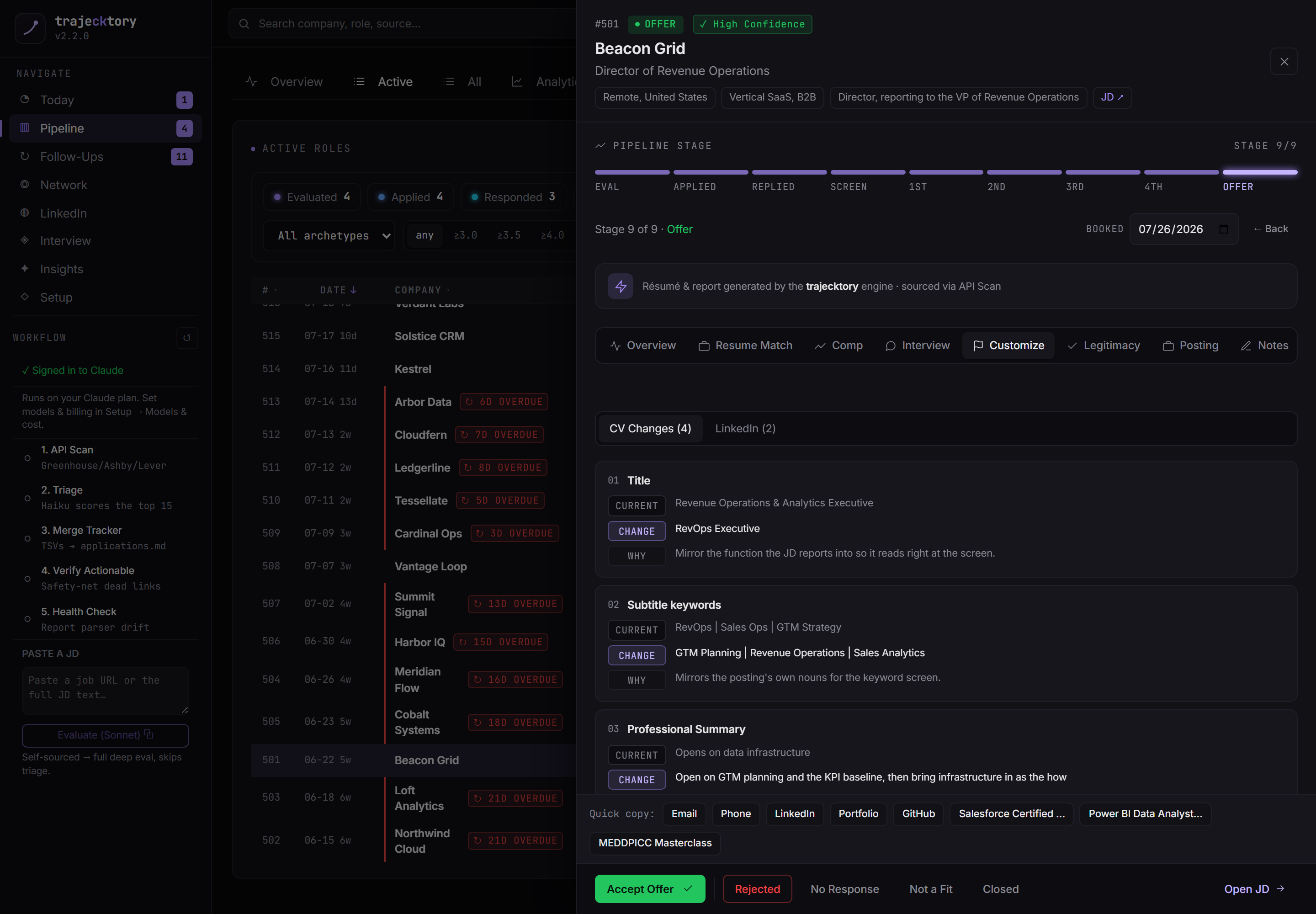
Templated-but-tailored assets at scale, plus the keyword play that clears the ATS screen.
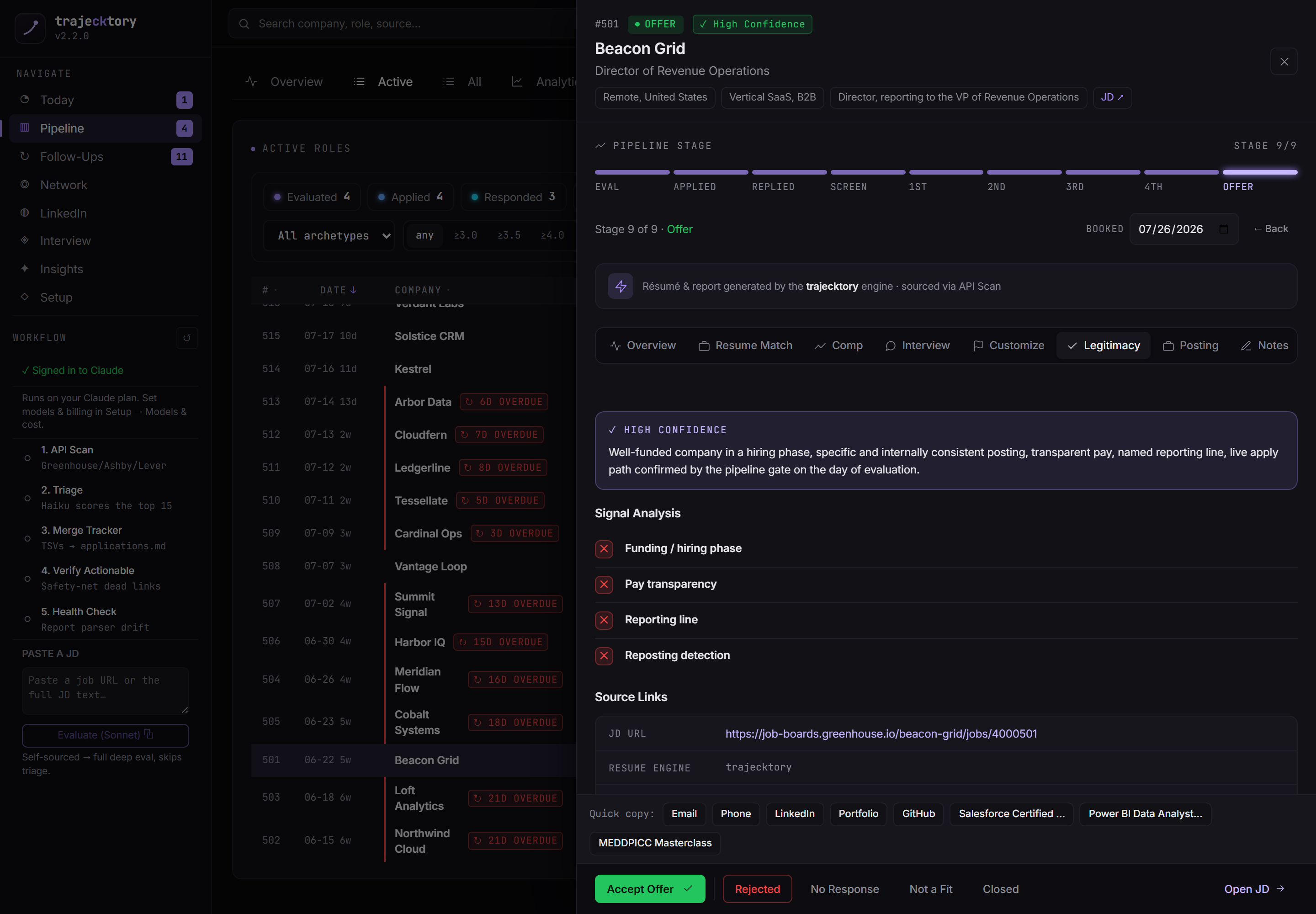
A lead-quality gate that disqualifies ghost reqs before you spend a cycle on them.
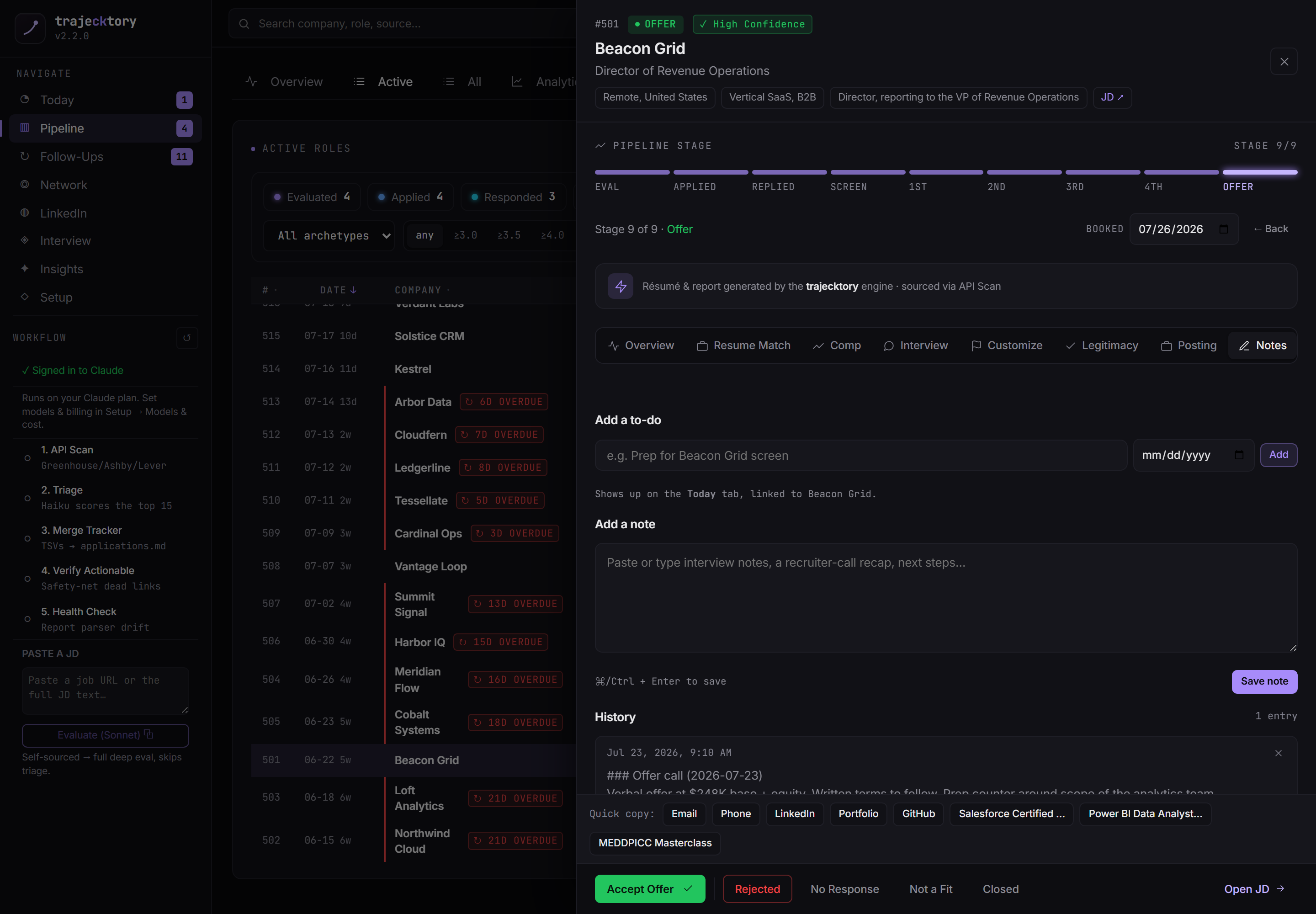
Activity logged on the record, so nothing is re-learned between conversations.
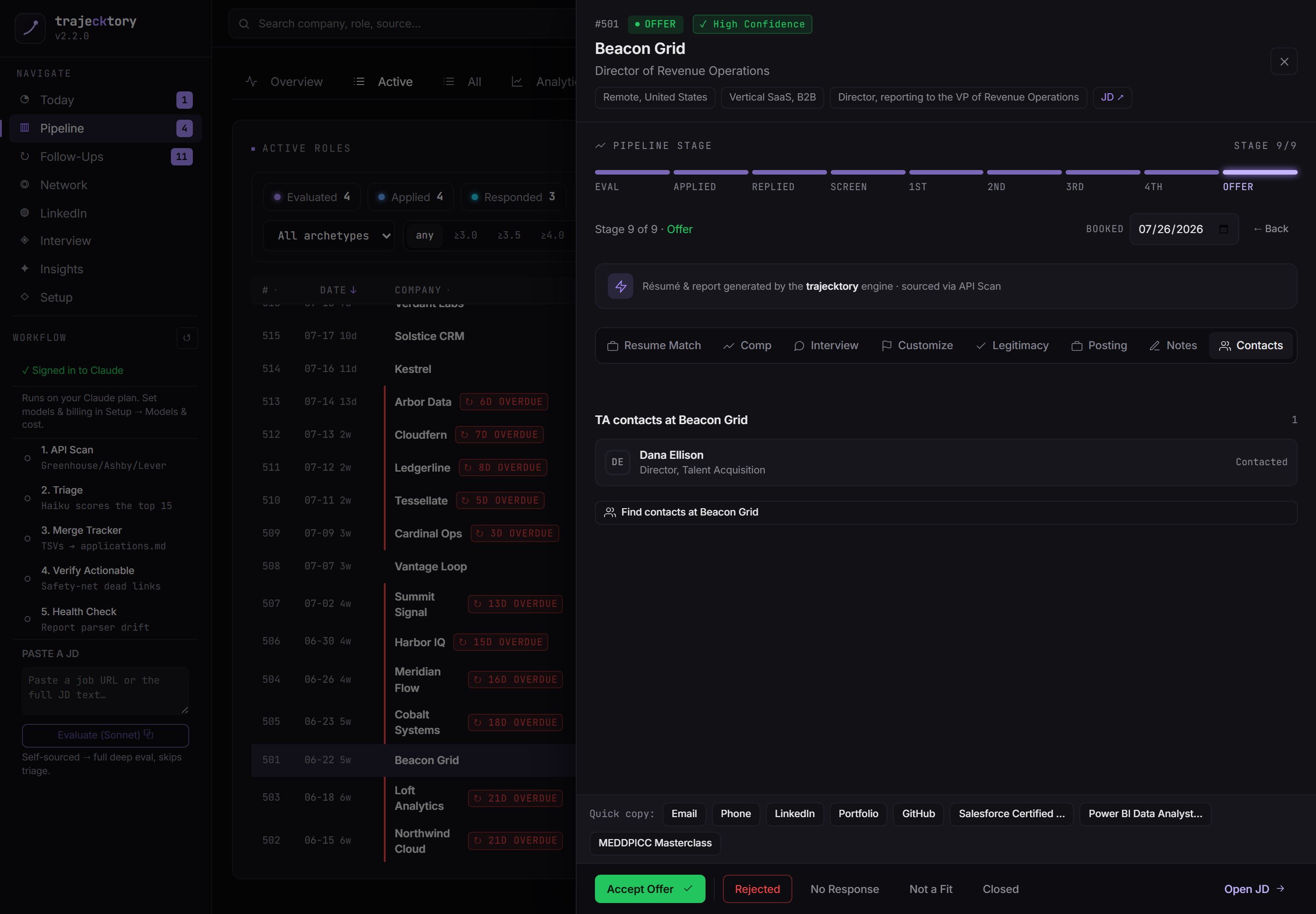
Account-to-contact mapping straight from the deal.
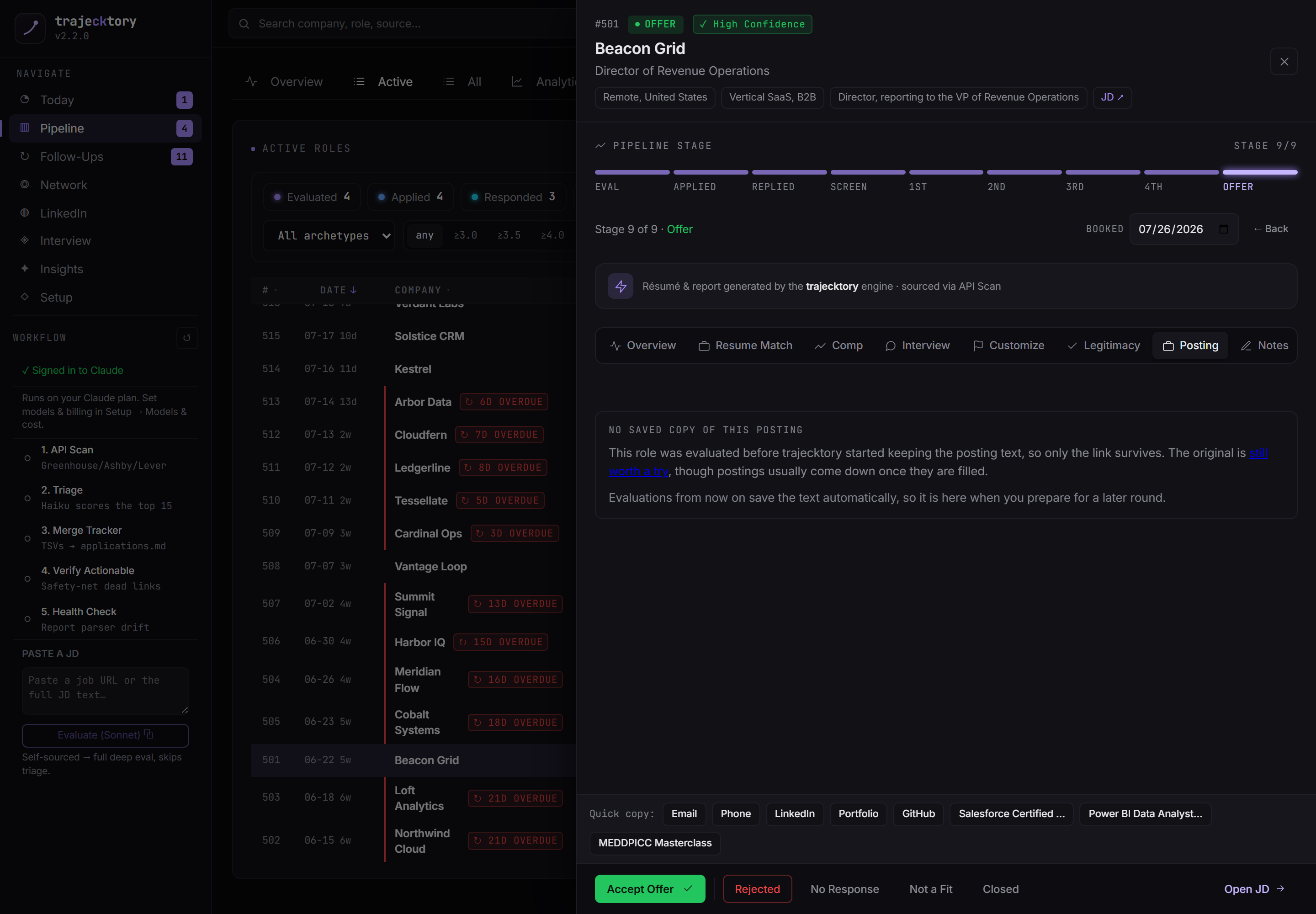
The source of truth for the role, preserved even after the listing is filled.
The same disciplined "is this worth our time?" qualification I would build into a lead-routing system, and the champion-enablement prep a great team walks in with, produced by multiple specialized agents into one coordinated deliverable.
Pipeline and system of record
The deal board
Every active role by stage, across the full taxonomy: Evaluated, Applied, Responded, then an interview ladder of Phone Screen, 1st, 2nd, 3rd, 4th, and Offer. Score, archetype, comp, and source sit on every row, with status chips and filters across the top. This is the forecast a CRO pulls up in a QBR, and the live work list a rep filters to "who is hot right now."
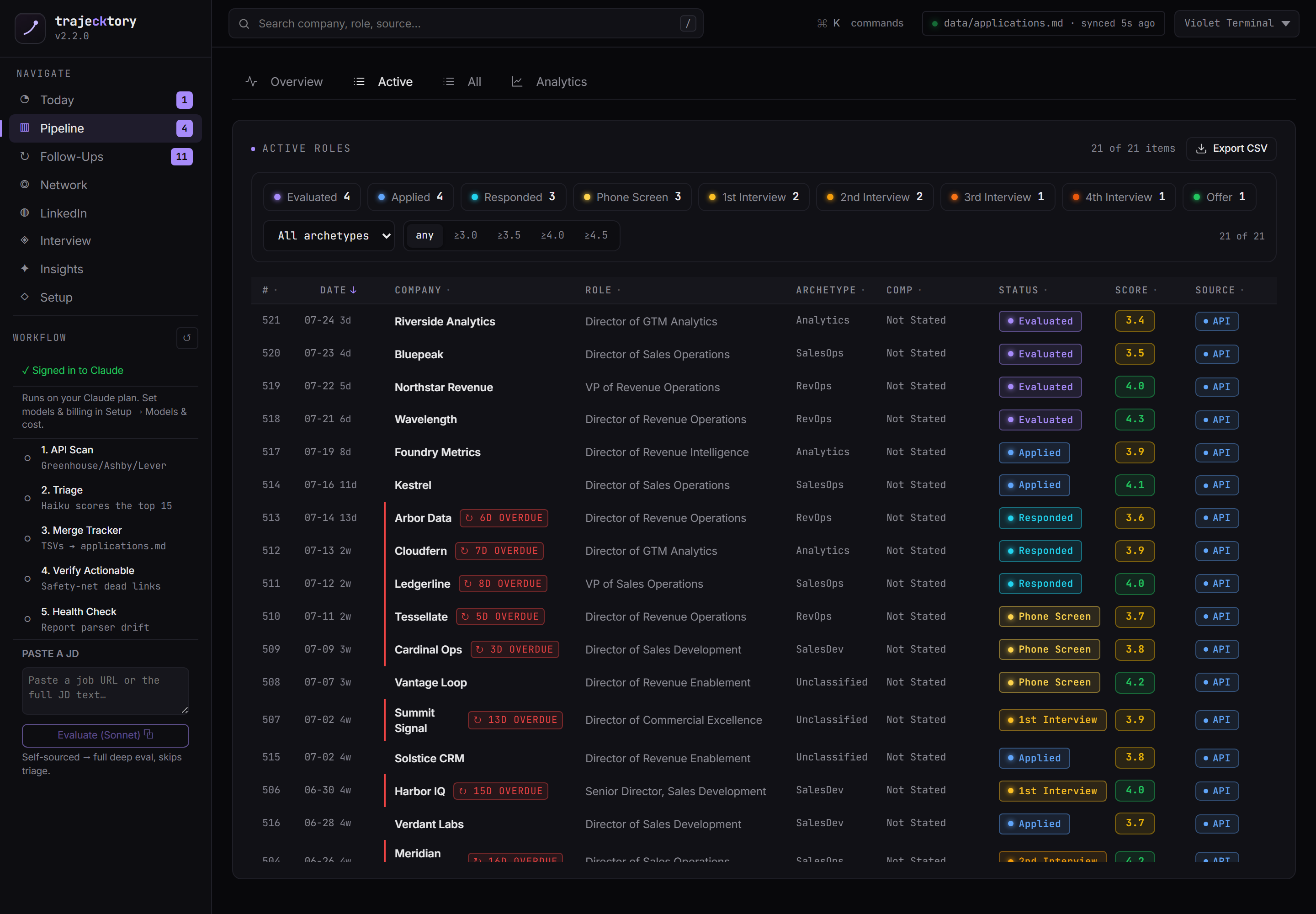
The master record and the diagnostics
Every entry ever logged, with the complete status taxonomy across the top (including No Response, kept in the applied denominator so the funnel stays honest). Alongside it, an analytics page: stage-to-stage conversion, source effectiveness, archetype conversion, and comp positioning against the target band. The analytical depth a director-level RevOps candidate is expected to produce, and the read that says grind more volume or fix conversion.
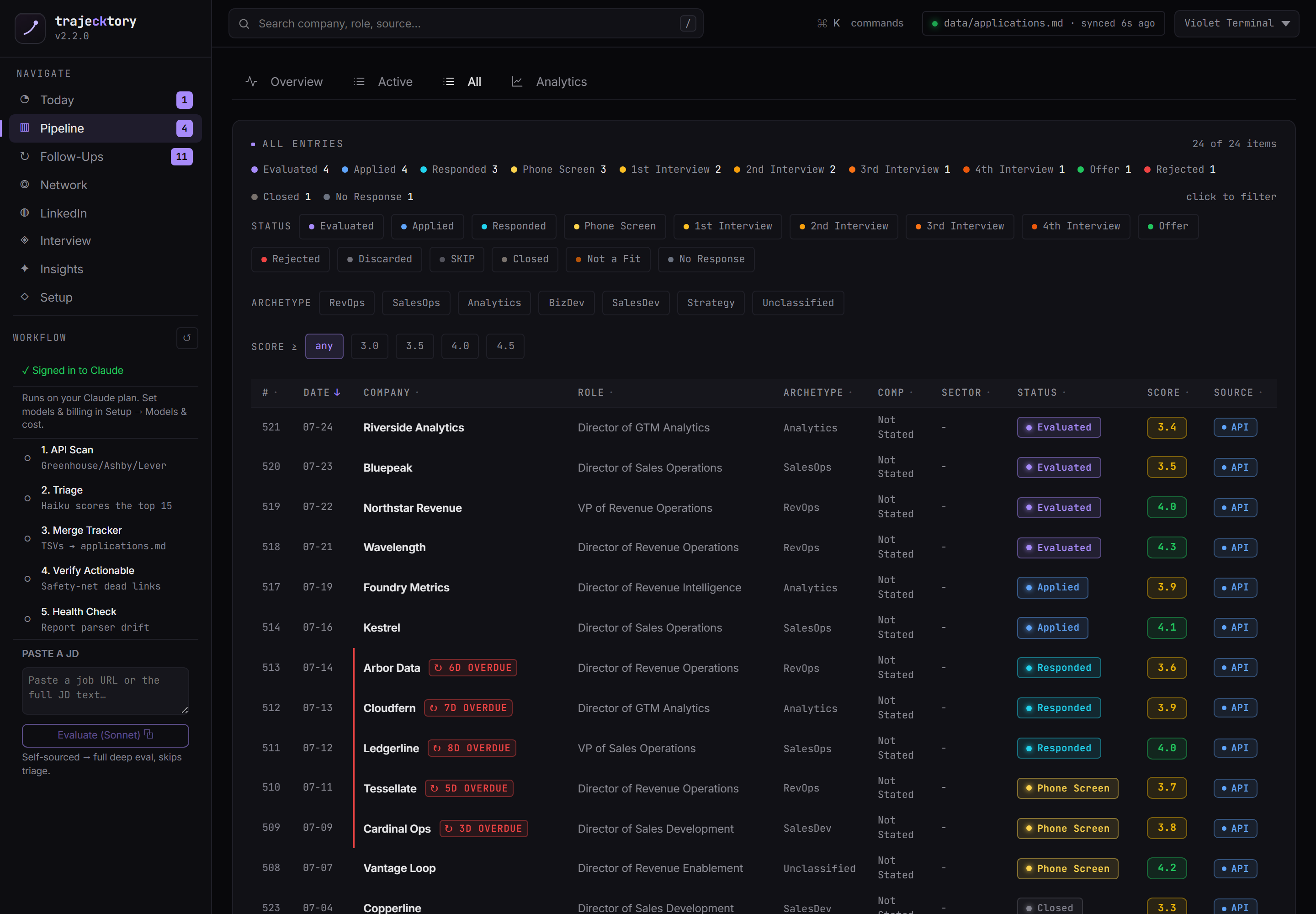
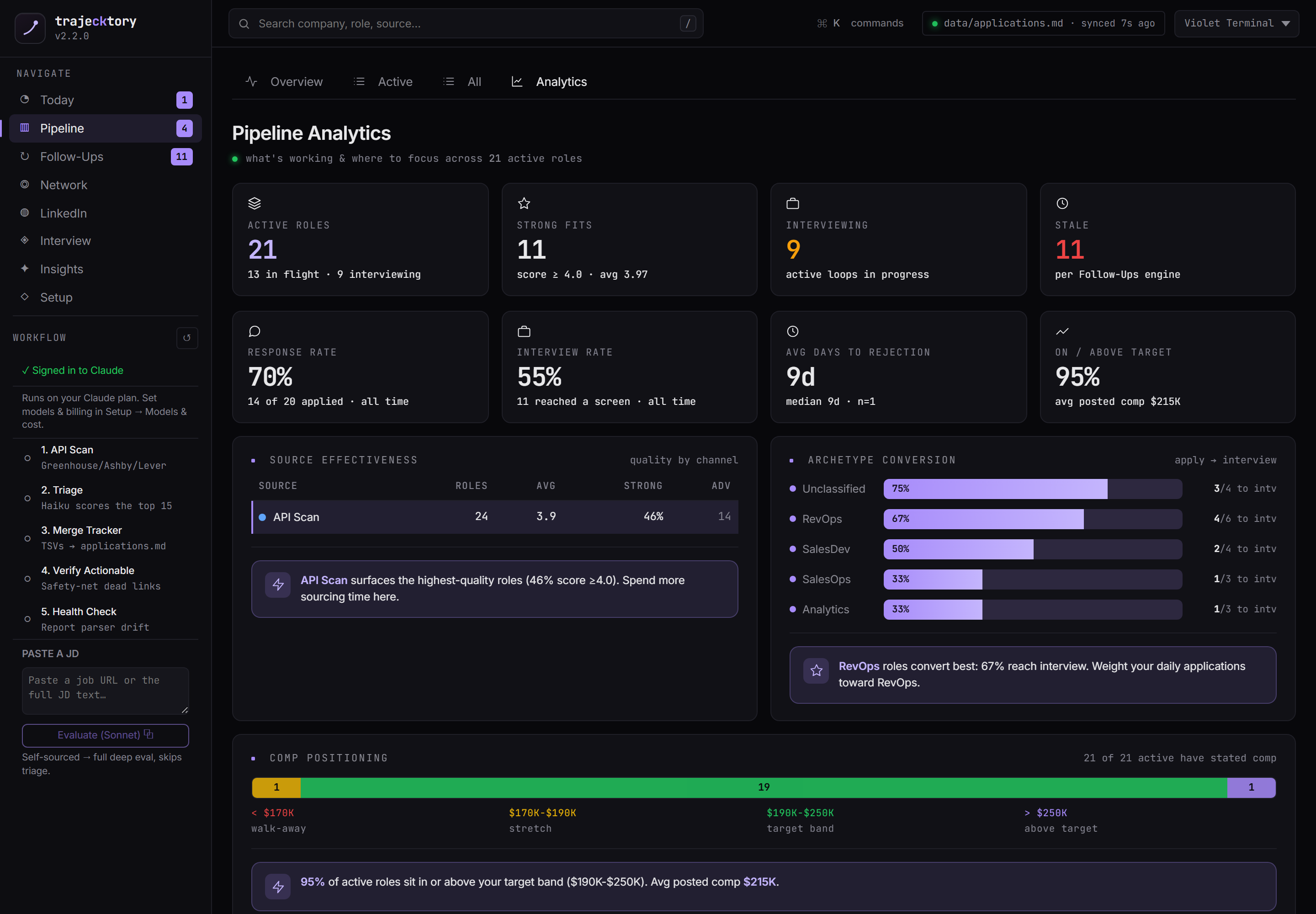
Clean pipeline hygiene with stage definitions a board would accept, funnel diagnostics with attribution, and the live work list underneath, all reading from one row-level record.
Cadence and follow-up
Follow-ups, split into warm threads and cold applications
Warm threads are replies and interviews worth a nudge, bucketed by age with a coach that says when to push and when to write one off. The cockpit breaks stale touchpoints down by age, source, and status so the morning triage is sorted by what it costs to lose. Applications out is the cold ledger: everything still awaiting a reply, with overdue and no-contact flags and one-click find-contacts. This is how deals stop dying in the middle of the funnel.
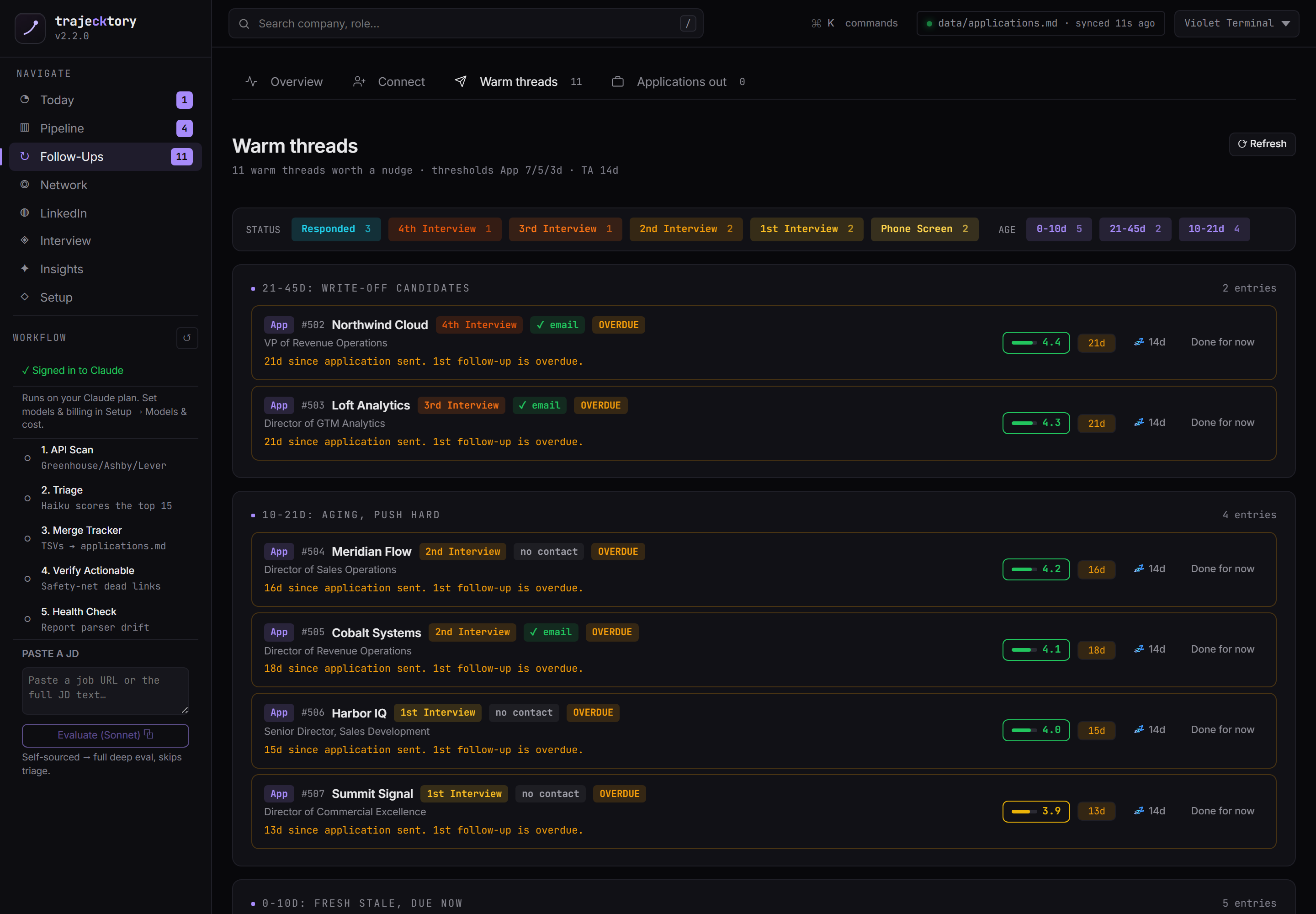
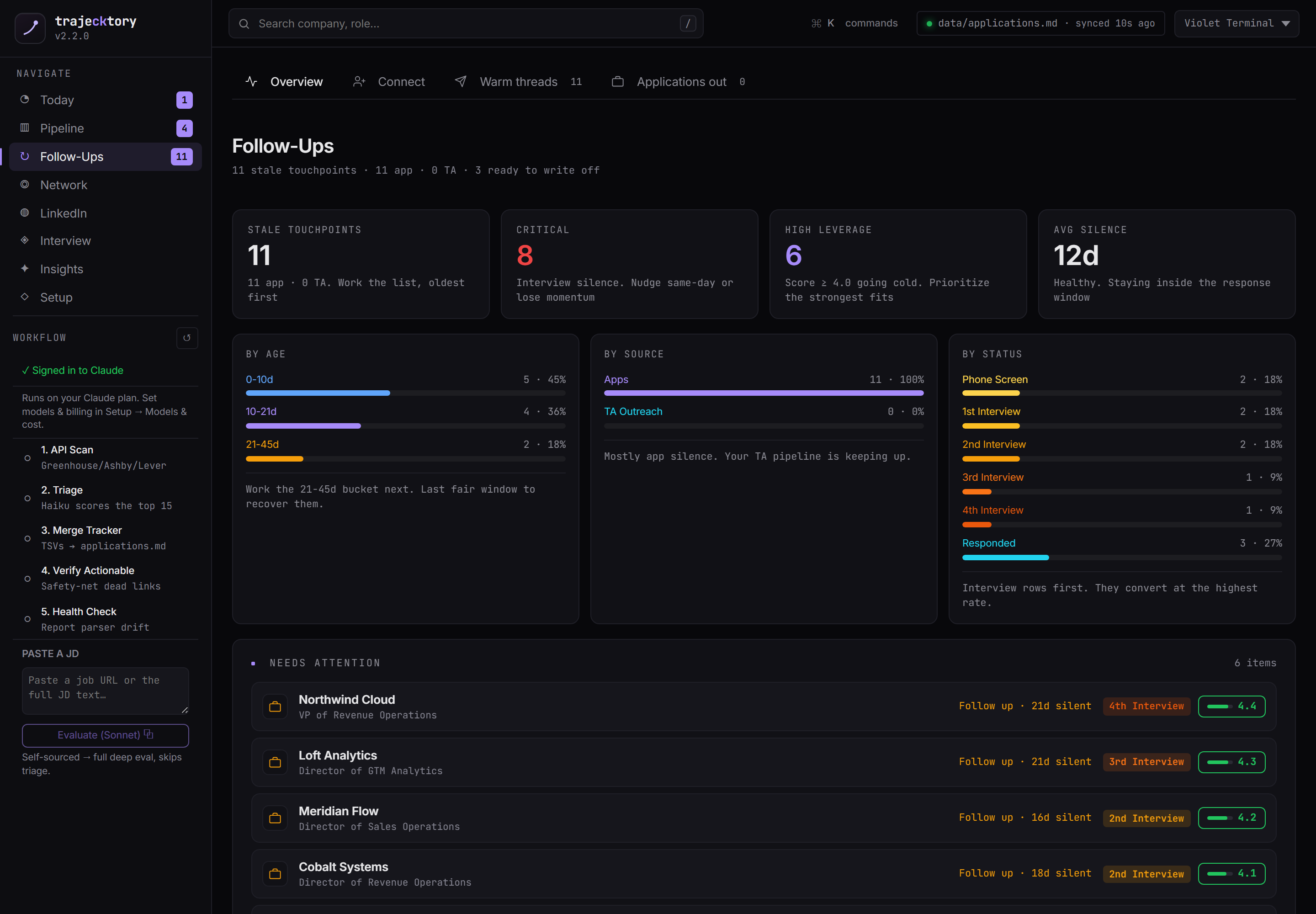
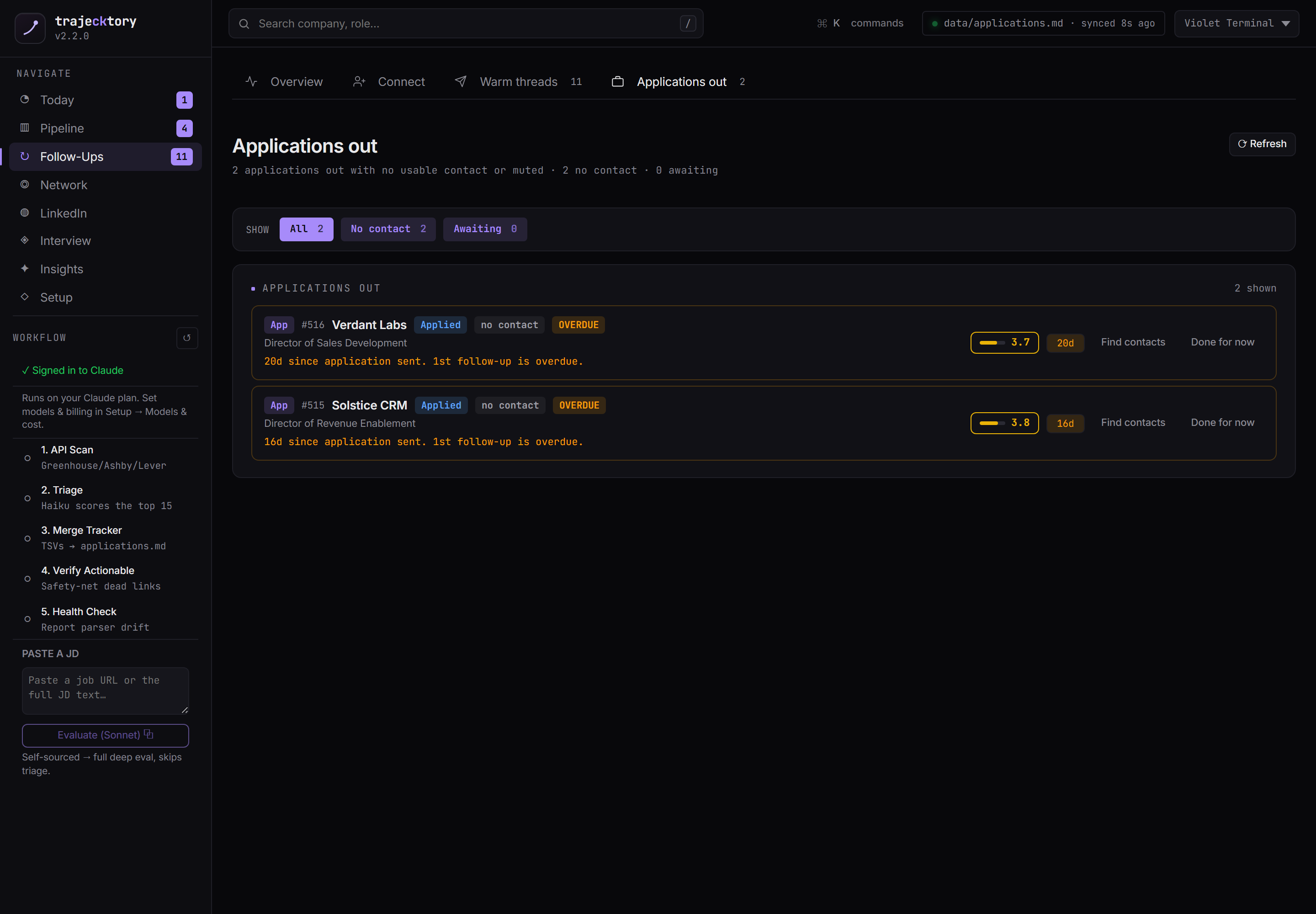
Cadence and SLA enforcement built into the workflow, with aging and source attribution.
The disciplined follow-up muscle that separates good reps from great ones, sorted by what it costs to lose.
The interview tracker
Every live loop, and where they get lost
Interview is now a ladder, not a single stage: Phone Screen, then 1st through 4th, then Offer. This surface tracks every active loop across that ladder with round-by-round prep, and a stage funnel that shows where candidates fall out, the "where we lose them" view a sales manager runs on a team. It turns a pile of scheduled calls into a coached, inspectable process.
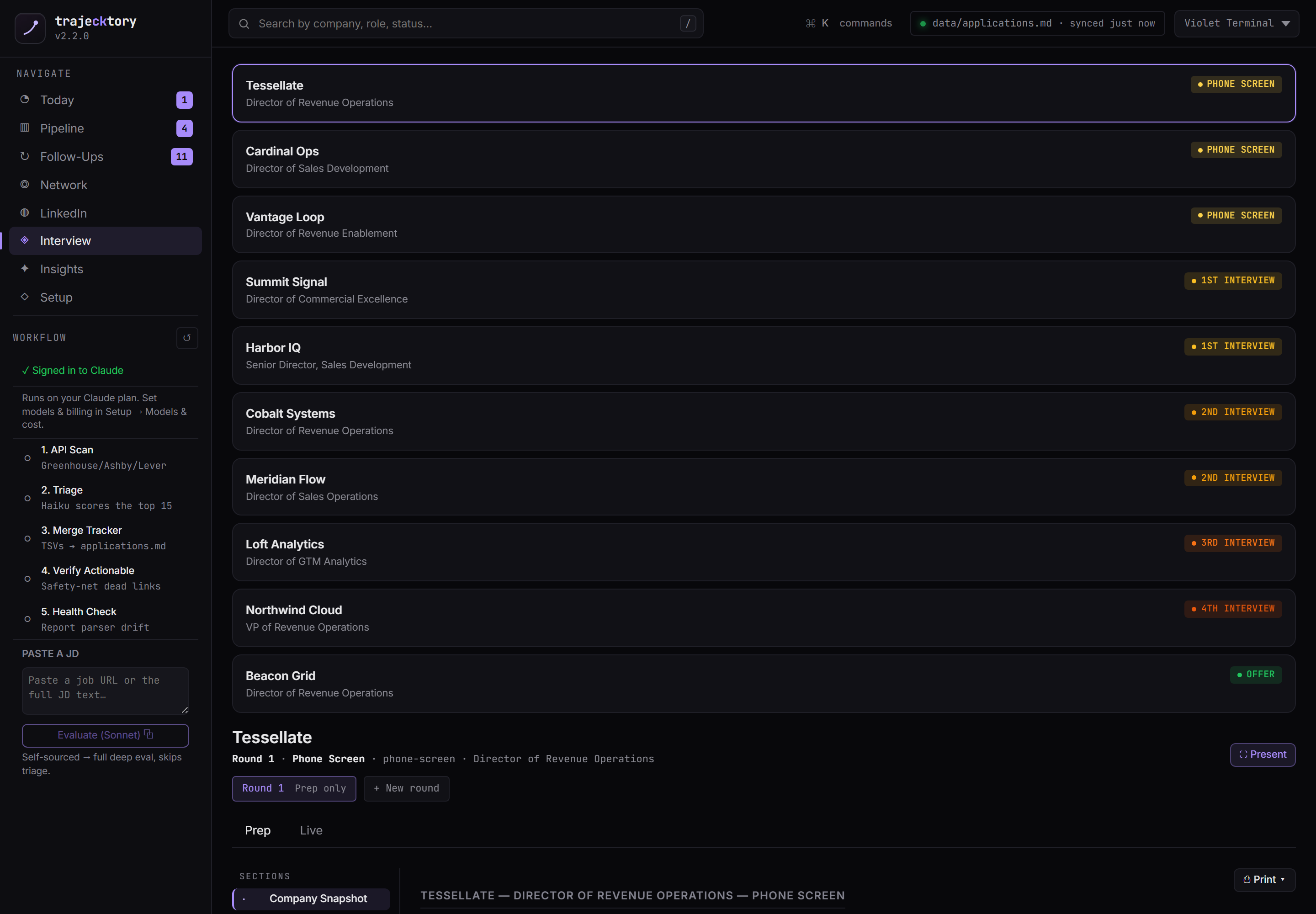
A multi-stage funnel with drop-off inspection, plus the round-level enablement a manager uses to coach the loop, not just count it.
The network hub
Three books of business: referrals, TA, and recruiters
One hub, three lanes, because knowing whether you are talking to a referral, in-house talent acquisition, or an agency recruiter completely changes the play. Referrals is the warmest channel, worked reconnect-first. TA outreach auto-sources the in-house partner for a target company. Recruiters keeps agencies as a separate book with their own cadence. Each contact opens to a full record: pipeline stage, related roles, notes, a draft-outreach action, and the correspondence thread inline.
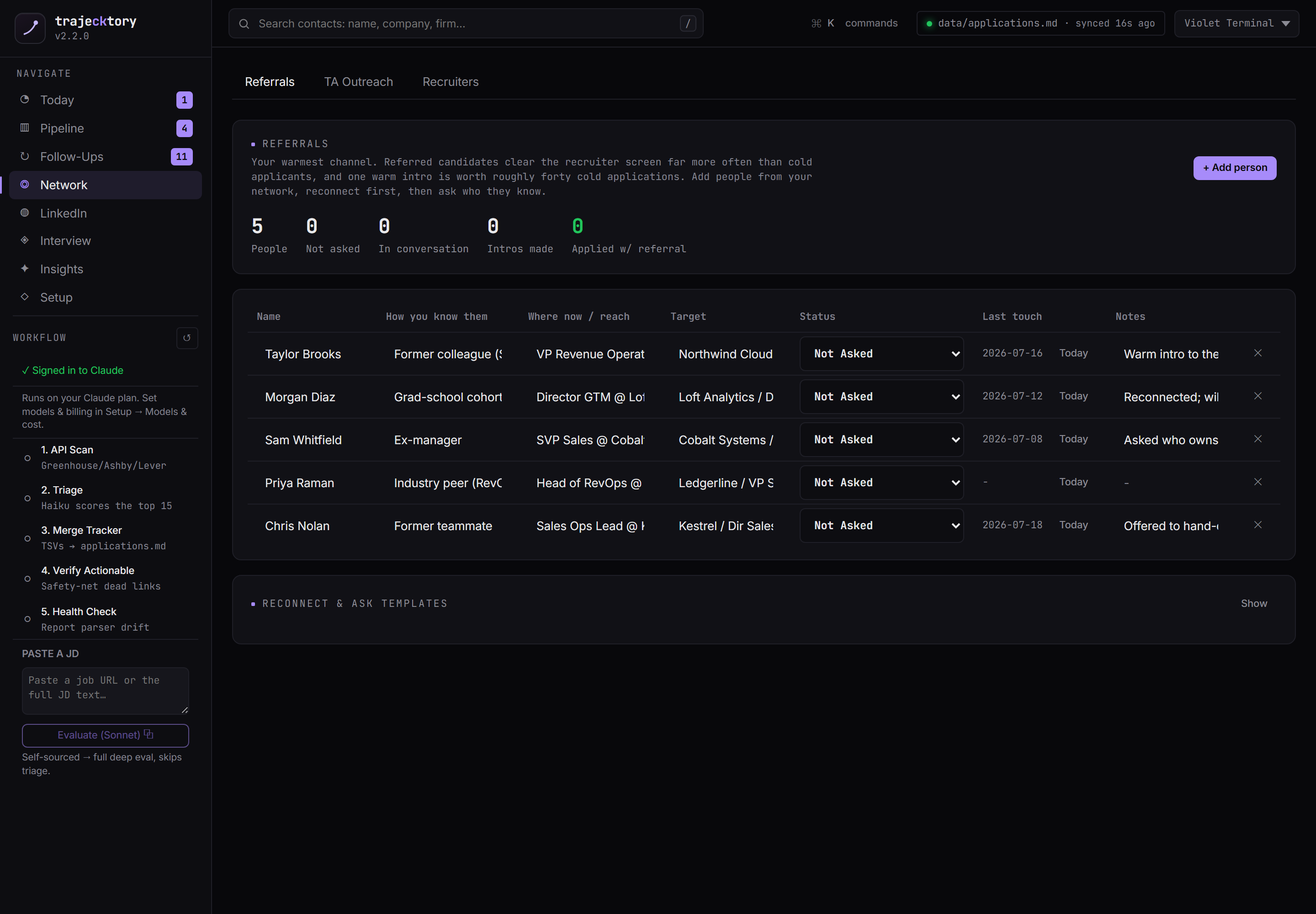
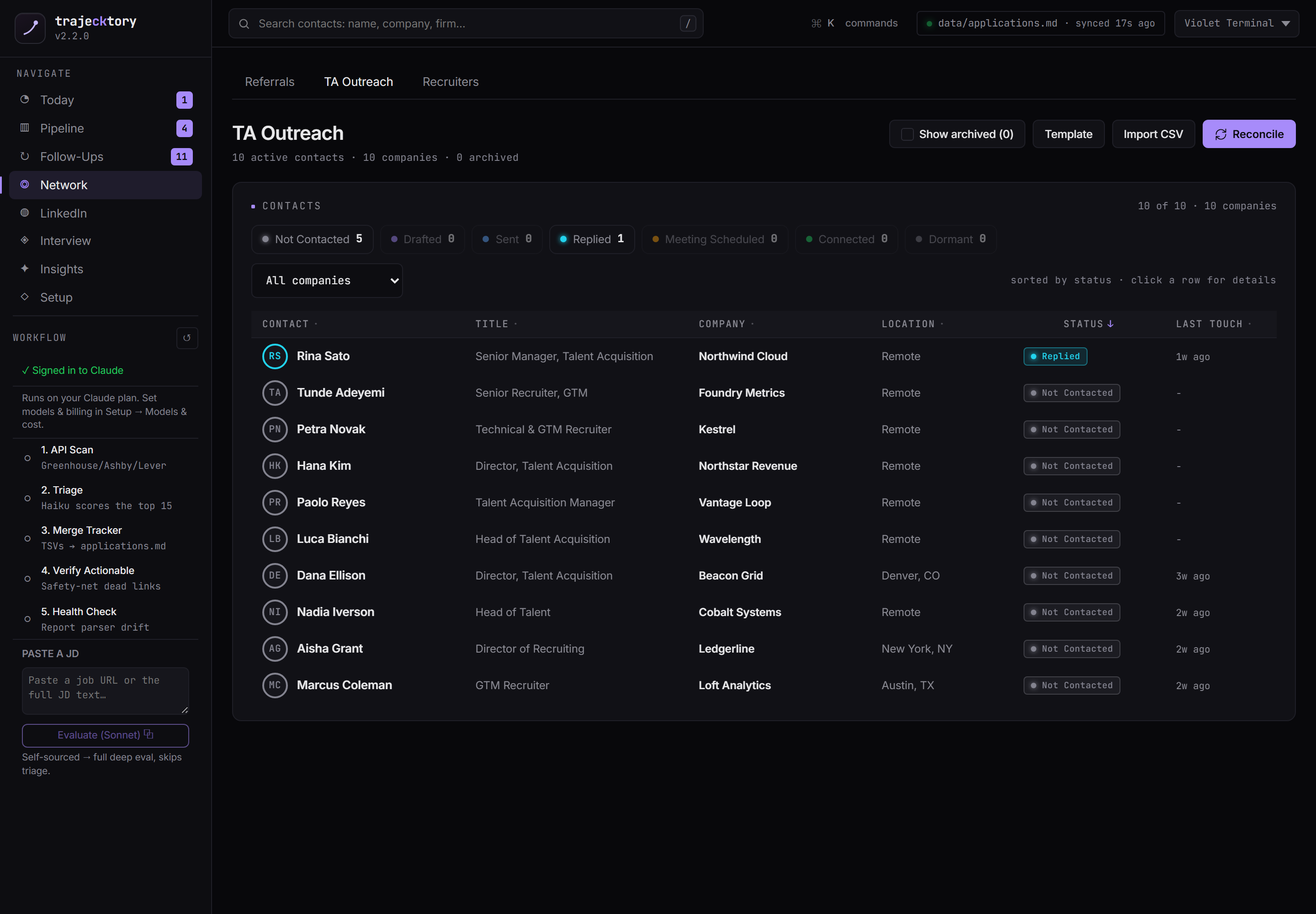
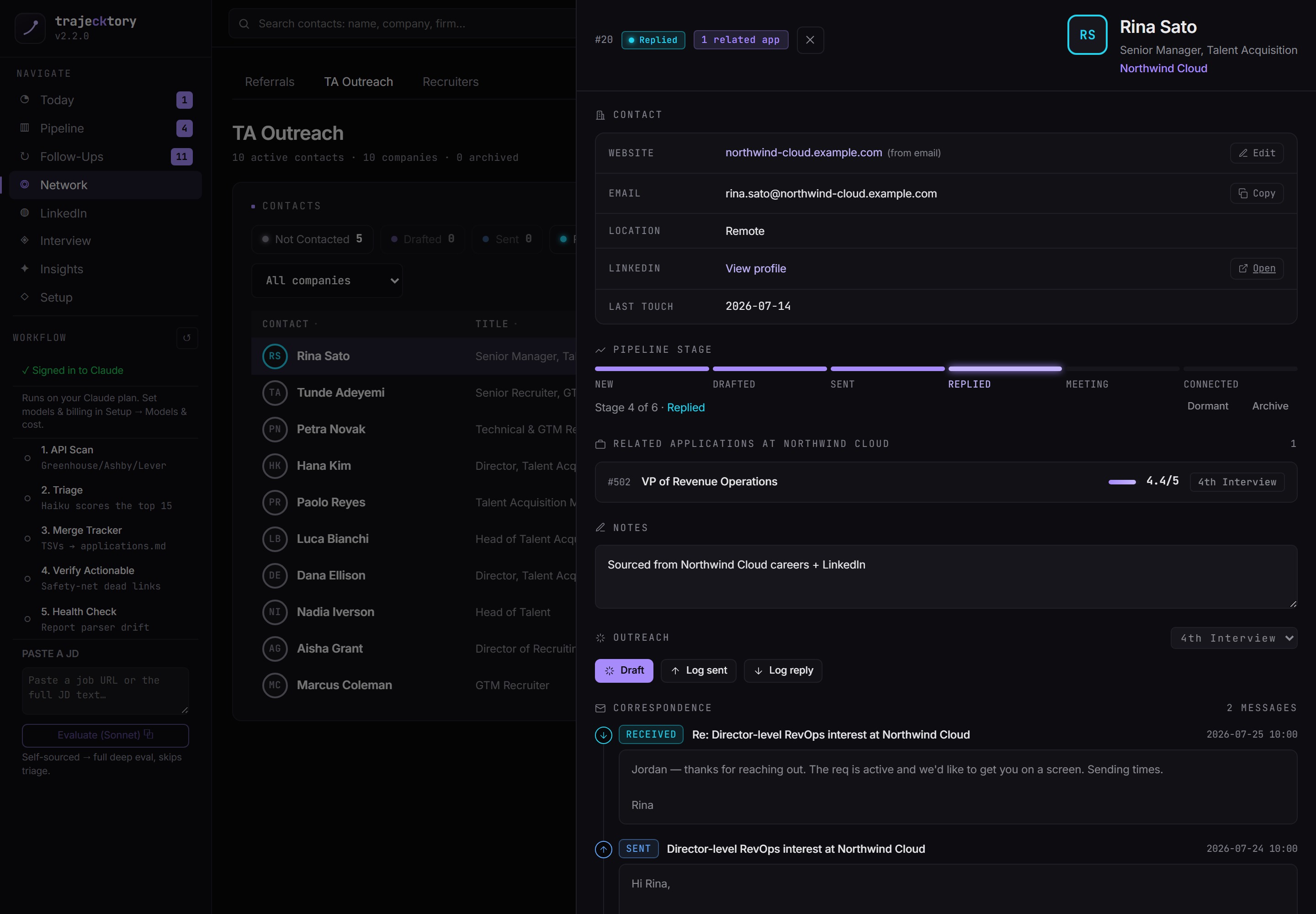
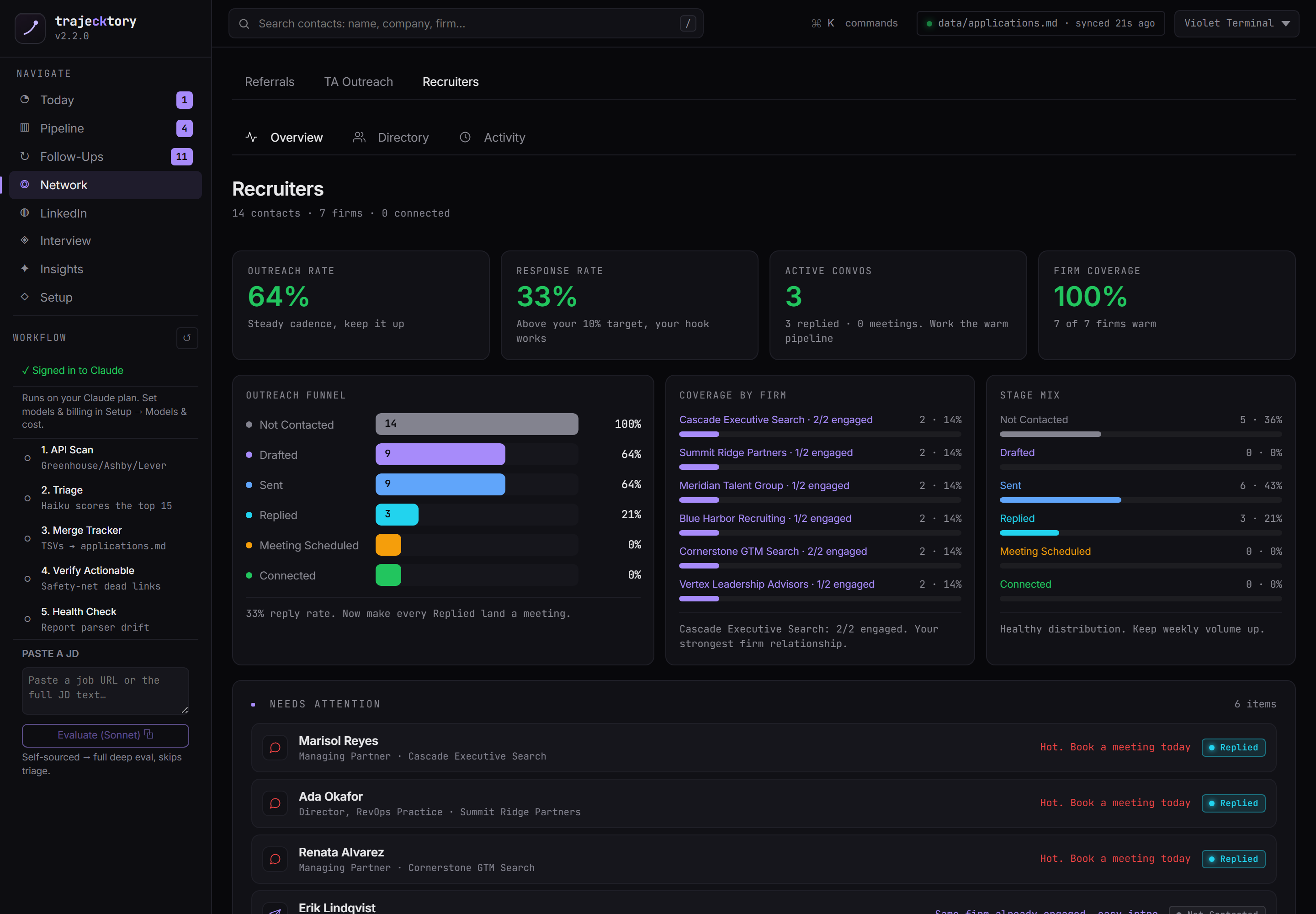
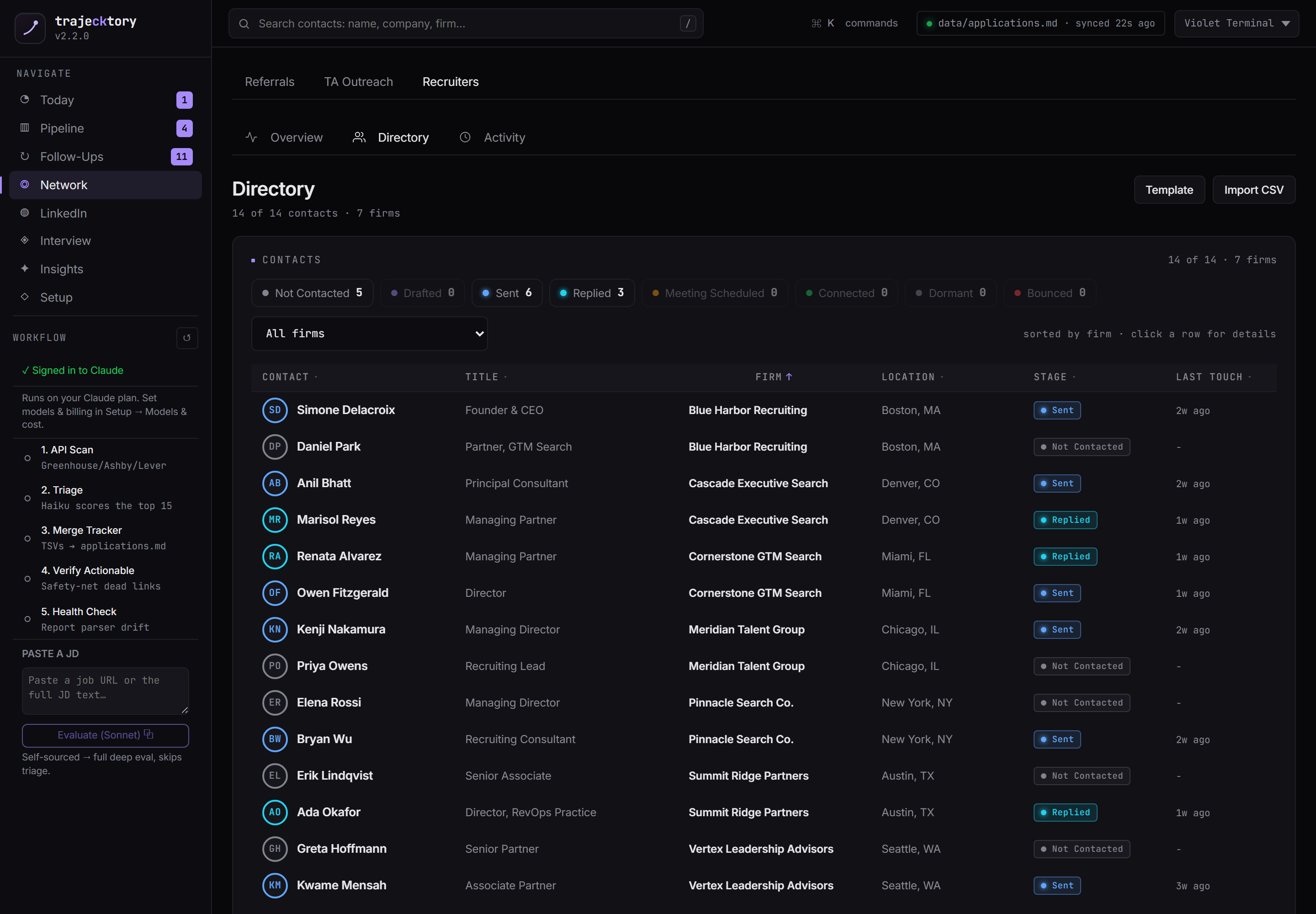
A clean account taxonomy across three channels, with a firm-level activity trail and auto-enriched contacts.
Segment the outbound: referral, in-house, and agency each get a different cadence and message.
Outreach, drafted in your voice
AI drafts every message. You approve every send.
trajecktory drafts across every channel: recruiter email, in-network and TA email, LinkedIn connection notes, and follow-ups. The Connect queue handles contacts with a LinkedIn handle but no sendable email: it drafts the note, you edit, copy, and send it by hand. Nothing sends itself. Every draft is edited and approved by me before it goes out, and Gmail is connected read-only to capture replies and bounces, never to send.
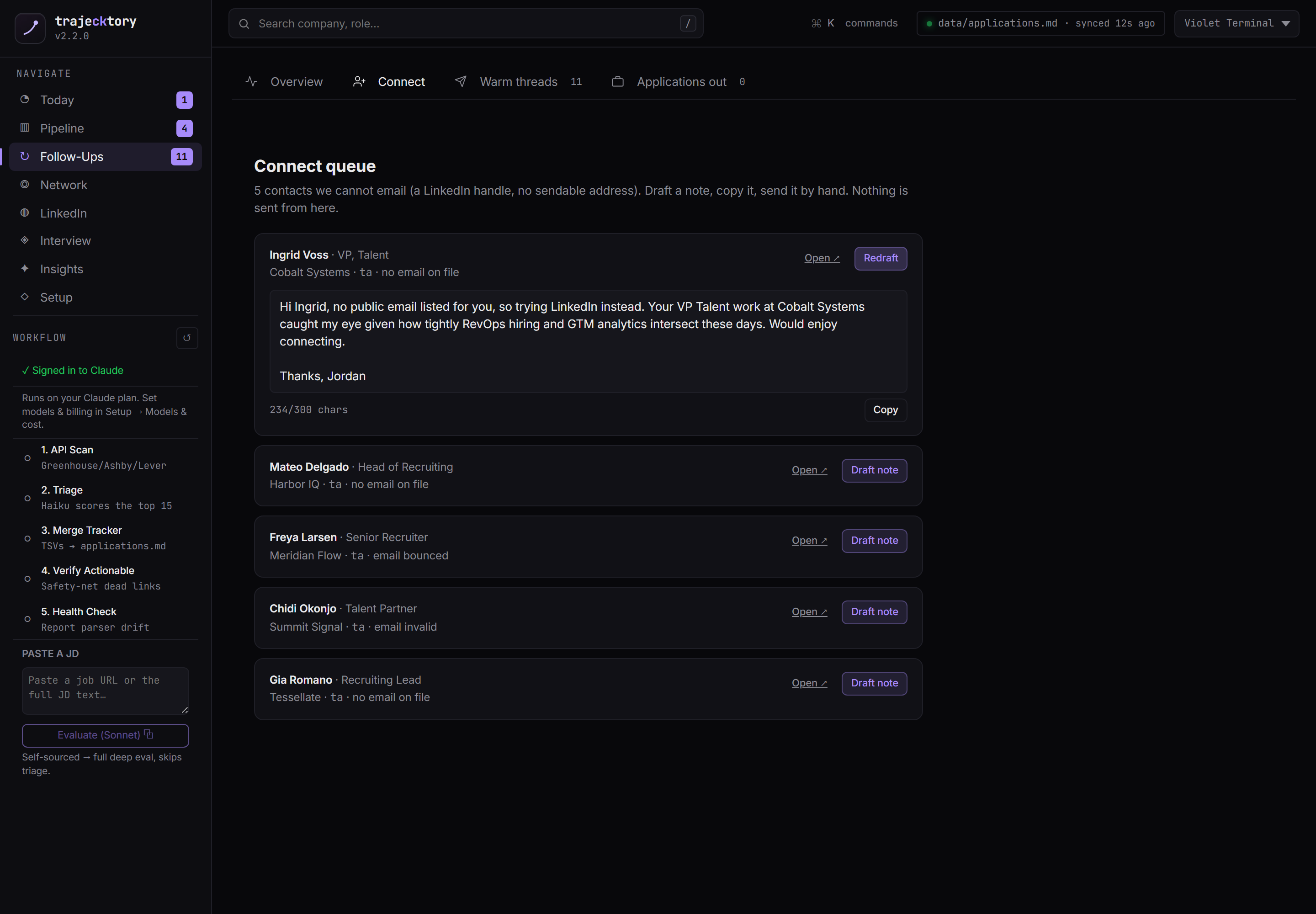
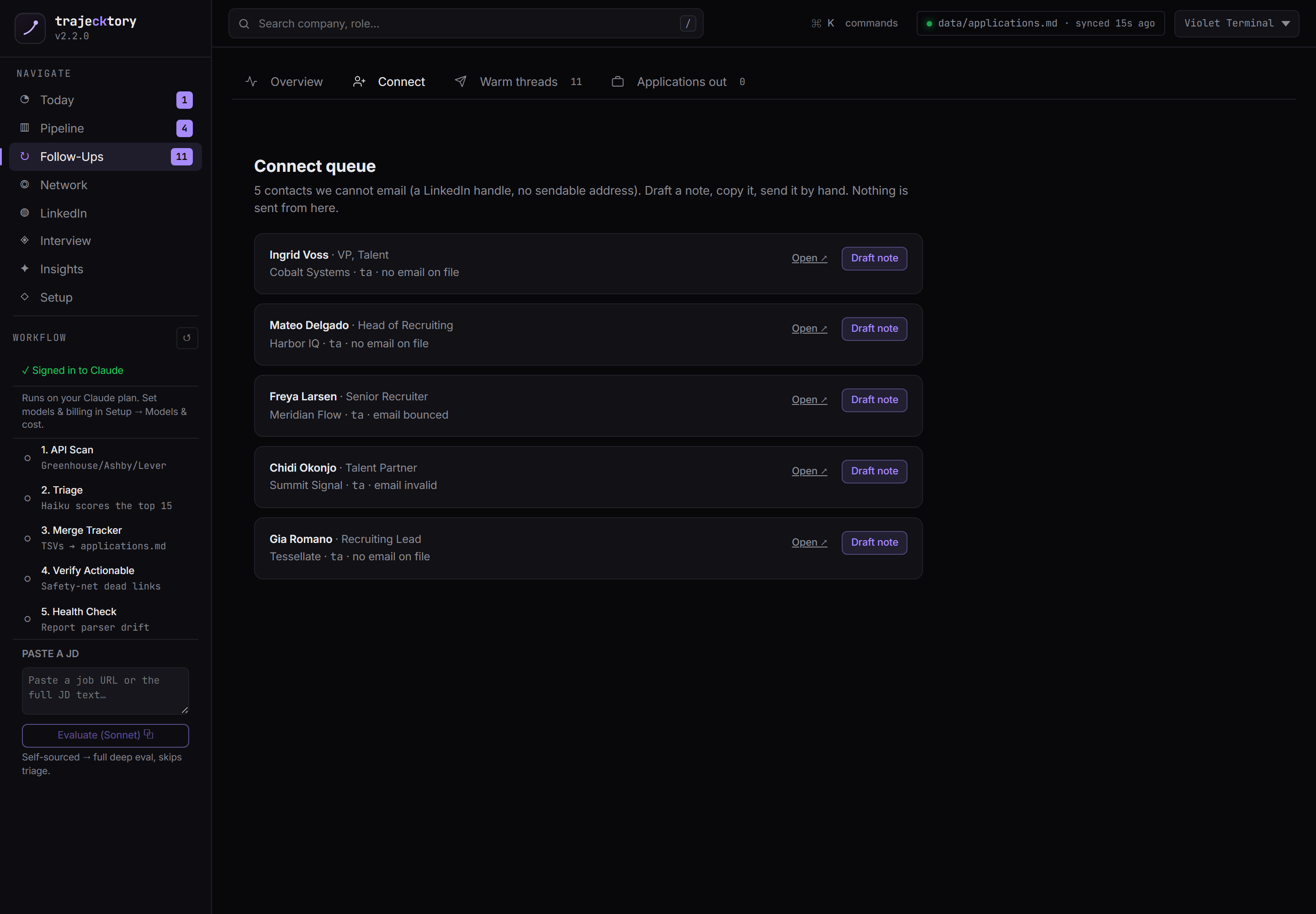
Sales-engagement drafting with a human approval gate, and read-only reply capture that keeps the activity log honest without ever automating a send.
Brand and inbound
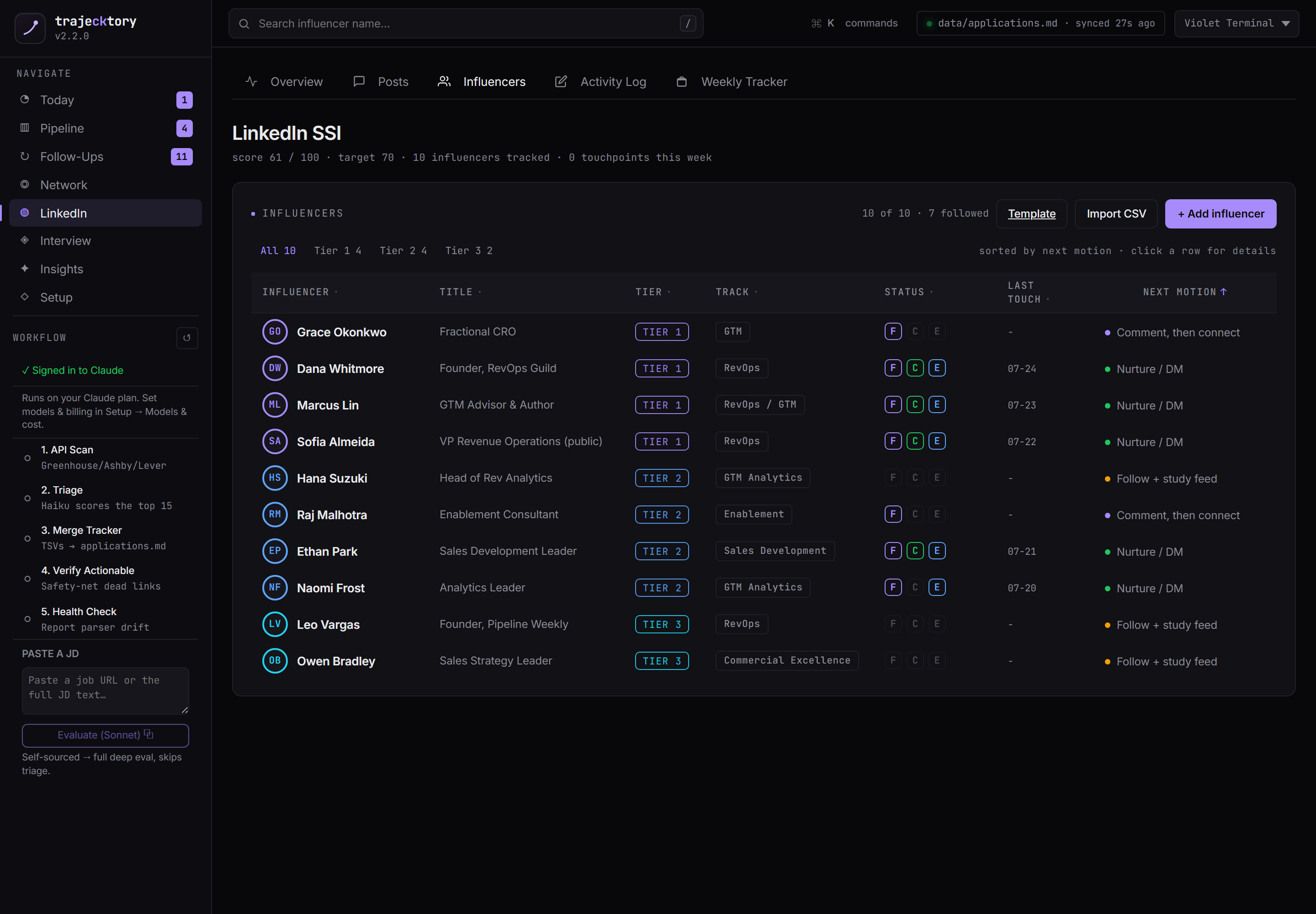
I manage my brand like a metric
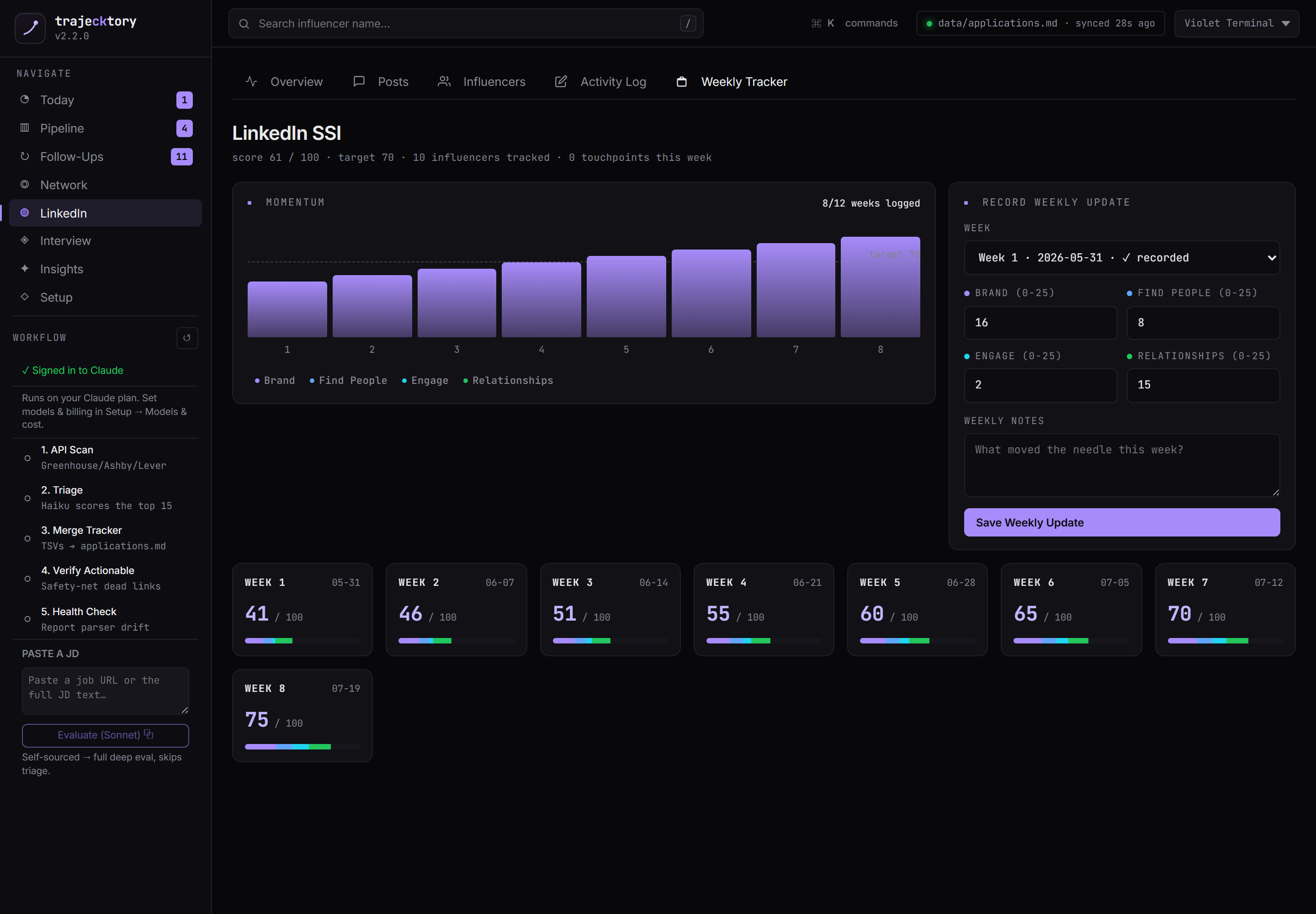
Pipeline generation has an inbound half, so I track it like a leading indicator. The LinkedIn Social Selling Index is broken into its four pillars, with a curated list of high-leverage voices to engage and a weekly trend. The target is deliberately incremental: rather than chase an unrealistic 0-to-100 sprint, trajecktory sets the next attainable milestone, so effort compounds week over week instead of burning out against an impossible number. Set a reachable goal, hit it, raise it.
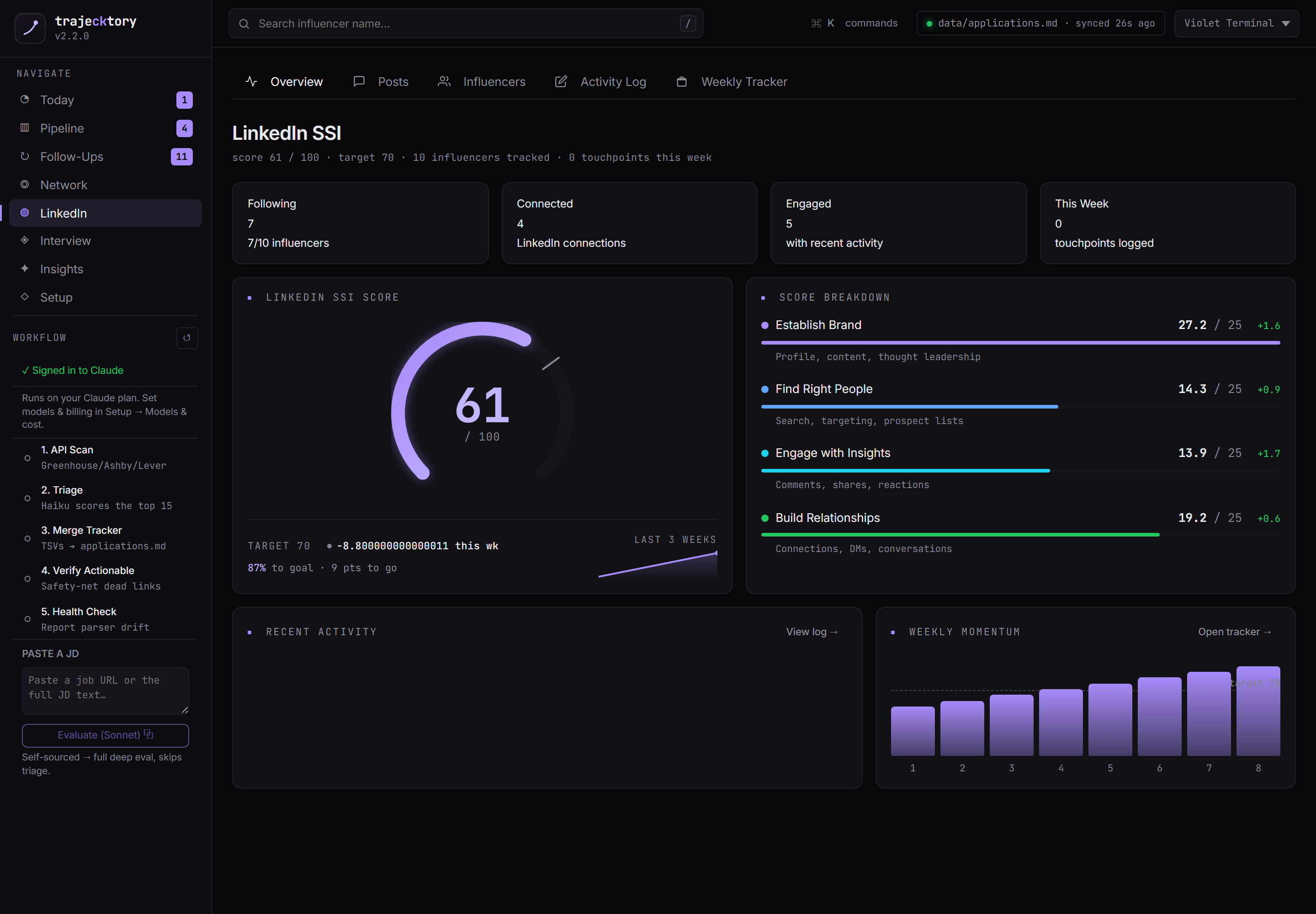
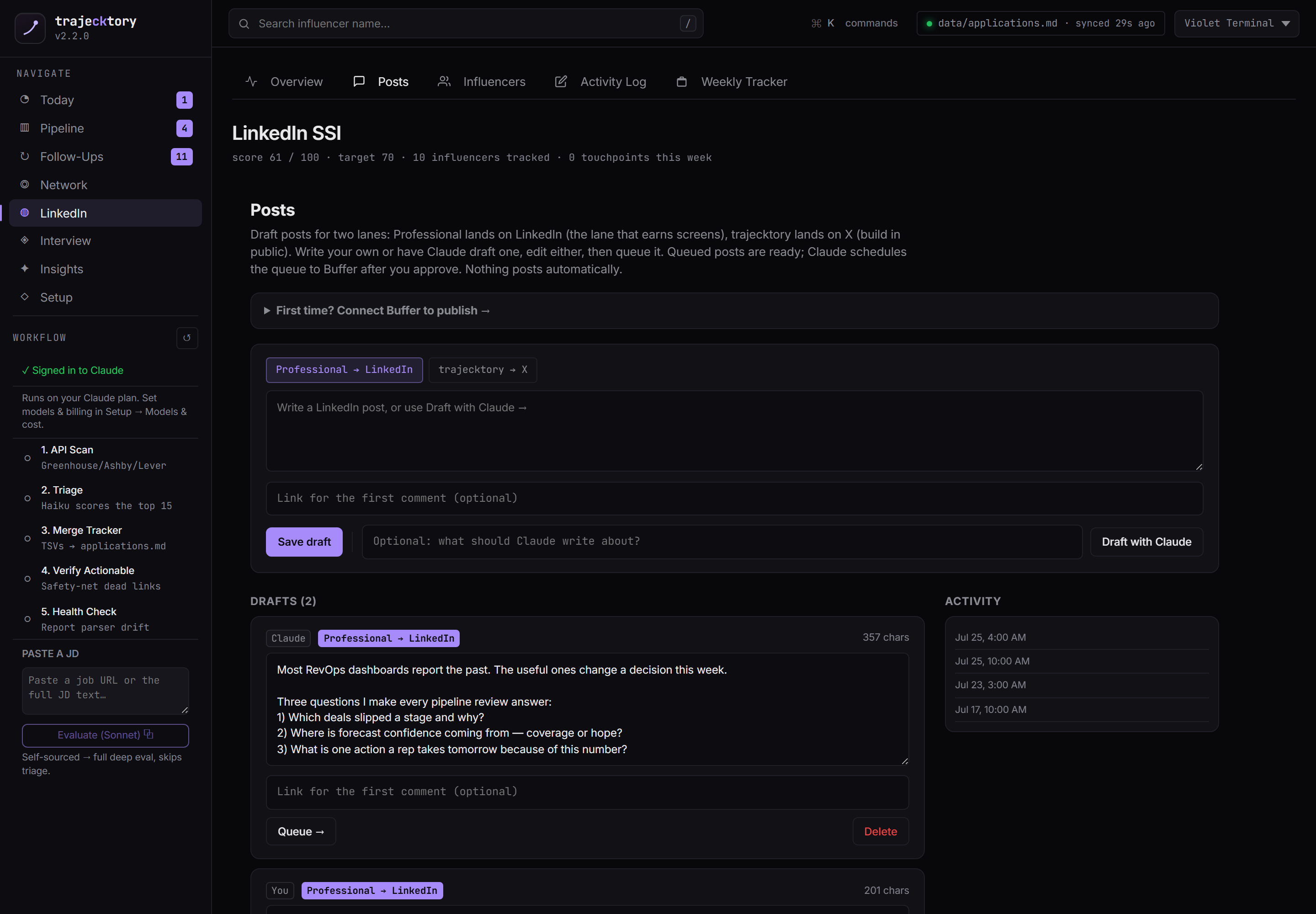
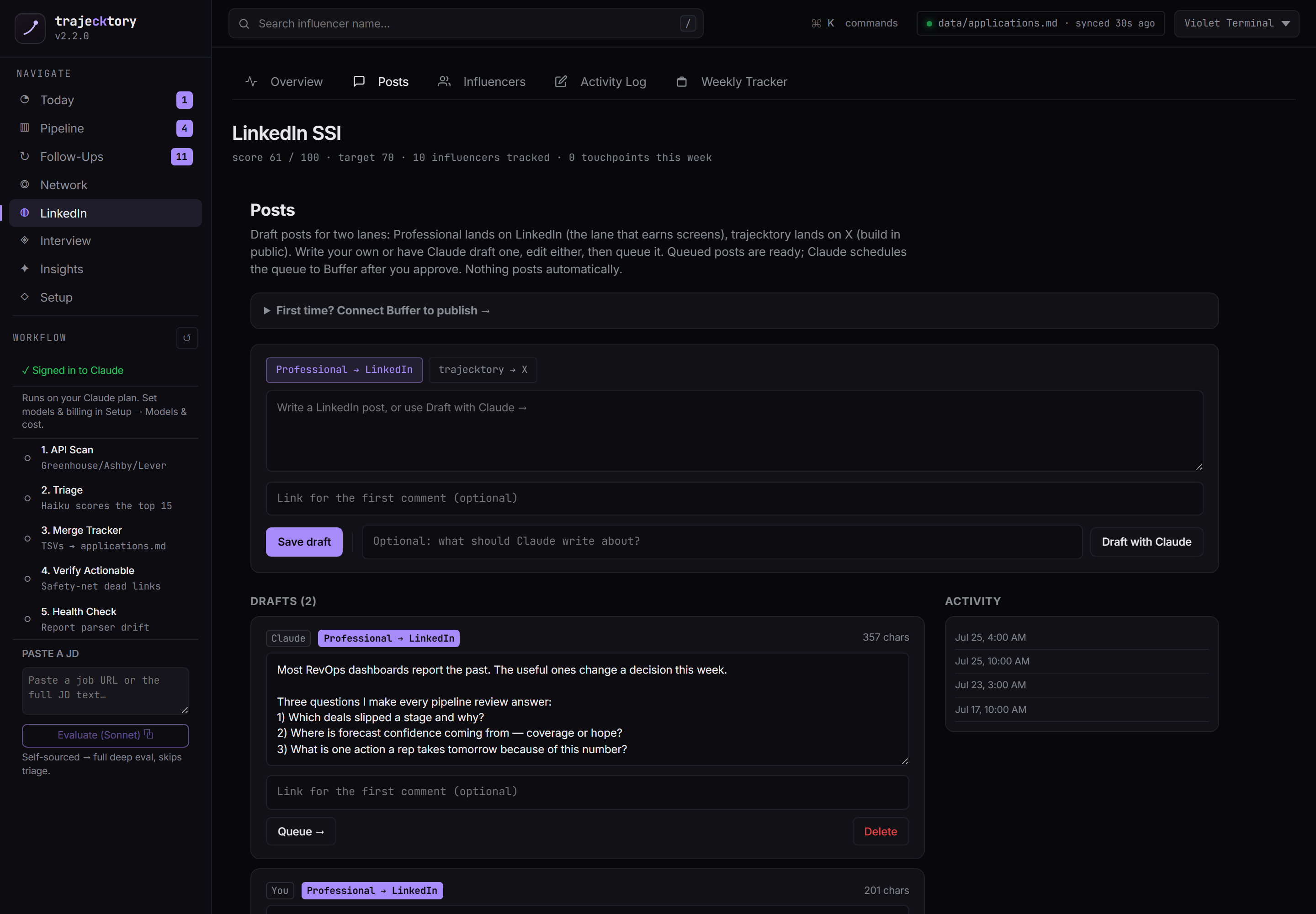
Posts drafted, queued, and scheduled through Buffer
New A post composer with two lanes (Professional to LinkedIn, trajecktory to X). Write your own or have Claude draft one, edit either, then queue it. Claude schedules the approved queue to Buffer. Posting goes through Buffer rather than direct APIs, and nothing posts automatically: approval is the gate. The build-in-public engine for the inbound half of the funnel.
A leading indicator tracked over time with attainable, rolling targets: the goal-setting discipline that keeps a quota motivating instead of demoralizing.
Social selling and inbound generation on a weekly scorecard, with drafting and scheduling built in.
The coaching layer
A synthesized weekly read, with the rows cited
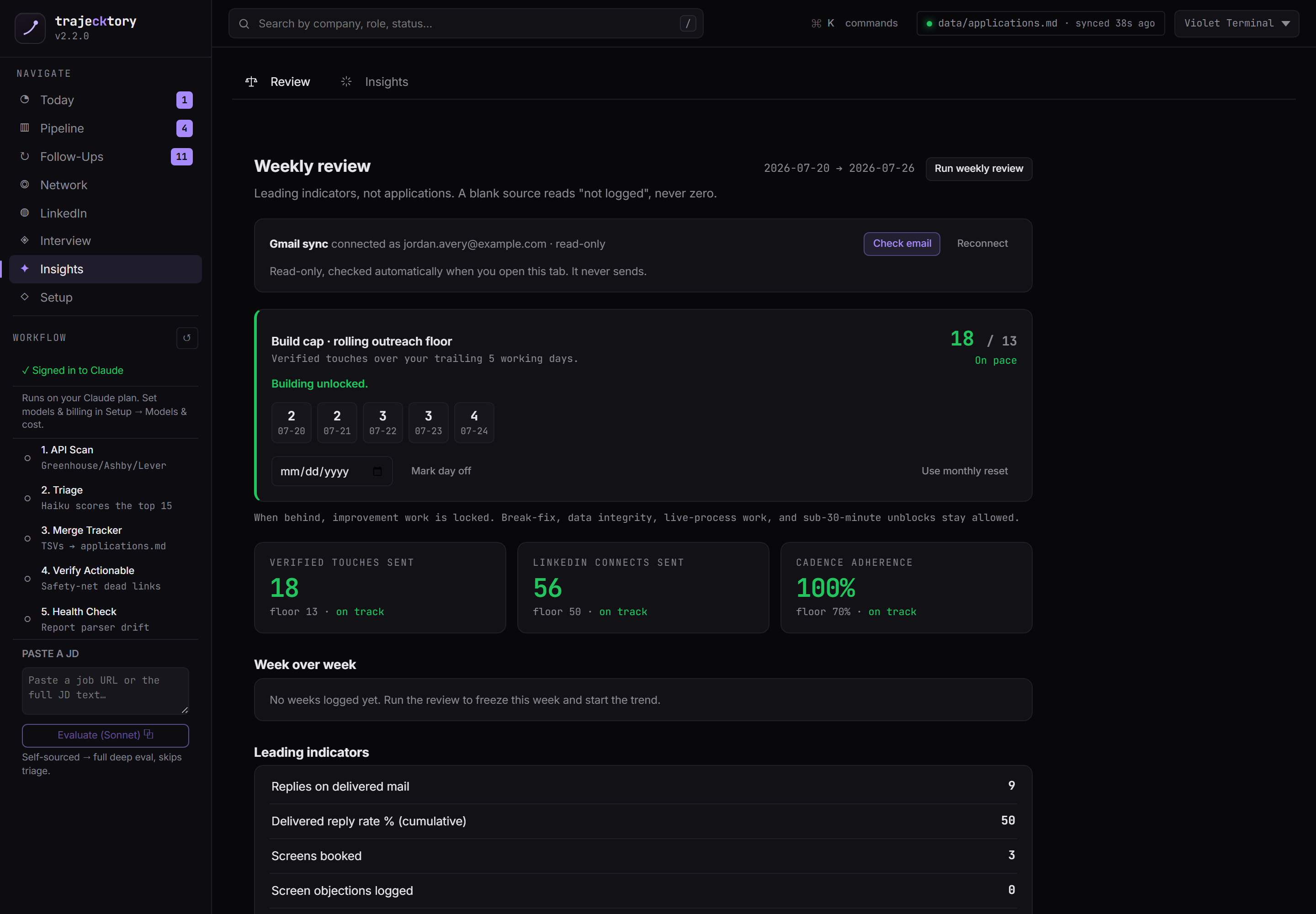
On top of the raw analytics sits a narrative layer: what is working and what is not (each citing specific roles by ID), recommended moves, and this week's focus as a short checklist. It also runs a weekly review of leading indicators from the read-only Gmail sync, where a blank source reads "not logged," never zero. This is the decision layer that turns a dashboard into a behavior: what is converting, and where to reallocate effort.
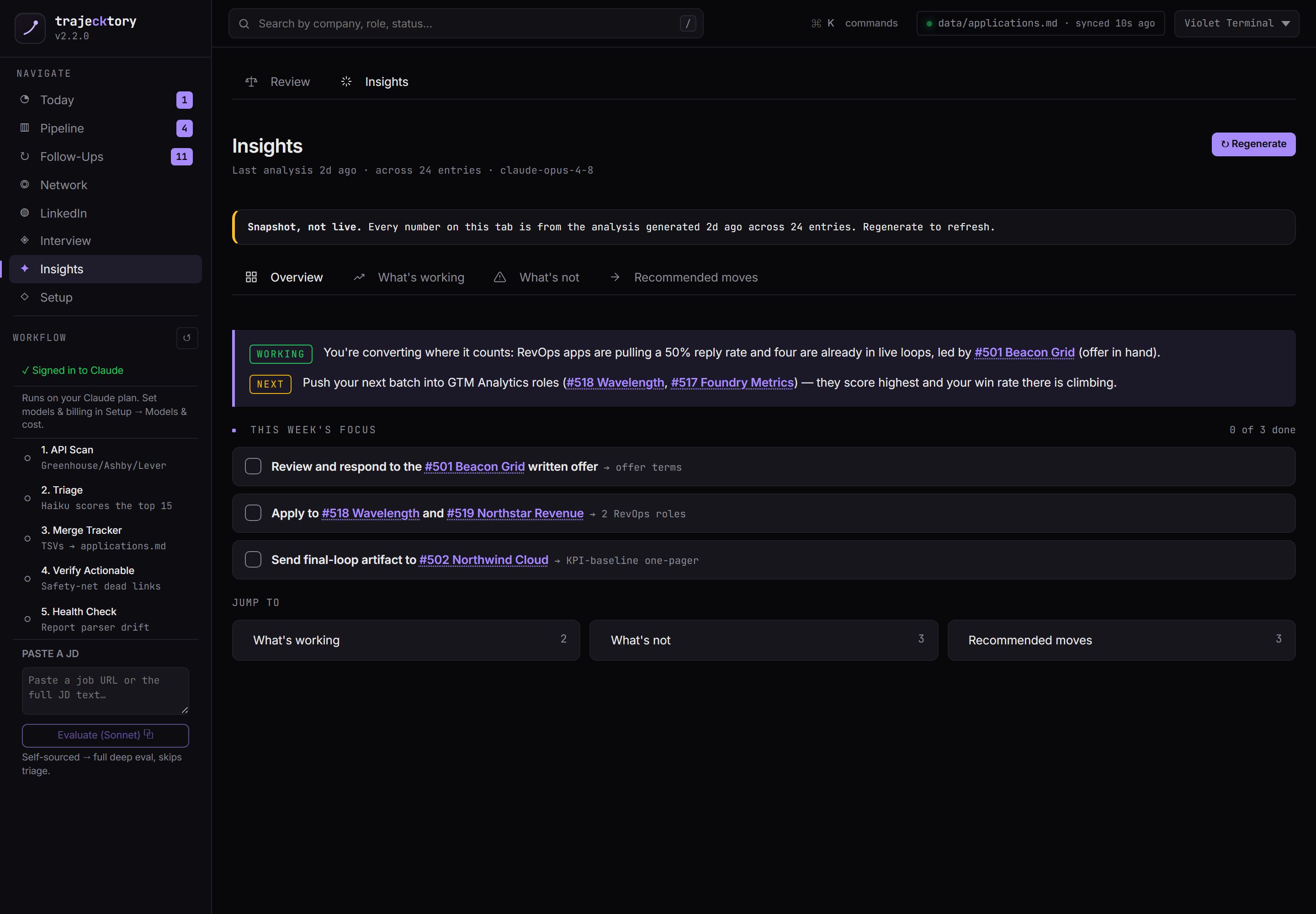
The narrative on top of funnel diagnostics and a weekly coaching readout, with every claim traceable to the rows underneath.
Onboarding and control
Launchpad, a readiness gate before you trust the numbers
Guided first-run setup with a readiness meter and preflight checks, plus the pieces that shape scoring: your edge, roles and seniority, comp, location and policy, and companies to track. Editing only updates config; applications, reports, and scan history are never touched. Get the workspace right before you invest time in it.
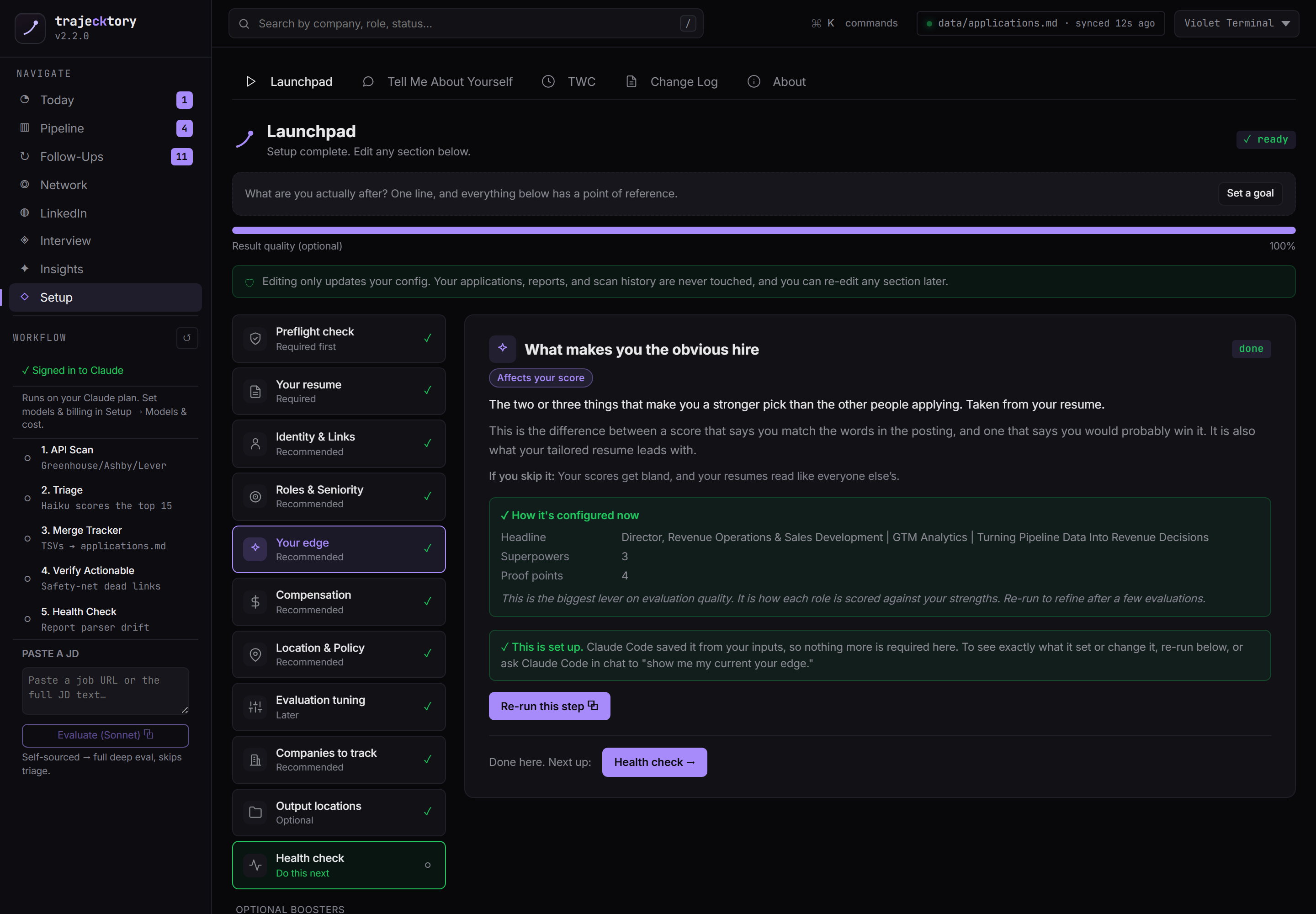
Power-user control, and cost you can see
A command palette (Cmd/Ctrl-K) drives fast navigation and actions across the whole system, and the theme is a top-bar selector plus a palette command rather than a separate panel. Under Setup, per-workflow model and cost controls let you pick the model for each step and toggle between running on a Claude plan and a metered API key, so the spend is a decision you make, not a surprise.
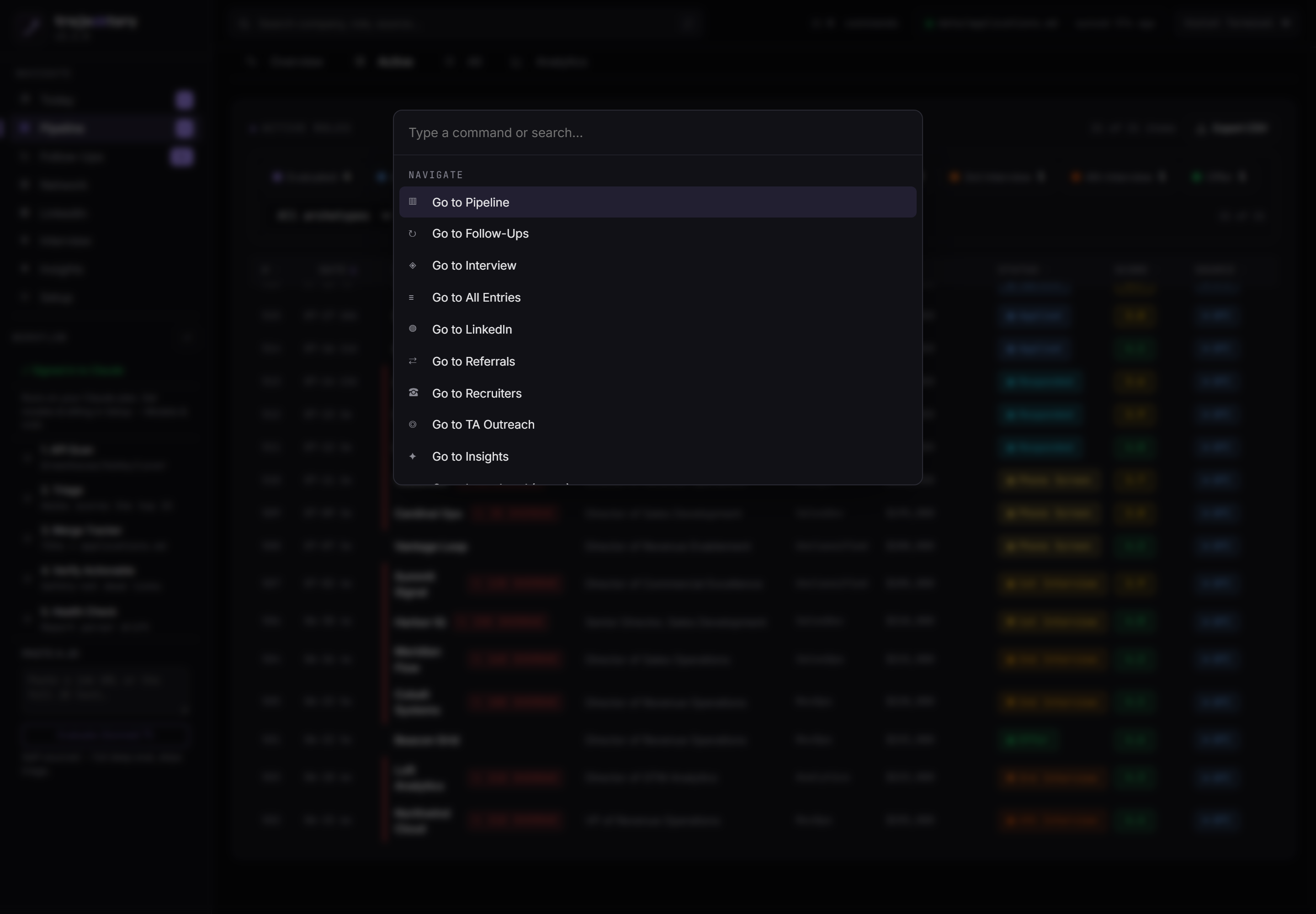
Onboarding with a readiness gate, keyboard-first operation, and explicit cost governance: get it right, move fast, and know what it costs.
I did not set out to ship a product. I set out to run my own pipeline the right way, and the fact that it ended up looking like a RevOps platform is the point.
This is how I think about the work, and this is what I would build for the team I run next. It is open source and I built it solo. Every dashboard here passes one test: would the person looking at it change their behavior tomorrow because of it, and does it show them how their work moves the number?