trajecktory
Running my job search like a pipeline.
After my last role, I refused to run my search on a spreadsheet, so I built the operating system I would want any revenue team I lead to be running. trajecktory runs my entire job search from one local dashboard: it discovers and scores roles against my resume and tailors a resume and cover letter per posting; it coaches the day, schedules the follow-ups so nothing goes cold, and tracks every live interview loop; it works the right contacts through a referral, decision-maker, and recruiter CRM, drafts my LinkedIn and X posts in my voice and schedules them through Buffer, and captures replies straight from Gmail. Every AI-written message is mine to edit before it sends. Open source, built solo. Same instinct as every system I shipped in-house: build the infrastructure, do not just advise on it.
Funnel discipline, leading indicators, attribution, and a clean system of record: the analytics story.
Sourcing, multi-threading, cadence, and "what do I do next?": the rep-workflow and outbound story.
Finding your next role is a sales motion. You source, qualify, multi-thread to a champion, build a value case backed by evidence, follow up on cadence, and watch where deals leak. Most candidates run that in a spreadsheet, at best. I built trajecktory to run my search the way a revenue leader runs a pipeline: scan and score every posting against my profile, track each opportunity through deal-style stages, nudge me when a warm lead goes quiet, and give a weekly read on what is converting and where to spend time next. Pipeline discipline, speed-to-lead, and win/loss analysis, applied to a career.
The daily command center
One screen that answers "what do I do today?"
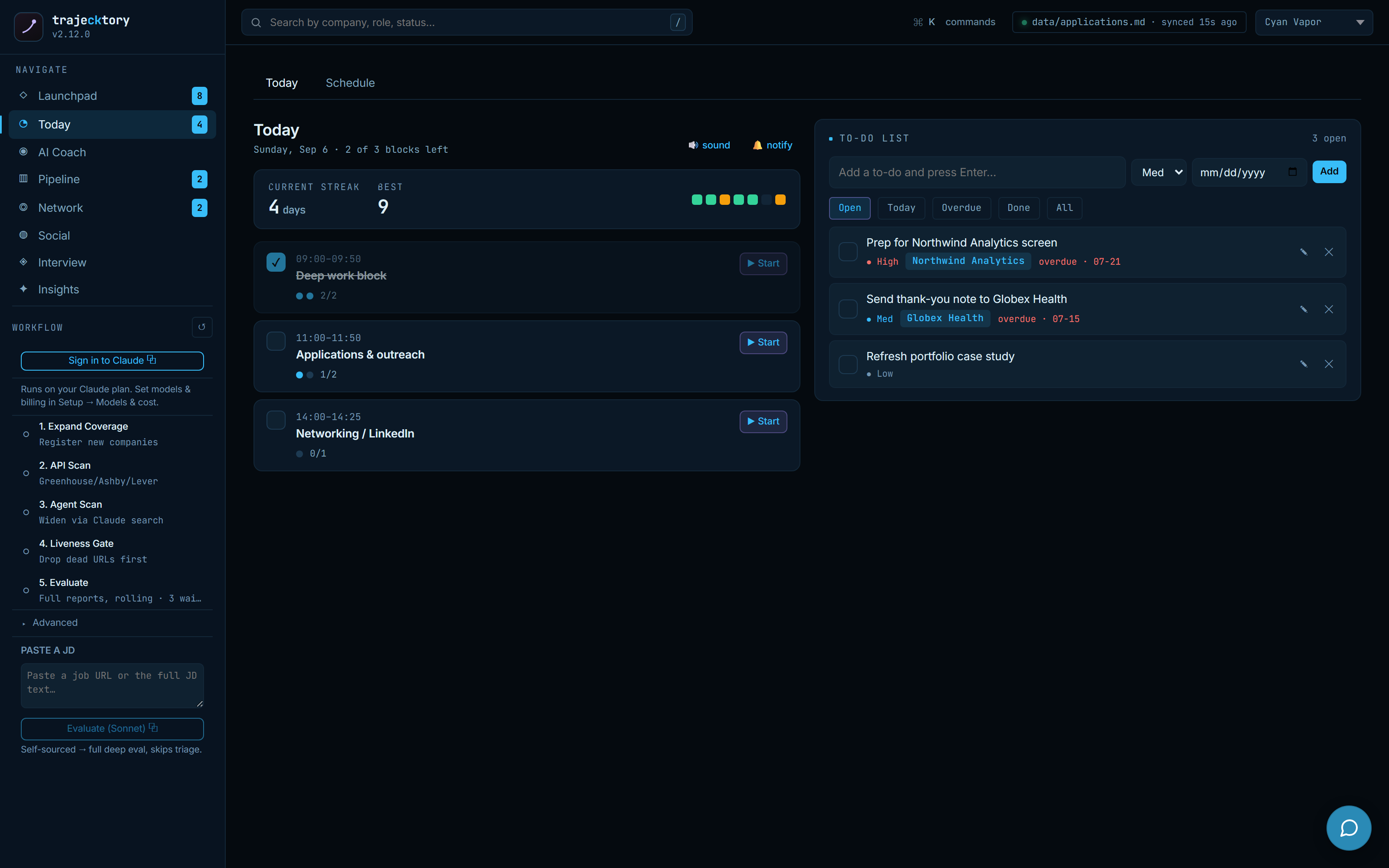
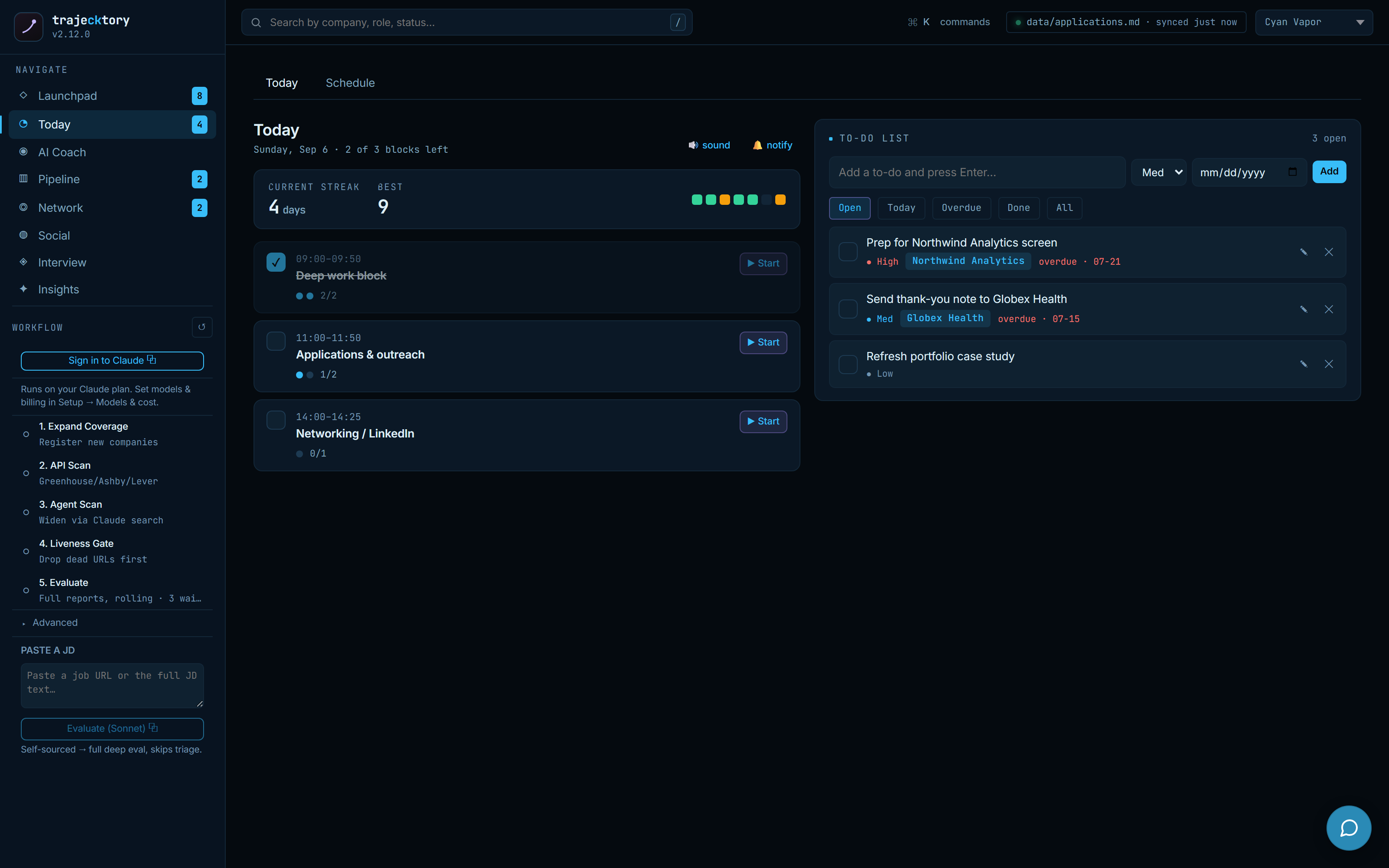
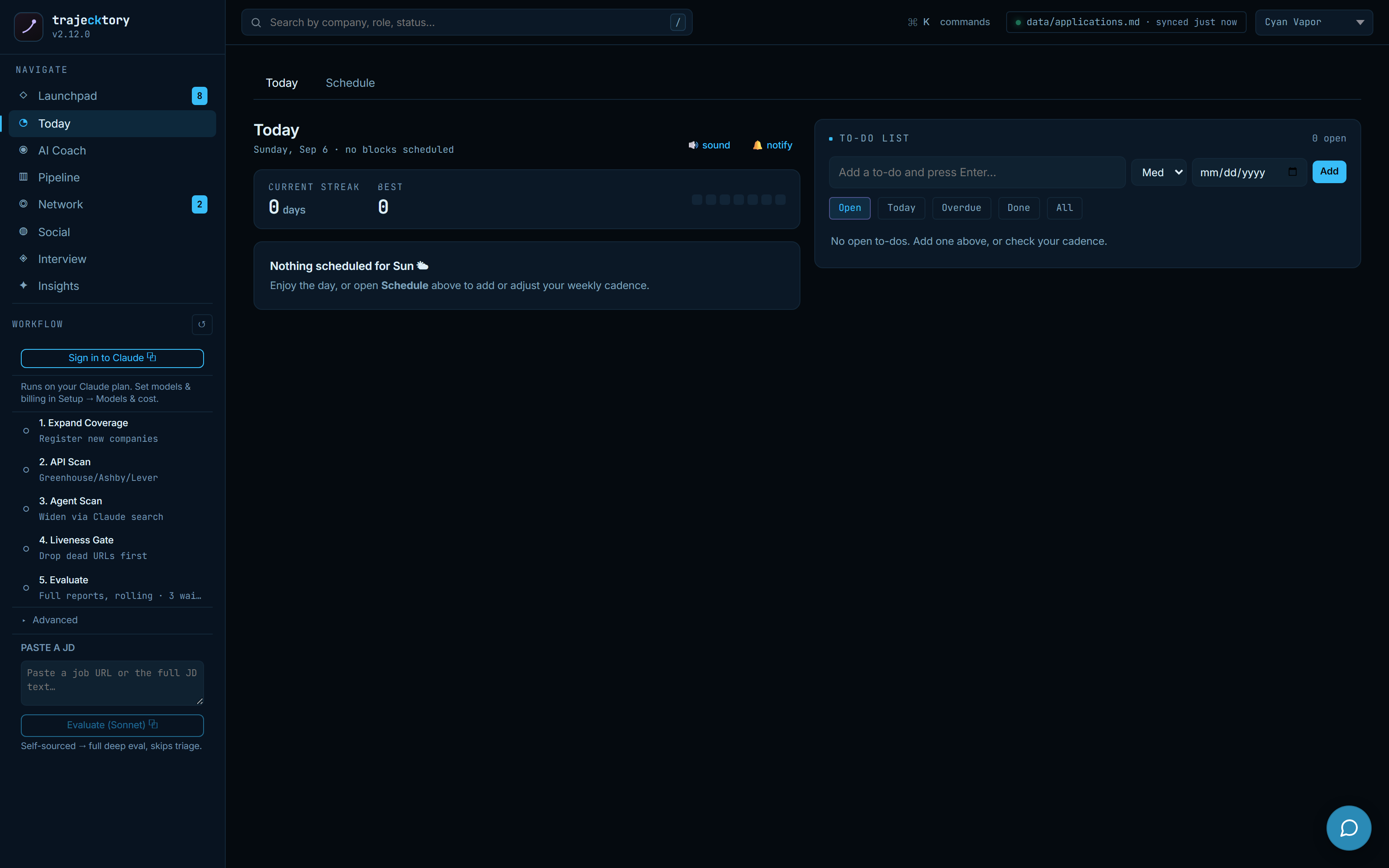
A finite daily plan: cadence blocks with a running focus timer, a streak, the day's calendar pulled in from Google, and a to-do list where every task links back to the application it belongs to. It is the difference between "I should follow up sometime" and "these five touches are due today." When the day's blocks are cleared, the view empties out on purpose, so done reads as done.
Plan the week once, run it every day
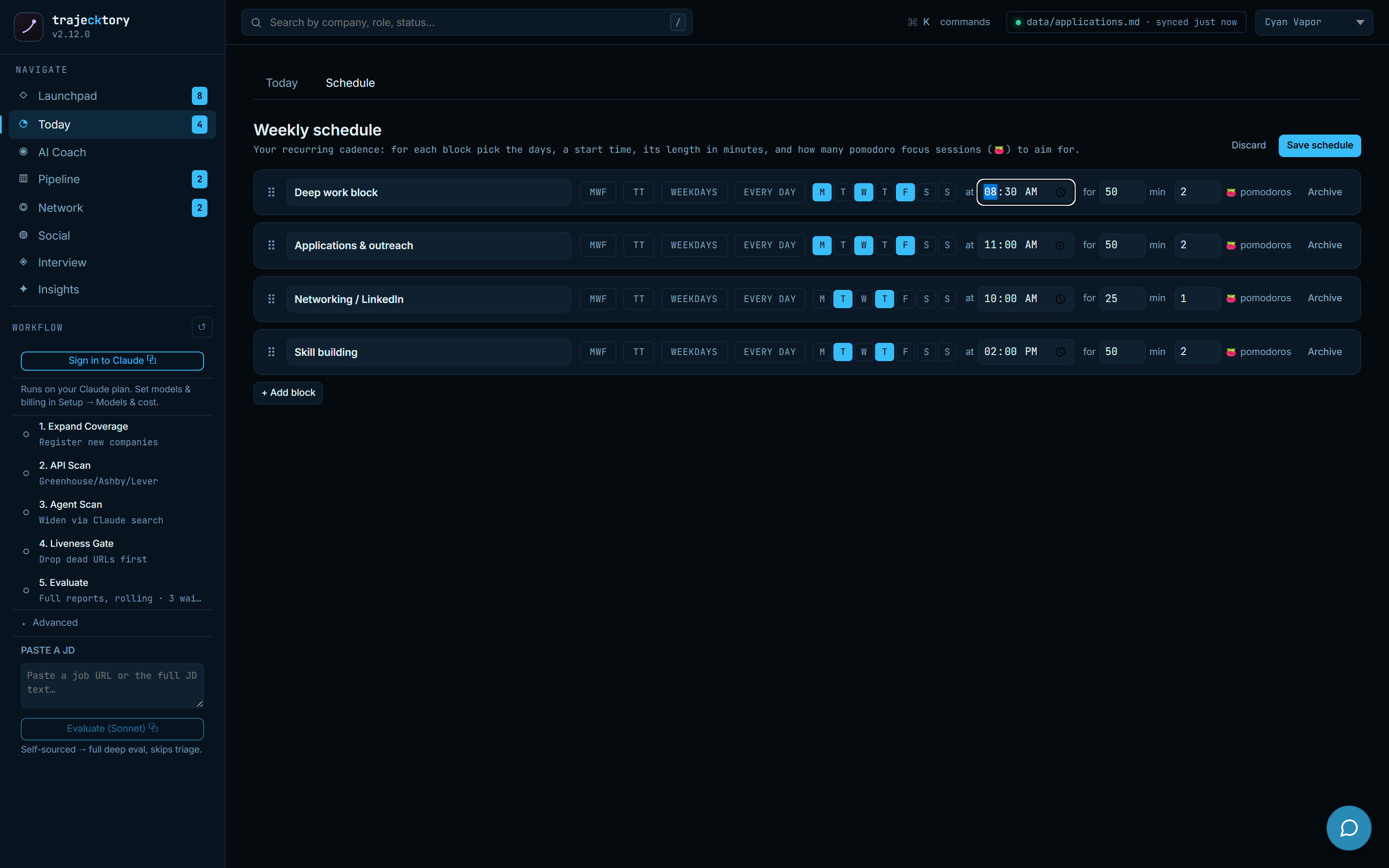
Planning is kept separate from execution. The weekly schedule editor sets each recurring block: which days, a start time, a length, and how many focus sessions to aim for, with presets for common rhythms. The Today tab just runs whatever the schedule says. Set the cadence deliberately, then stop deciding it every morning.
The operating loop, on one rail
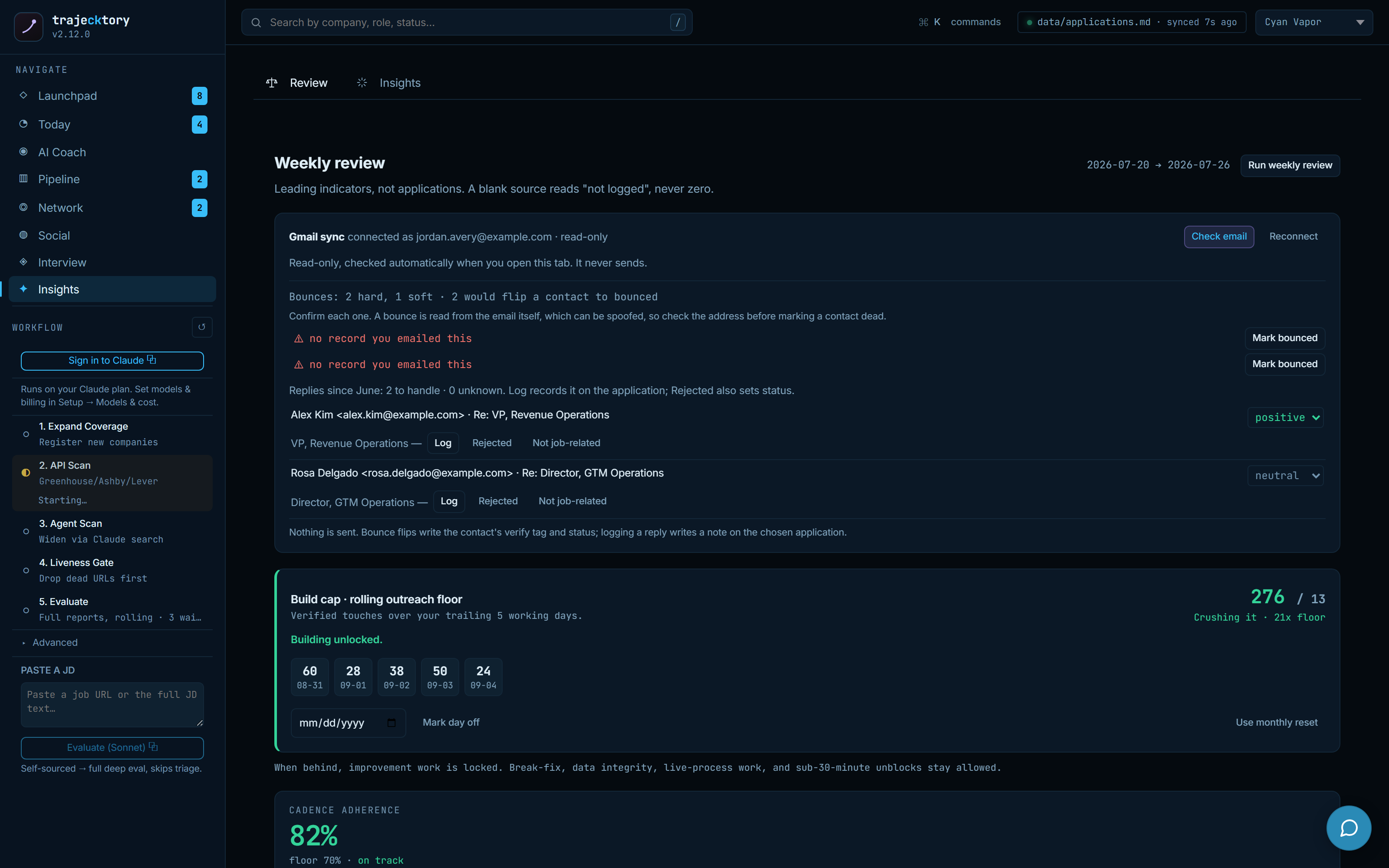
The left rail is the whole pipeline as visible, runnable steps: expand coverage, API scan, agent scan, liveness gate, evaluate, then merge and health. Each step reports progress instead of running as an invisible script, and a command palette (Cmd/Ctrl-K) jumps to any role, person, or destination. An update banner keeps the system current while promising your applications, reports, and scan history are never touched.
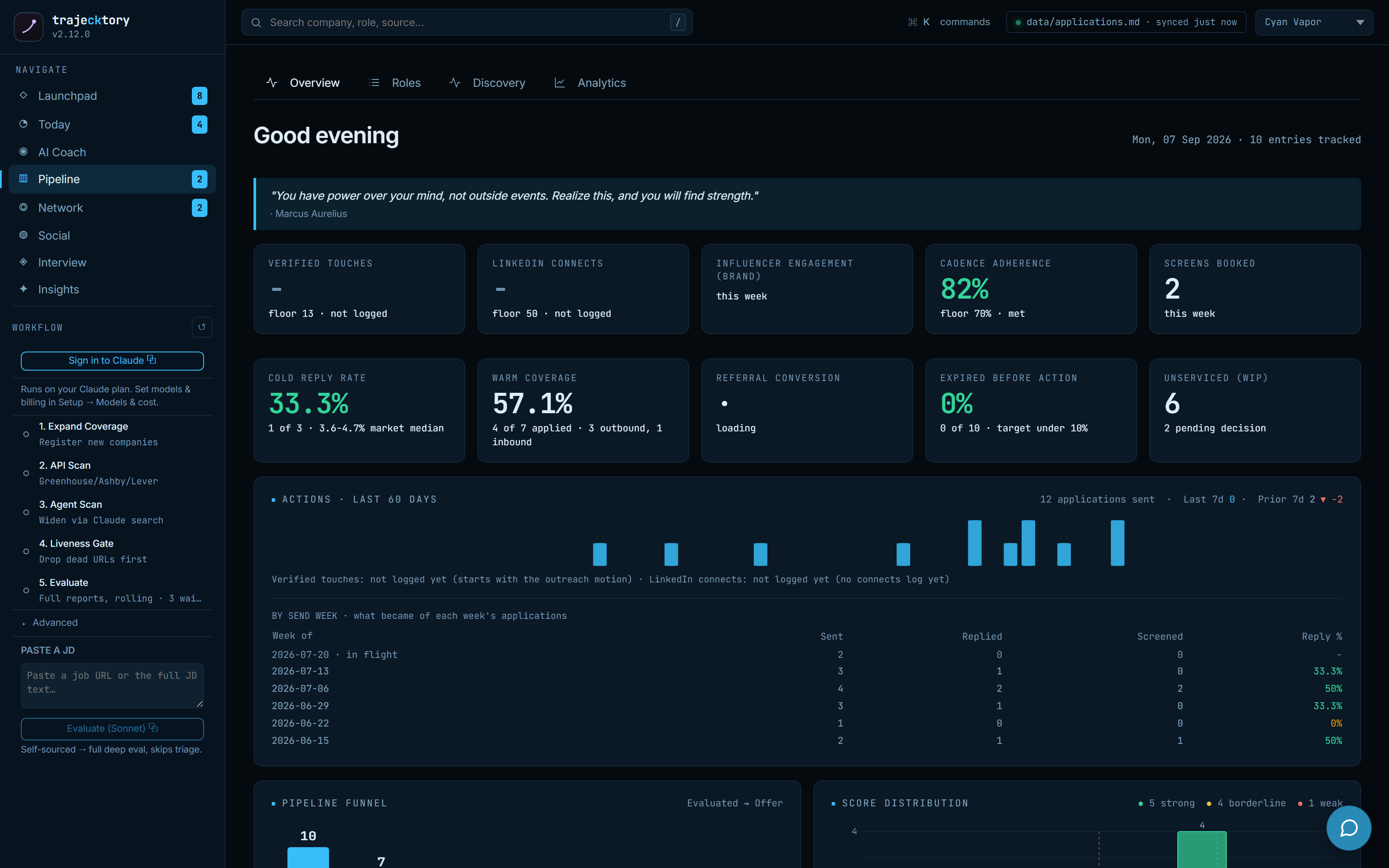
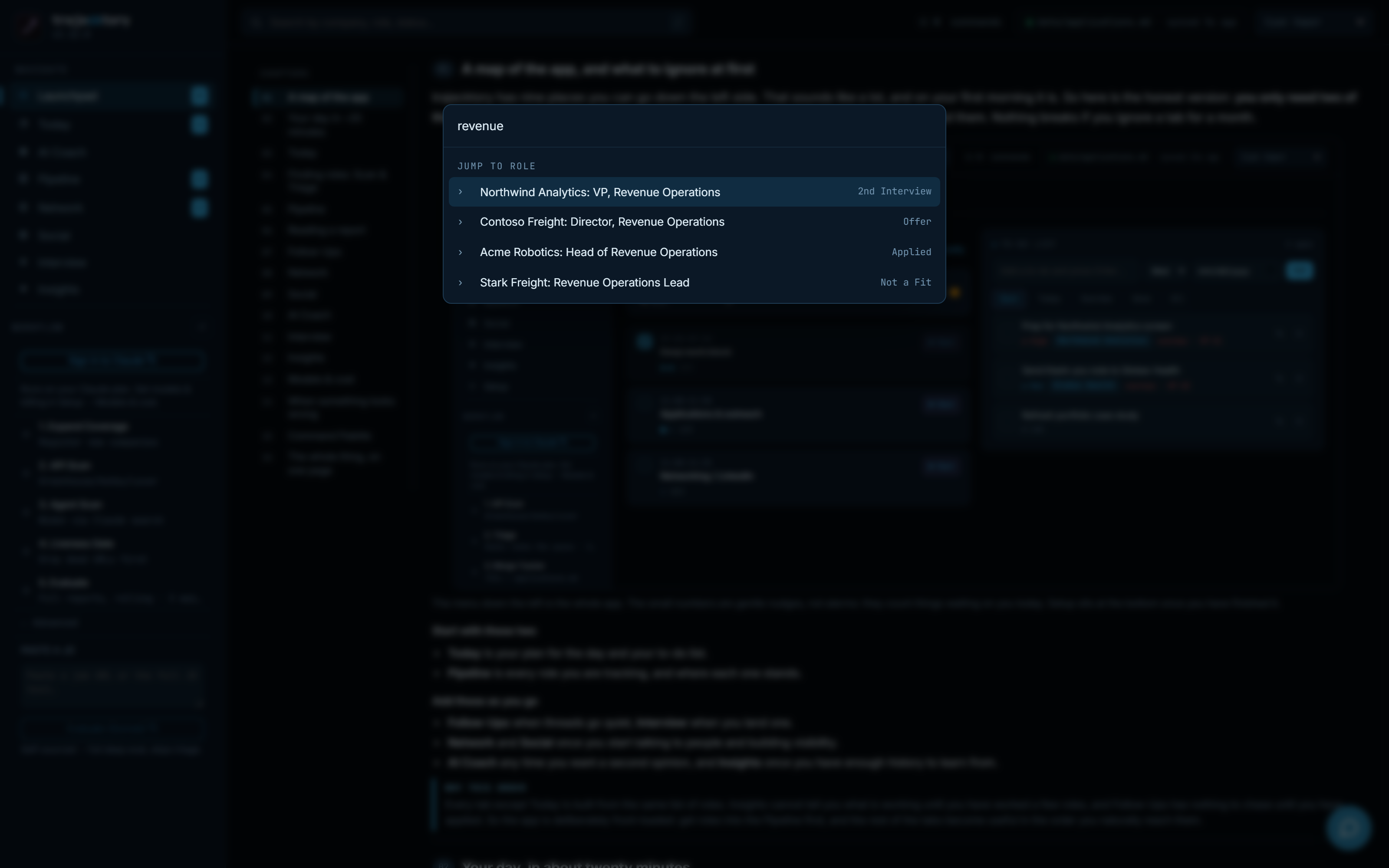
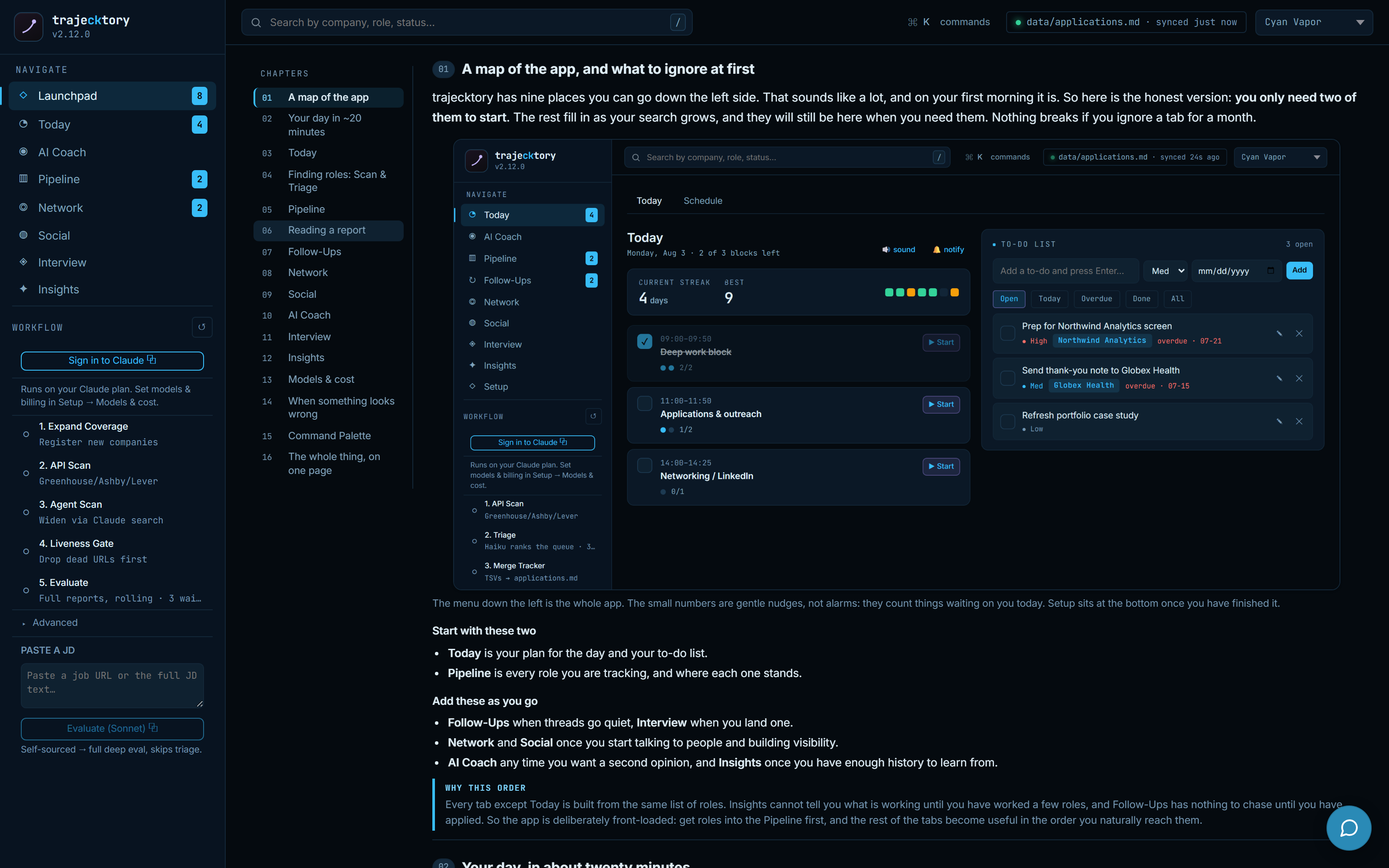
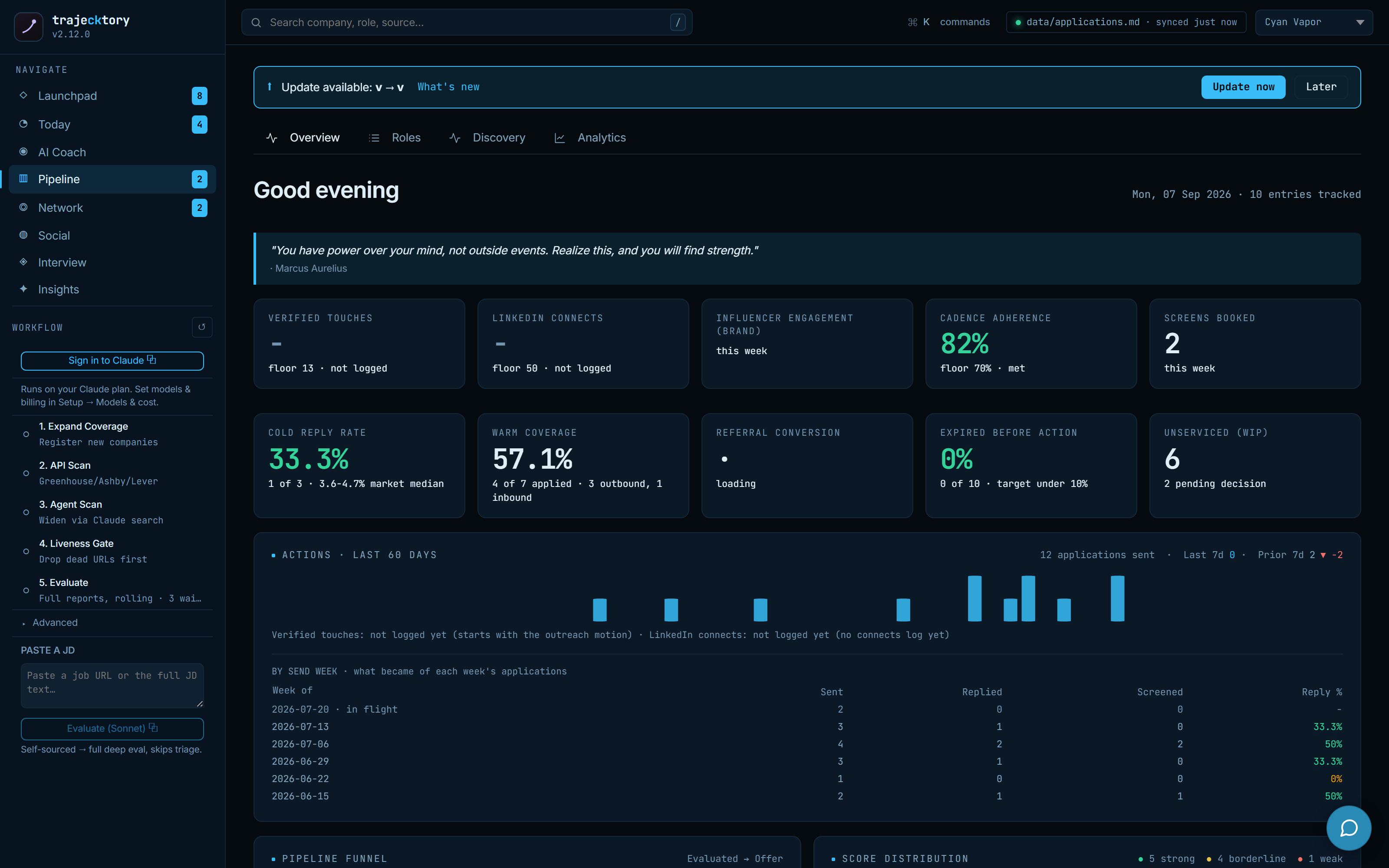
Leading indicators and cadence adherence on the front page, with the operating pipeline exposed as observable, re-runnable steps.
A rep dashboard that answers "what's next?" in one glance, with a streak, a focus timer, and a linked task list.
A coach that proposes, and waits
Guidance grounded in the pipeline, with an approval gate
The AI Coach opens on a daily brief written from the live dashboard, then answers "what should I do next?", "where do I find this?", or "I got a rejection, now what?" using the actual state of the search. When it wants to change something, it proposes the action and waits for an explicit confirm, so nothing moves silently. The same panel floats over any working screen, so help is one click away without leaving the task.
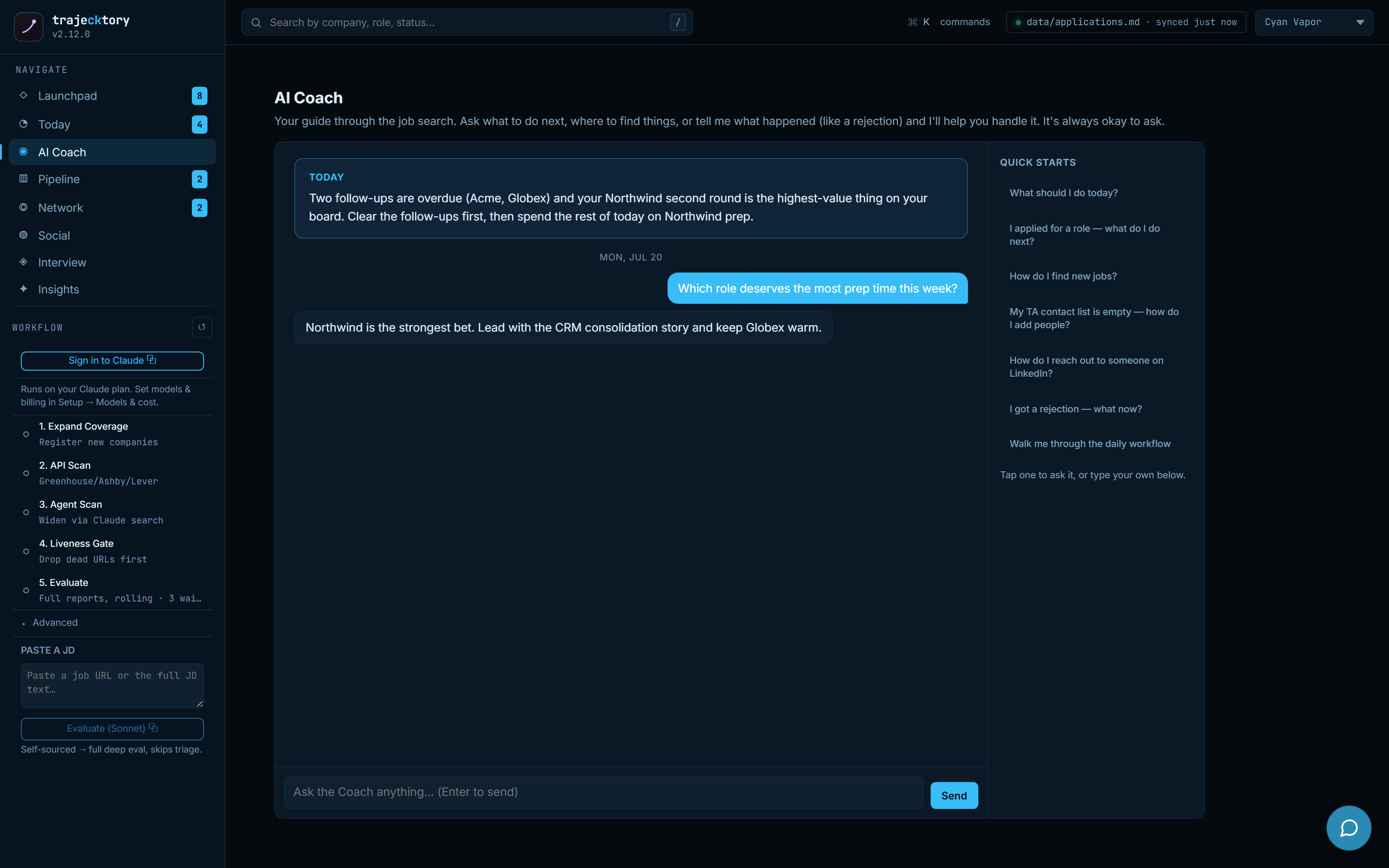
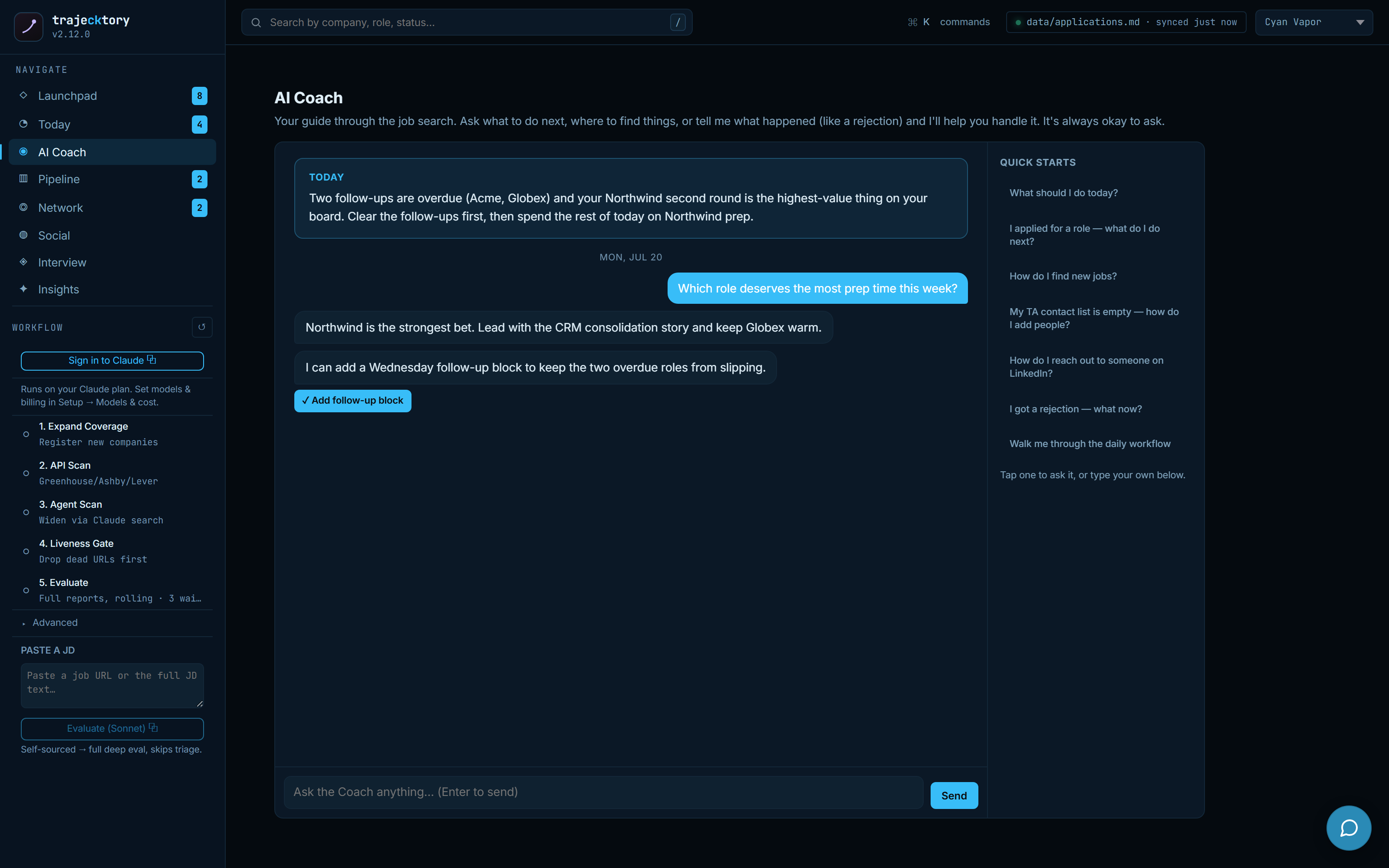
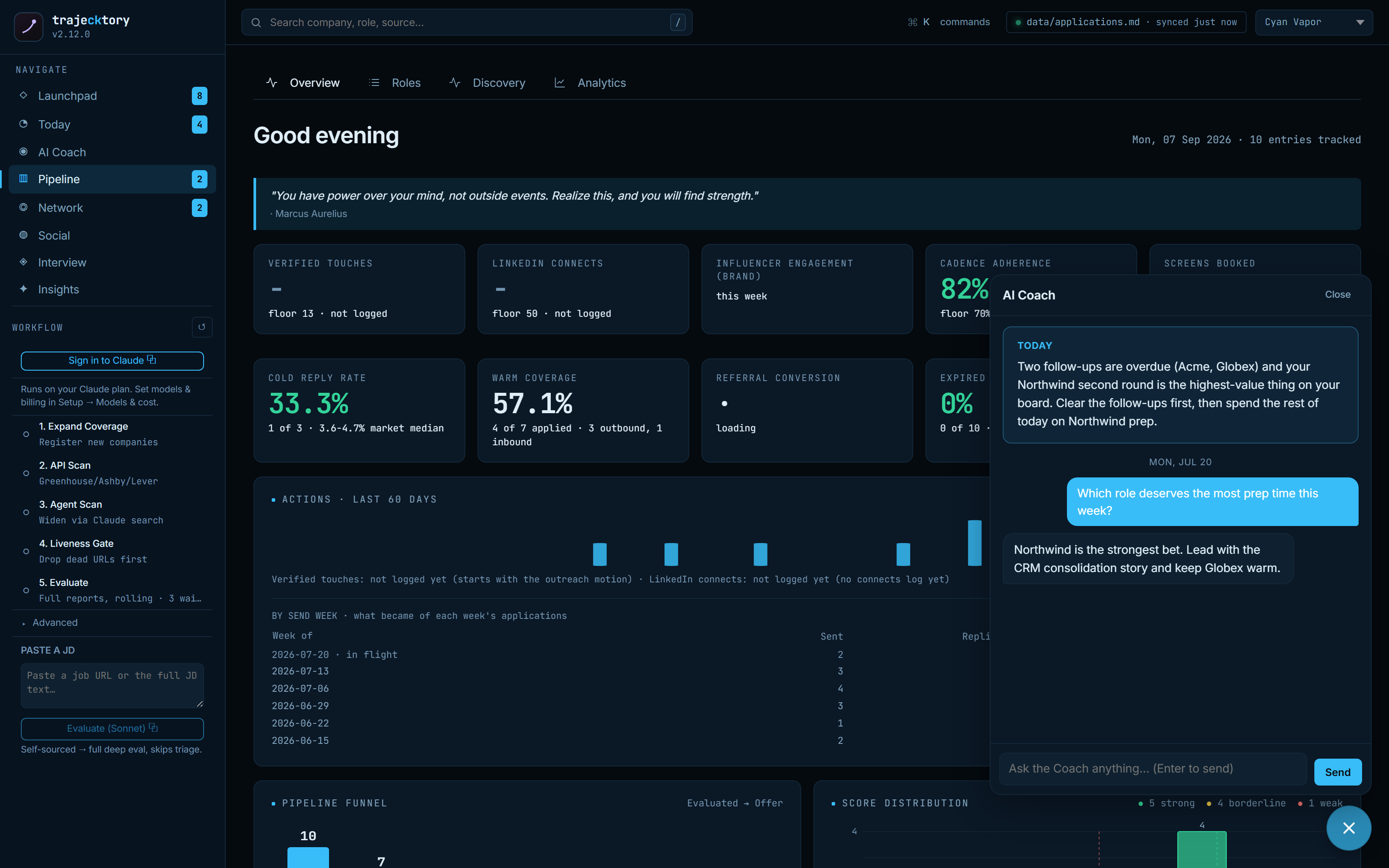
The enablement layer a manager gives a rep, prioritization, objection handling, and next-step coaching, grounded in the system of record and gated behind human approval so it never edits the pipeline on its own.
One JD in, a full deal qualification out
Paste a job URL or the JD text and a chain of specialized agents produces one synthesized evaluation: a headline score with a full provenance breakdown, requirement-to-evidence CV match, comp analysis, listing legitimacy, interview prep, and per-role resume and LinkedIn tailoring. The drawer carries it all, tab by tab, plus notes, the linked contacts, the raw posting, and a follow-up draft. This is what "agentic" means in practice: many focused passes, orchestrated into one deliverable a senior leader can act on in seconds. Every draft it produces is yours to edit.
The decision packet, and the experiment running underneath it
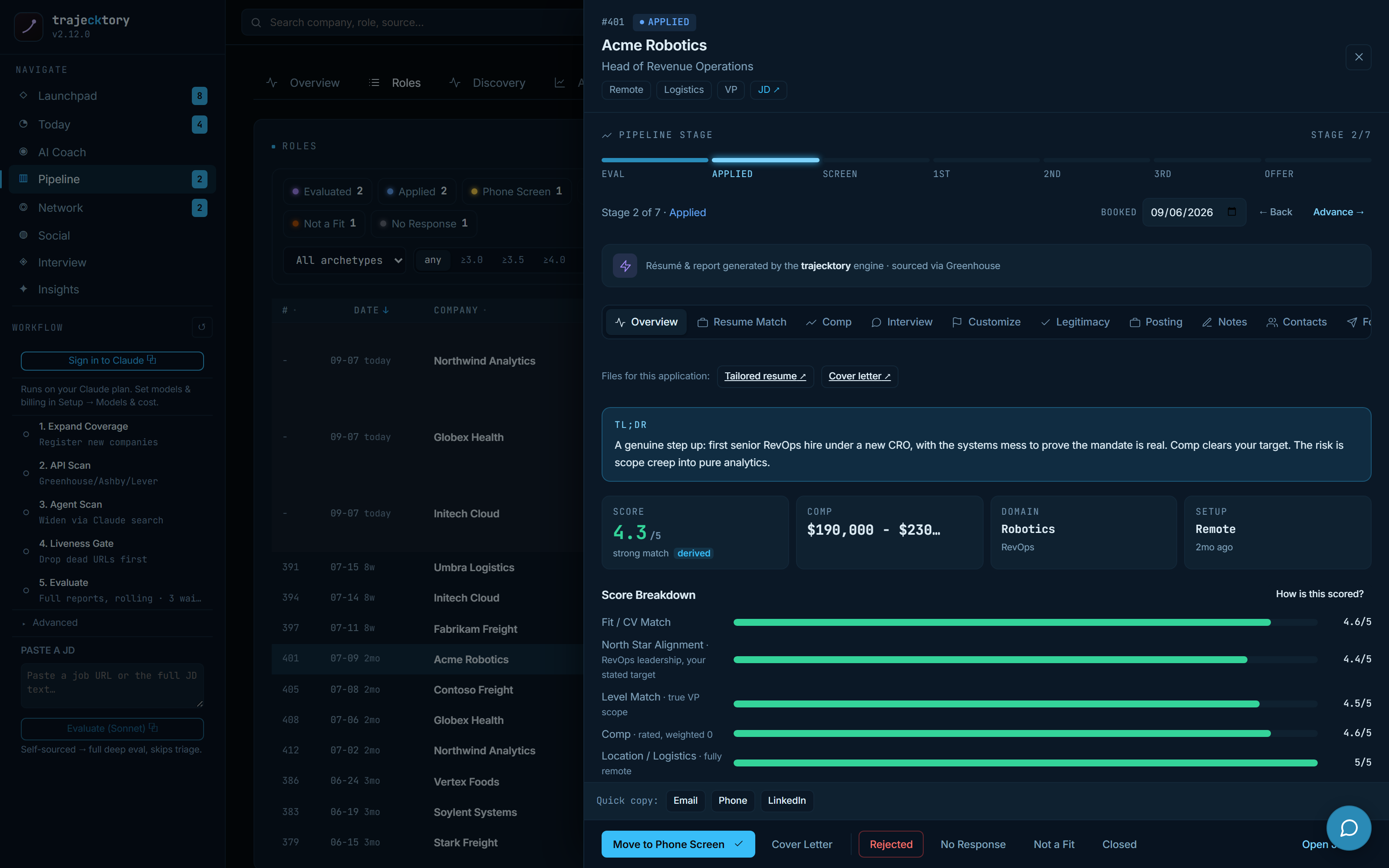
Each role opens to a seven-stage tracker (Eval → Applied → Screen → 1st → 2nd → 3rd → Offer), a derived score, the generated resume and cover letter, and the status actions that advance or close it. The header carries a deliberate detail: an A/B split-test badge. I run the search as a controlled experiment, with an arm that gets no follow-up touches on purpose, so "does cadence actually move reply rate?" is answered with my own data rather than folklore.
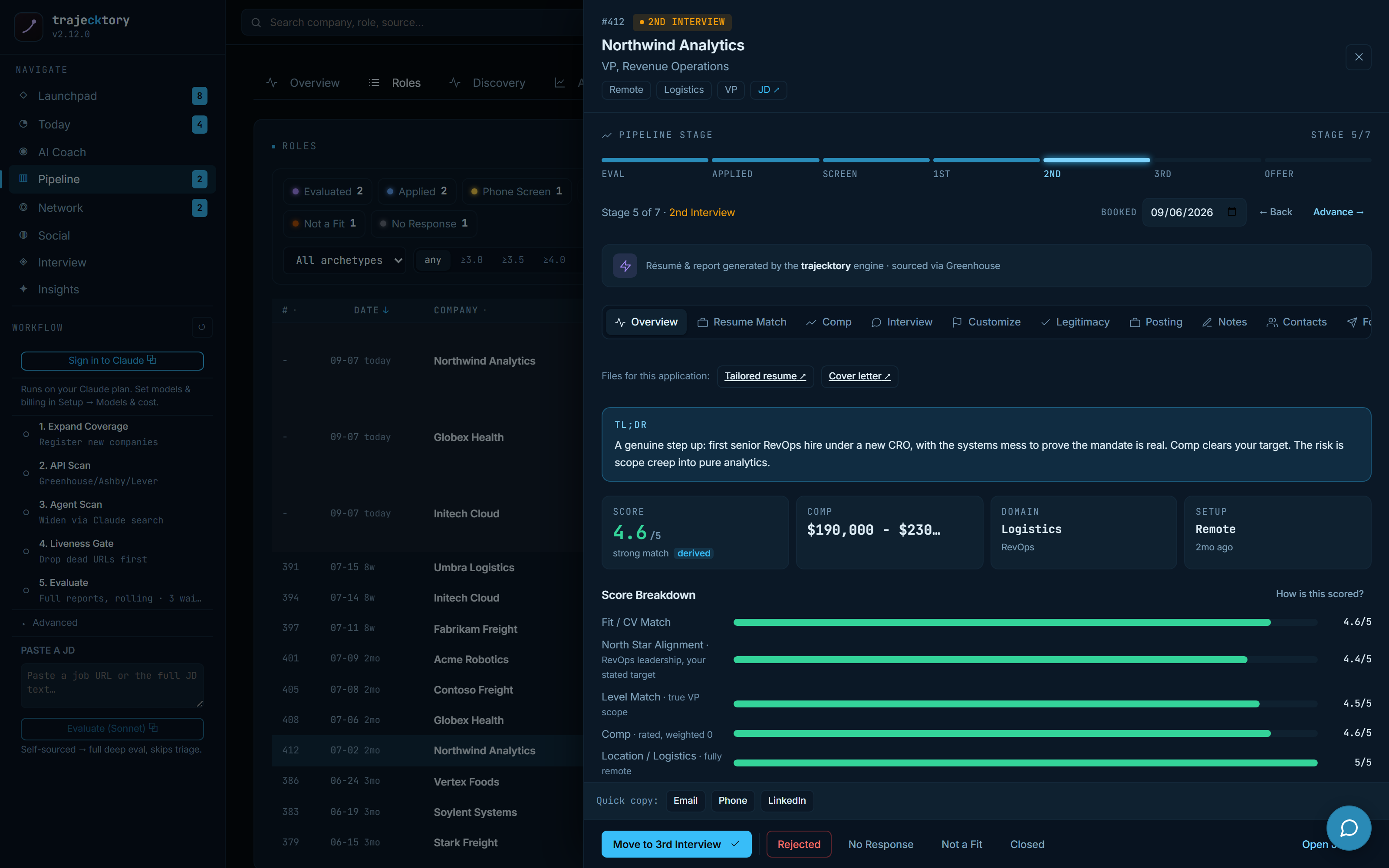
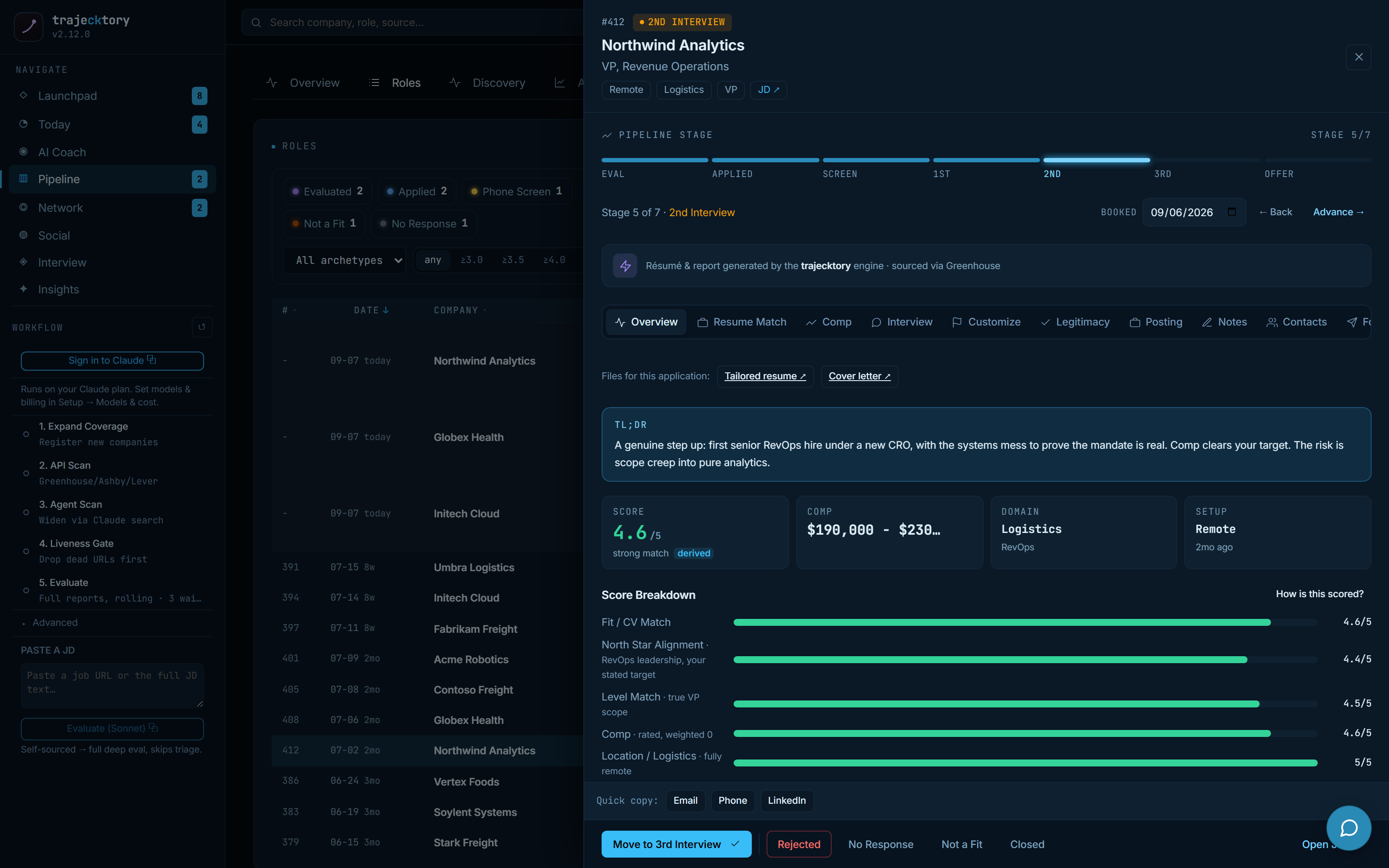
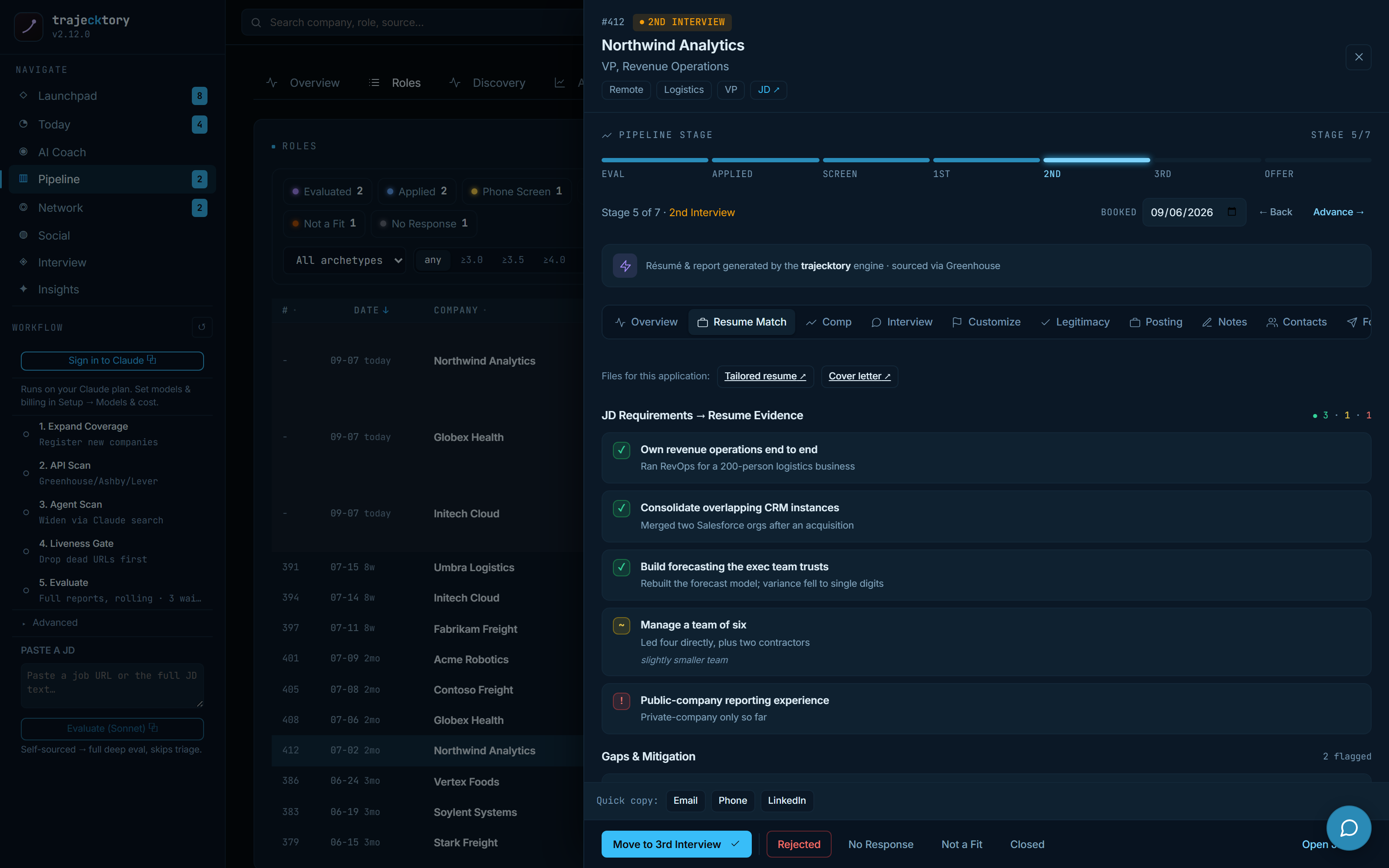
Requirement-to-evidence mapping with gaps surfaced, in the structure of a battlecard.
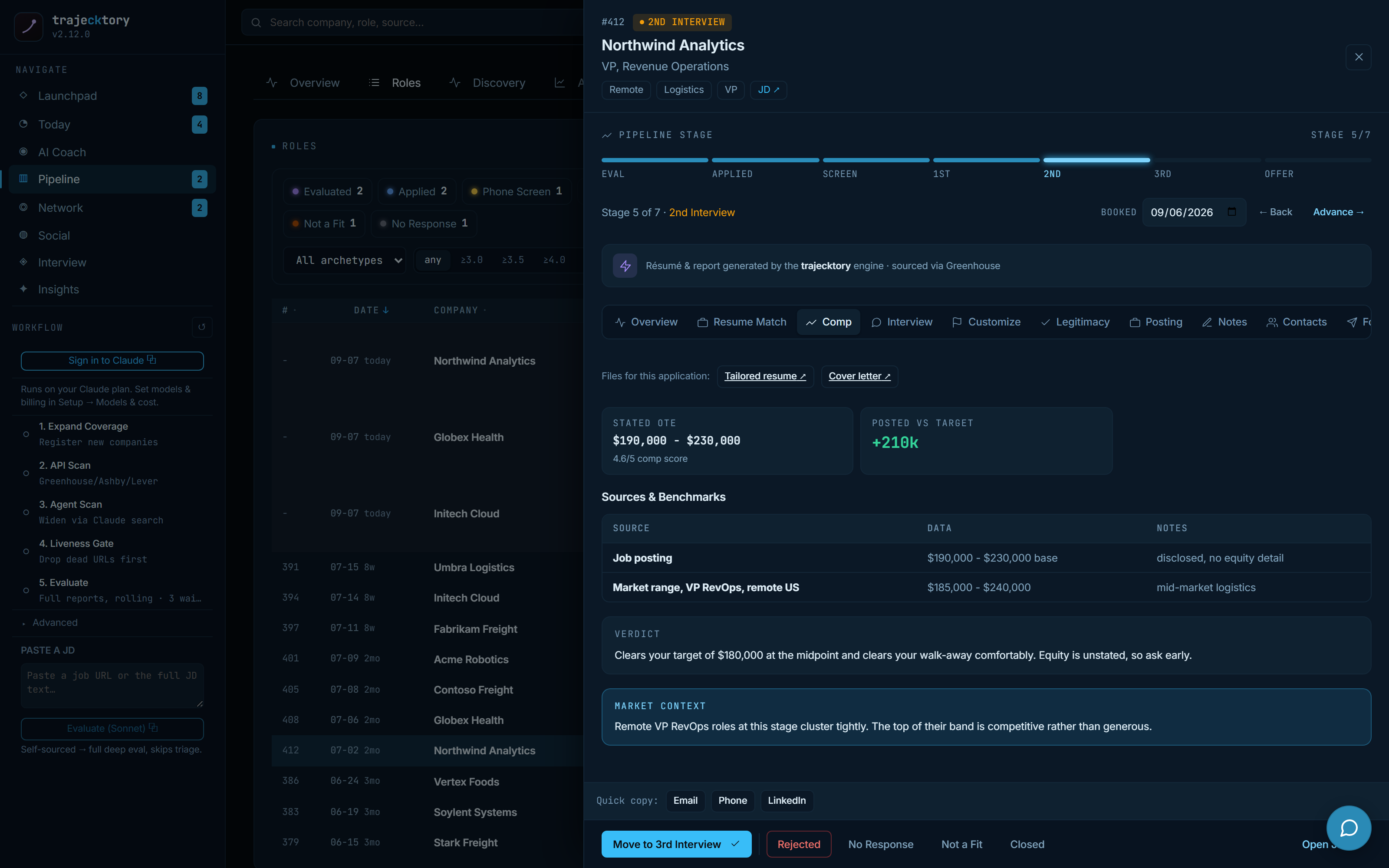
Deal-value modeling with a floor, so you know what the deal is worth before you negotiate.
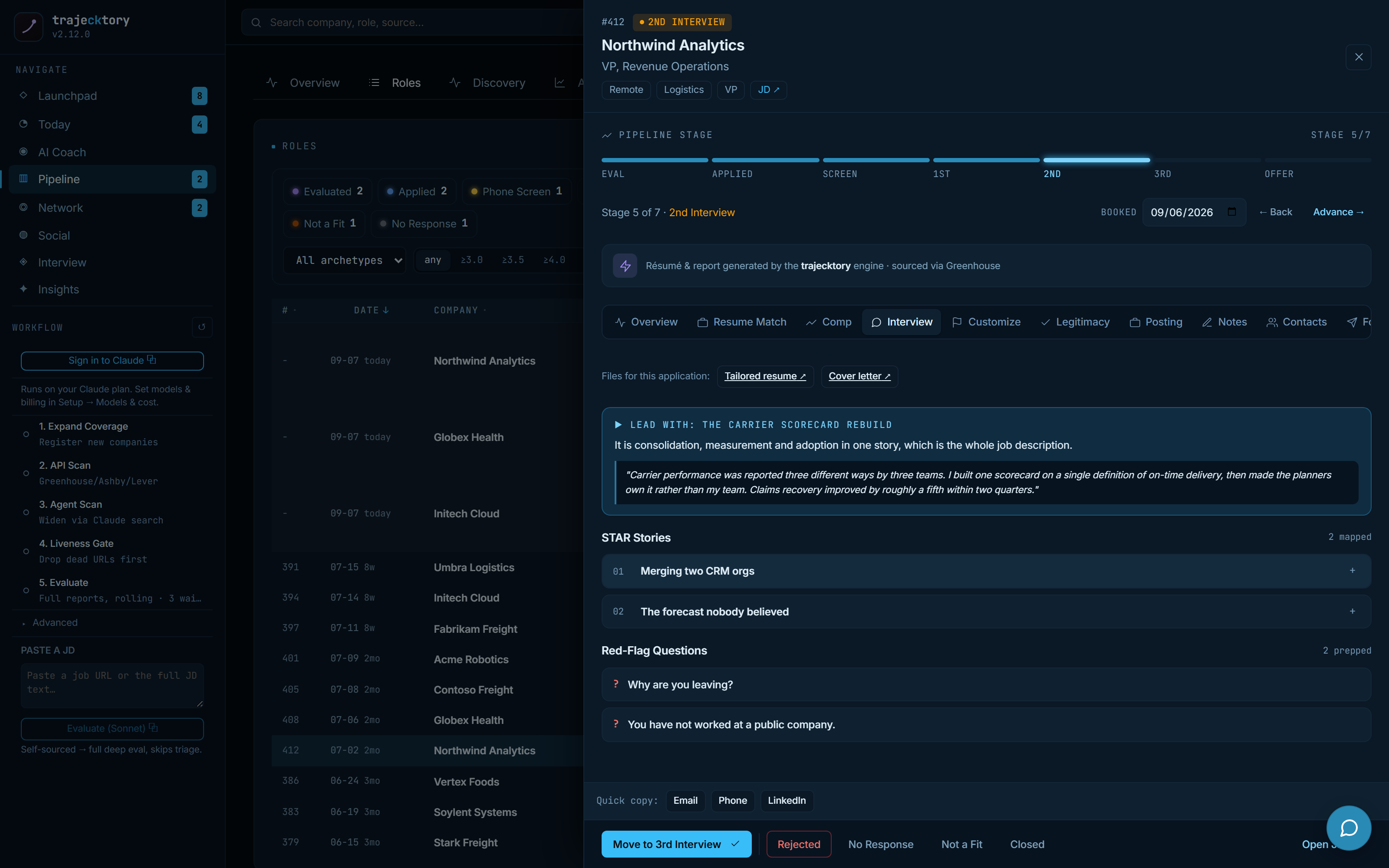
Champion enablement: the strongest narratives, tied to what the role actually asks for.
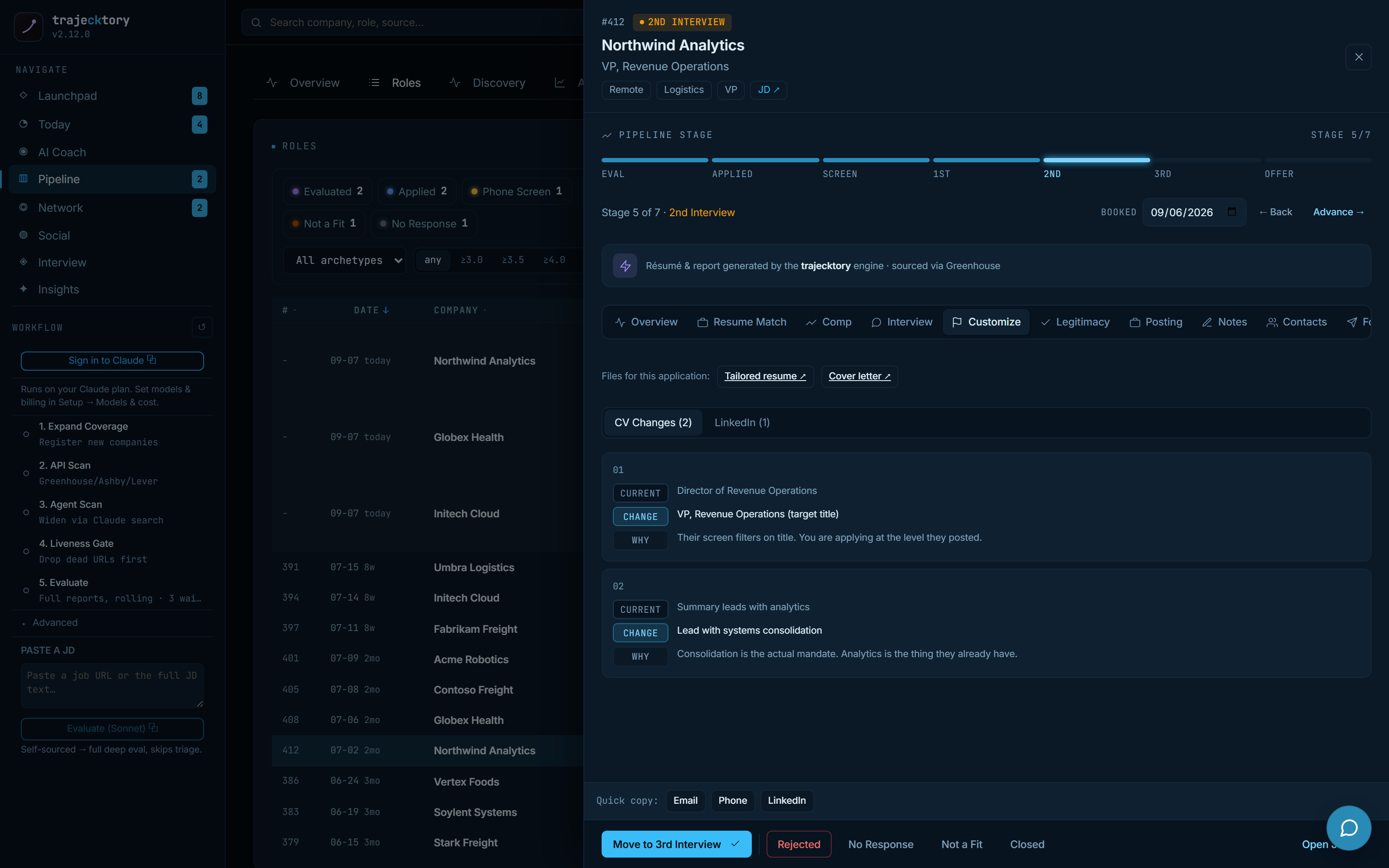
Templated-but-tailored assets at scale, plus the keyword play that clears the ATS screen.
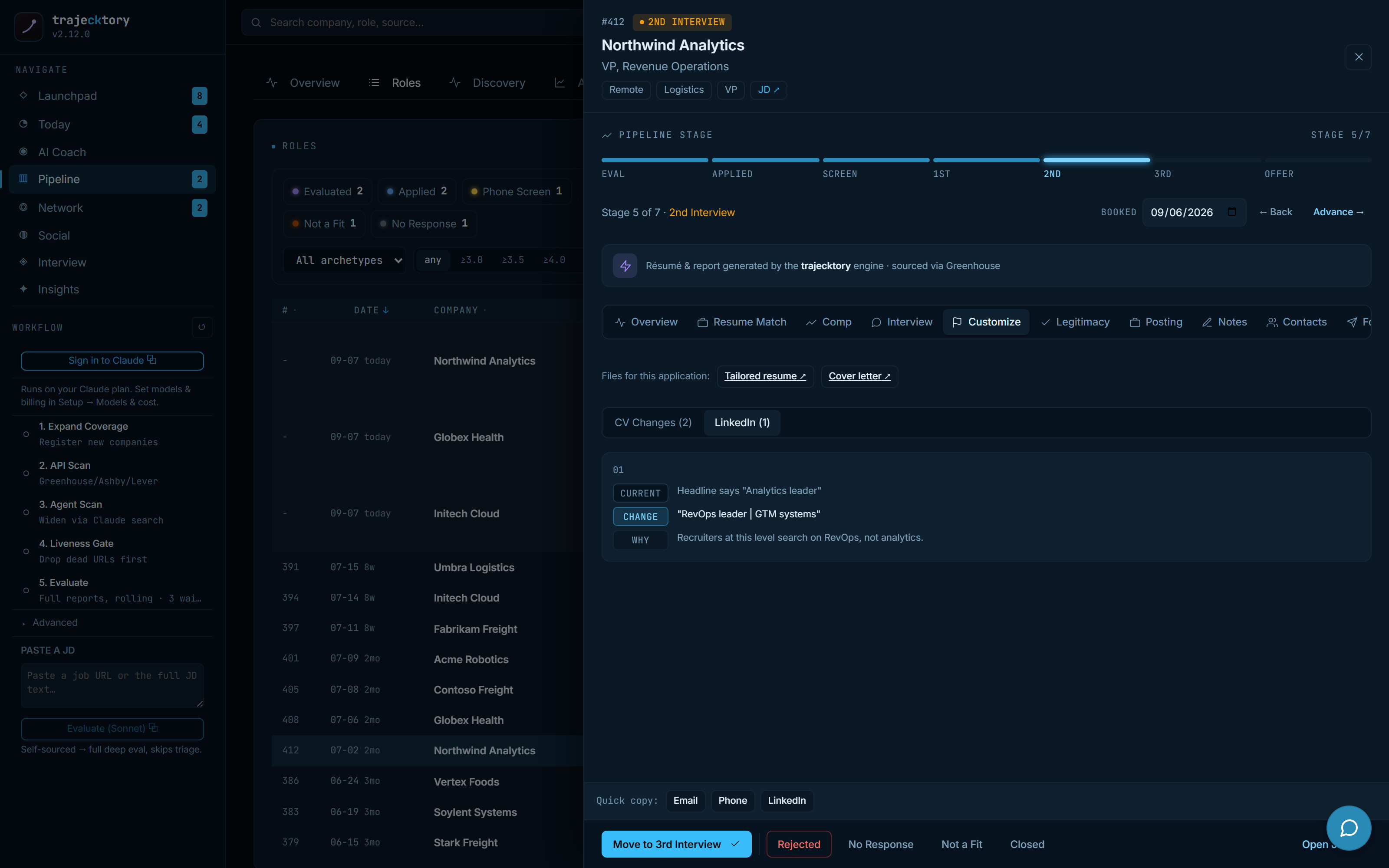
Public positioning tuned per role, without changing your profile automatically.
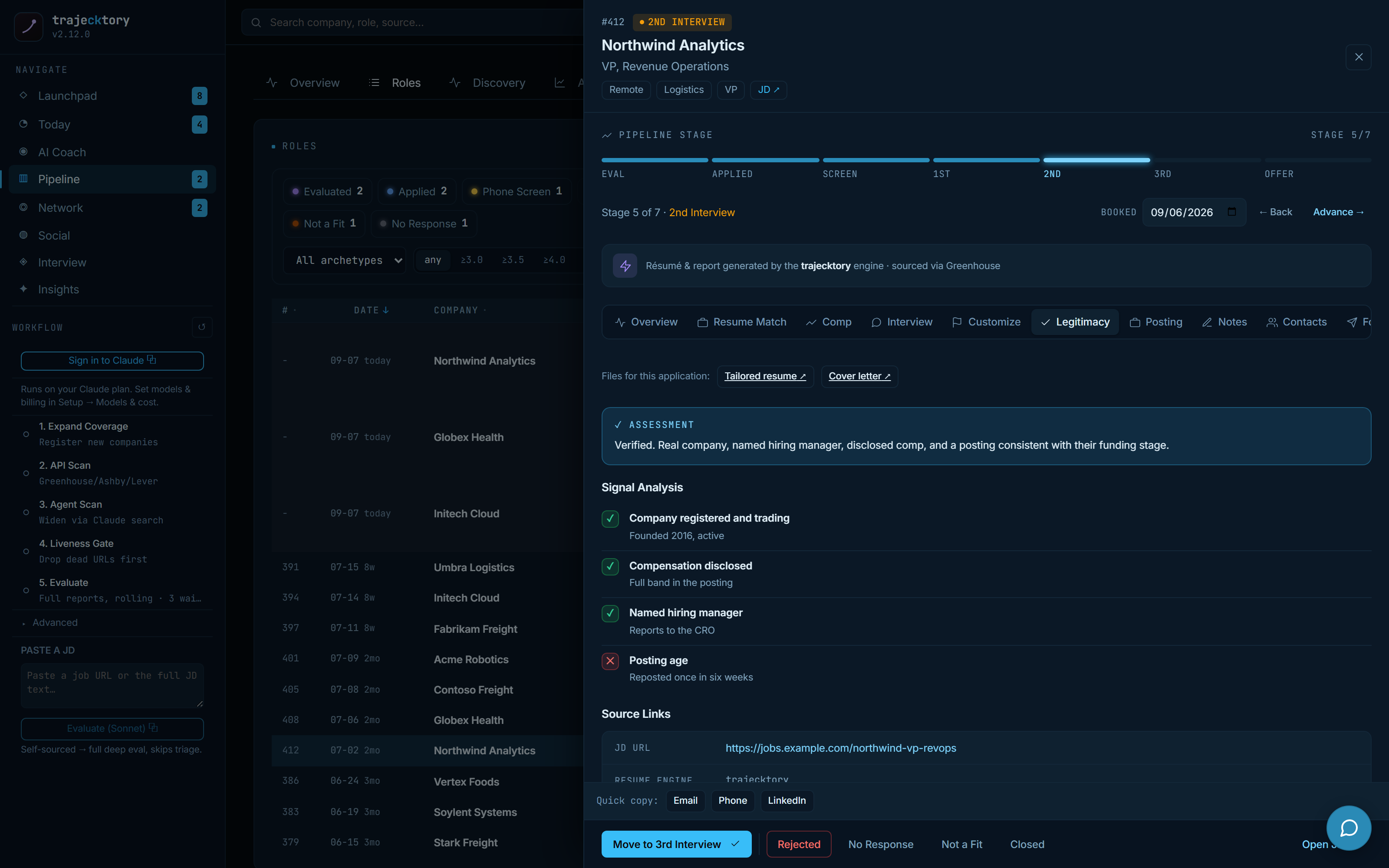
A lead-quality gate that separates role fit from confidence the posting is worth acting on.
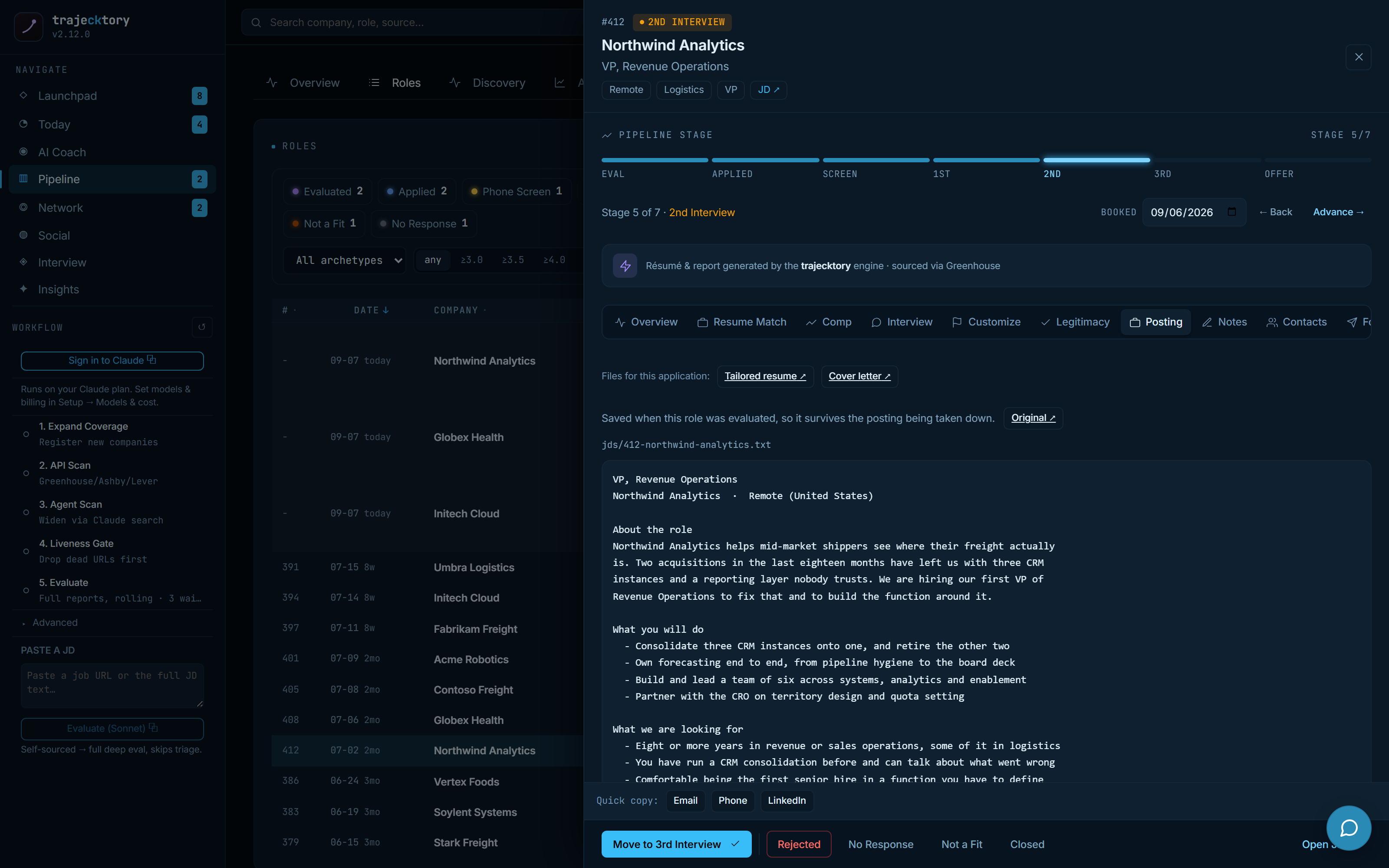
The source of truth for the role, preserved even after the listing is filled.
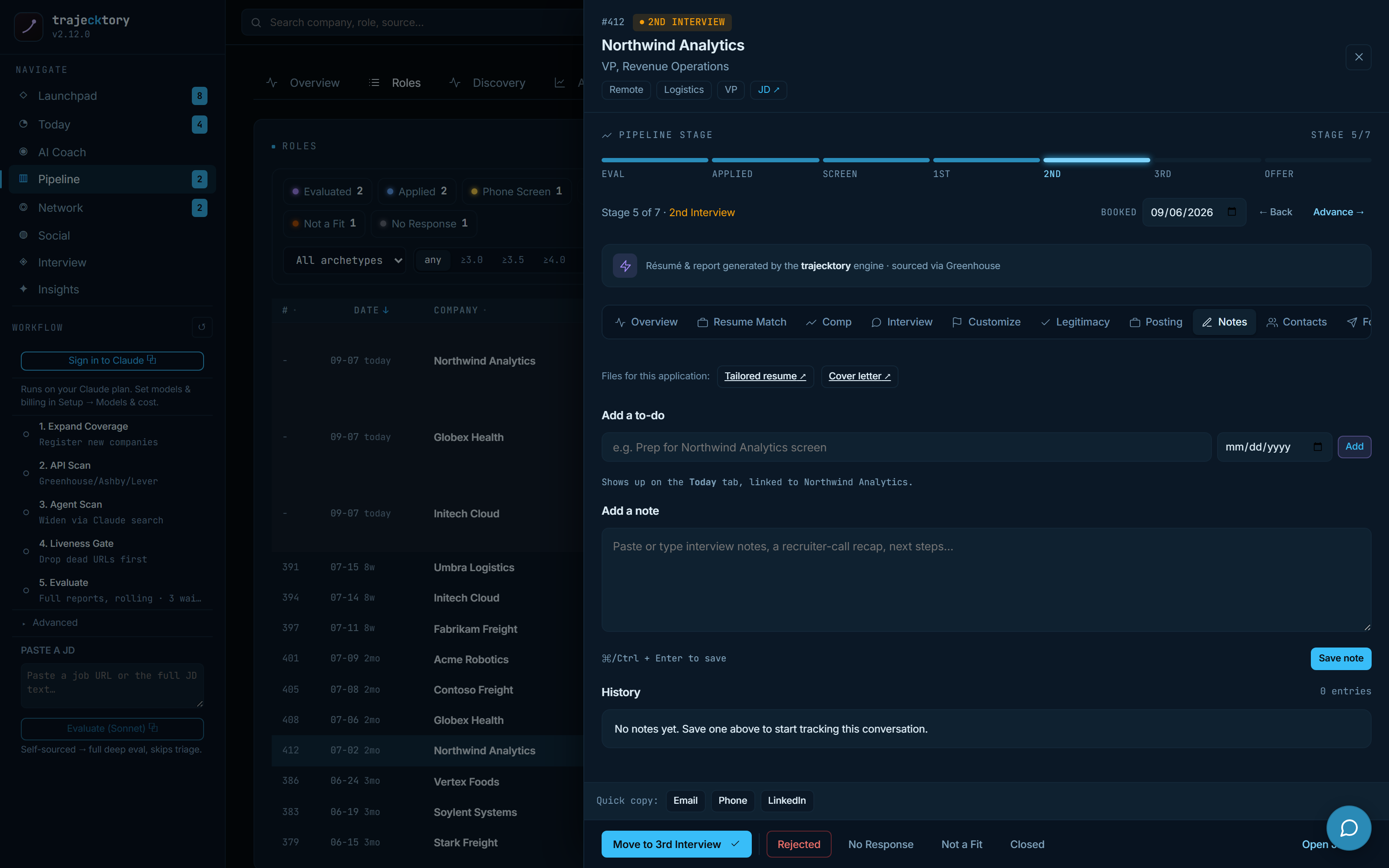
Activity logged on the record, so nothing is re-learned between conversations.
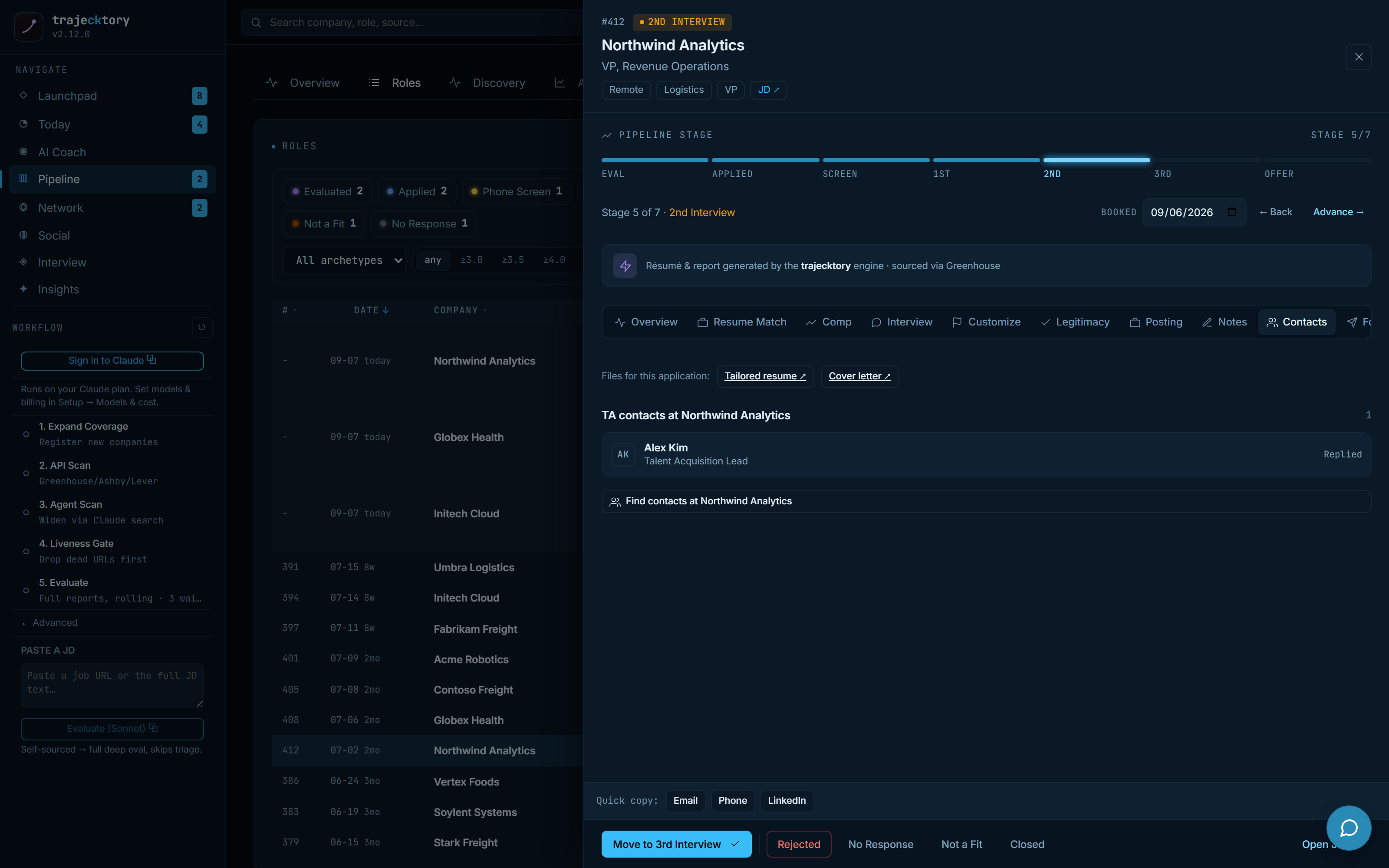
Account-to-contact mapping straight from the deal.
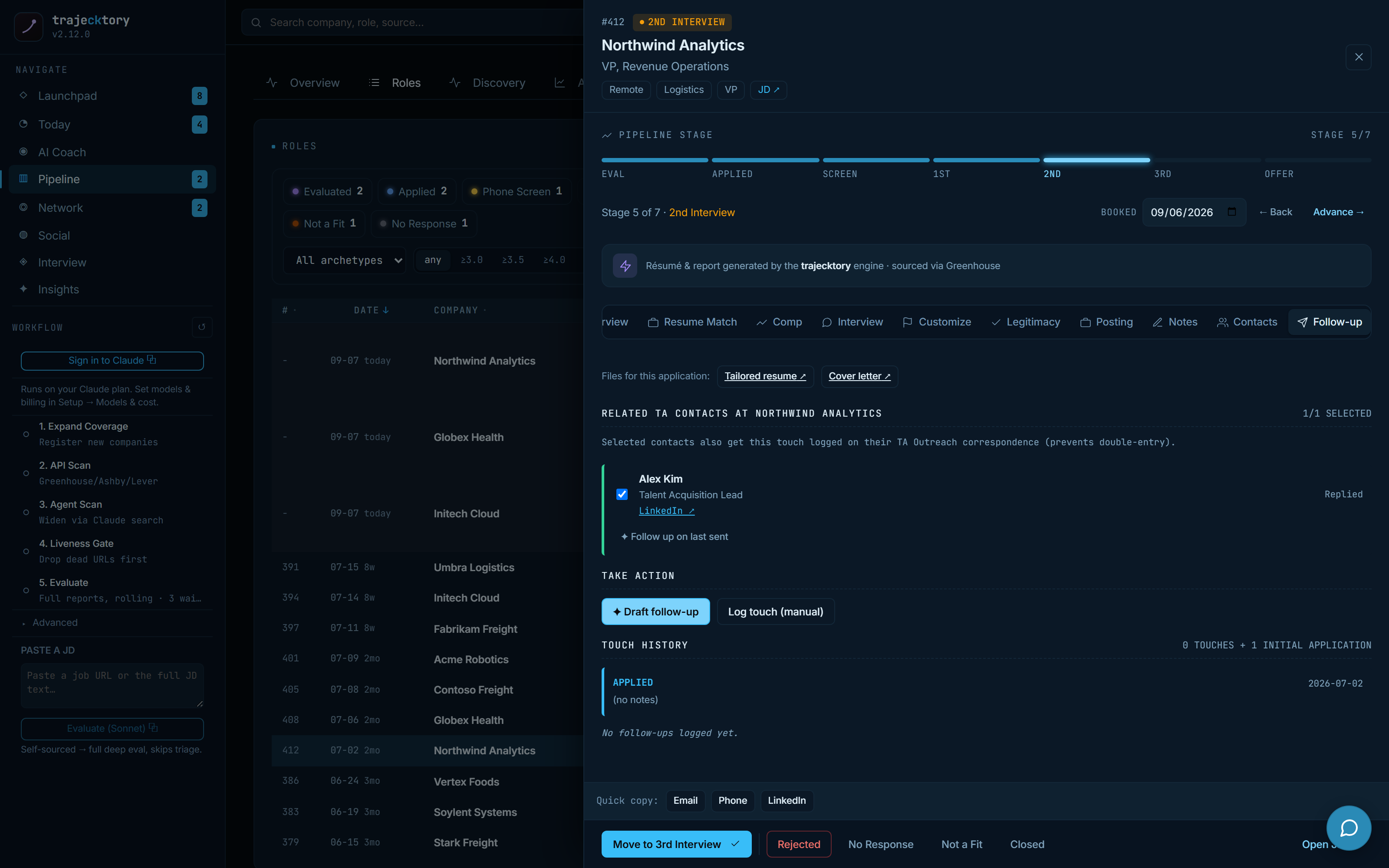
Keeps a good application from going silent, with a human review gate.
The disciplined "is this worth our time?" qualification I would build into a lead-routing system, the champion-enablement prep a great team walks in with, and a live A/B test on follow-up cadence, all produced by specialized agents into one coordinated, inspectable deliverable.
Discovery and the intake gate
Cheap first-pass scoring, then a gate before you spend
Roles enter through a zero-token scan of configured ATS boards and land as provisional triage rows, each with a fast score and a Deep-dive, Open-JD, or Dismiss choice. From there Discovery shows the incoming queue by state: pending roles waiting on a full evaluation, and gated rows that were dead, unreadable, already decided, or reposts, each with a reason and an audit trail. Nothing is lost; pending roles simply have not been paid for yet.
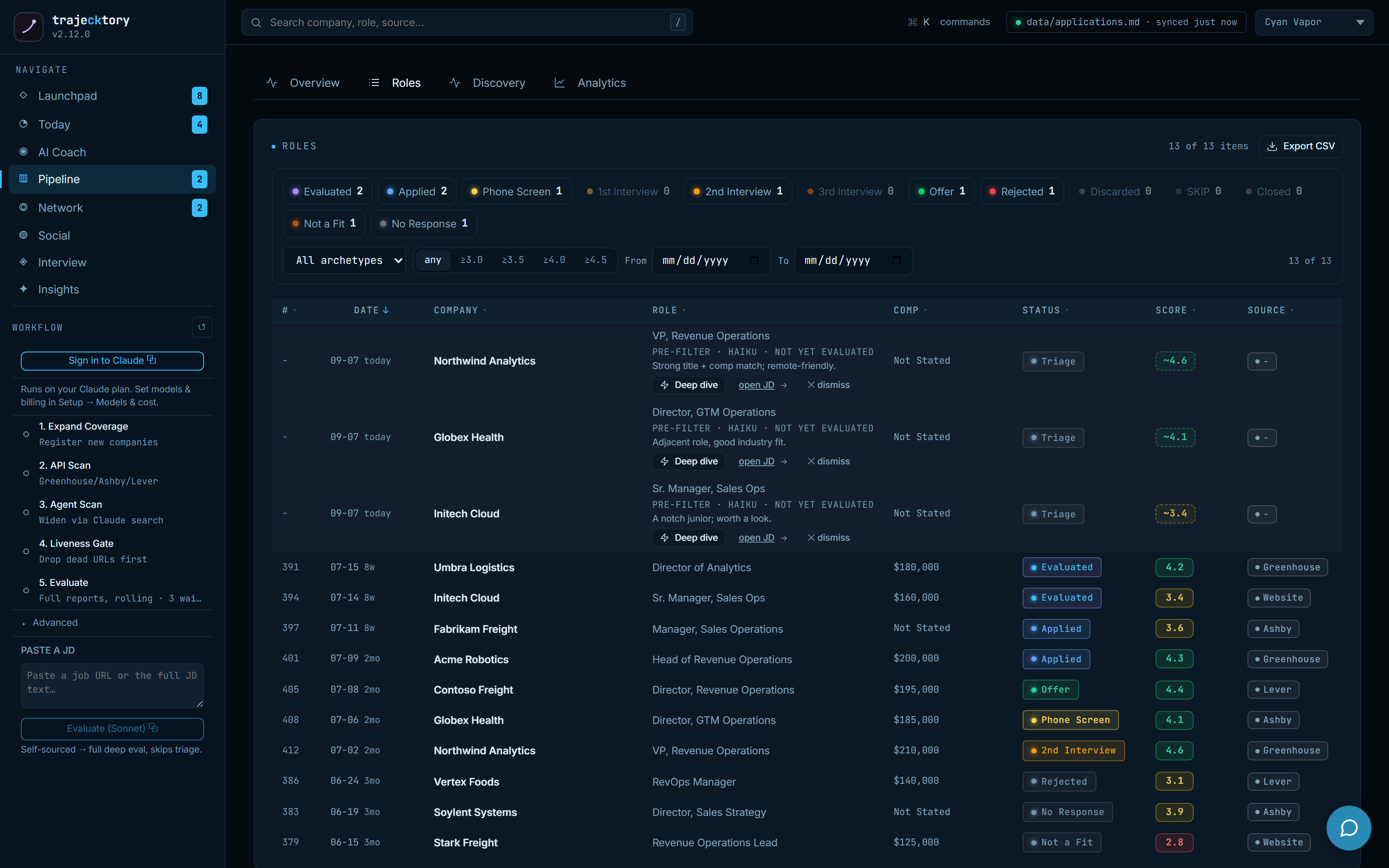
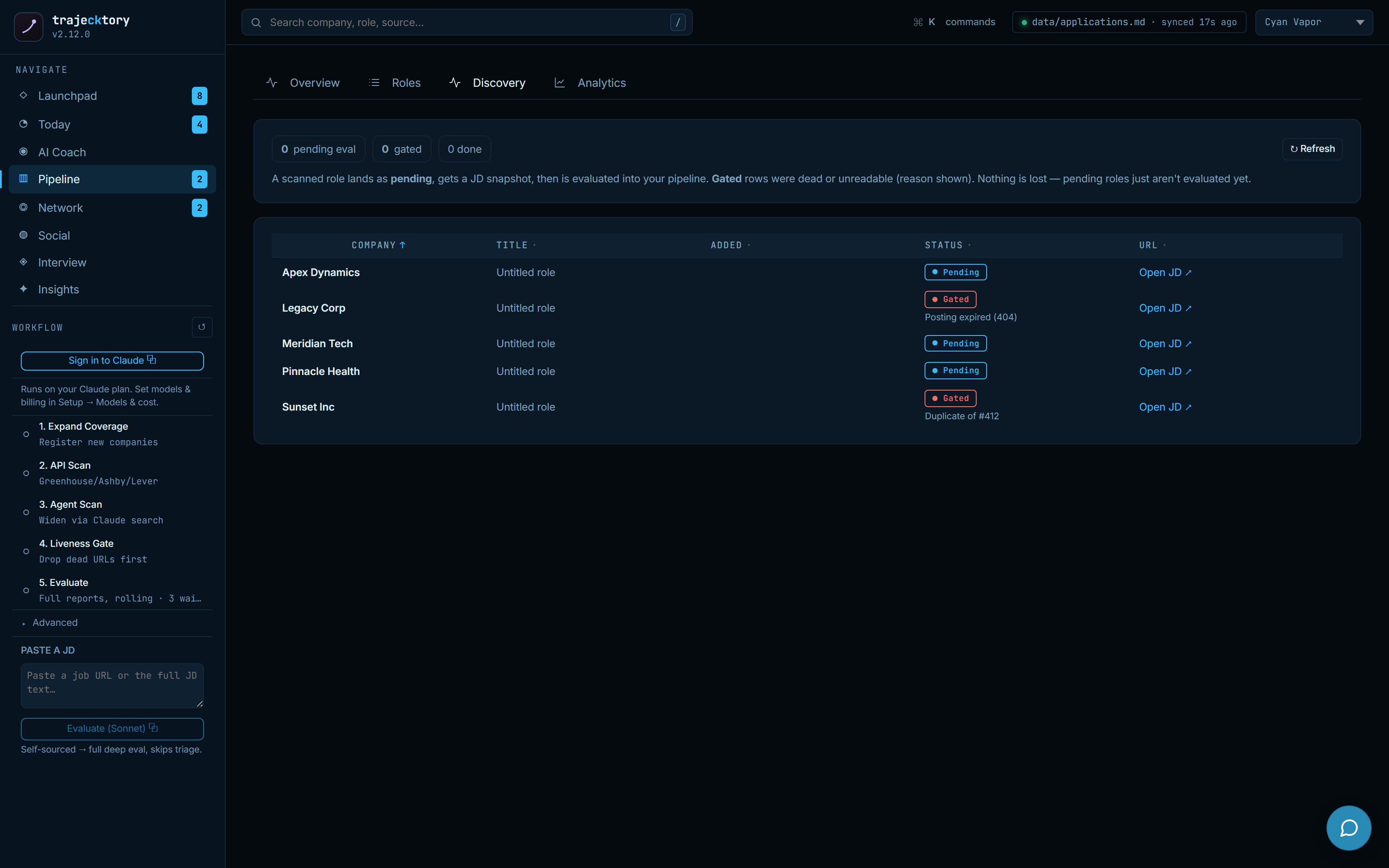
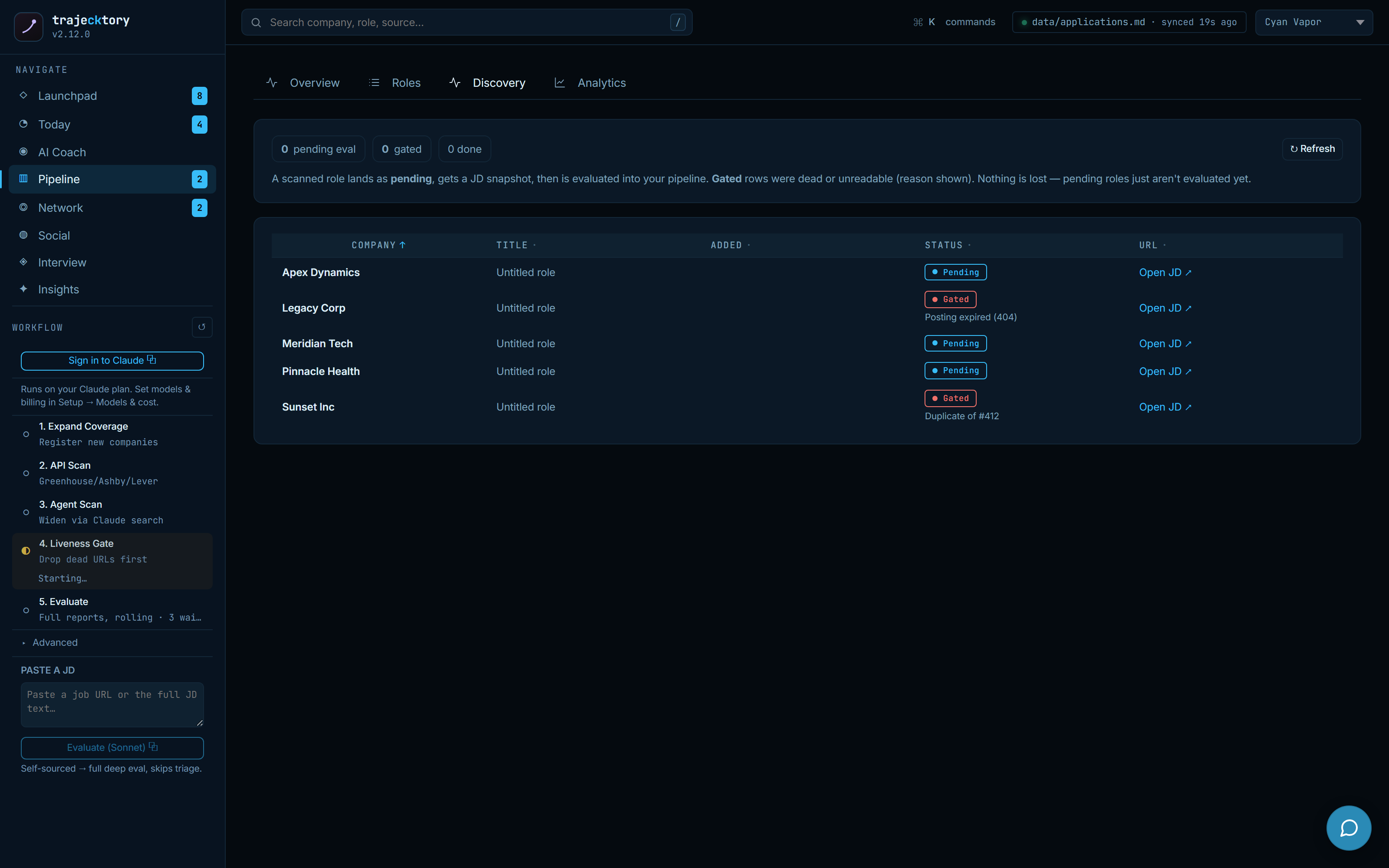
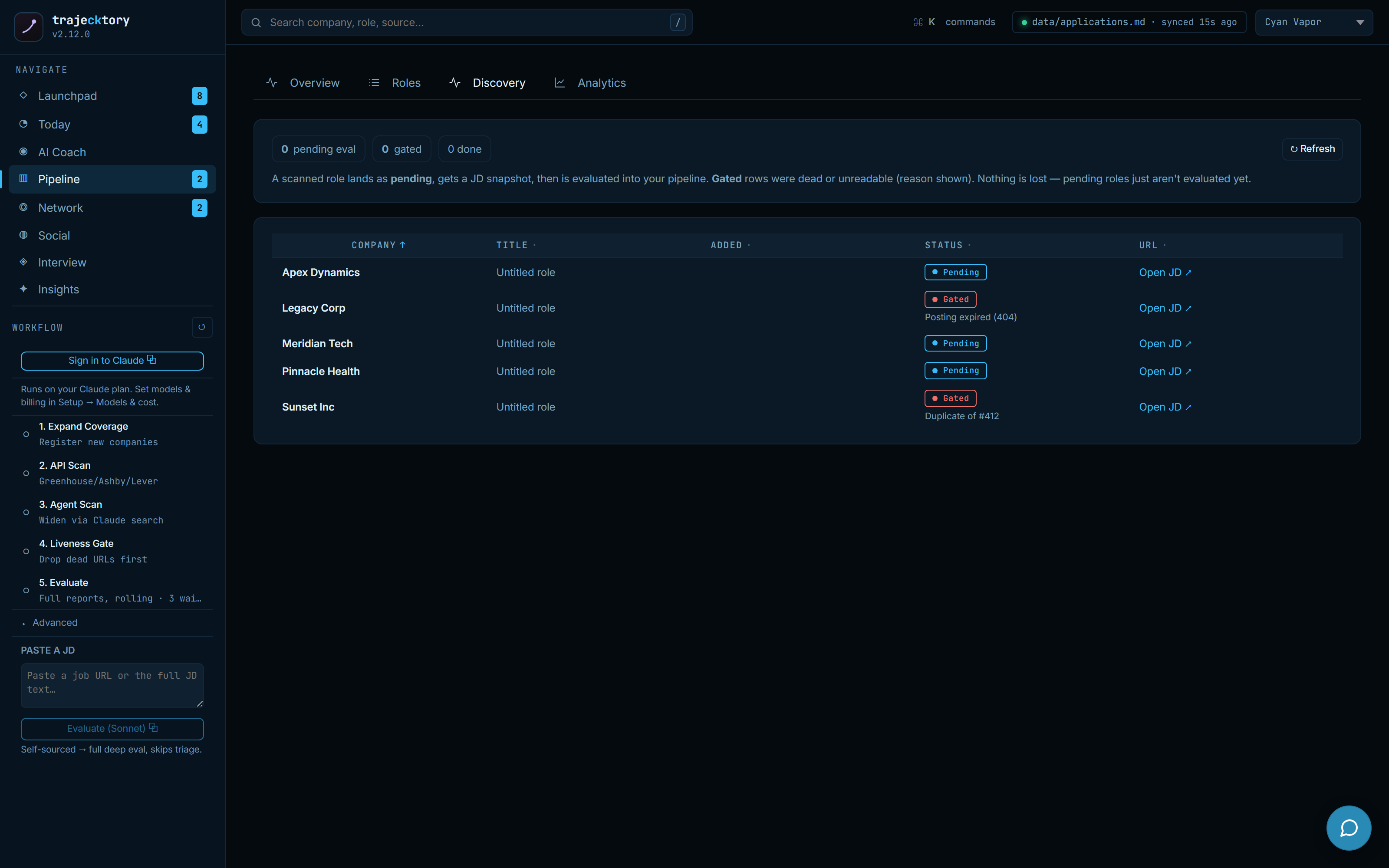
A lead-quality gate with disqualification reasons and an audit trail, so spend goes only to opportunities that clear the bar.
A visible top-of-funnel: what came in, what is worth a look, and what to skip, decided before you pour time into it.
Pipeline and system of record
The command deck
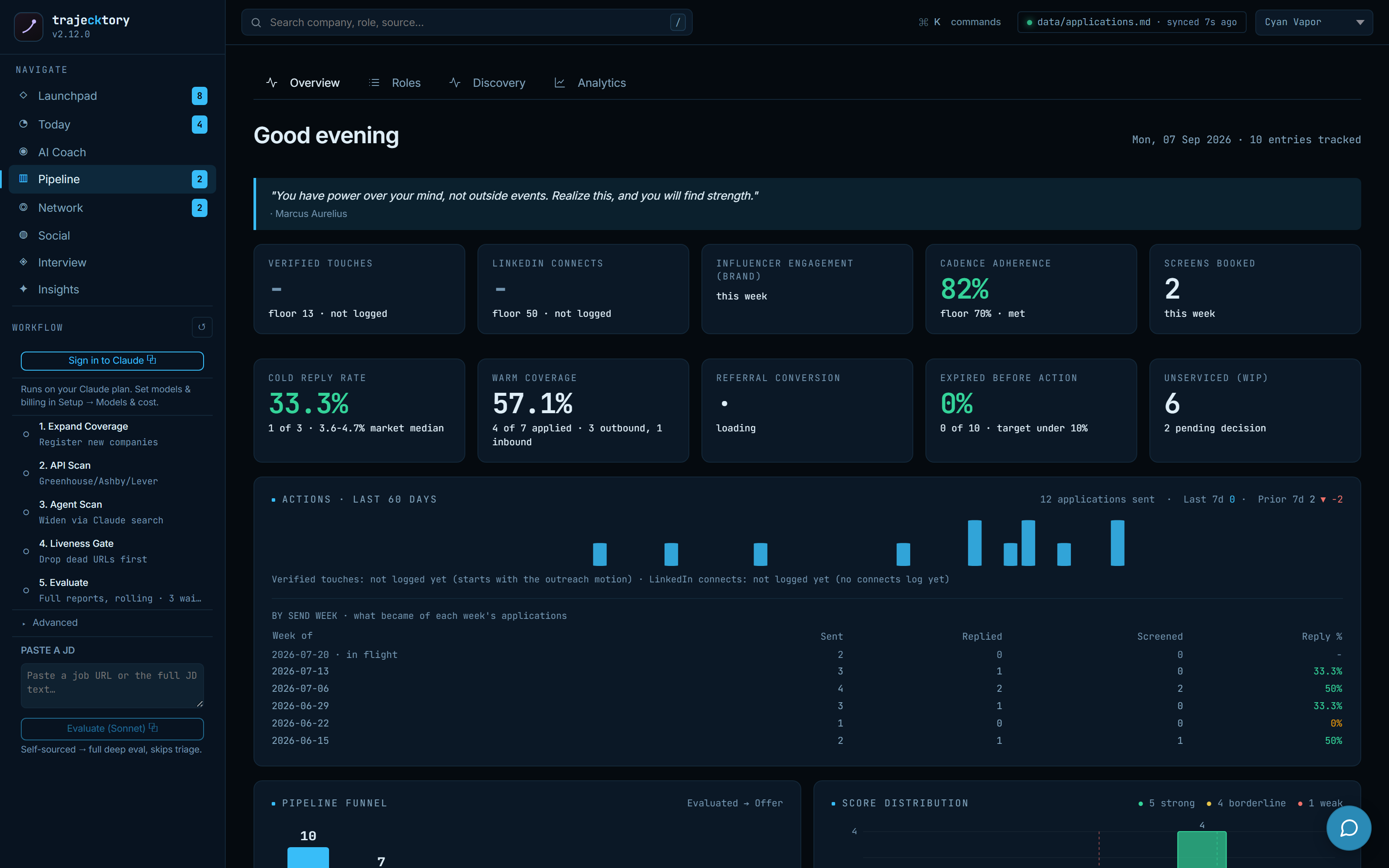
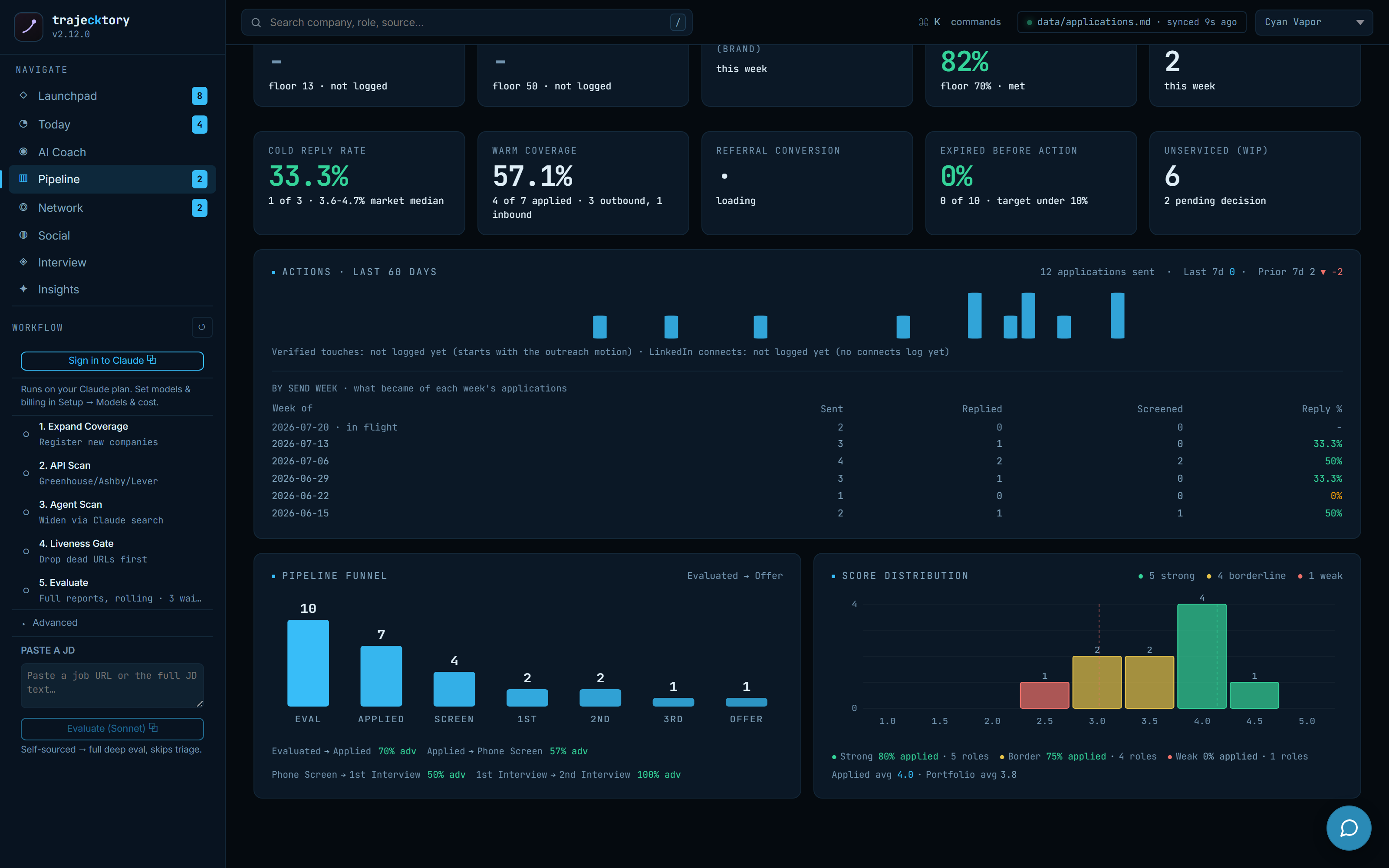
The Pipeline Overview is the daily-standup view I would give a CRO, pointed at my own search: operating KPIs (verified touches, LinkedIn connects, cadence adherence, cold reply rate, warm coverage, expired-before-action), a 60-day activity trend, a by-send-week breakdown of what became of each week's applications, and a funnel with a score distribution. It shows whether the search is producing useful movement before any row-level work.
The deal board
Every role by stage across the full taxonomy: Evaluated, Applied, Phone Screen, then the interview ladder to Offer, plus Not a Fit and No Response kept in the denominator so the funnel stays honest. Score, archetype, comp, and source sit on every row, with status chips, an archetype filter, a score floor, and date bounds across the top, and provisional triage rows folded in. This is the forecast a CRO pulls up in a QBR, and the live work list a rep filters to "who is hot right now."
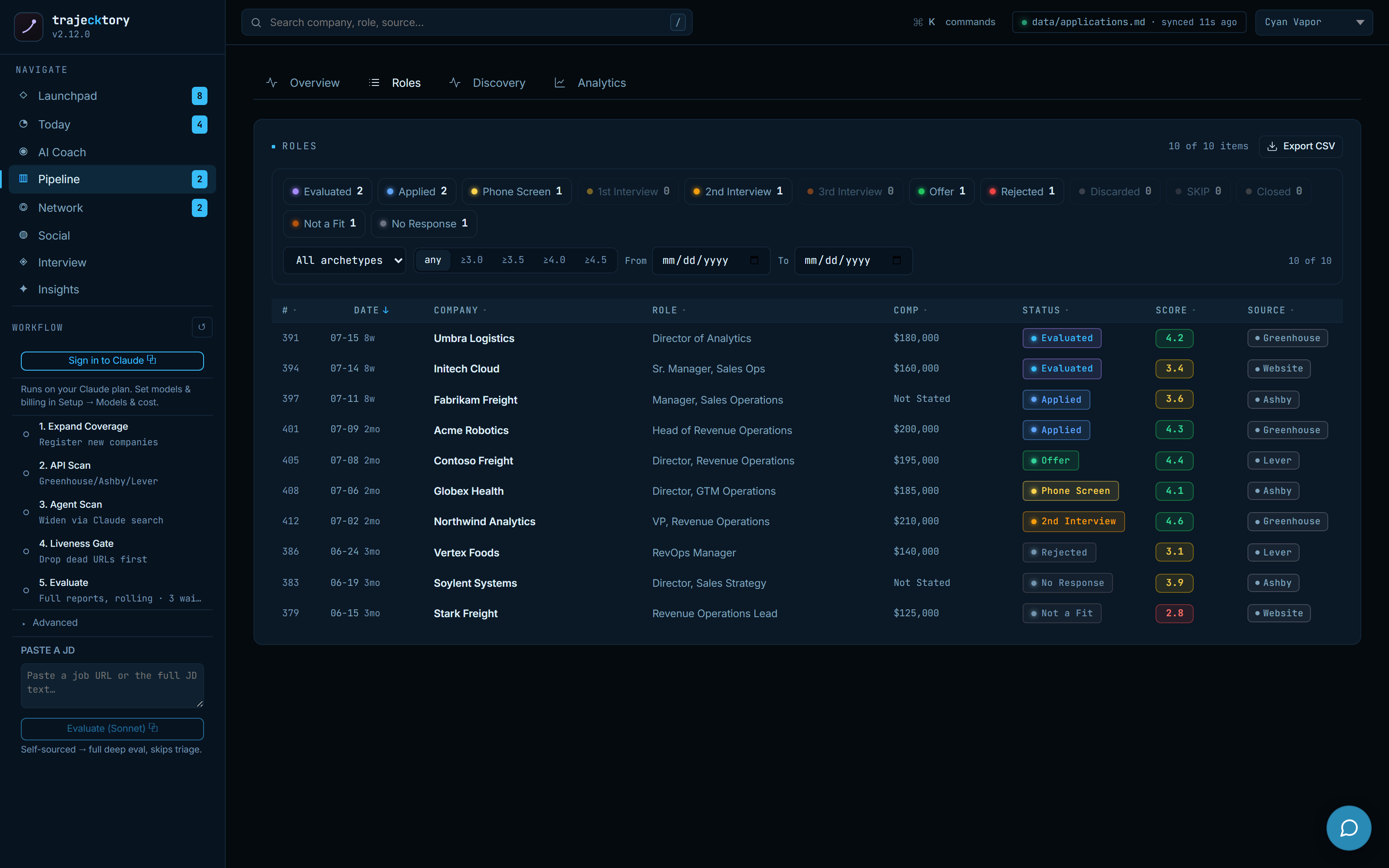
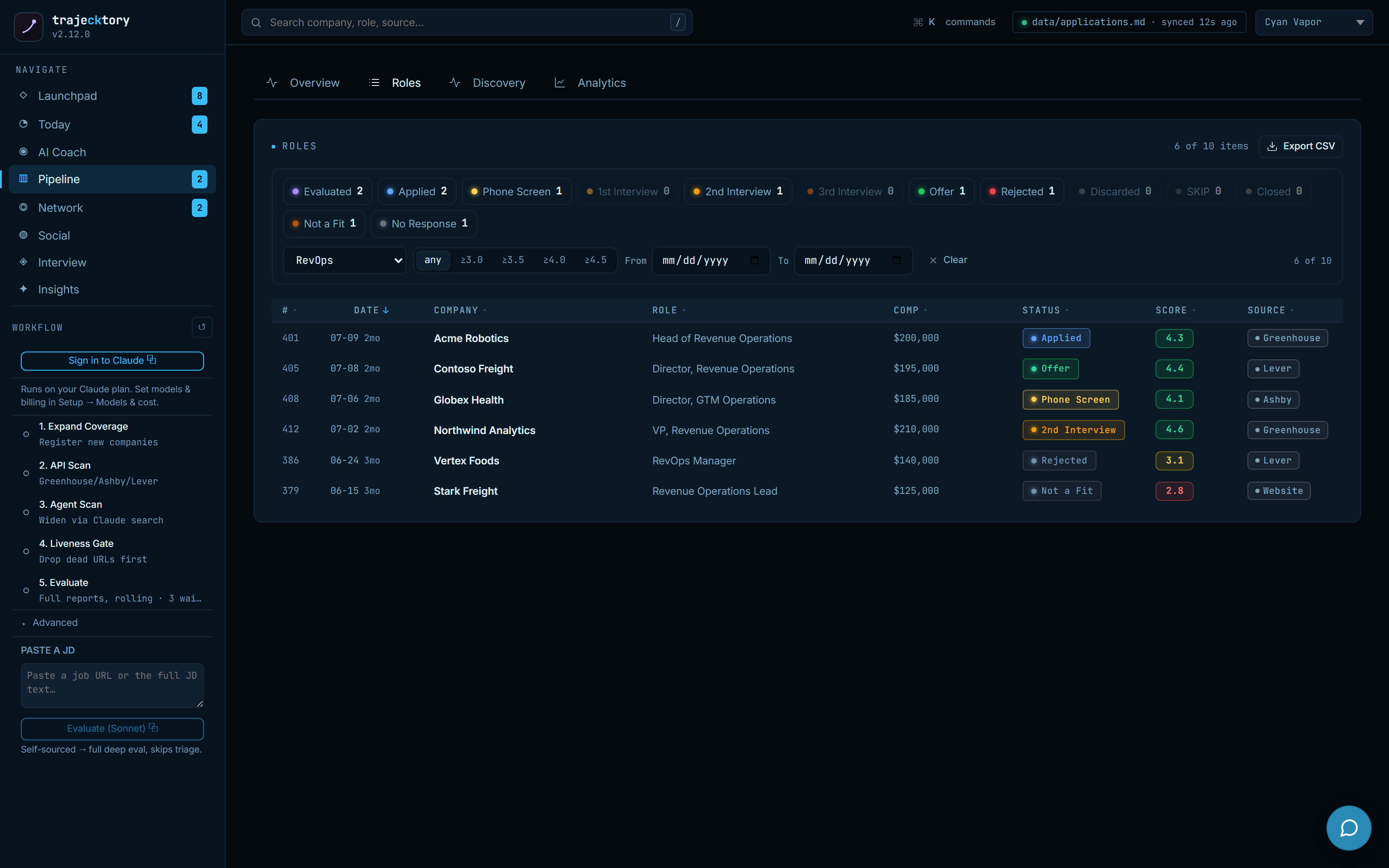
Clean pipeline hygiene with stage definitions a board would accept and an honest denominator, plus the live, filterable work list underneath, all reading from one row-level record.
Analytics: where it converts, where it leaks
Change targeting on outcomes, not volume
The analytics page is the read a director-level RevOps candidate is expected to produce. Top-line: active roles, strong fits, loops in progress, response and interview rates, and comp positioning against the target band. Below that, source effectiveness and archetype conversion say which channels and role types actually convert, a Sankey traces how every role moved from Evaluated through the interview ladder to Offer, and a stage funnel shows exactly where loops are lost.
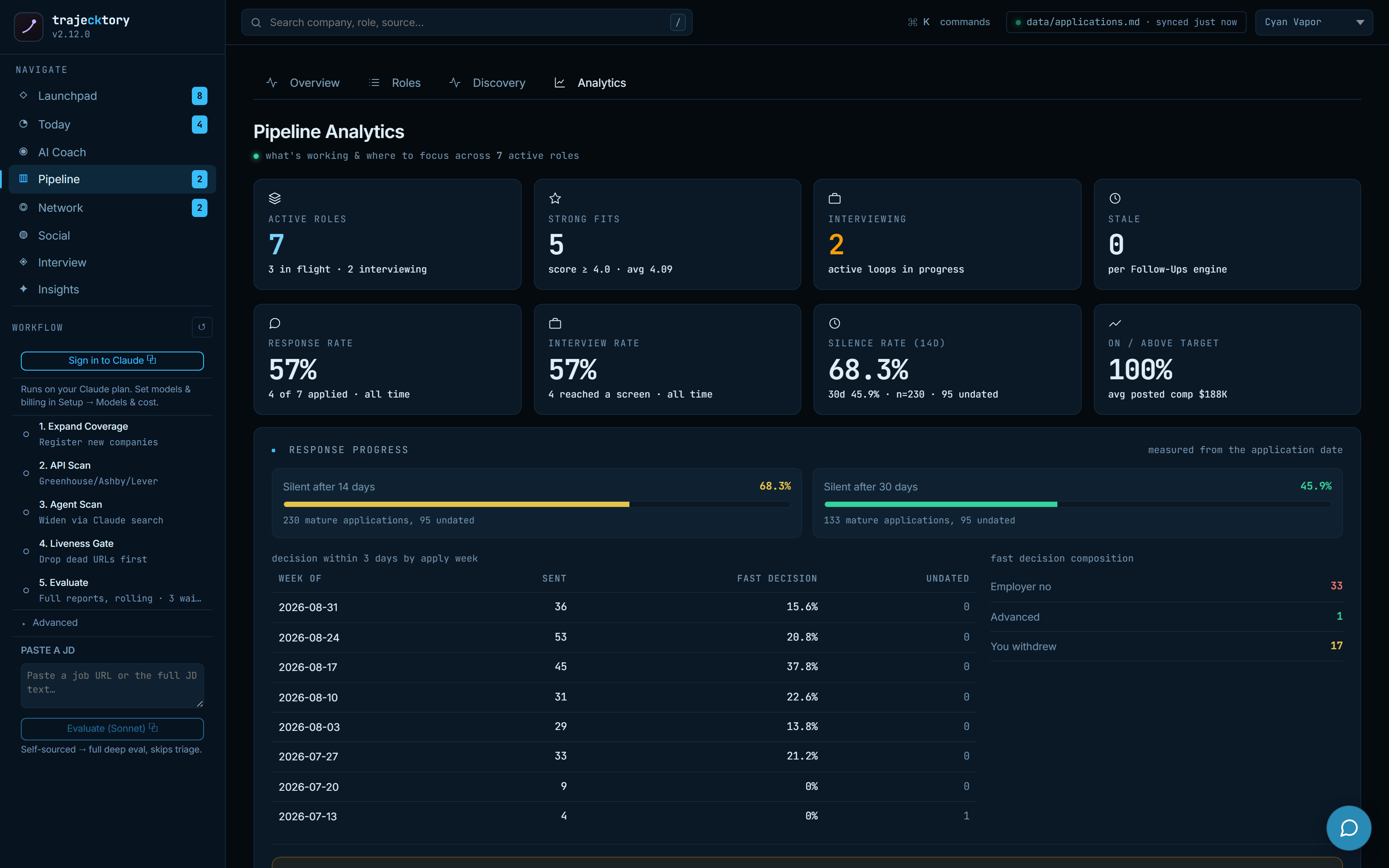
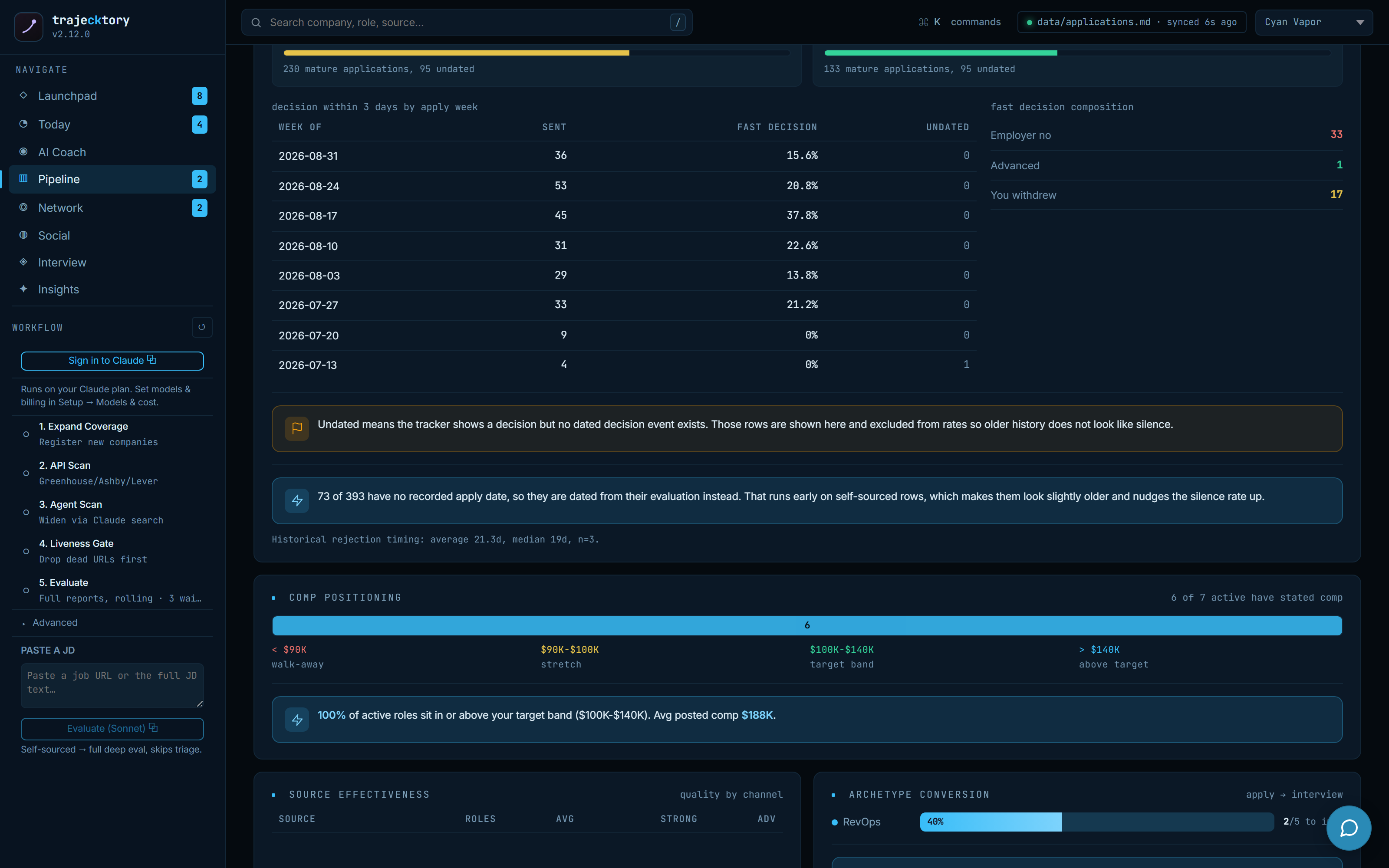
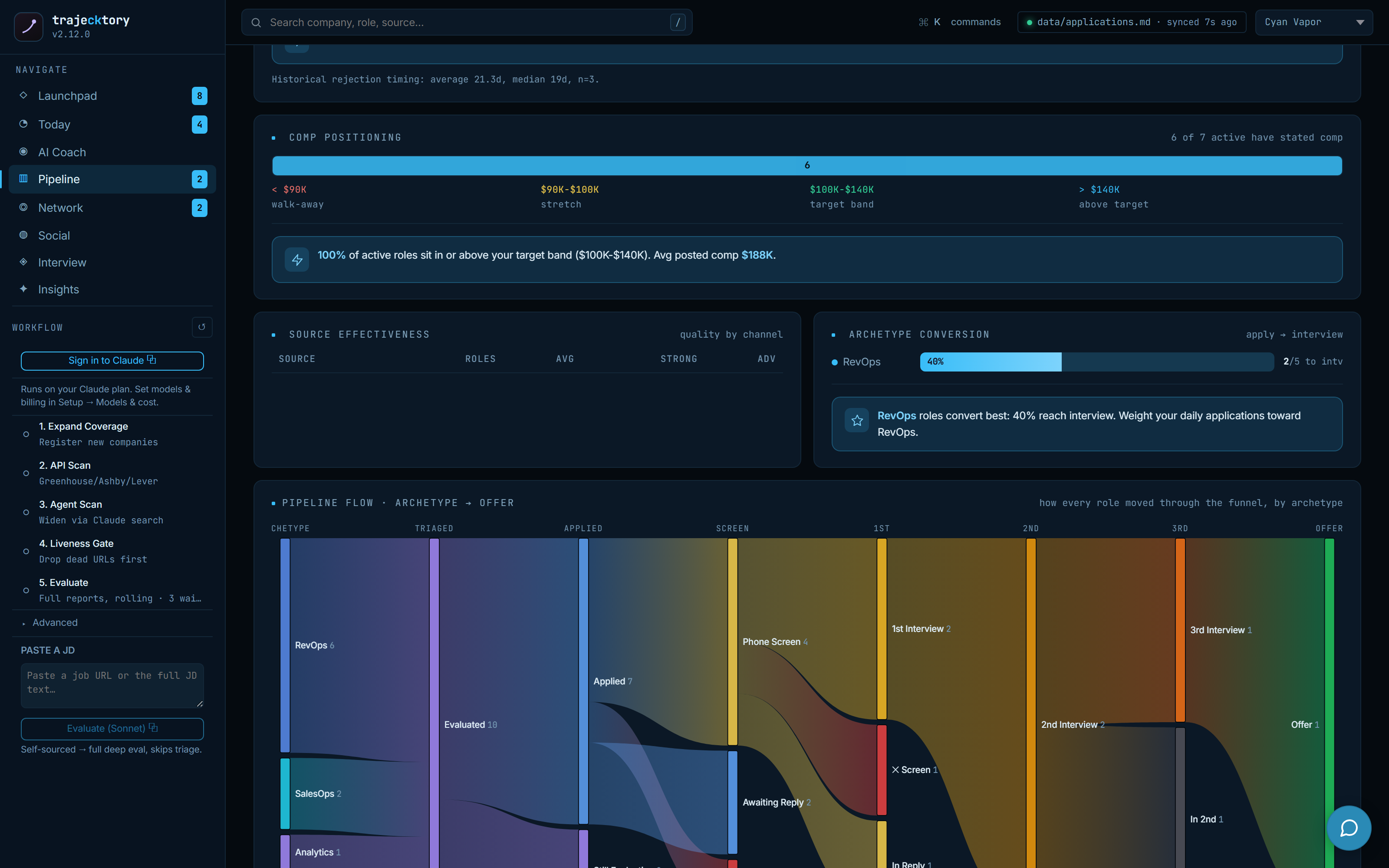
Stage-to-stage conversion with attribution by source and archetype, a flow diagram of the whole funnel, and drop-off inspection, the diagnostics that say grind more volume or fix conversion, and where.
Cadence and follow-up
One ranked queue of everyone worth a touch
Applications, contacts, referrals, and freshly accepted connections collapse into a single ranked queue, ordered by importance (hiring principals and dual-channel contacts first) and then by how overdue the last touch is. KPI cards read the health of it: contacts going quiet, in conversation, going cold past 45 days, and average days of silence. Draft, copy, send by hand, mark sent. Underneath, the queue also surfaces applied roles missing a contact and high-score roles missing a decision-maker, so the gaps get worked, not just the easy rows. Nothing sends from here.
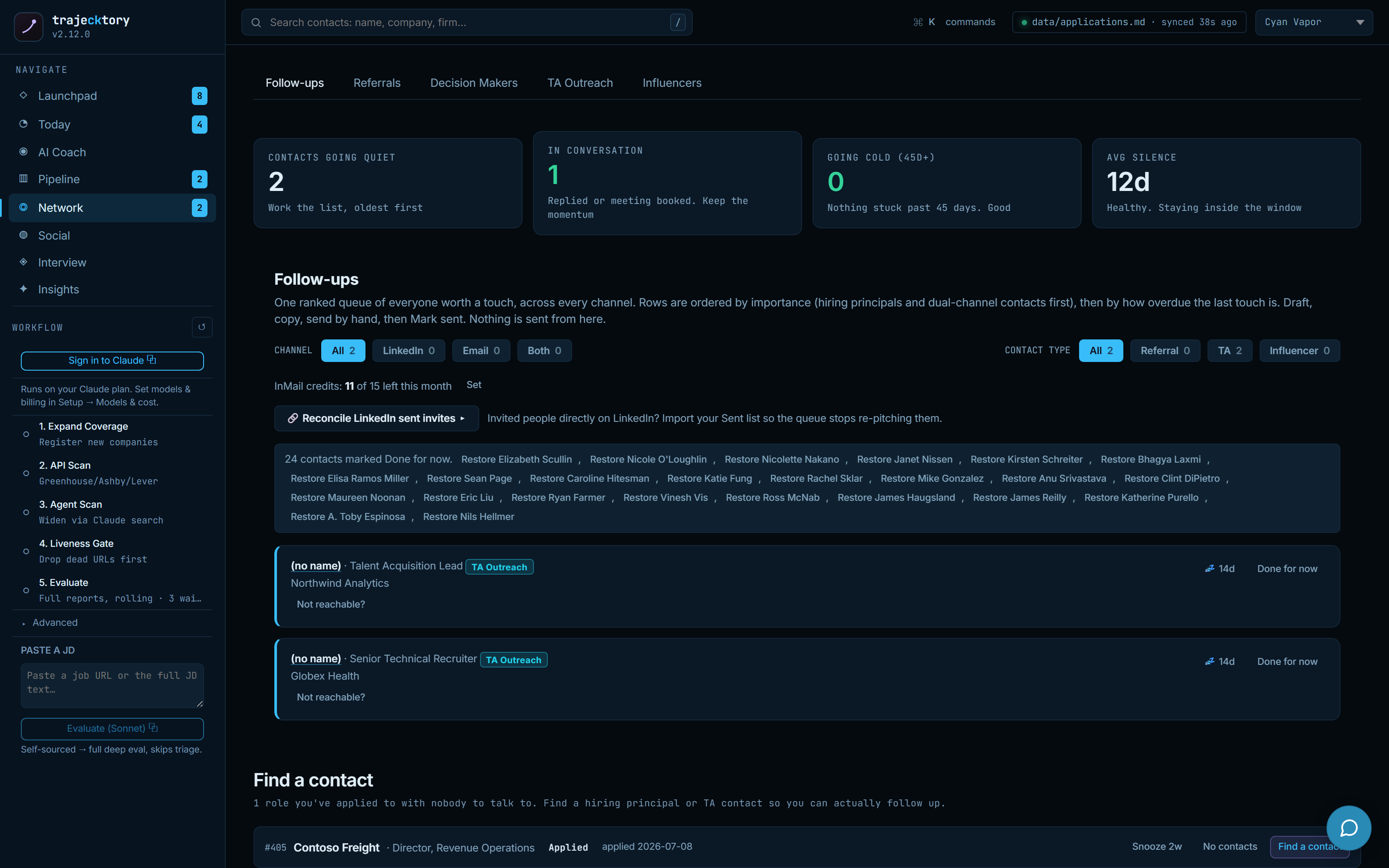
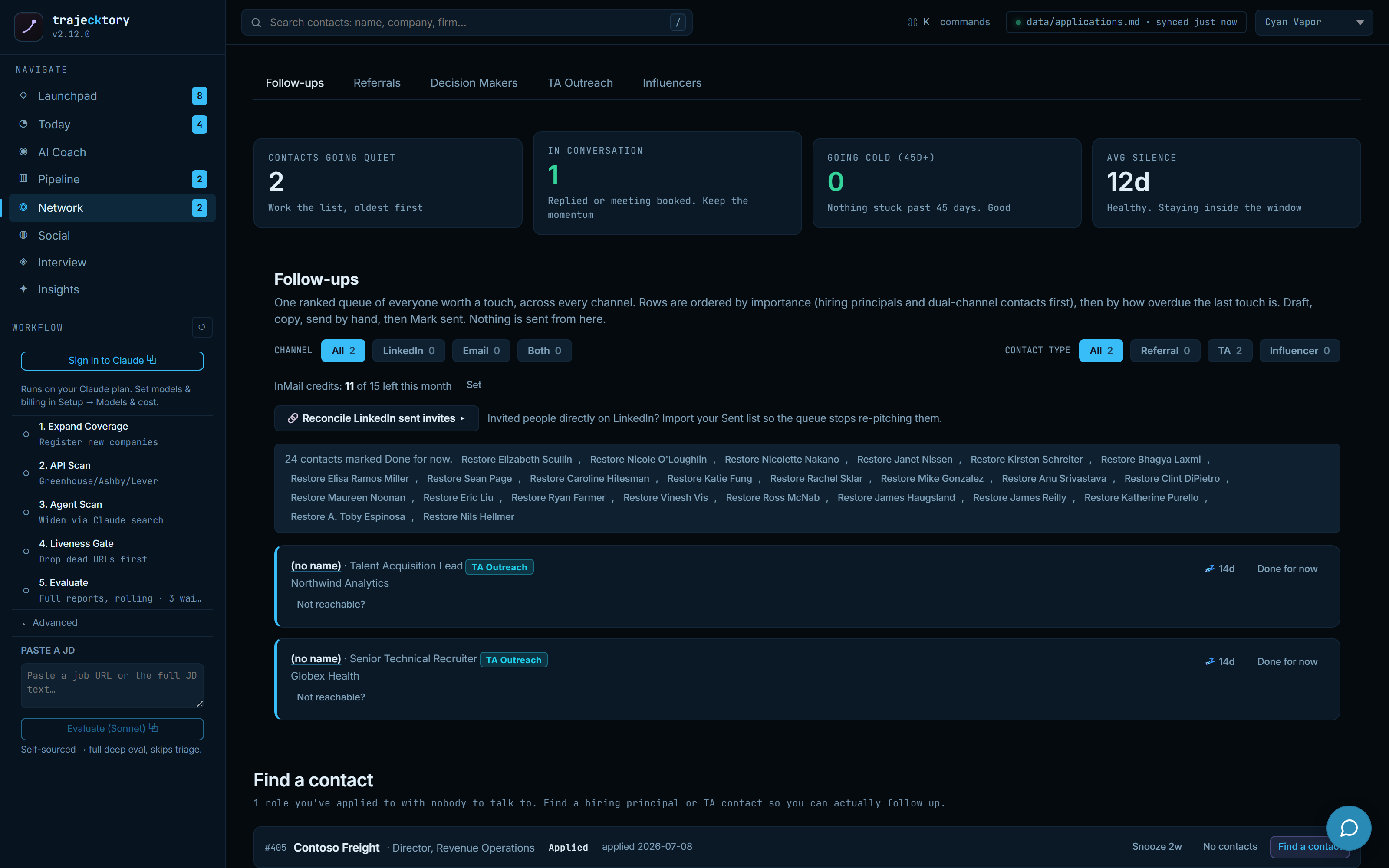
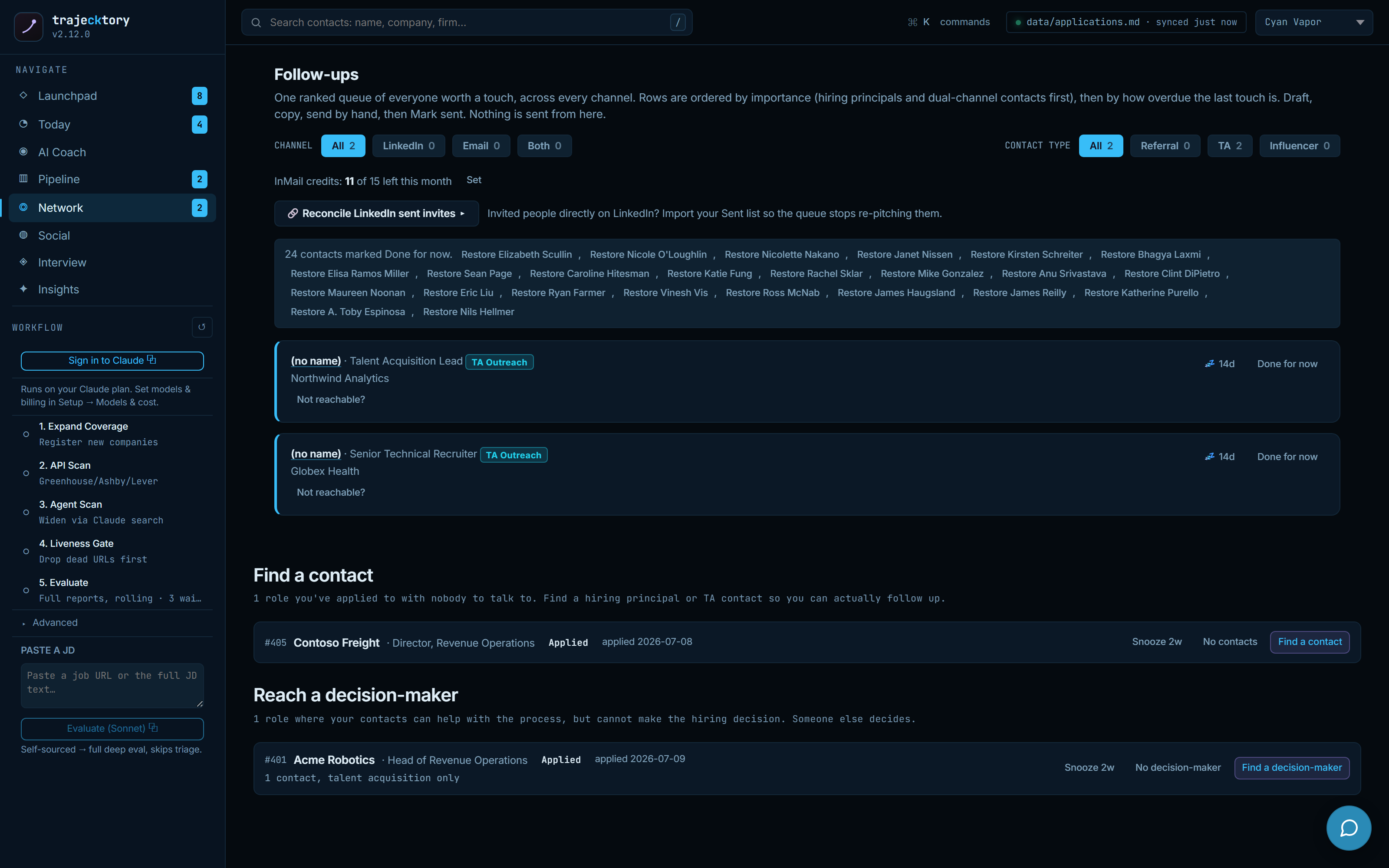
The hygiene layer that keeps the queue honest
A ranked queue is only useful if the underlying records are clean. So the surface confirms recently accepted connections, proposes merges for the same person tracked twice, and keeps snoozed and muted items retrievable with the clock still running. Identity changes are always explicit; nothing is combined or archived silently.
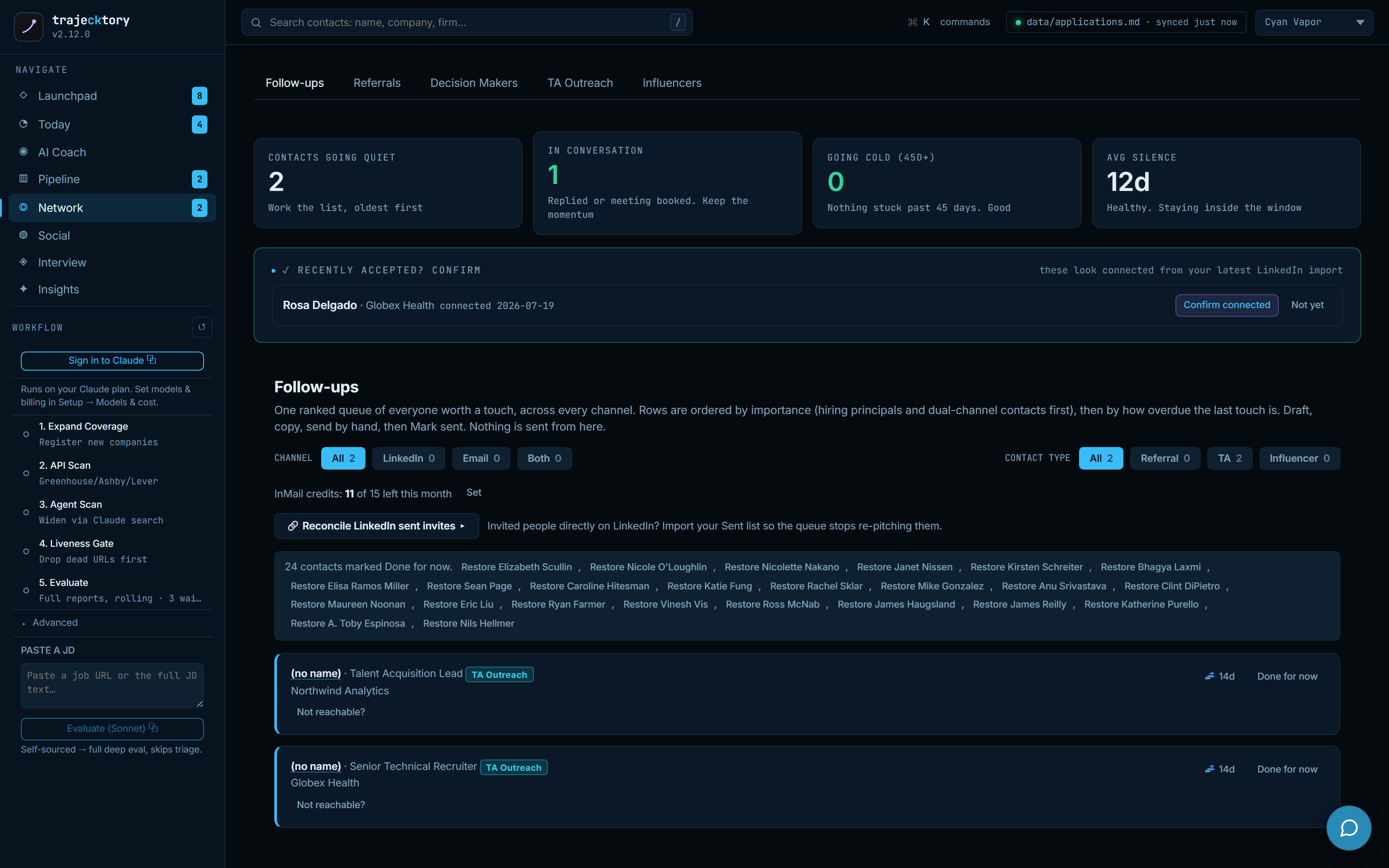
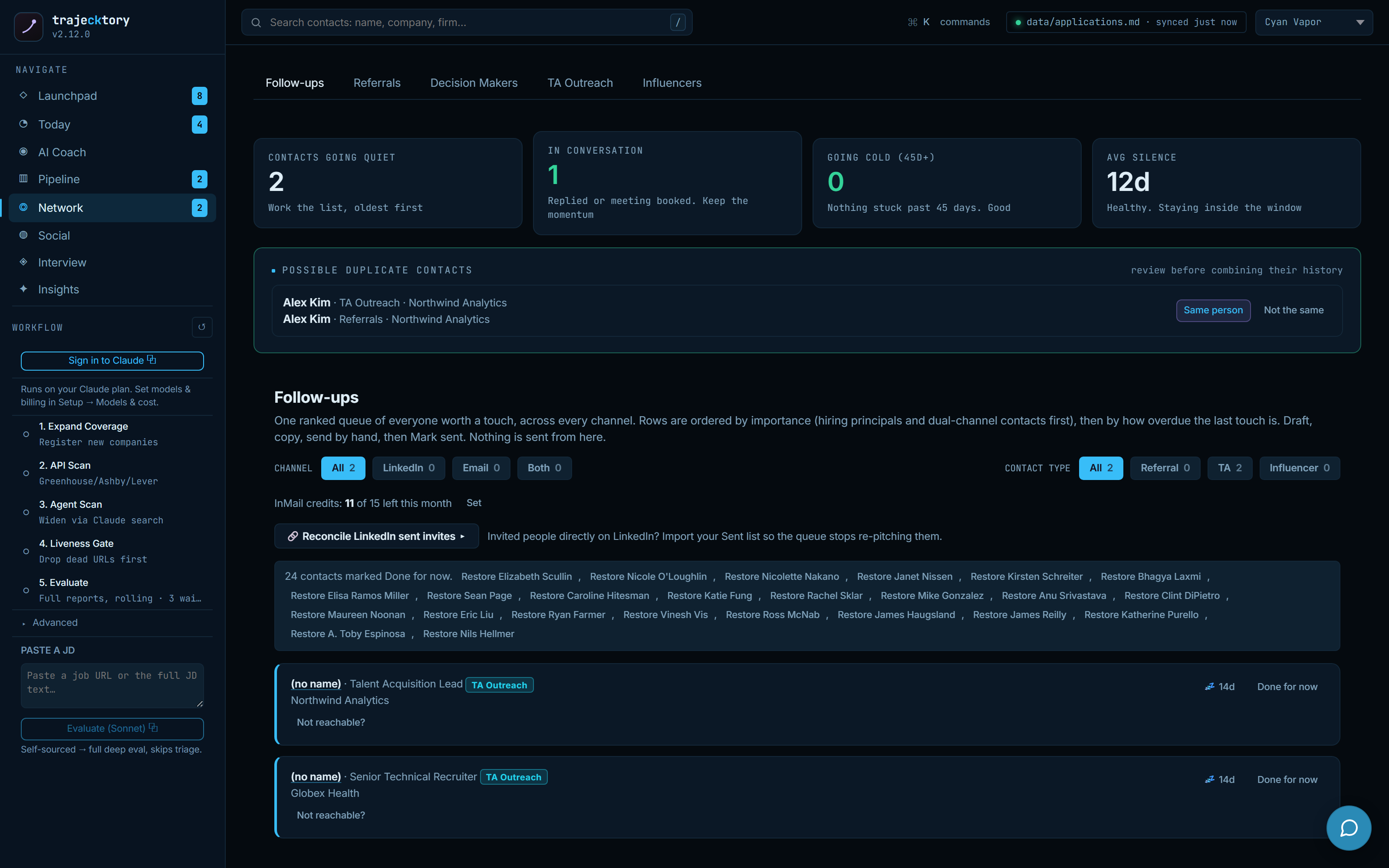
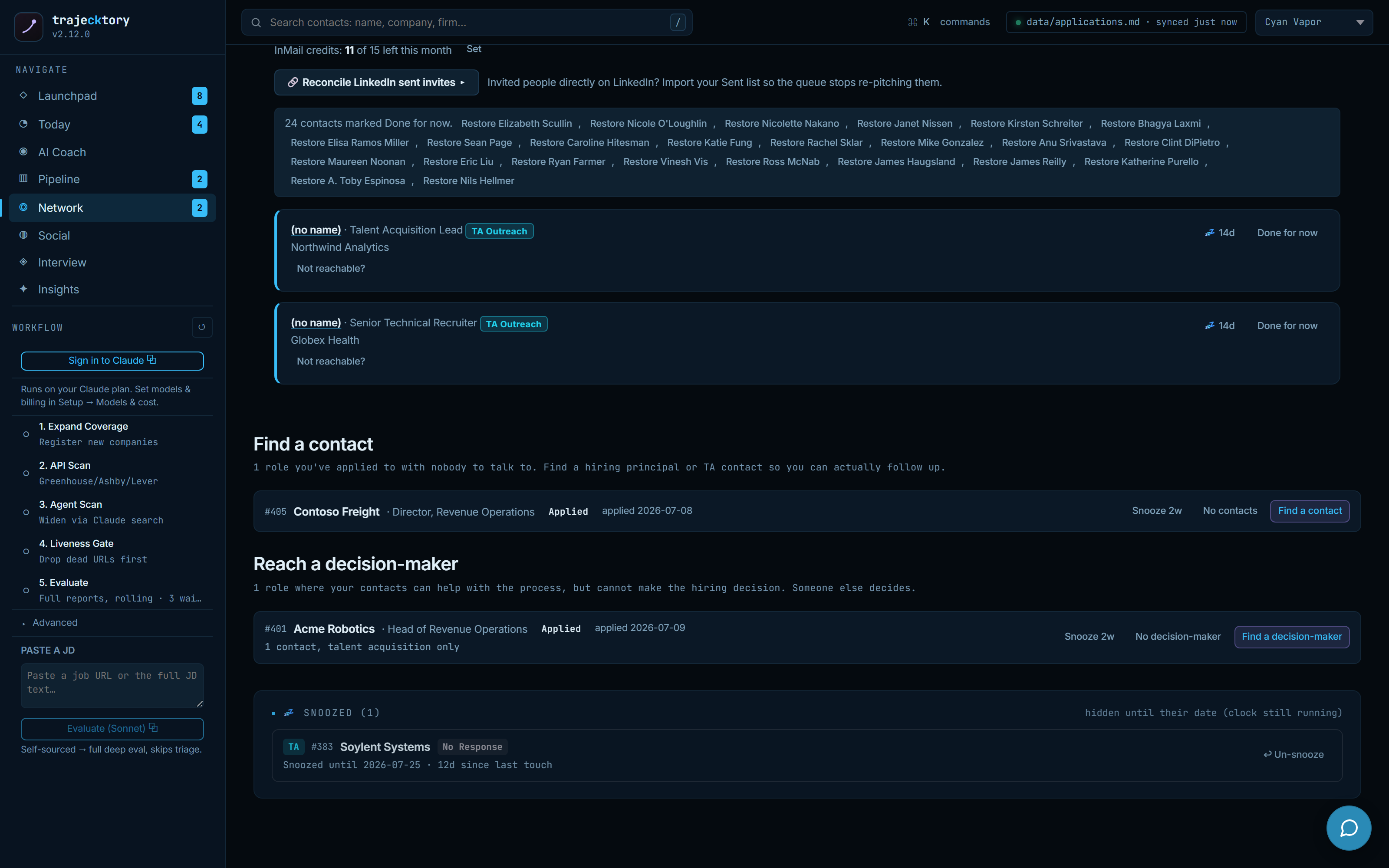
Cadence and SLA enforcement with aging and source attribution, over a deduplicated system of record where every identity change is auditable.
The disciplined follow-up muscle that separates good reps from great ones, one ranked list sorted by what it costs to lose.
Interview: prep, live, present
Durable prep per company and round
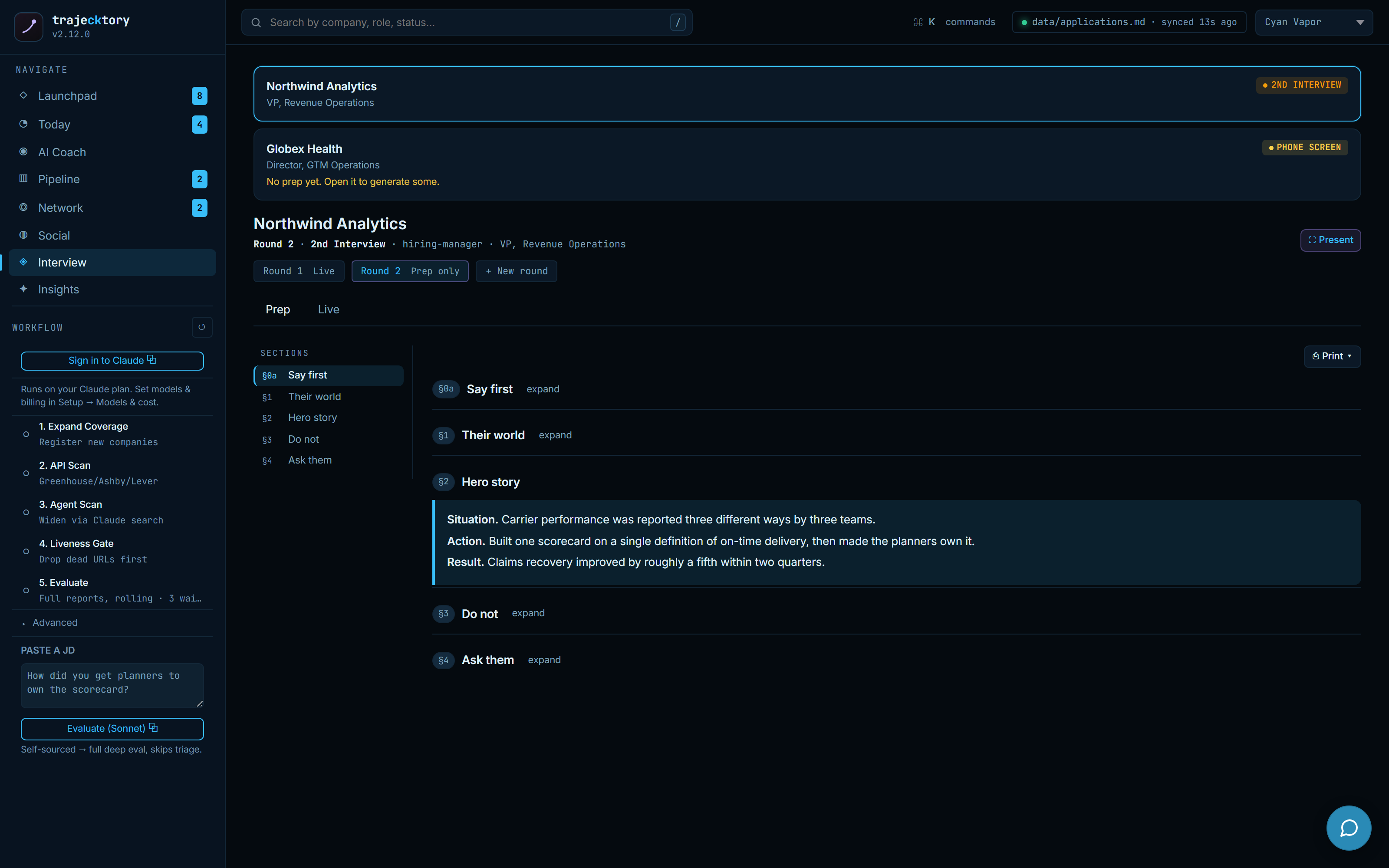
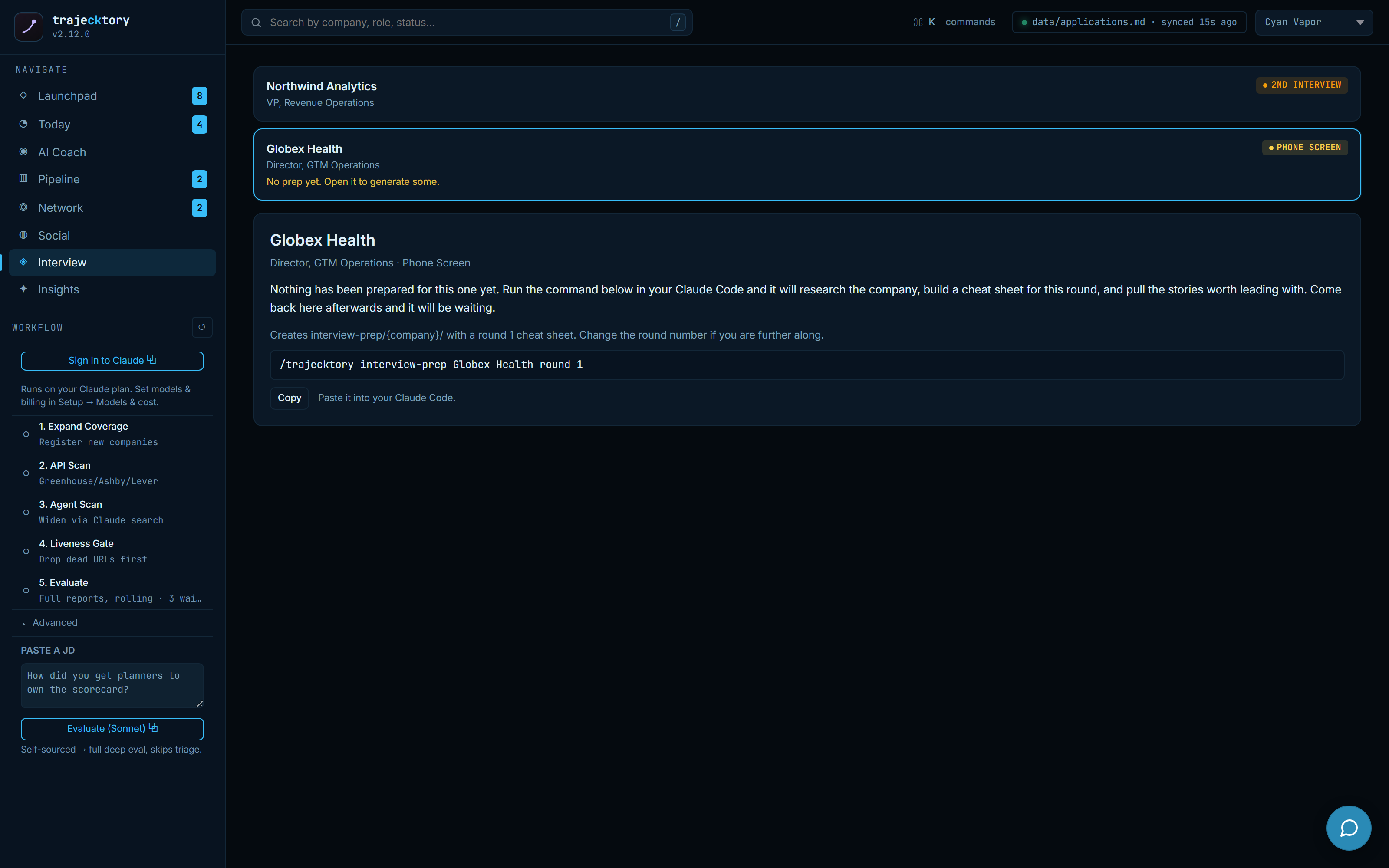
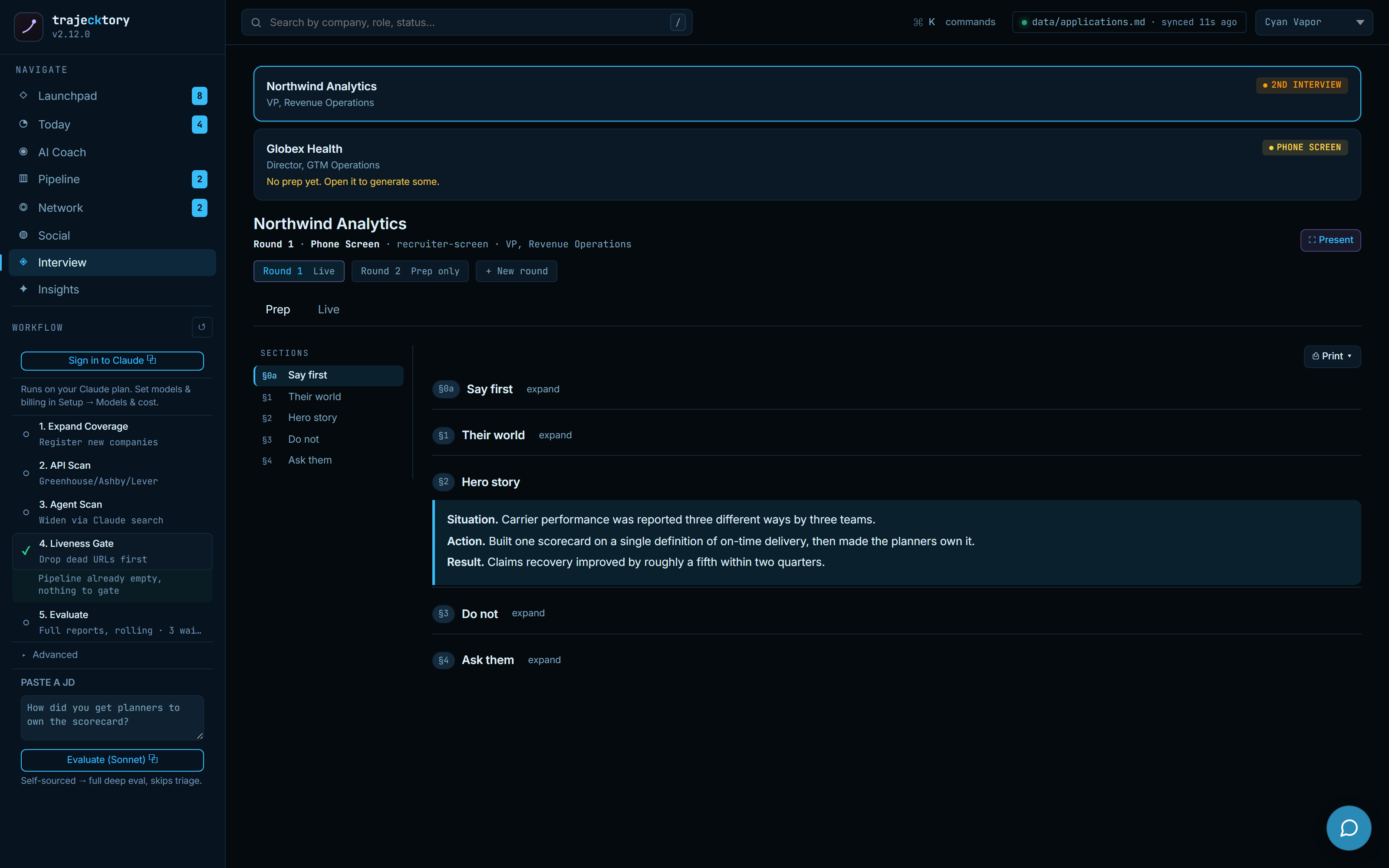
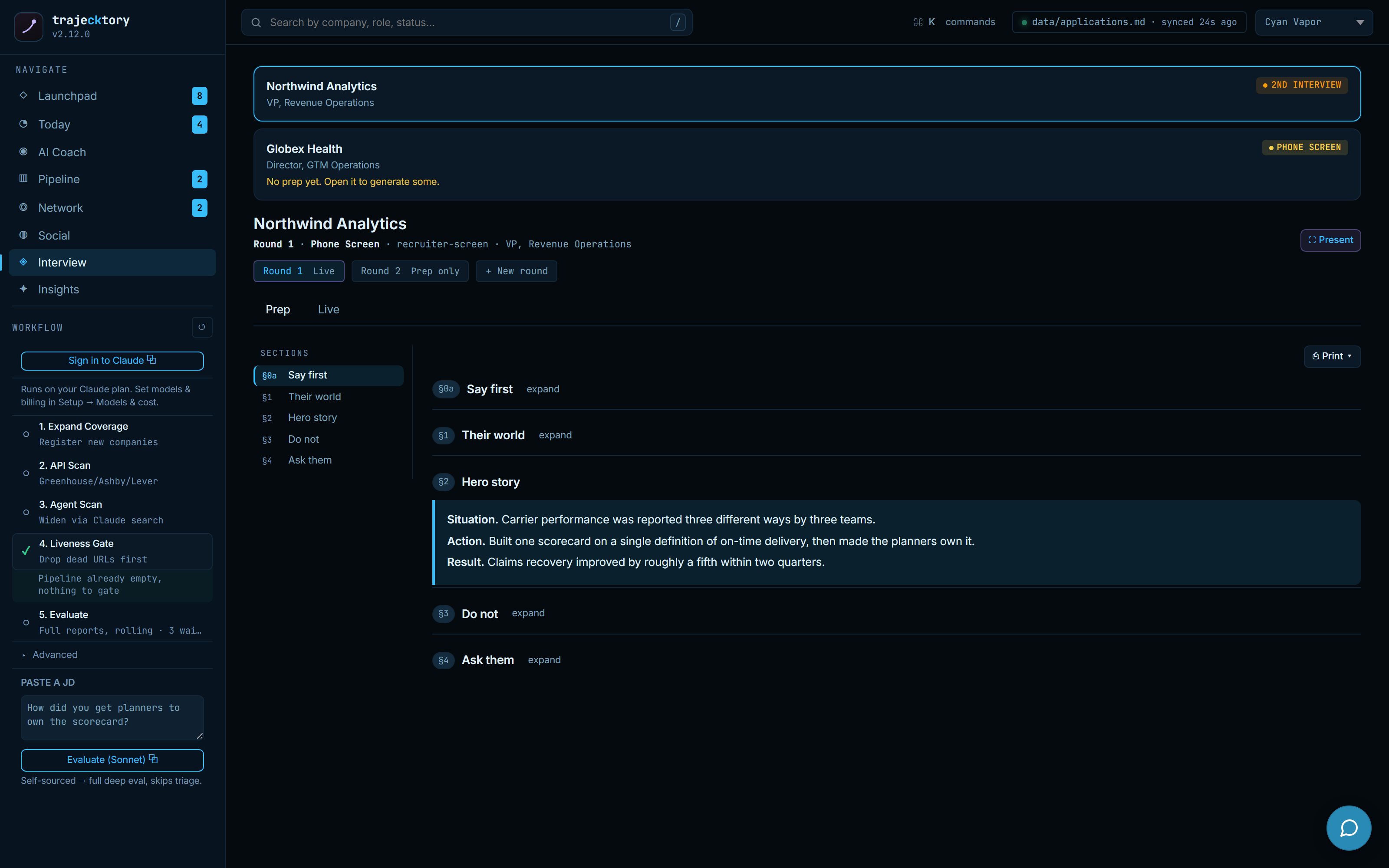
Interview is now a full workspace, not a single stage. Pick a company and round and it renders structured prep: a lead story, their world, hero STAR+R examples, what not to say, and questions to ask, all drawn from the evaluation evidence. When a round has no prep yet, it says so and offers an agent handoff to build it, so you are never staring at a blank page the night before.
A live cue board you can actually run mid-call
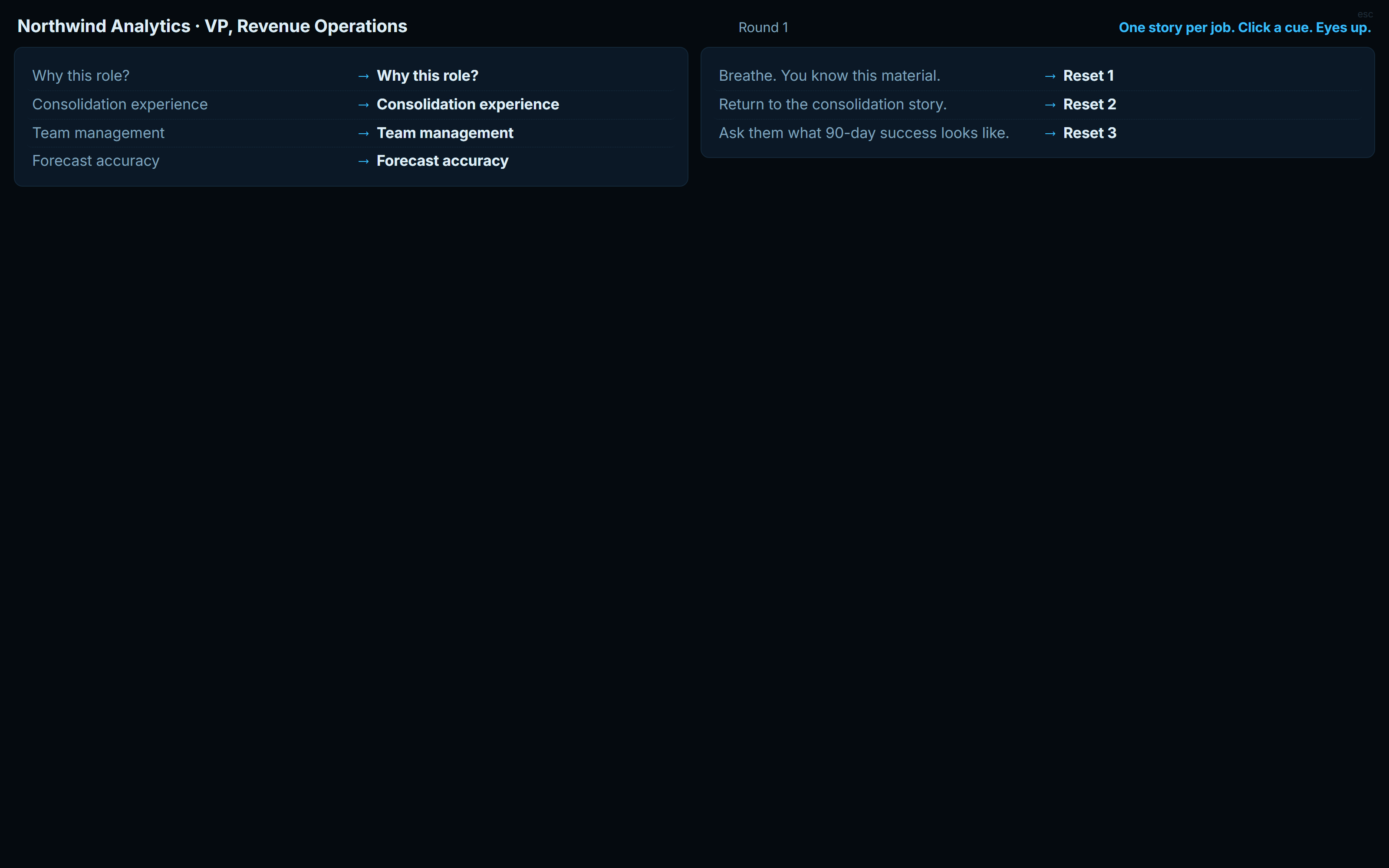
The Live view is a click-a-cue run sheet for the interview itself: one story per question, land the result, then pause. Each cue opens a single answer, a panic section resets and routes when you blank, and collision warnings flag when two answers would lean on the same story. Presentation mode blows it up to a fullscreen, camera-calibrated board, positioned so it sits just off the webcam. It turns rehearsal into recall under pressure.
The debrief that feeds the next round
Right after a round, a debrief captures the outcome, the objection raised, the likely reason if it does not advance, who answered, what landed, and what you would change, verbatim where you can get it. It is the win/loss review a revenue team runs on every deal, turned on your own interviews so the evidence is fresh for the next loop.
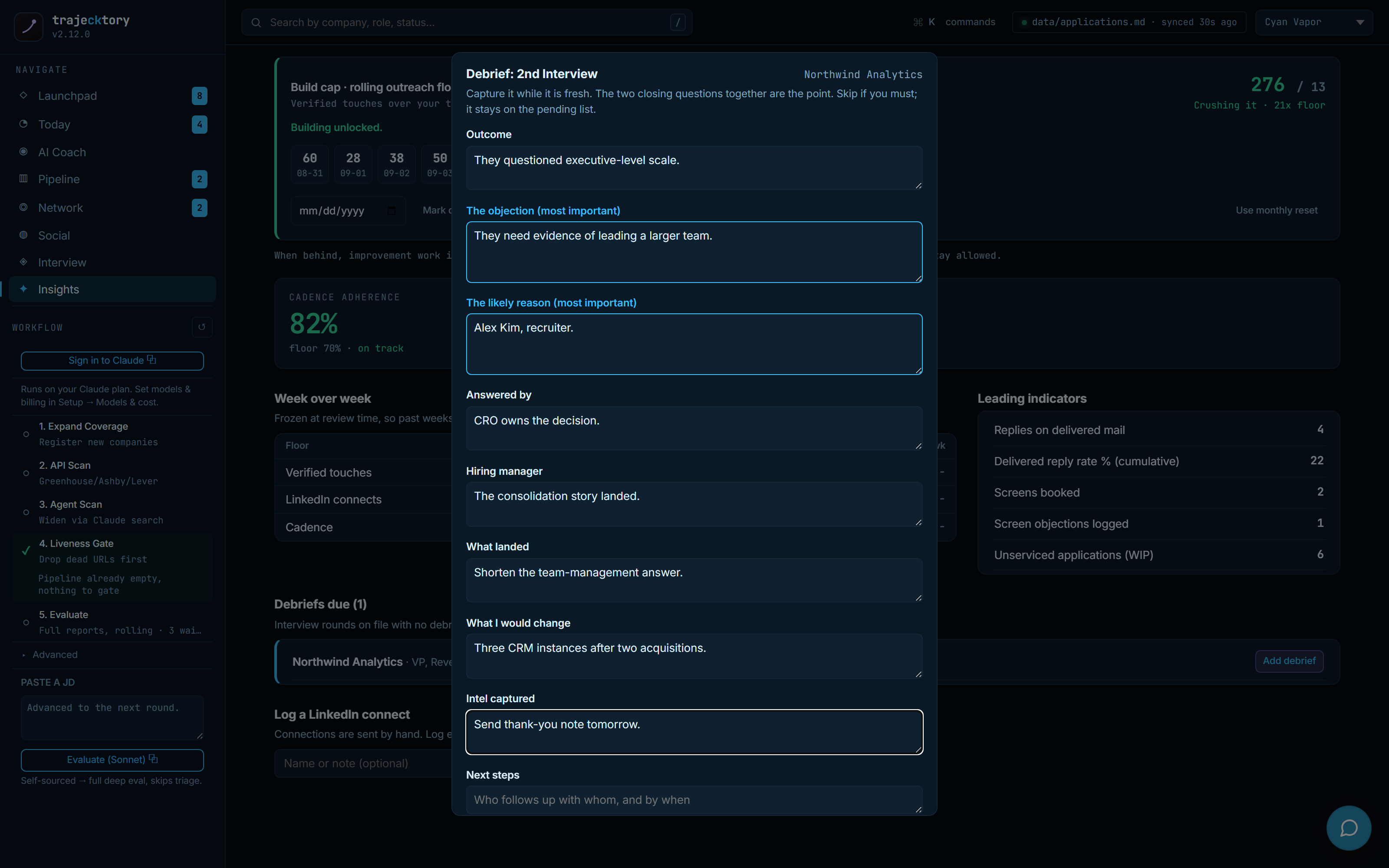
A multi-stage funnel with drop-off inspection, the champion-enablement material a manager coaches with, a live recall aid for the call itself, and a structured win/loss debrief that compounds into the next round.
The network hub
Separate books, because the play is different
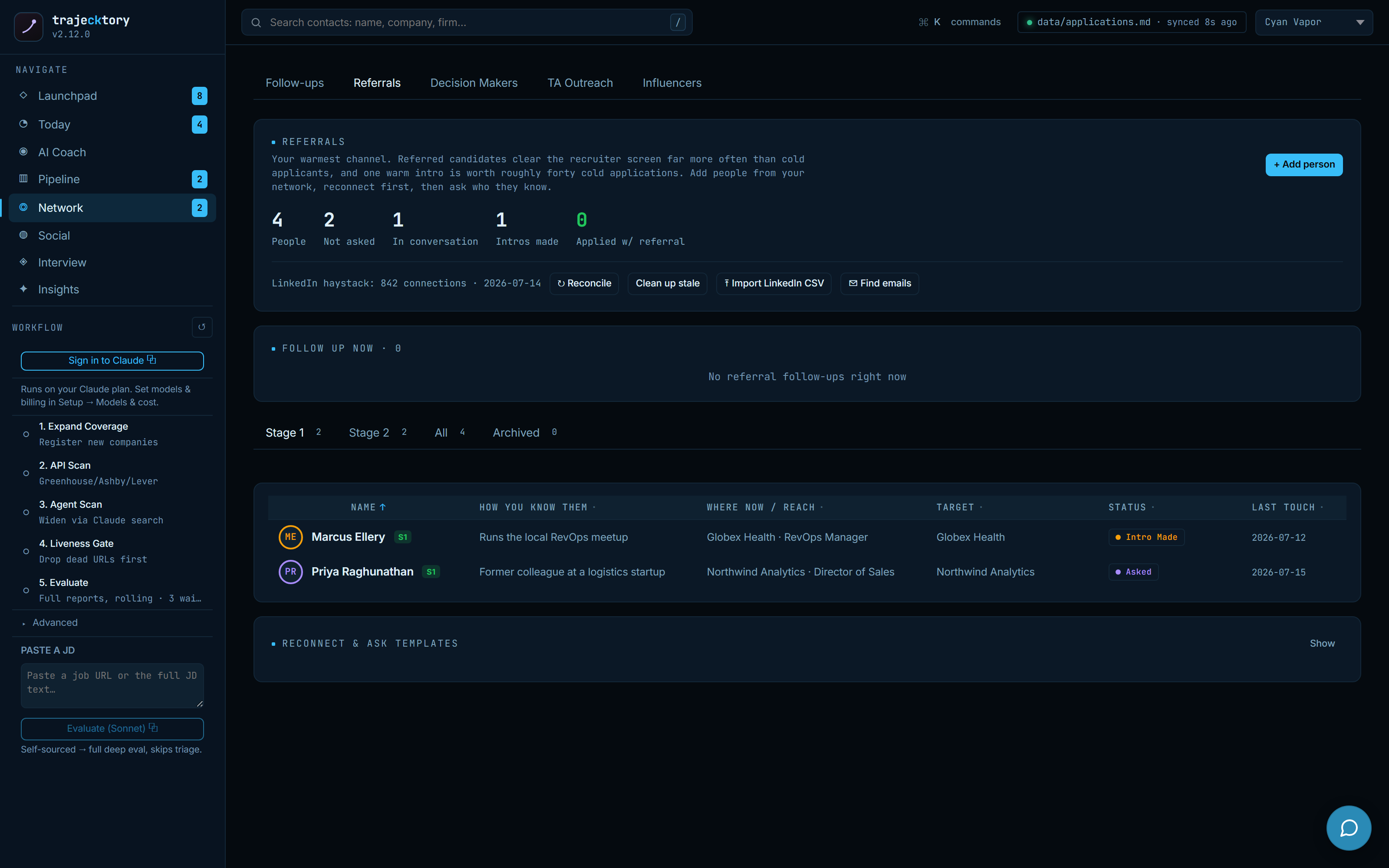
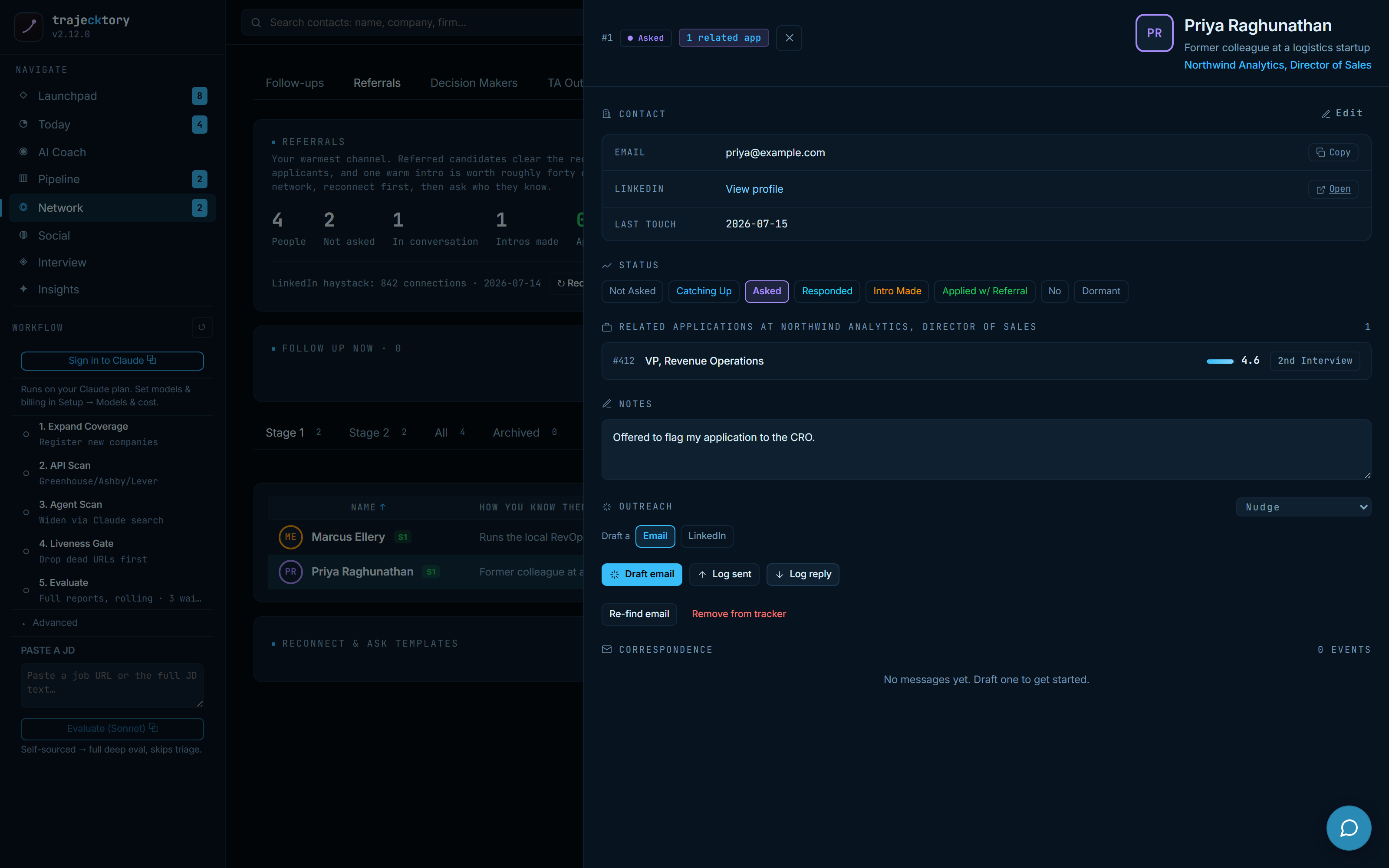
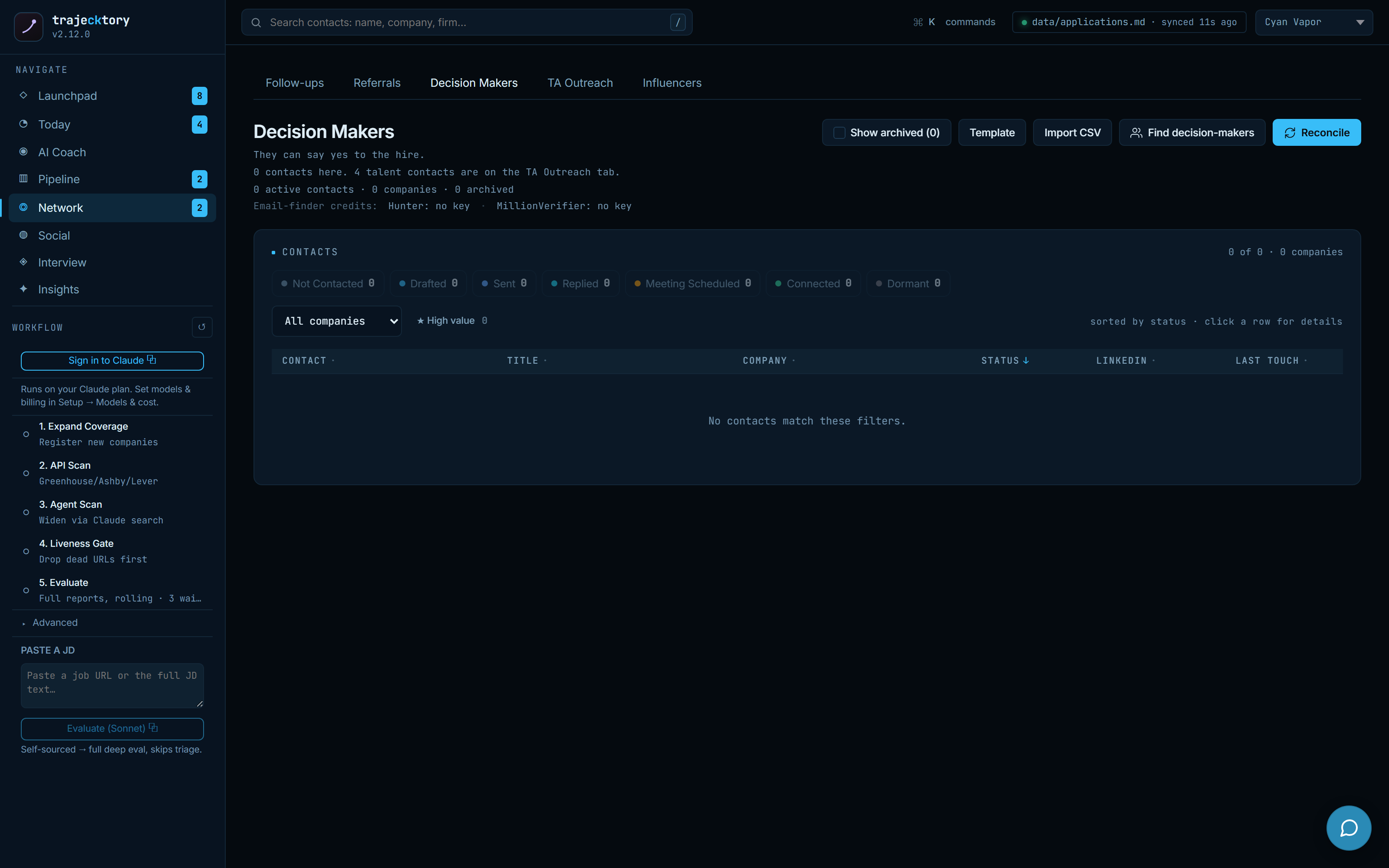
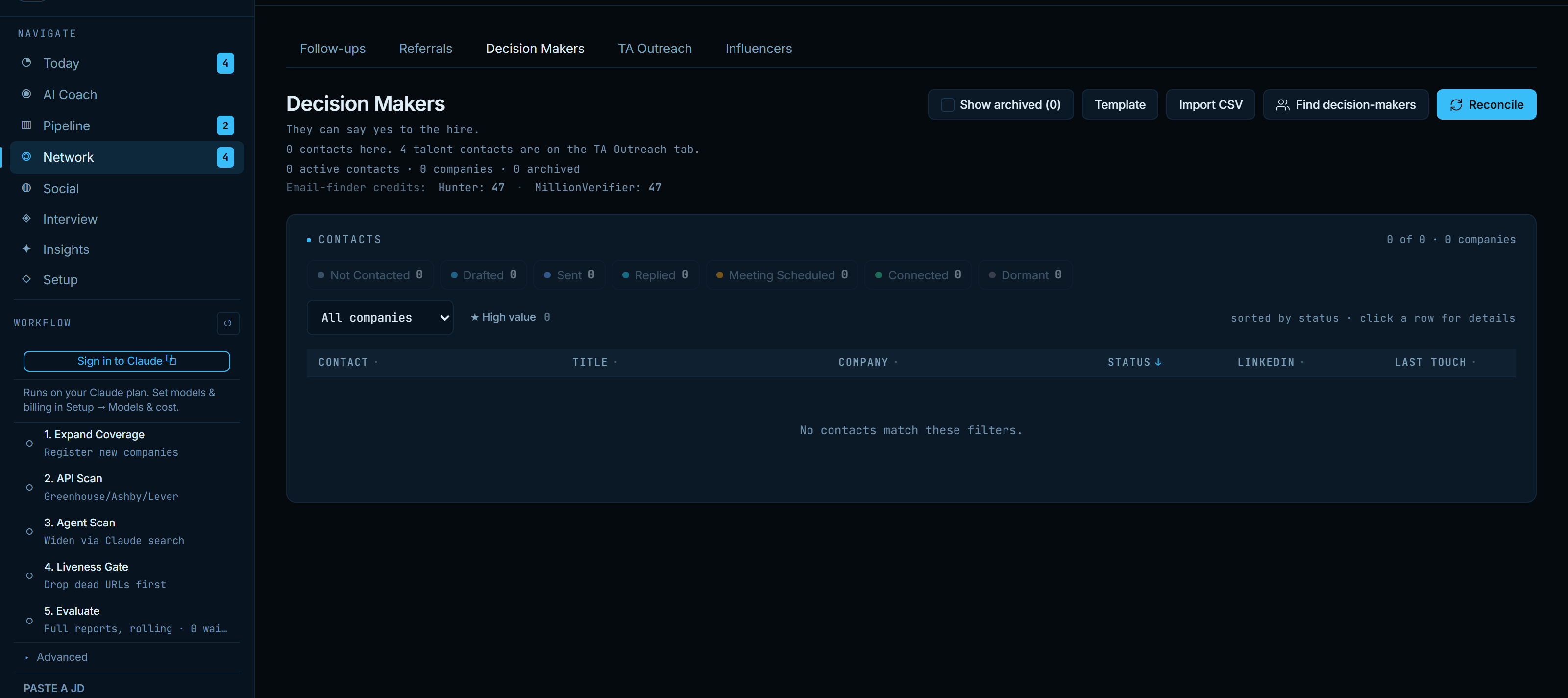
Knowing whether you are talking to a referral, a hiring decision-maker, or an agency recruiter completely changes the message. So the network is split into books. Referrals is the warmest channel, worked reconnect-first and staged from first contact to a made ask. Decision Makers holds the people who can say yes to the hire. Each opens to a full record: pipeline stage, related roles, notes, an editable draft, and the correspondence thread inline.
Keep the book clean, then work it by channel
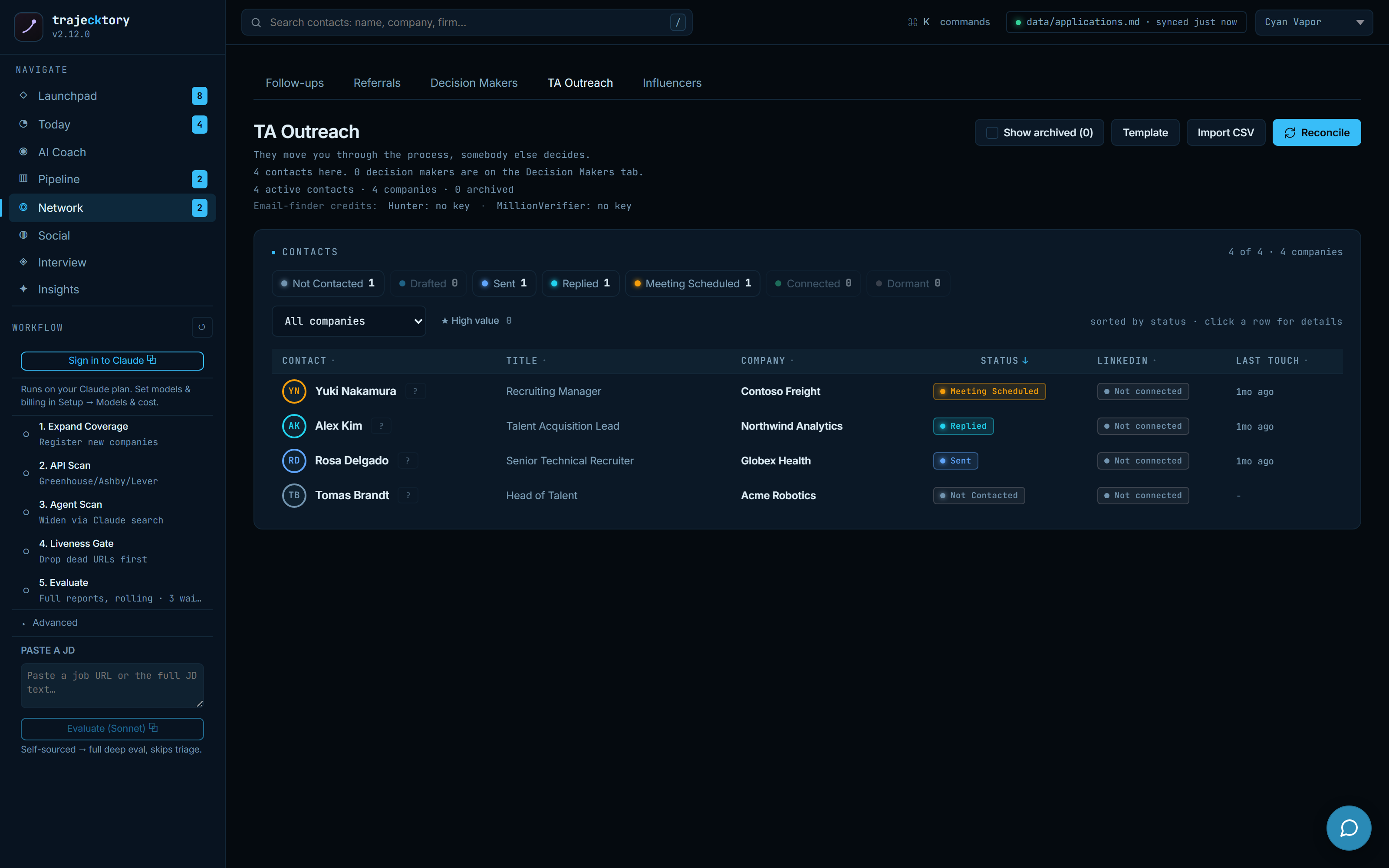
A reconcile step previews suggested additions, archives stale records, and merges duplicate contacts, always with an explicit confirm. TA Outreach then keeps in-house recruiters as their own book, plotted on two axes that matter: outreach status and whether you are connected on LinkedIn, because sending a follow-up to someone who has not accepted your invite is a different move than messaging a connection.
One workspace per contact
Every contact opens to a context-rich drawer: their role in the hire, the related opportunities, a bounded multi-touch outreach sequence you start, advance, or pause, and a log-message action that records real correspondence in both directions. Reachability and cadence stay based on touches that actually happened.
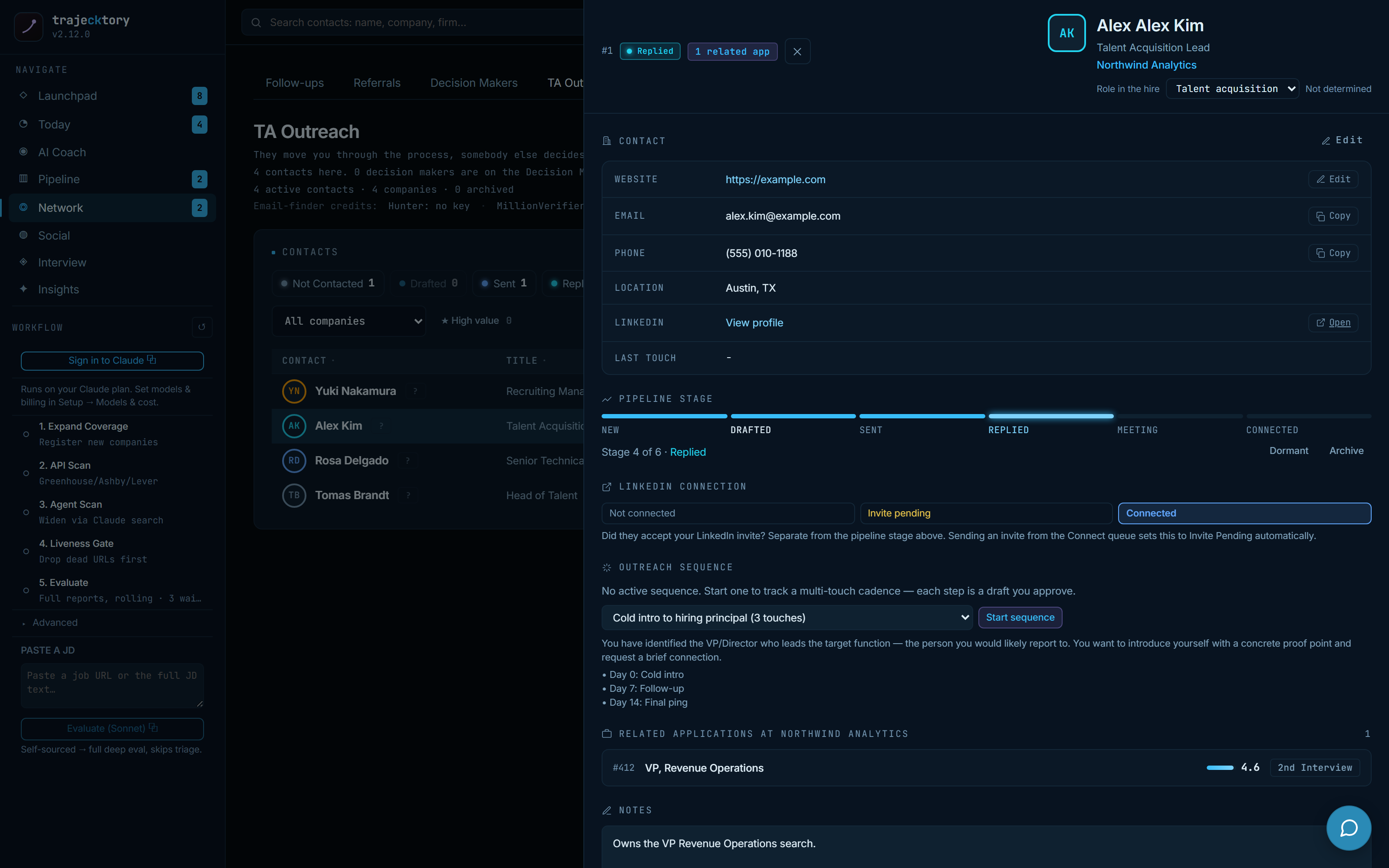
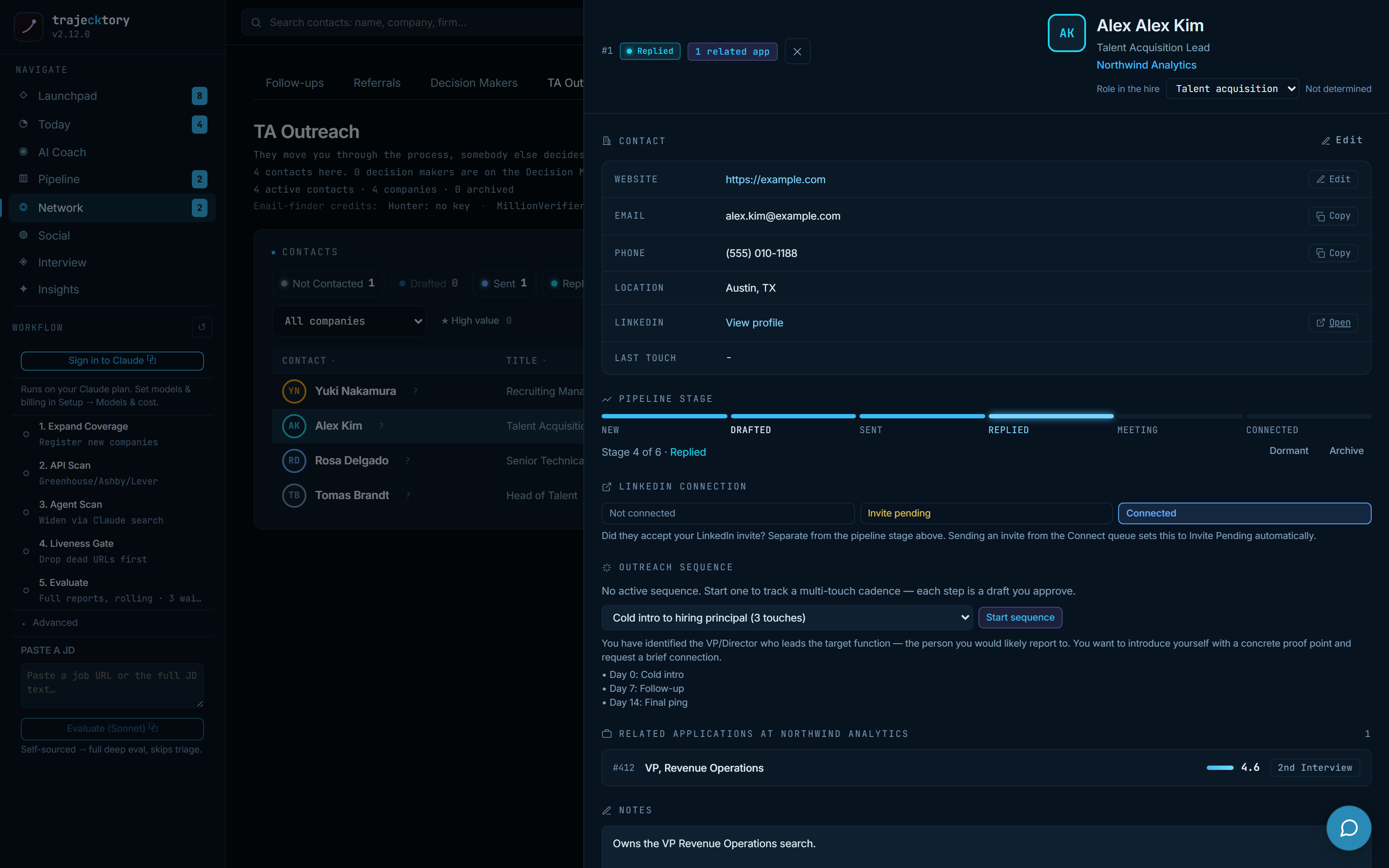
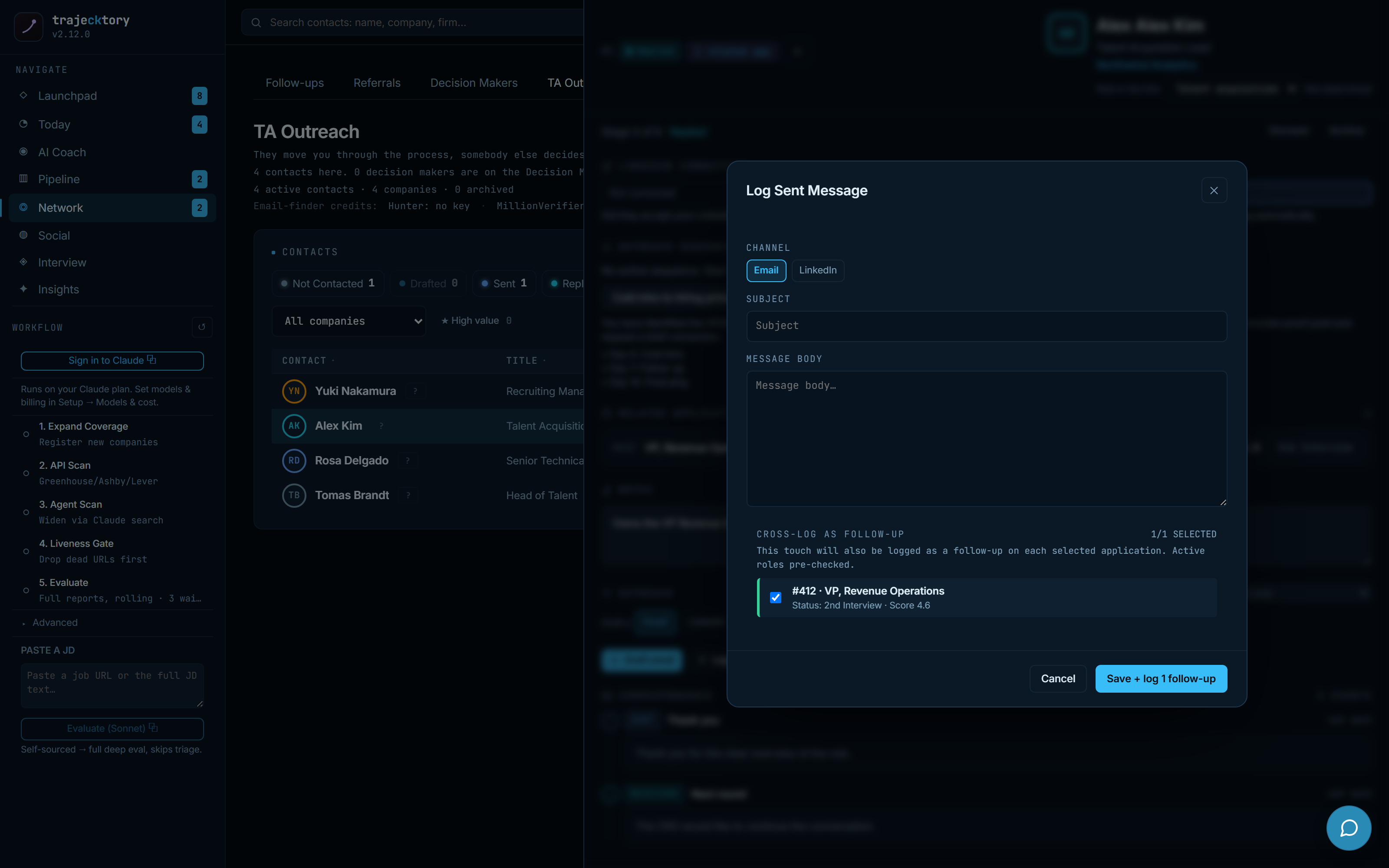
A clean account-to-contact taxonomy across channels, deduplicated with explicit reconciliation, and a firm-level activity trail built from logged touches.
Segment the outbound: referral, decision-maker, and recruiter each get their own book, cadence, and message, worked one contact at a time.
Outreach, drafted in your voice
AI drafts every message. You approve every send.
Beyond recruiter and follow-up email, trajecktory supports the slower, warmer motion of building a name in your space: engaging the people whose audiences you want to be seen by. For each tracked voice it drafts three grounded, editable moves, a response to their post, a connection request that references prior engagement, and a reply that continues the thread, each generated in your voice and tone, then edited and logged by hand. Nothing sends itself.
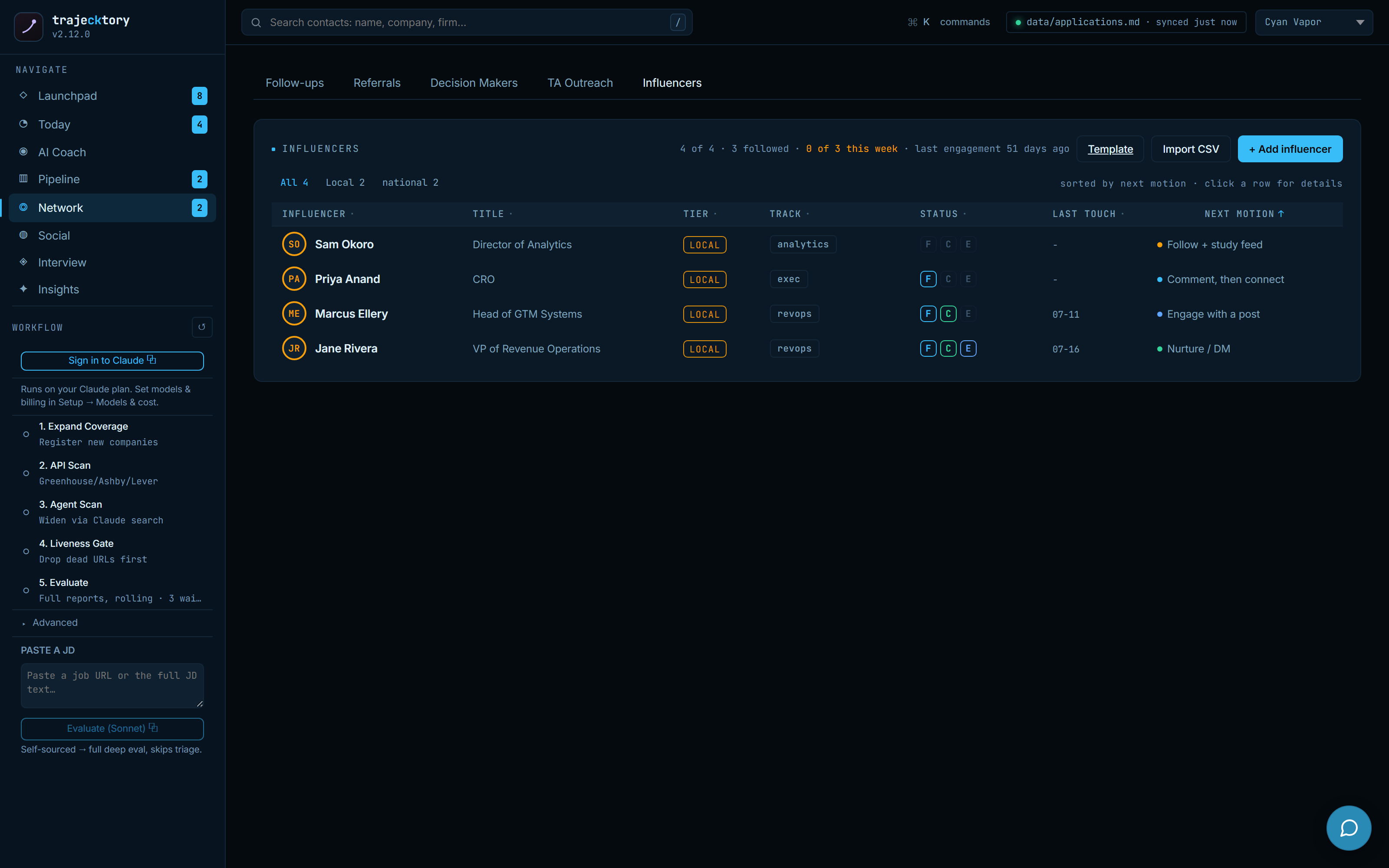
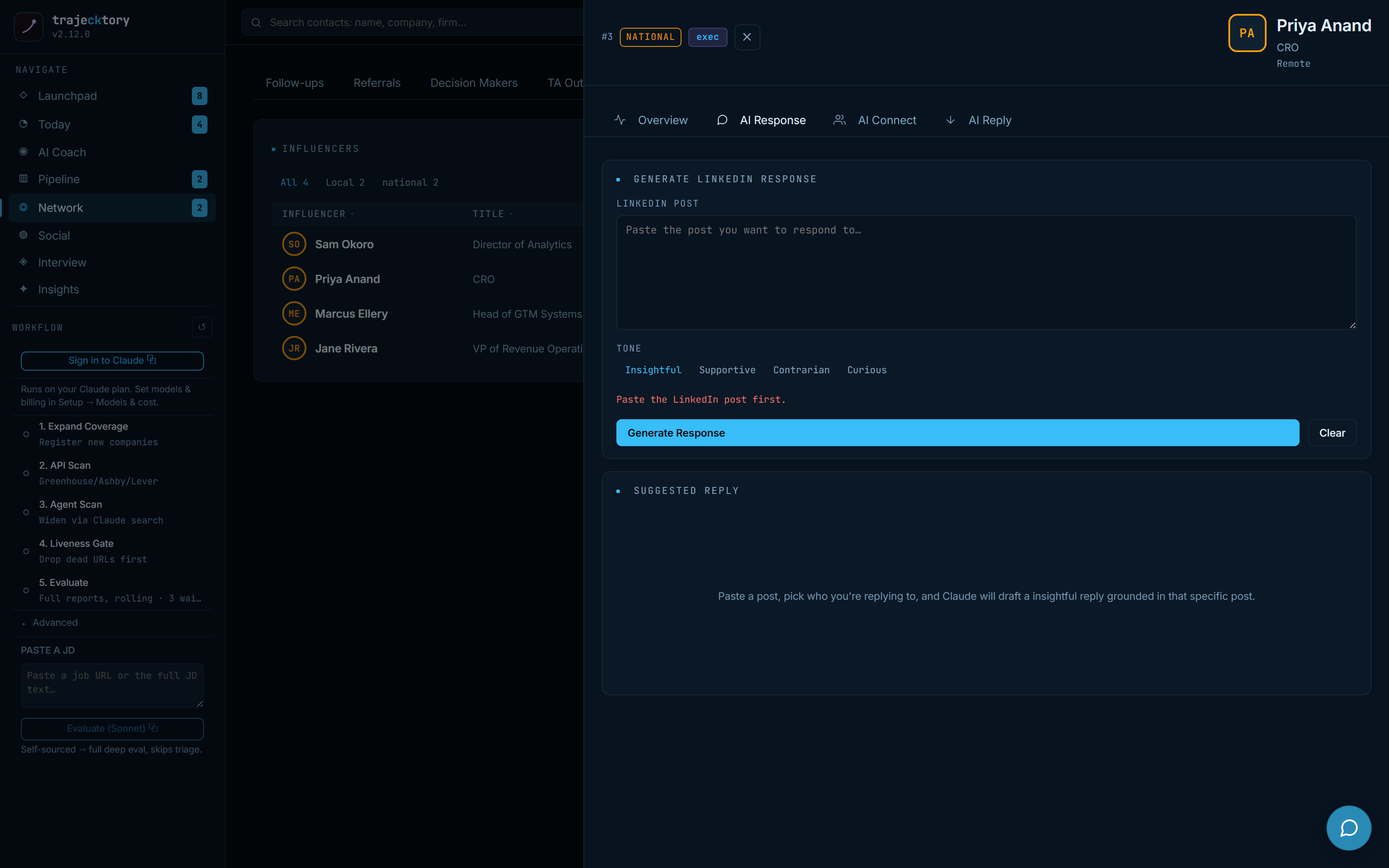
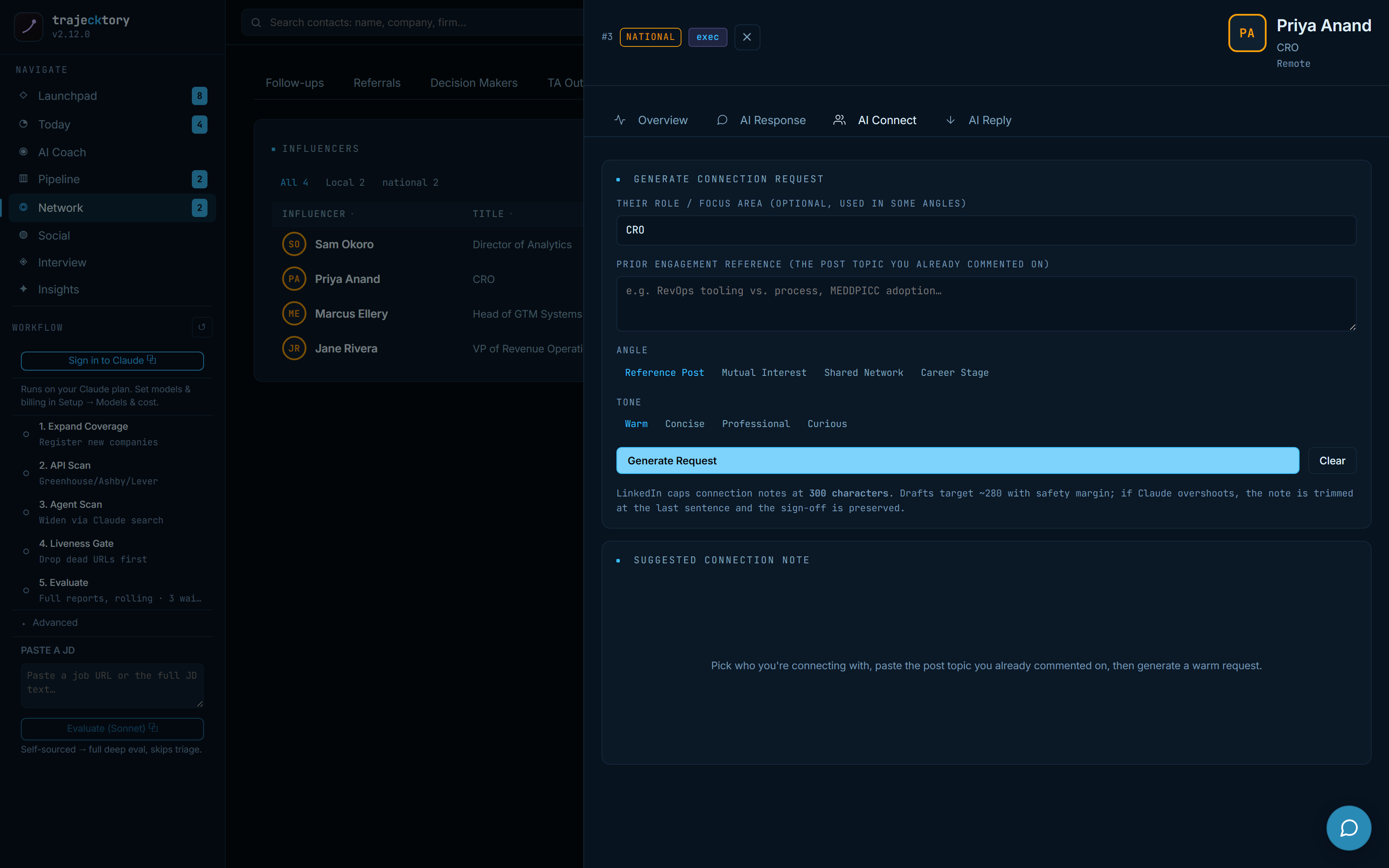
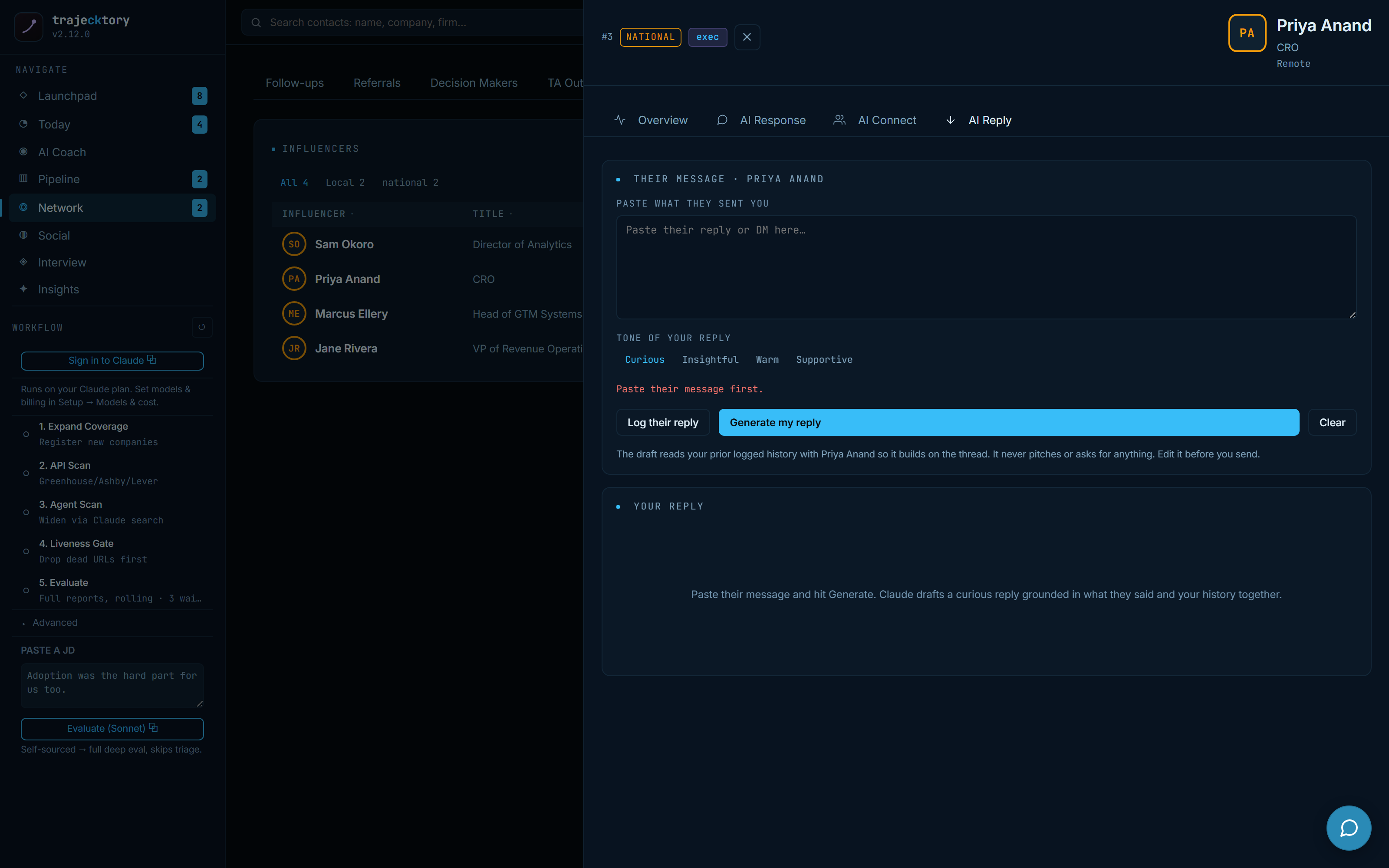
Sales-engagement drafting with a human approval gate on every channel, grounded in prior touches and company research, so the warm, relationship-building outbound scales without ever automating a send.
Social publishing and inbound
Compose, then publish through Buffer, on purpose
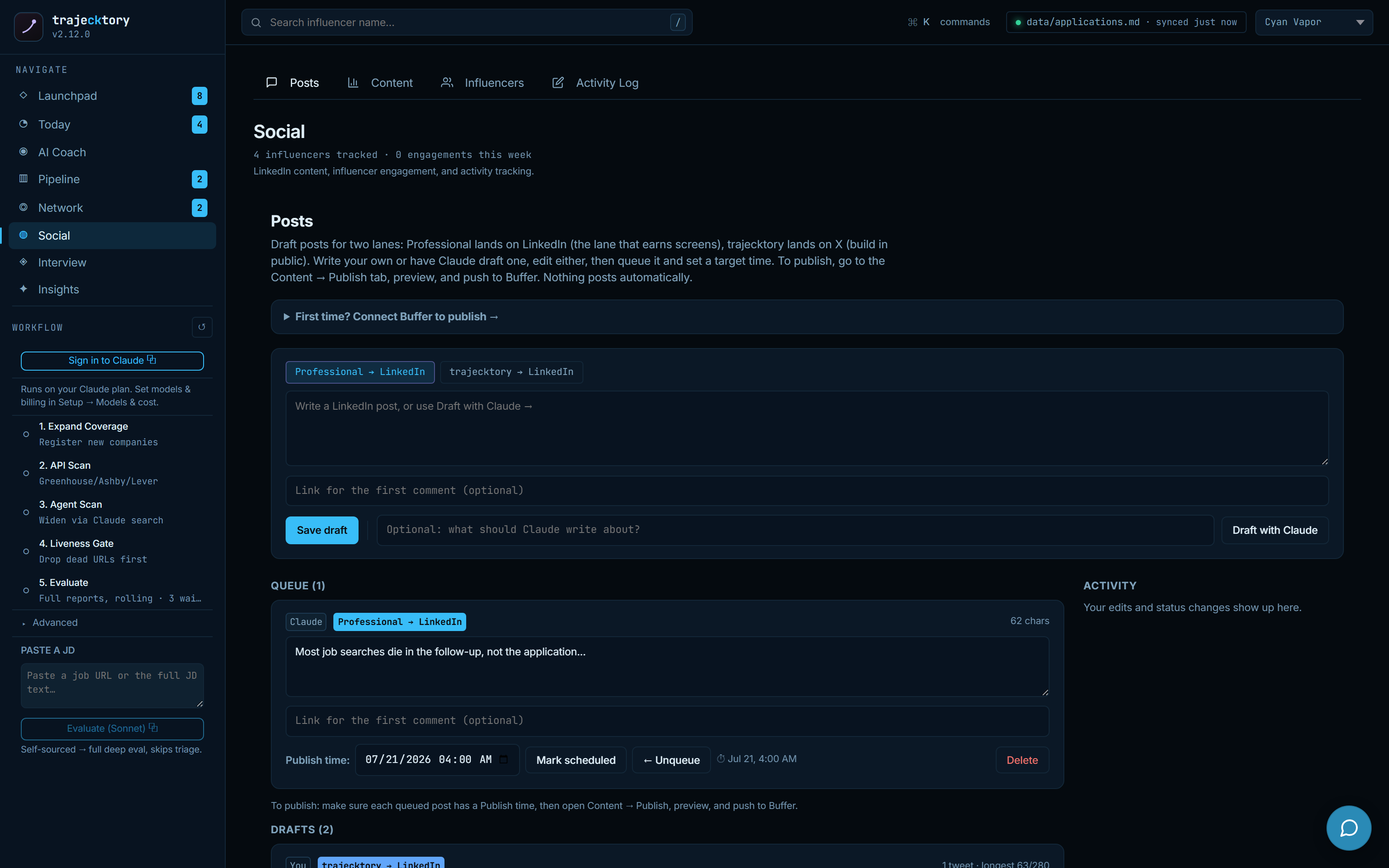
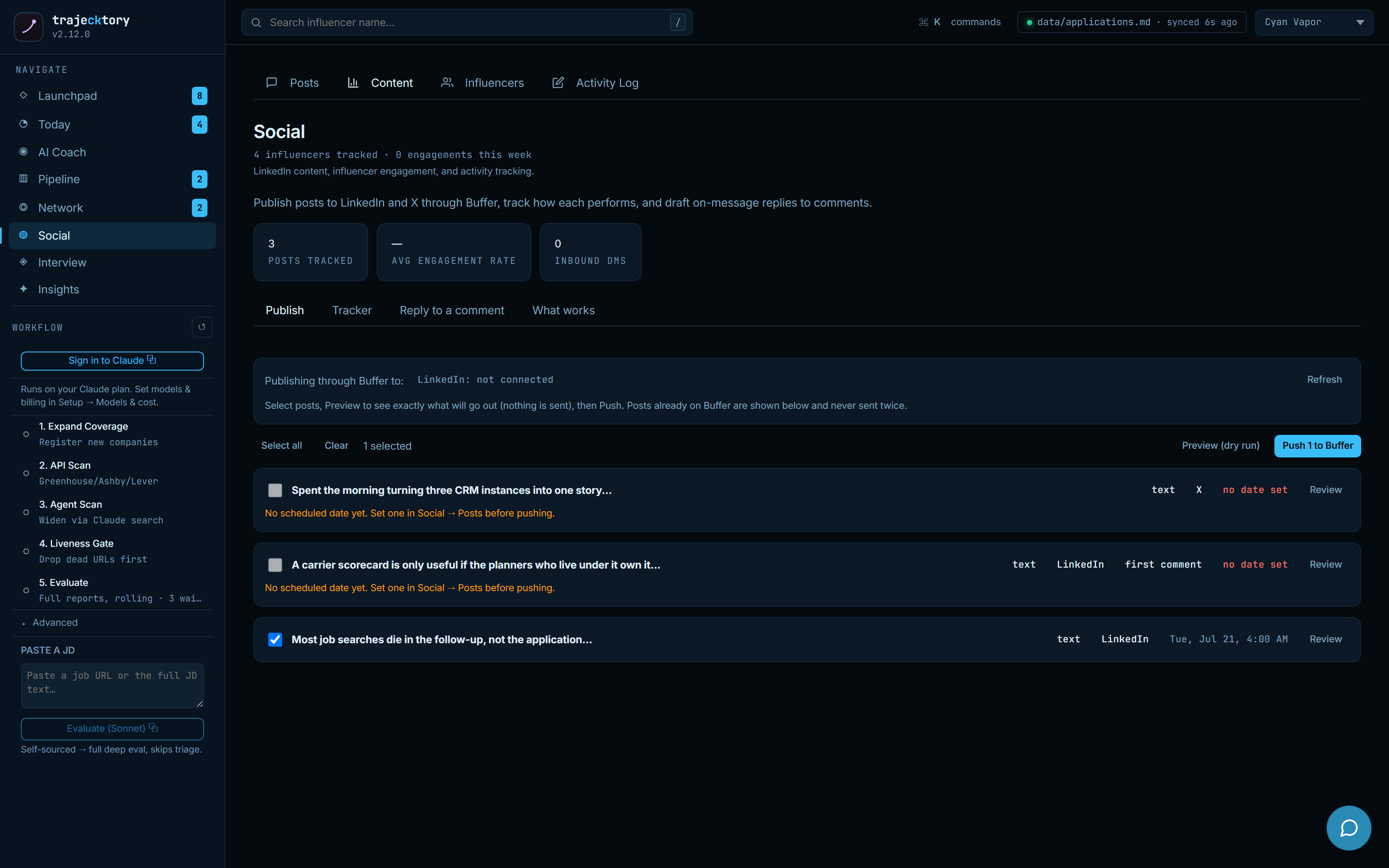
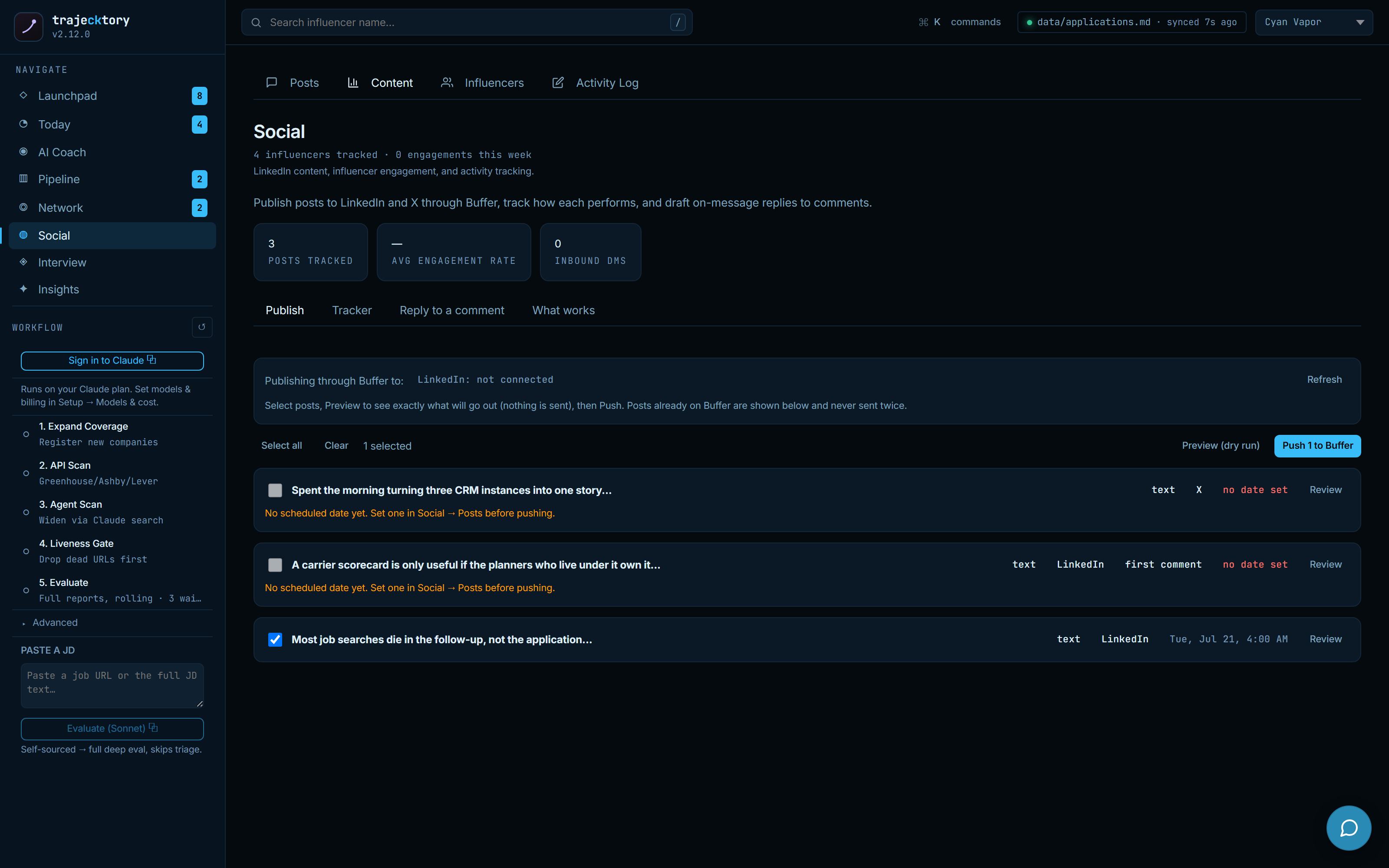
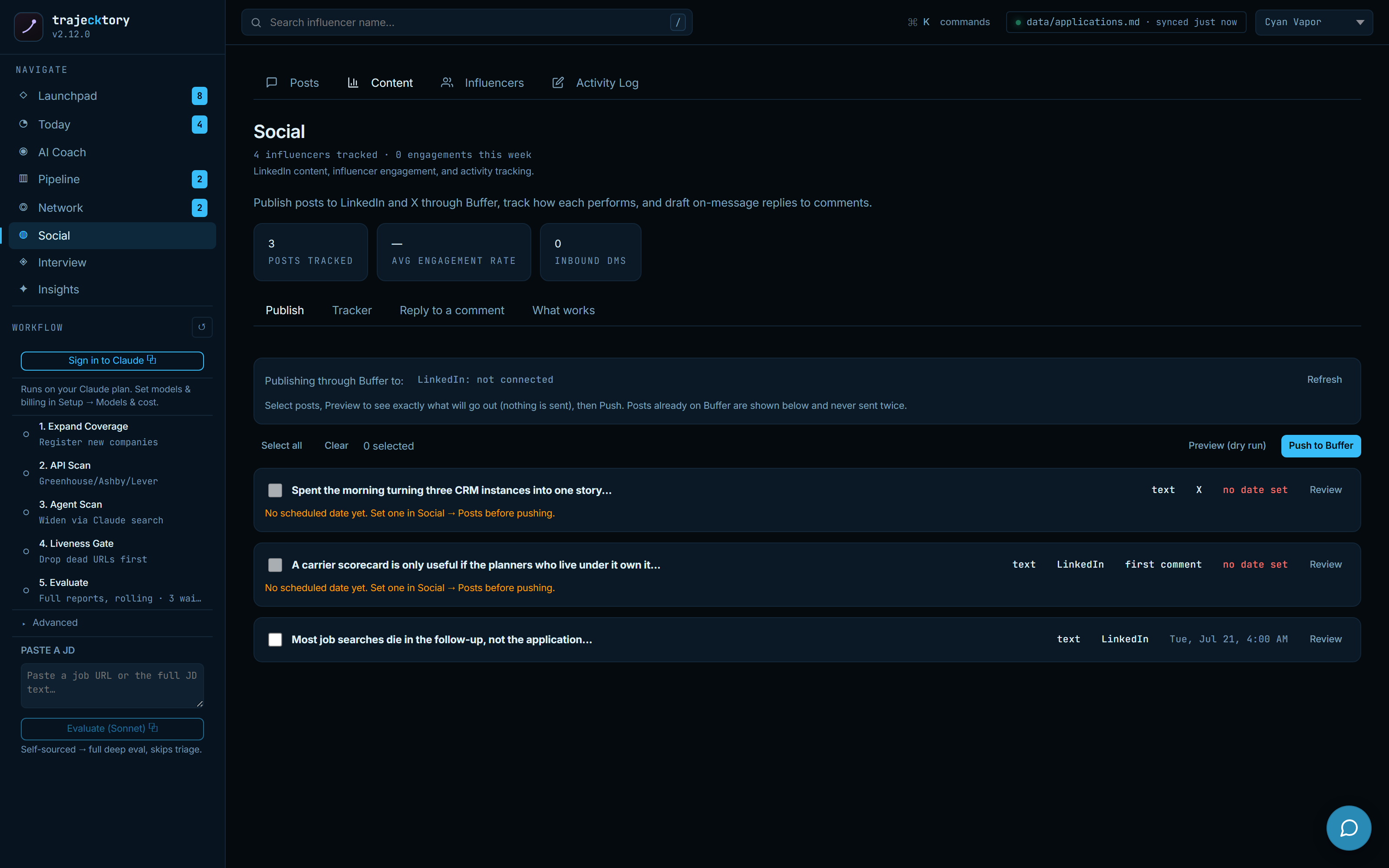
Pipeline generation has an inbound half, so I run content like a channel. The composer drafts for two lanes, Professional to LinkedIn (the lane that earns screens) and trajecktory to X (build in public), written by you or by Claude and edited either way. To publish, you preview the exact payload, then push to Buffer. Posting routes through Buffer rather than direct APIs, nothing posts automatically, and posts already scheduled are shown and never sent twice.
Track what works, and reply on-message
Published posts feed a tracker that pulls Buffer metrics and pairs them with the off-platform signals that matter for a job search, profile views, connection requests, inbound DMs, and repo clicks. A what-works view averages results by content type so patterns earn repetition, with a guardrail against calling one hit a trend. And a reply drafter turns a pasted comment into an editable, on-message response.
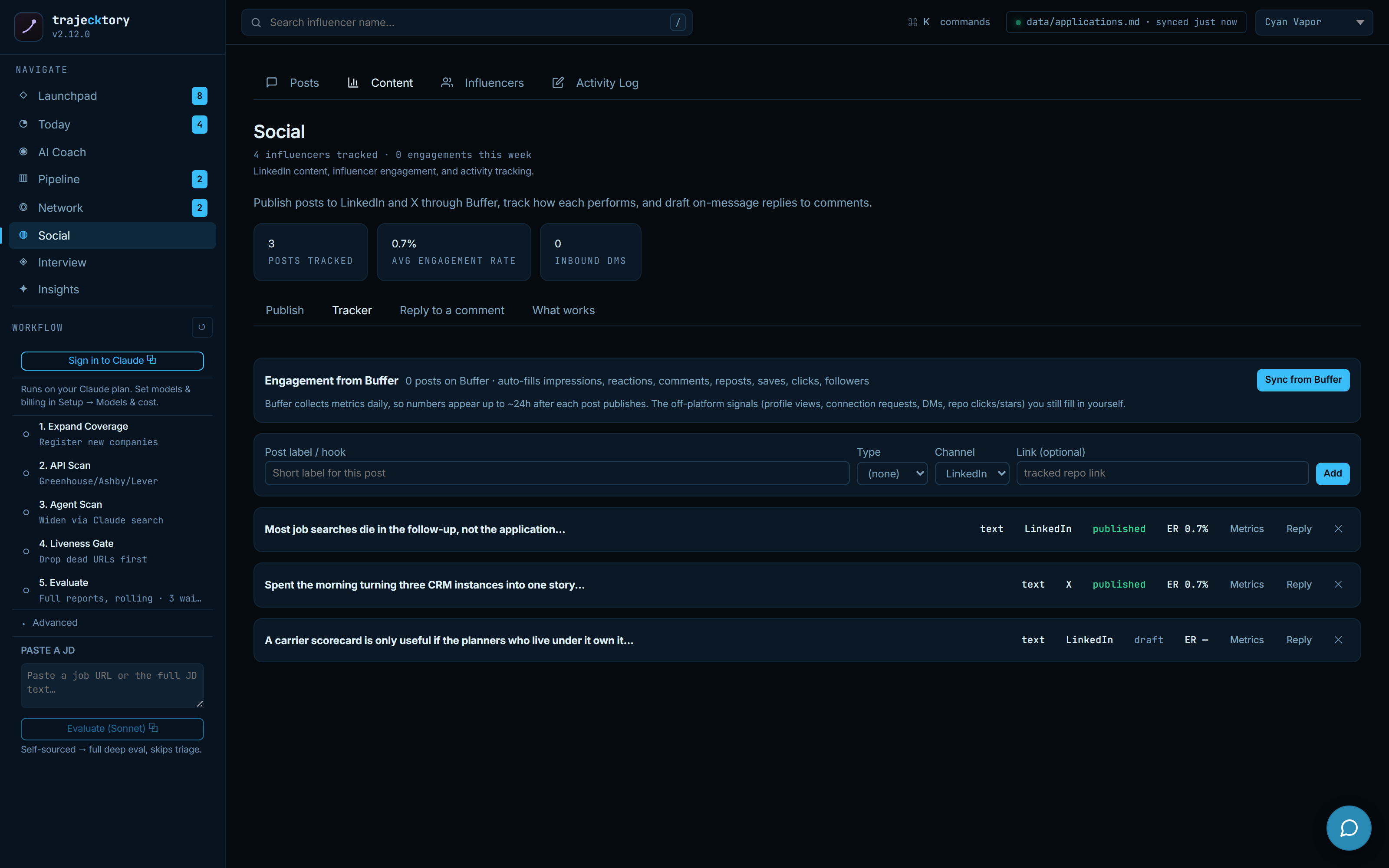
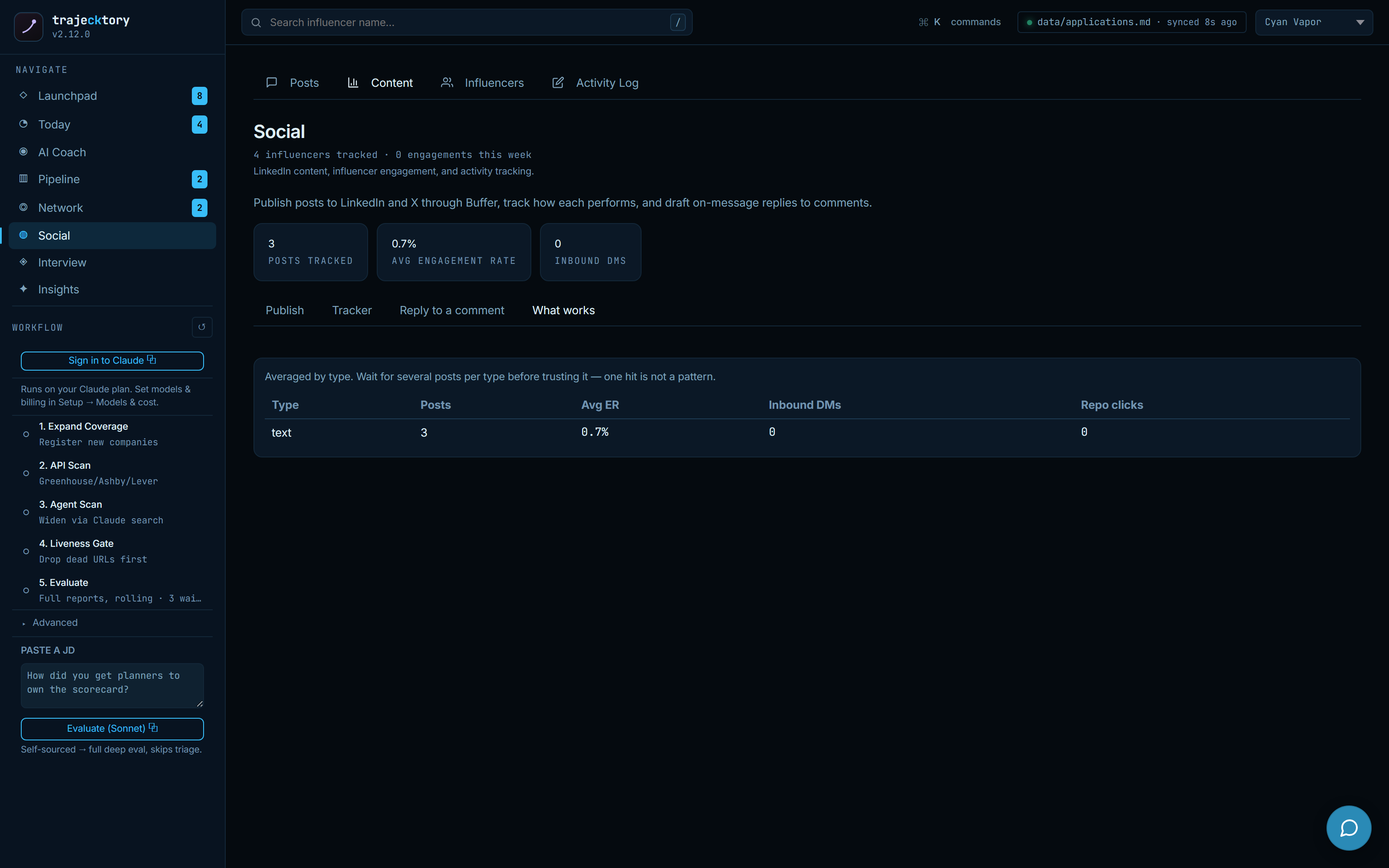
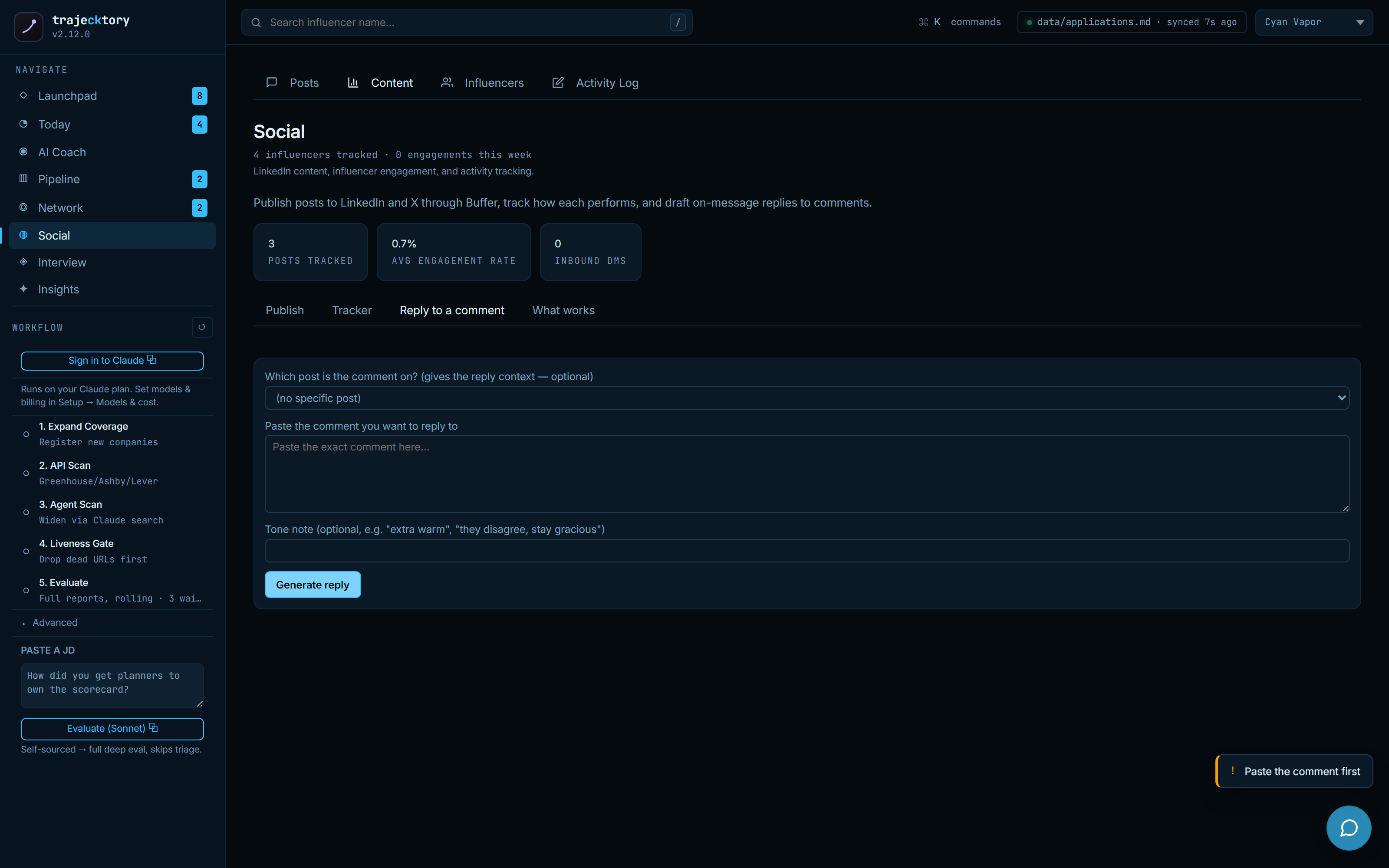
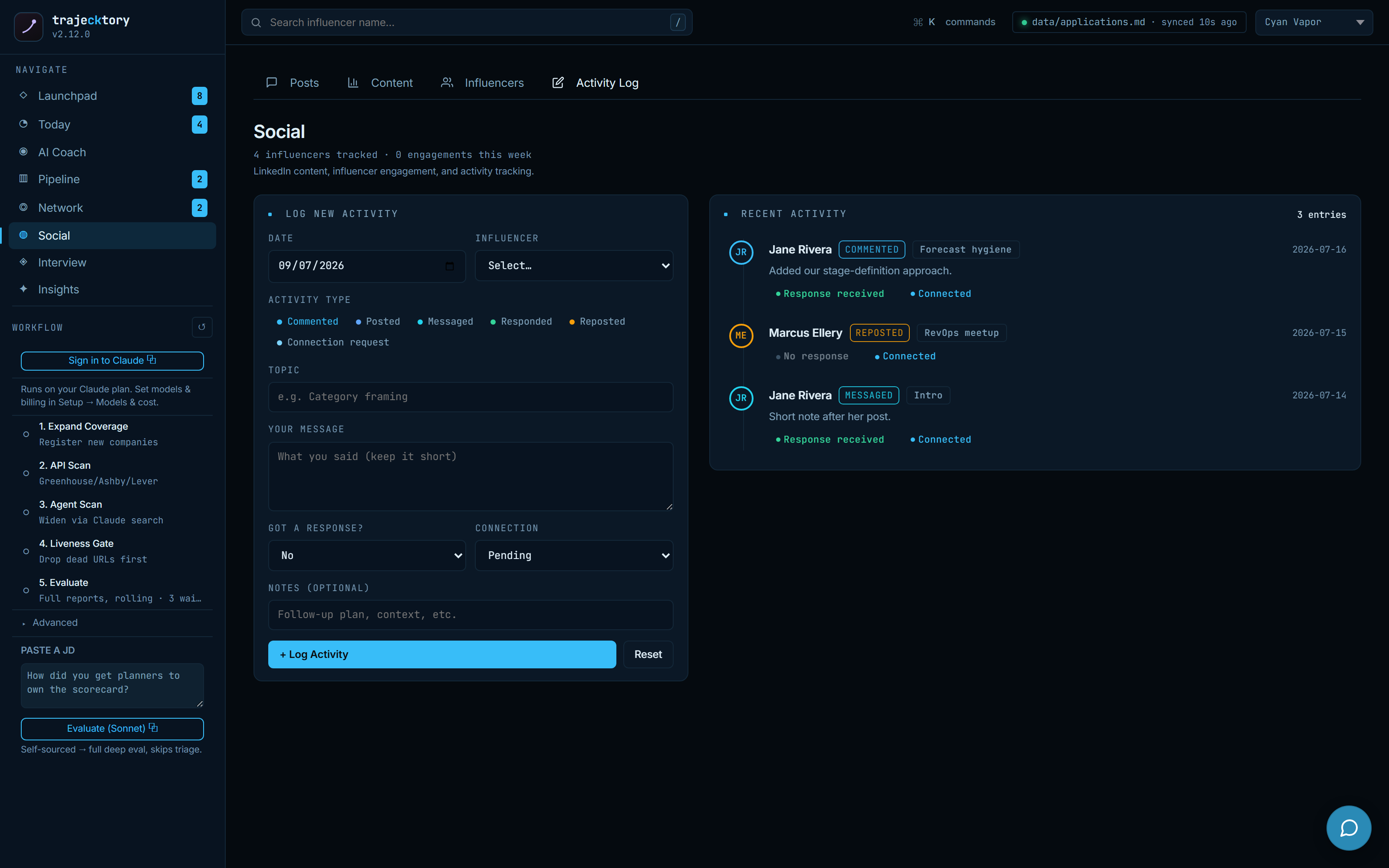
Inbound tracked like a leading indicator: publishing routed through one channel, metrics synced, and performance averaged by type with a small-sample guardrail.
Social selling on a weekly scorecard, with drafting, an explicit-approval publish path, and on-message reply help built in.
The weekly review and the coaching layer
A rolling floor that locks improvement work when you fall behind
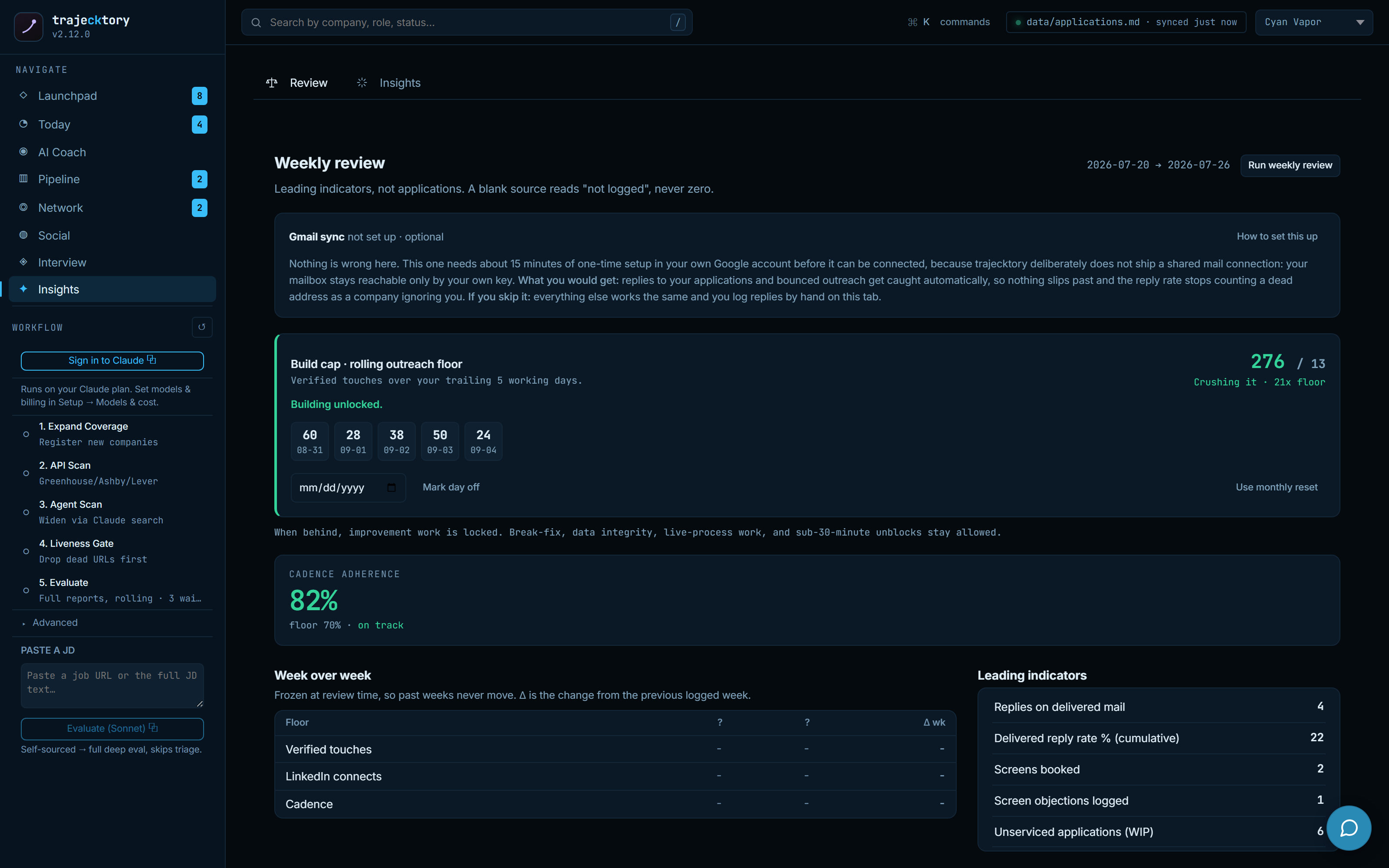
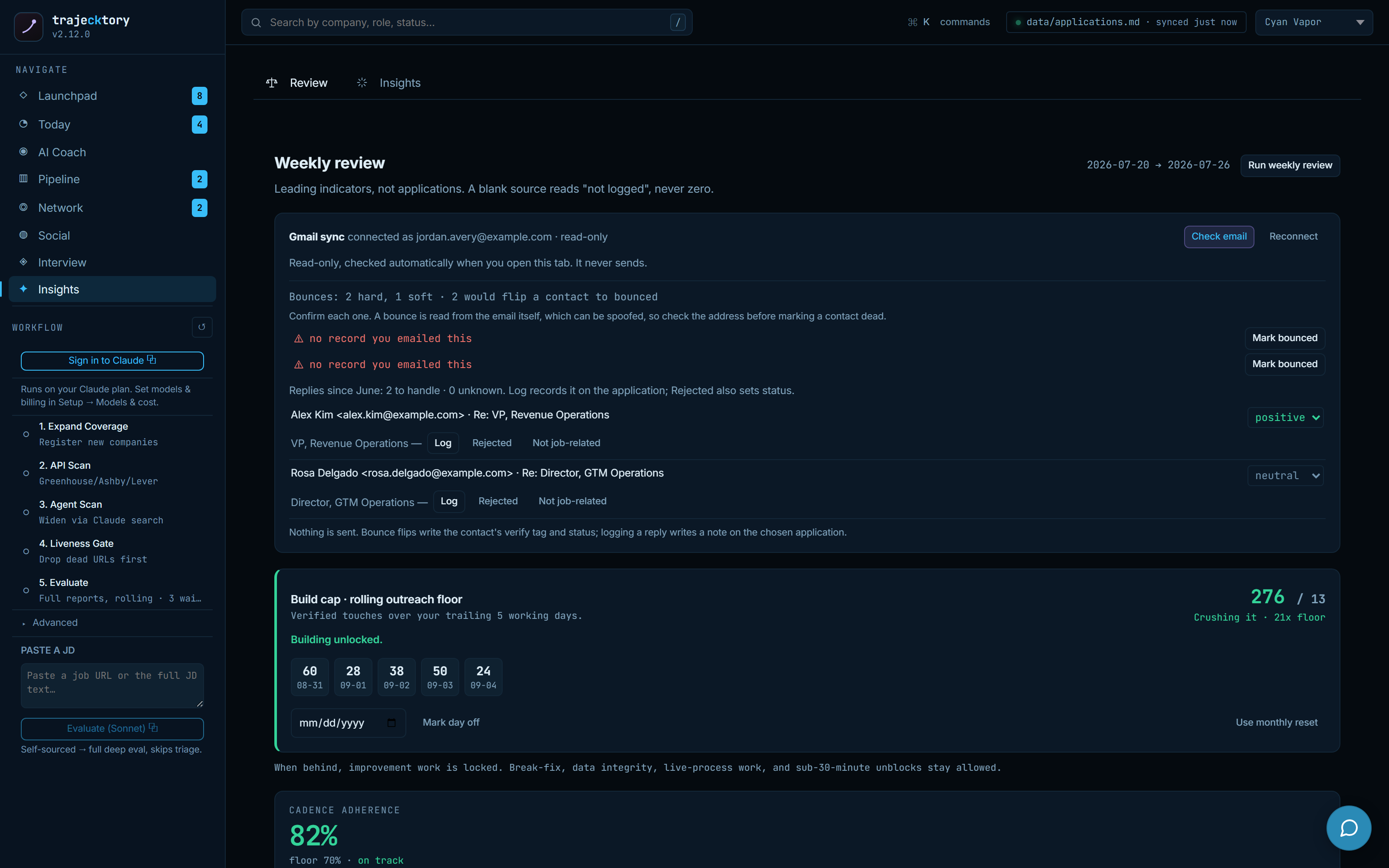
The weekly review measures leading indicators, not applications, over a trailing five working days. There is a build cap: a rolling outreach floor that must be met, and when you are behind it, improvement work is deliberately locked so you do the reps instead of tinkering. A blank source reads "not logged," never zero, so the numbers stay honest, and week-over-week deltas are frozen at review time so past weeks never move.
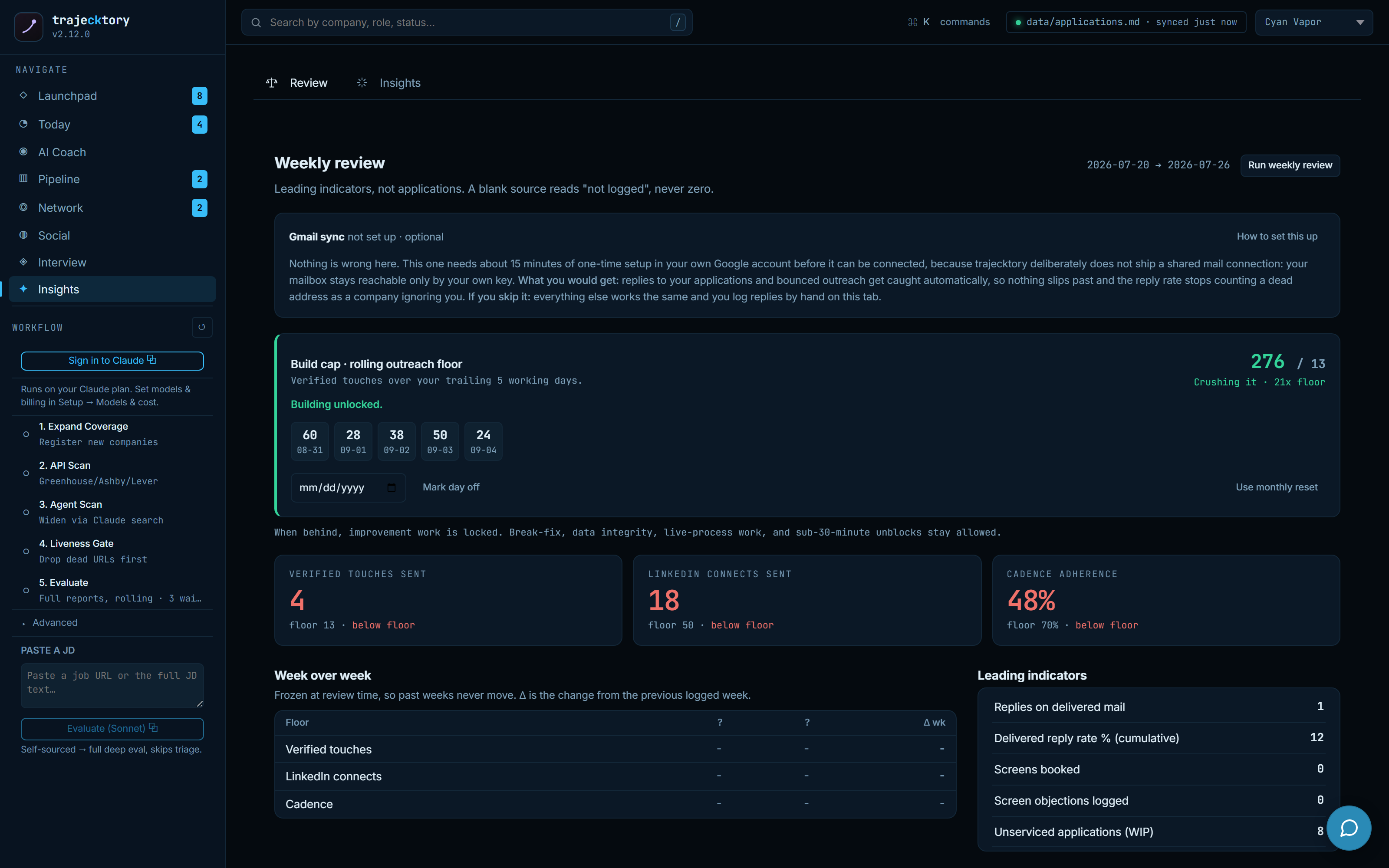
Read-only reply and bounce capture
Gmail is connected read-only, checked automatically when you open the tab, and it never sends. It reads inbound replies so you can classify them into the pipeline, and dry-runs bounce detection so a dead address gets confirmed before it is marked, rather than quietly counting a bad address as a company ignoring you. Every state change is previewed and applied by hand.
A synthesized read, with the rows cited
On top of the raw analytics sits a narrative: the week's win and improvement area, this week's focus as a short checklist, then what is working and what is not, each item citing specific roles by ID and guarded when the sample is thin. Recommended moves rank the experiments worth running next. It is marked clearly as a snapshot, not live, so a stale read is never mistaken for the current state. This is the decision layer that turns a dashboard into a behavior.
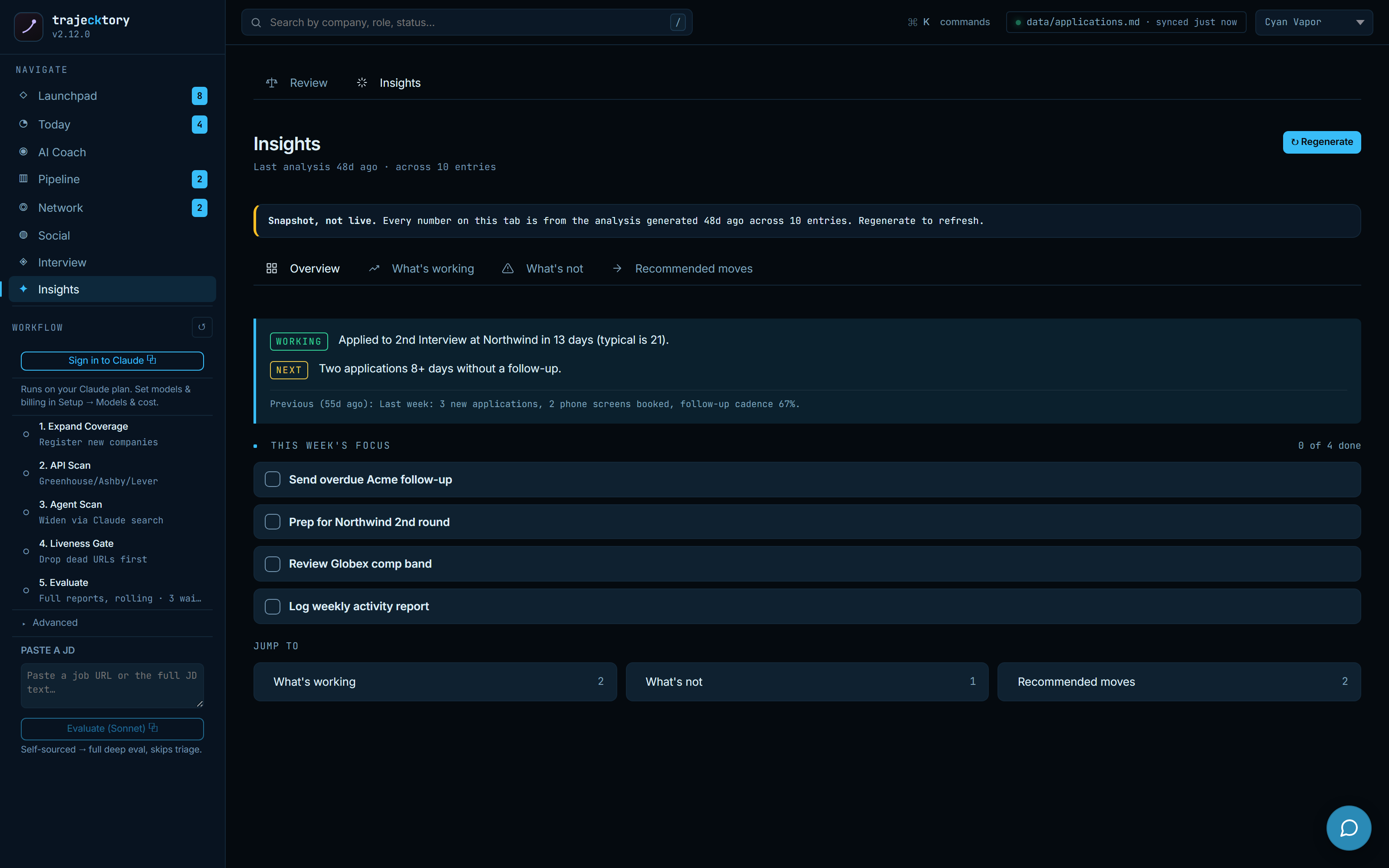
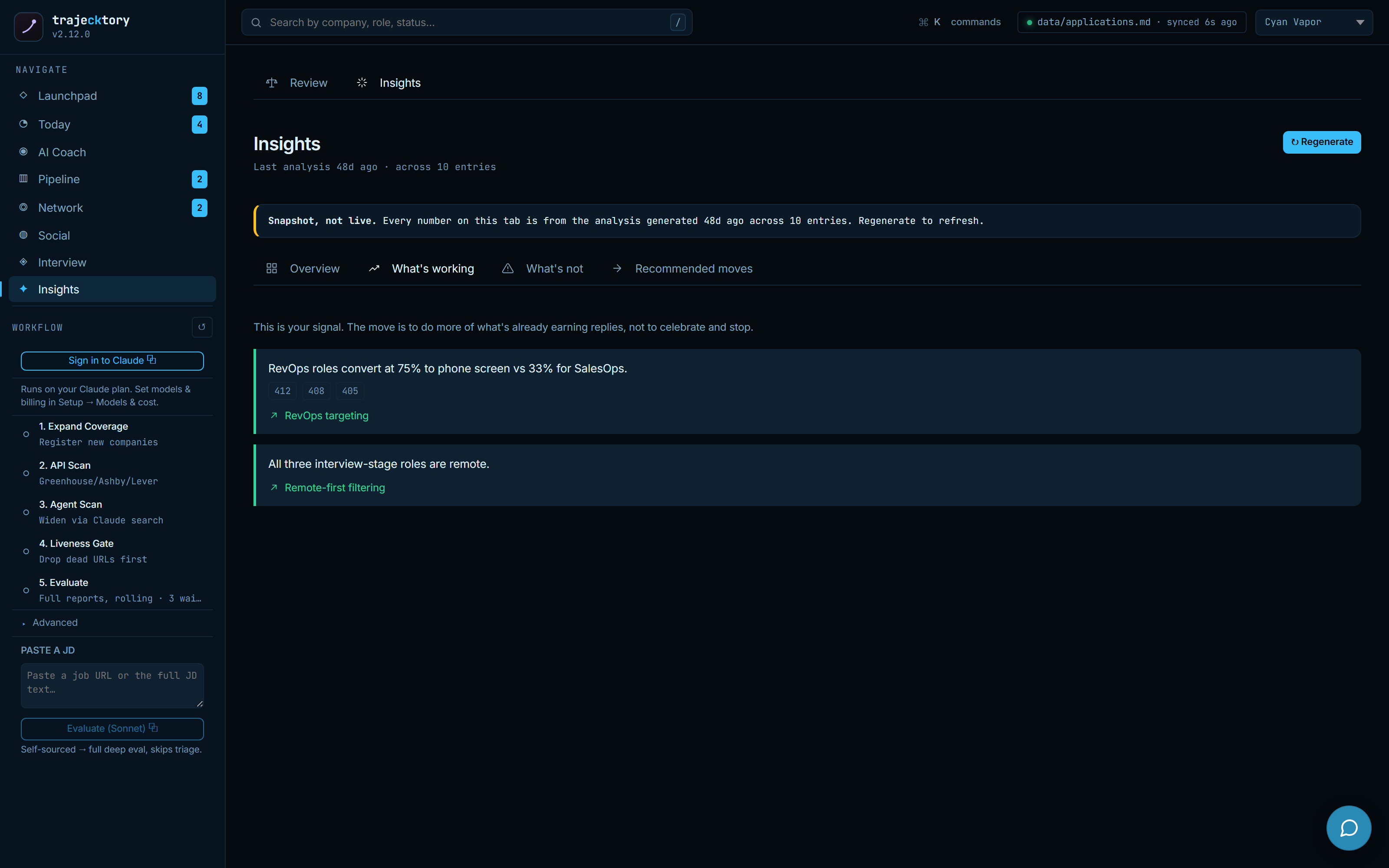
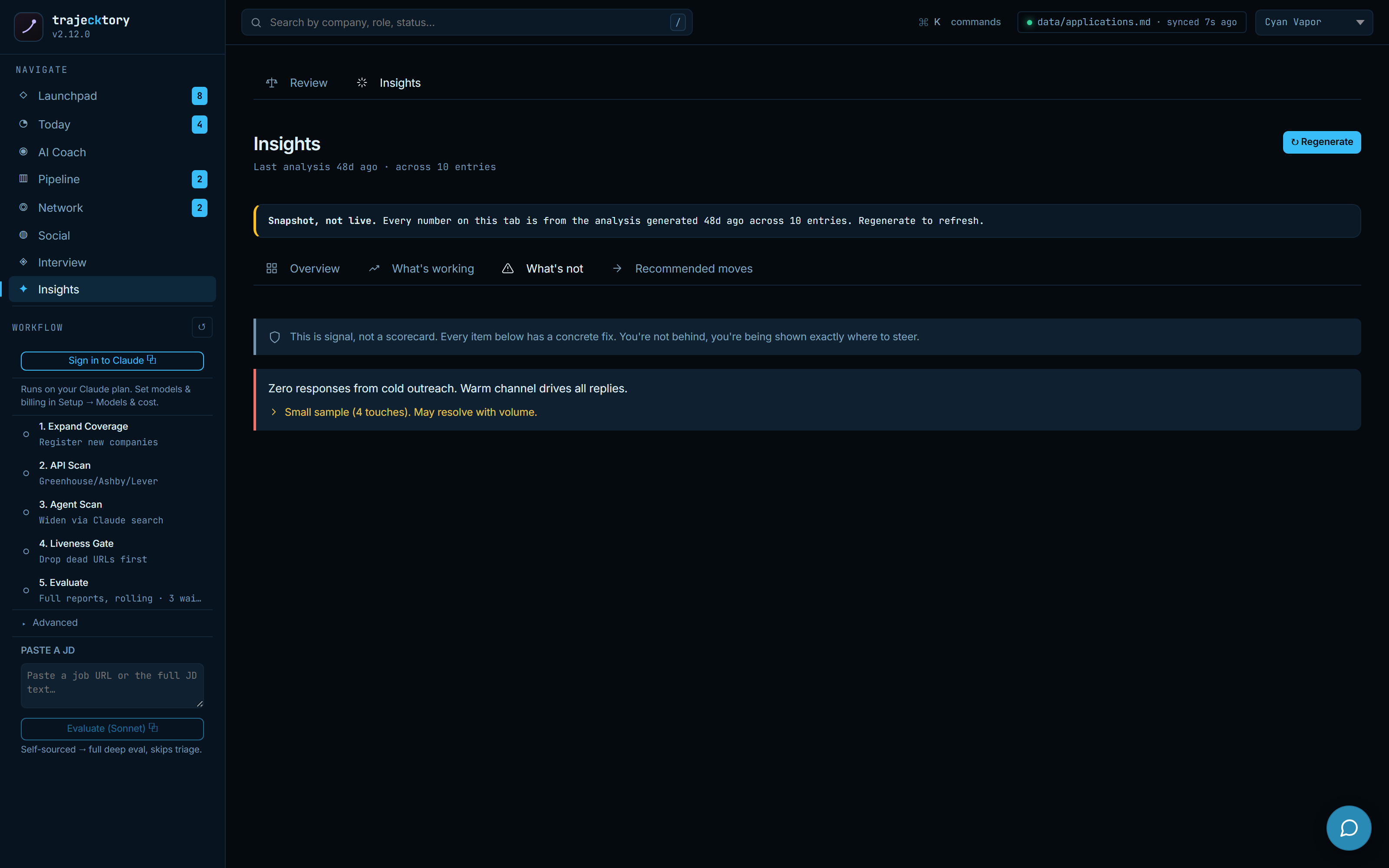
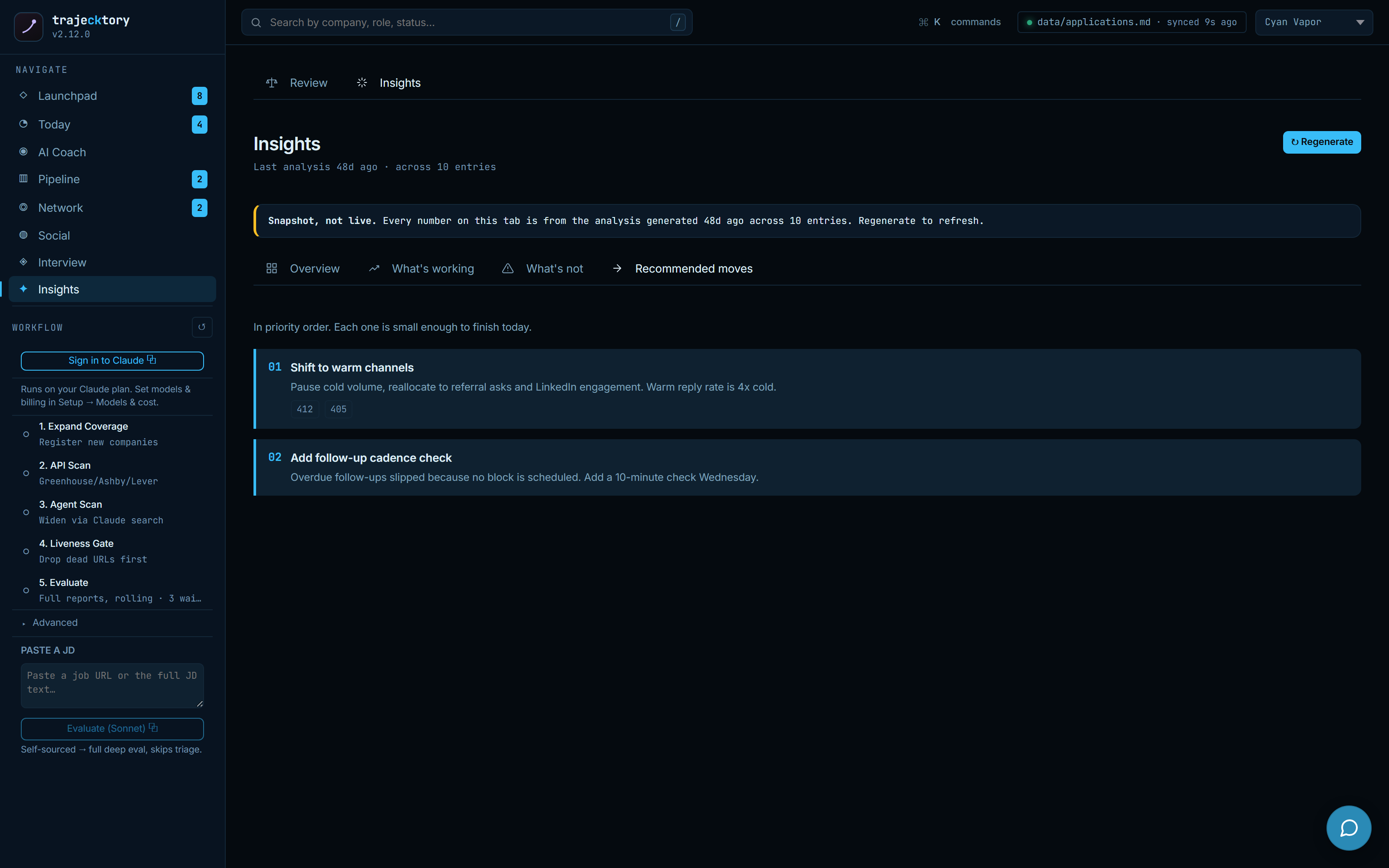
A weekly operating review with a rolling activity floor and a lock on distraction, honest reply and bounce capture that never sends, and a cited narrative on top of the funnel, where every claim traces to the rows underneath.
Onboarding, control, and the docs
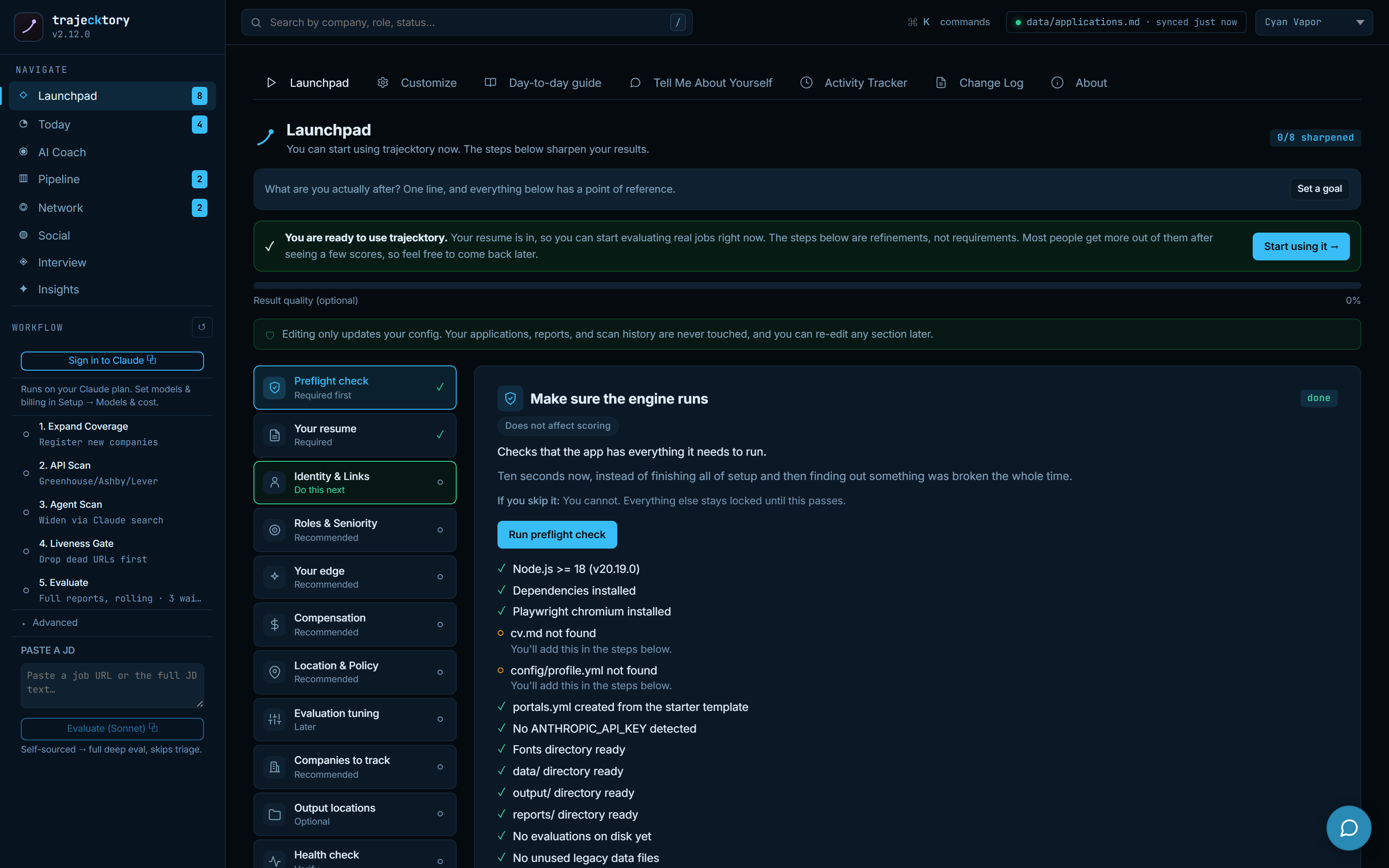
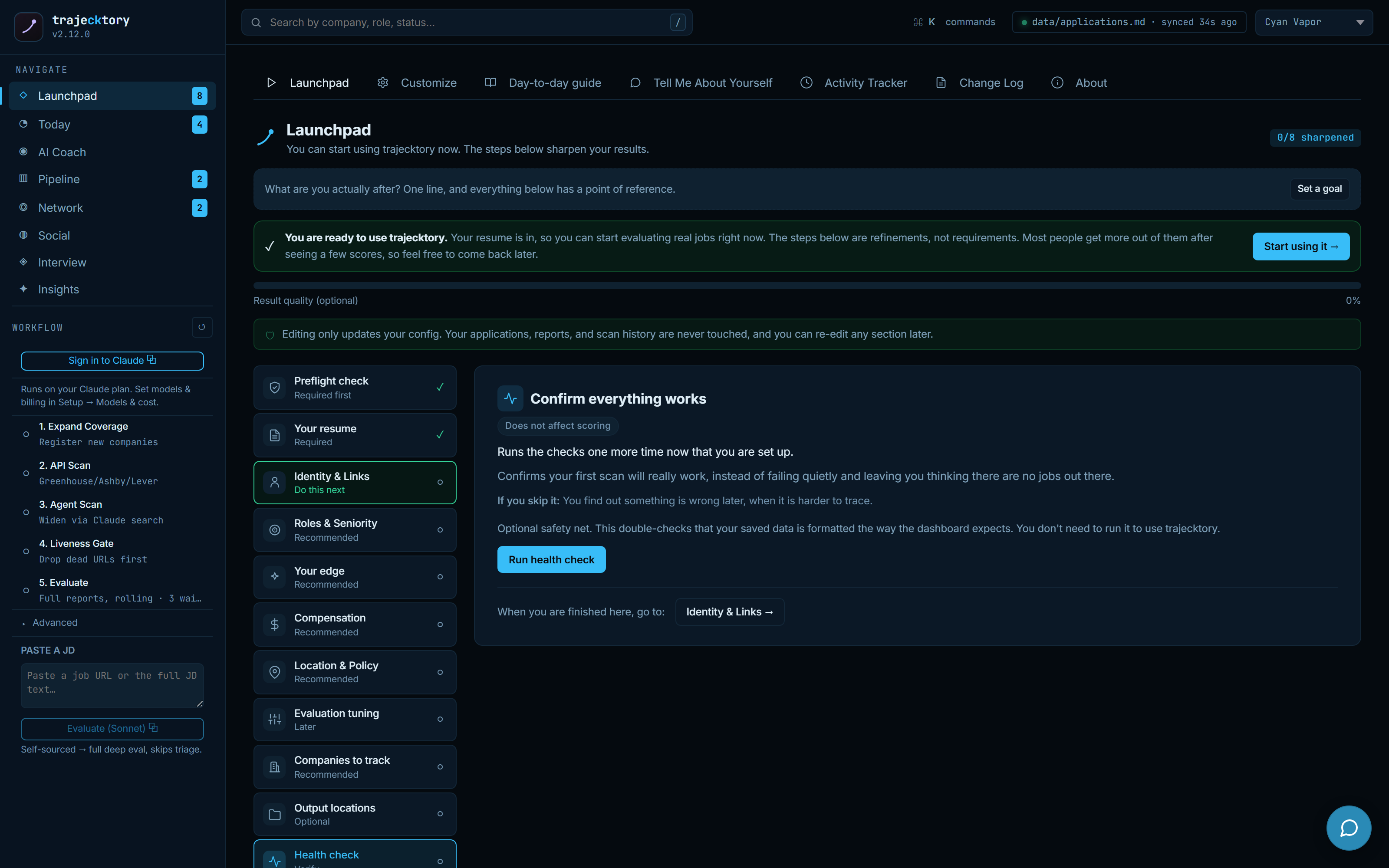
Launchpad, a readiness gate before you trust the numbers
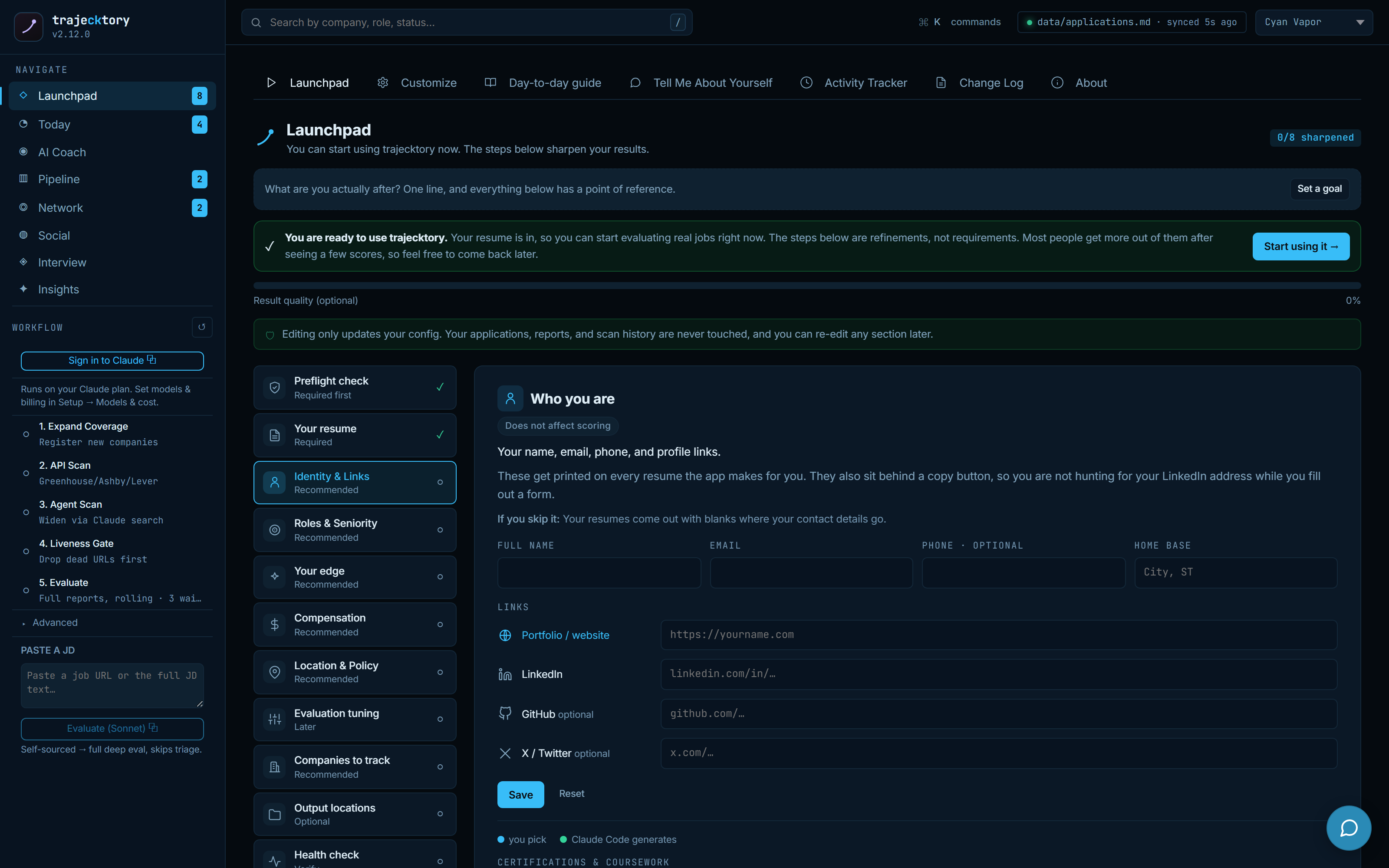
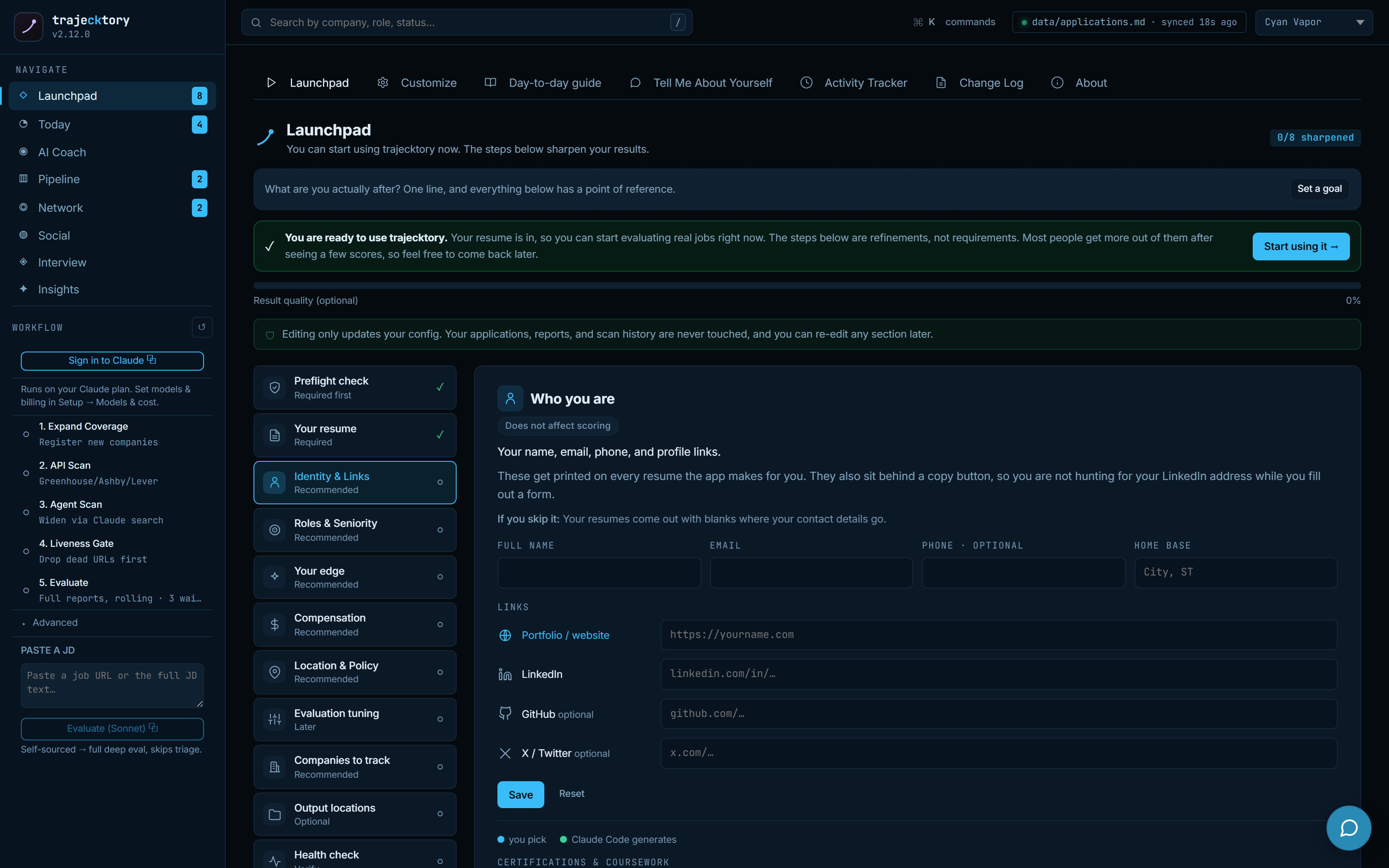
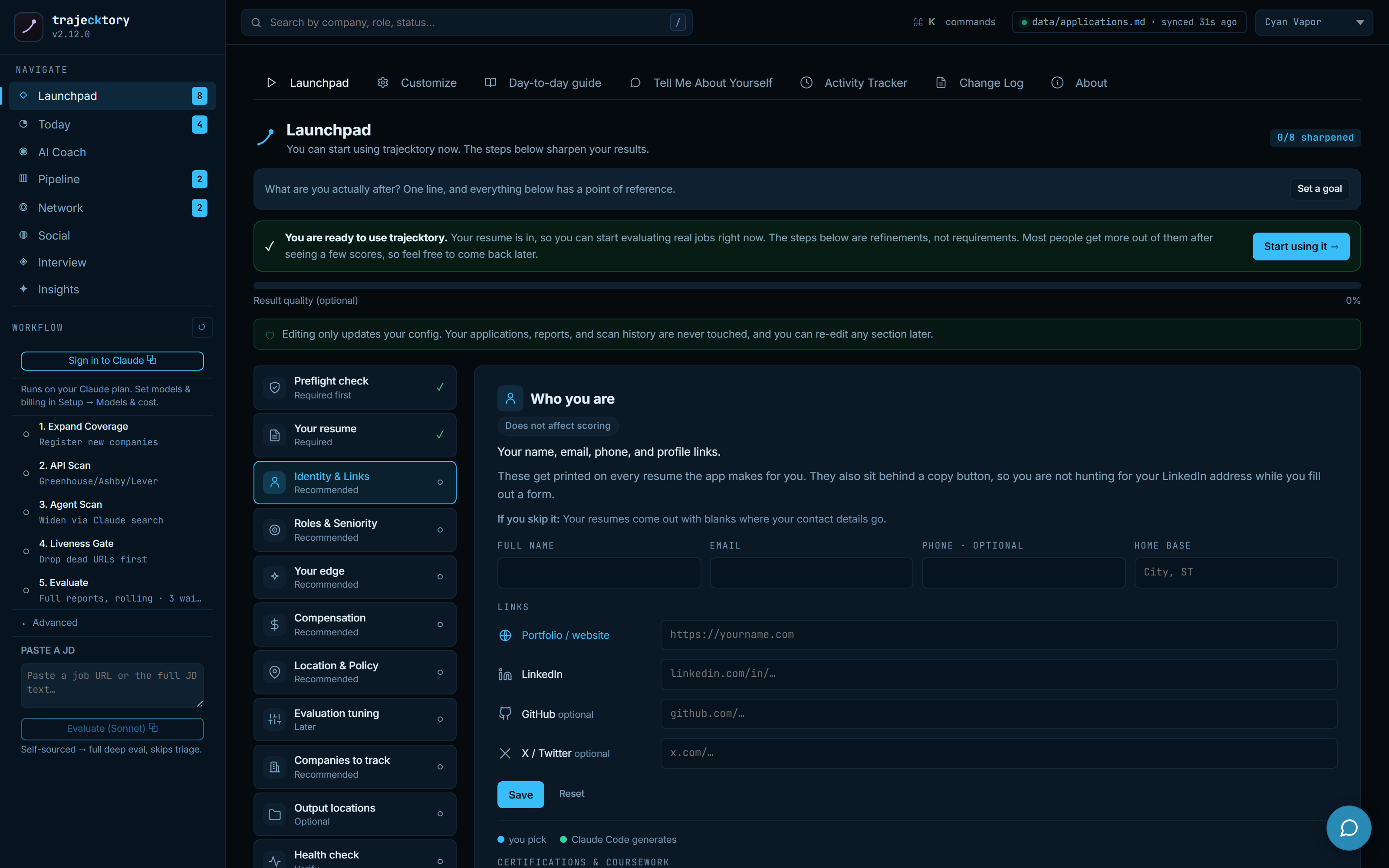
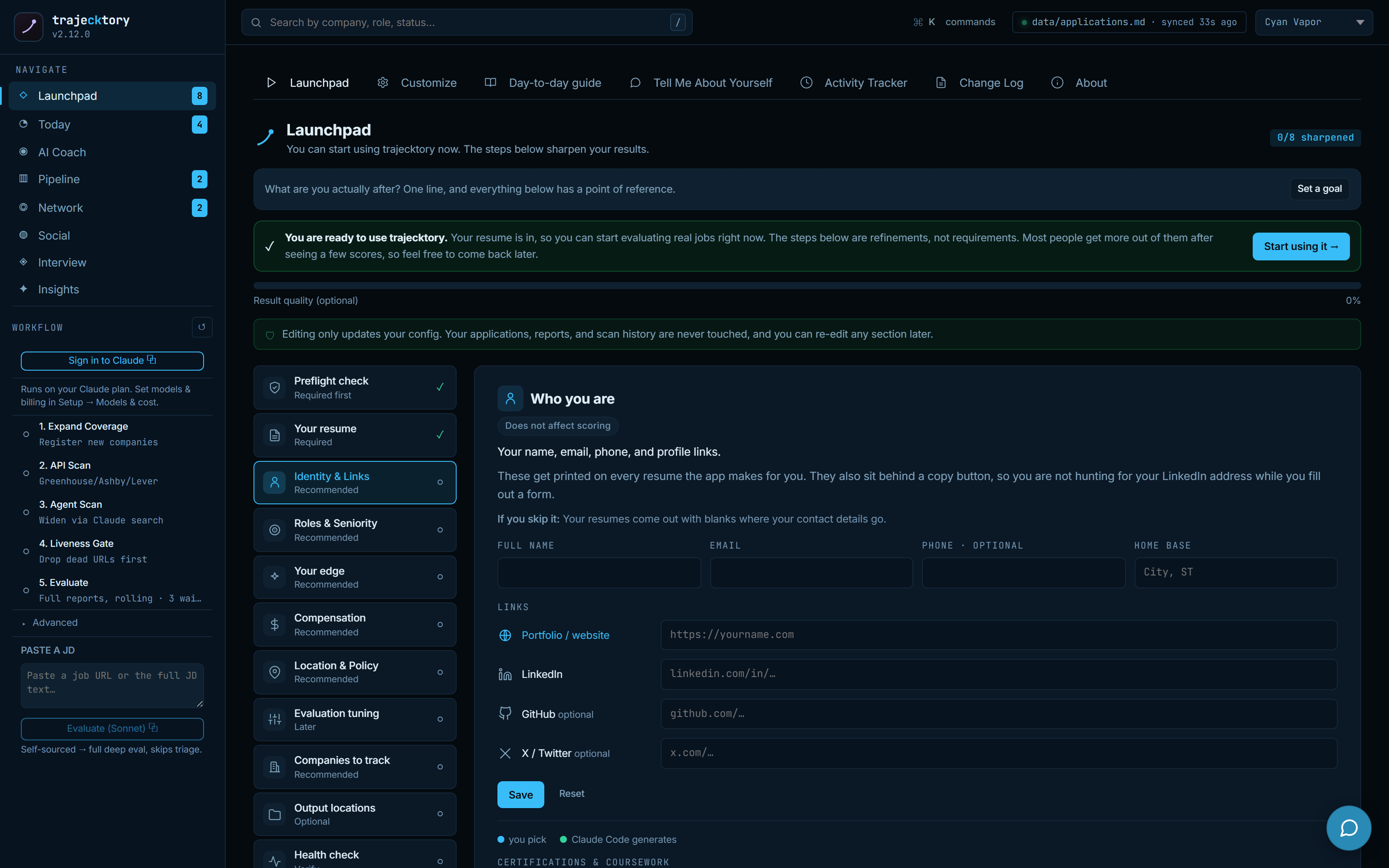
Guided first-run setup with a readiness meter and a preflight that checks the engine actually runs before anything else unlocks. It splits deterministic fields you fill in (identity and links, which get printed on every generated resume) from generative work, which it hands off as a copyable prompt to run in your agent, keeping the writes in the dashboard and the writing in the model. Integrations, keys and external connections, live in one place. Editing only updates config; applications, reports, and scan history are never touched.
Cost and health you can see, personalization you can steer
Under Setup, per-step model selection and a single billing rail make the AI cost and execution tradeoffs explicit: pick the model for each step and run the whole workflow on a Claude plan or a metered key, so spend is a decision, not a surprise. A health check runs the preflight and verification scripts and reports pass, warning, or failure with remediation. And a Customize surface exposes eleven personalization areas, each marked configured or still at defaults, with a focused prompt to tune it, no YAML required.
It teaches itself, and speaks for you
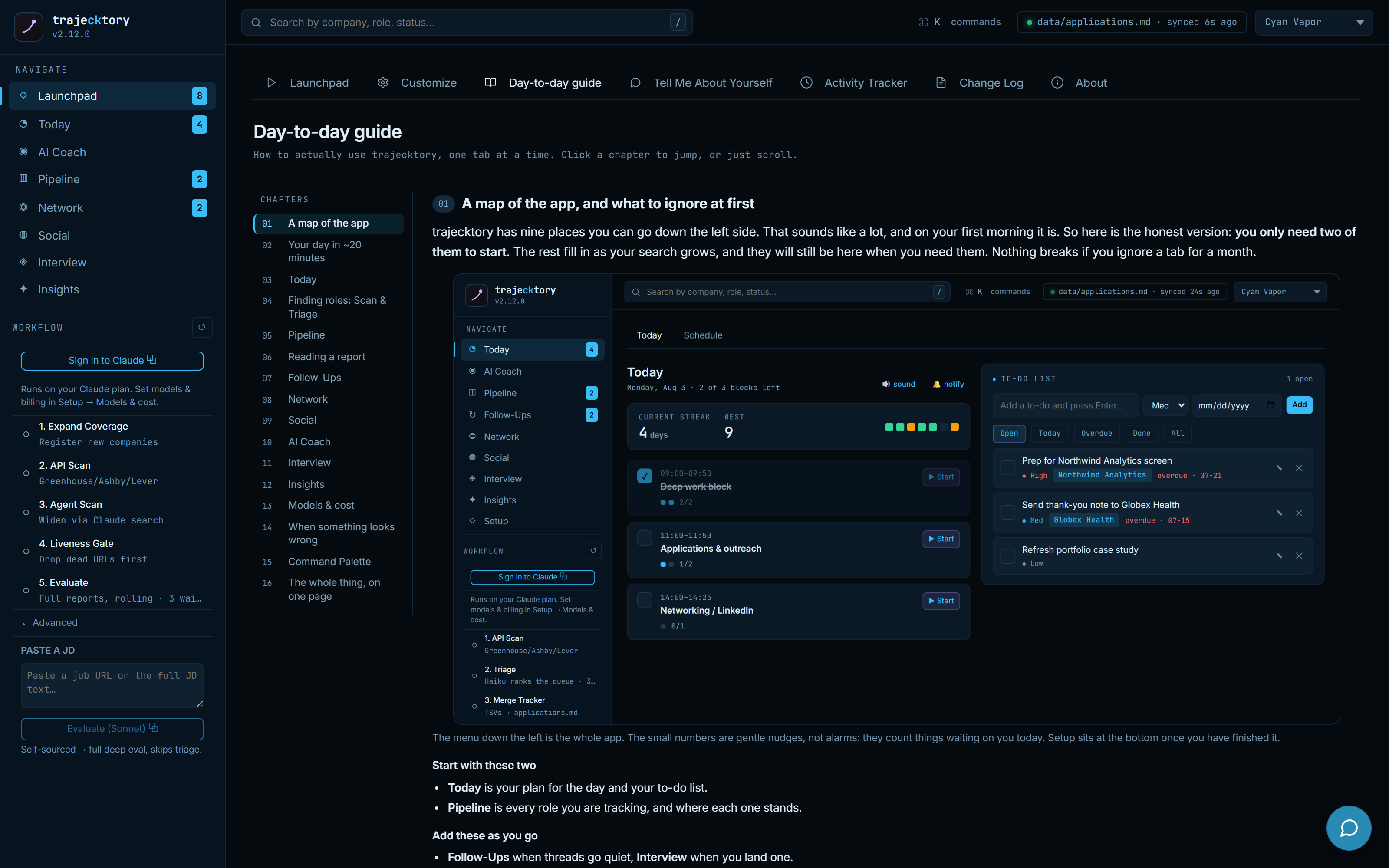
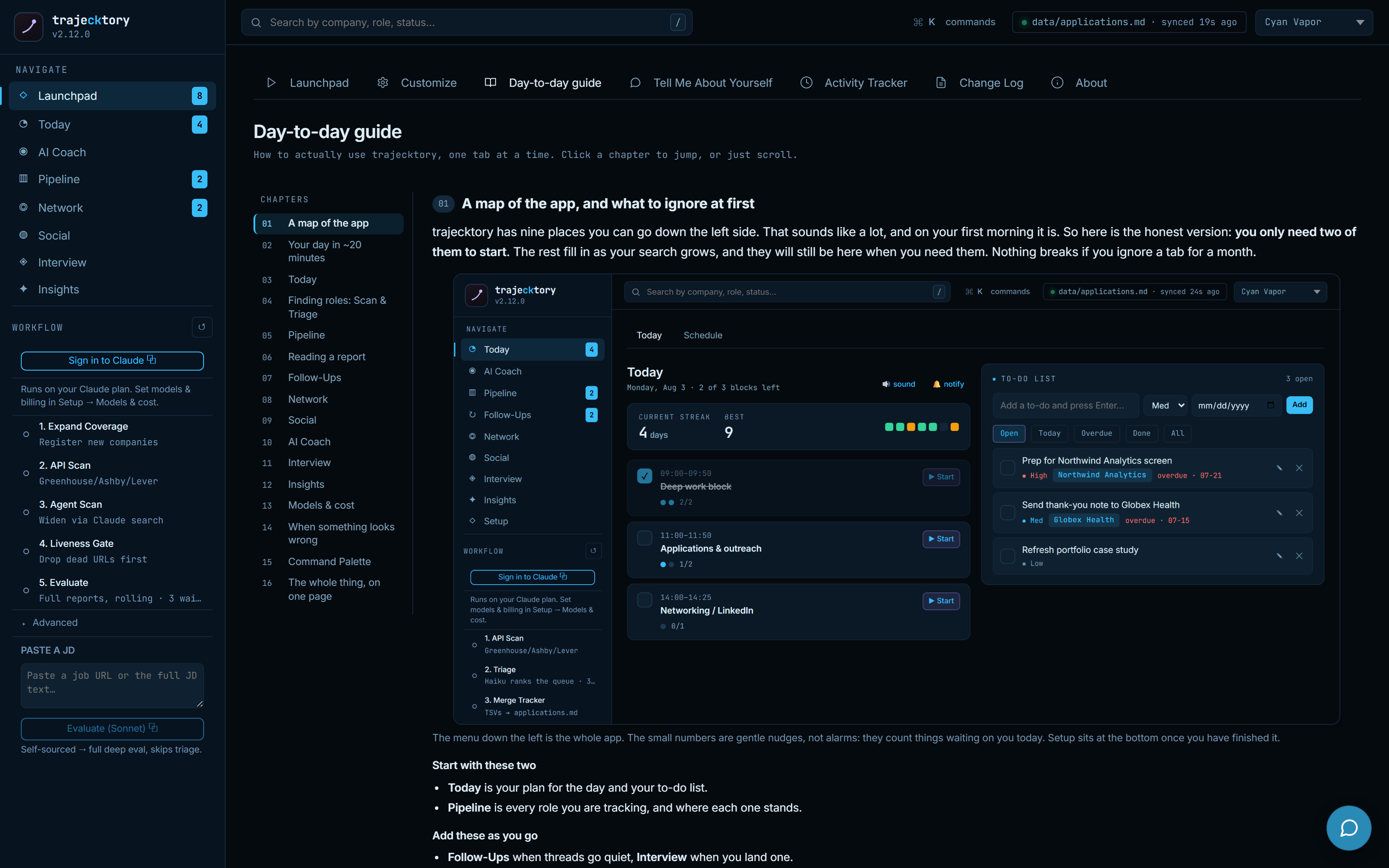
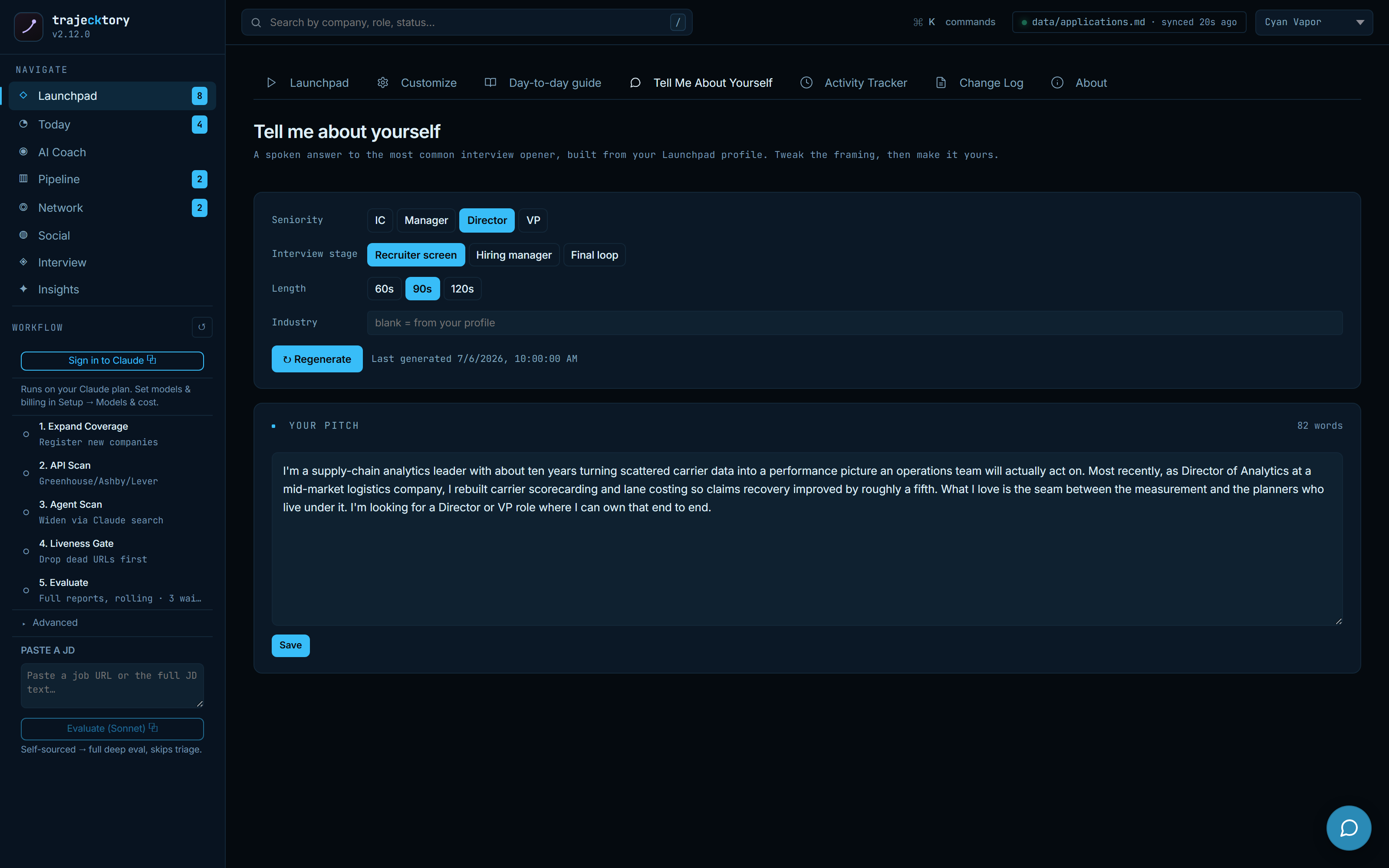
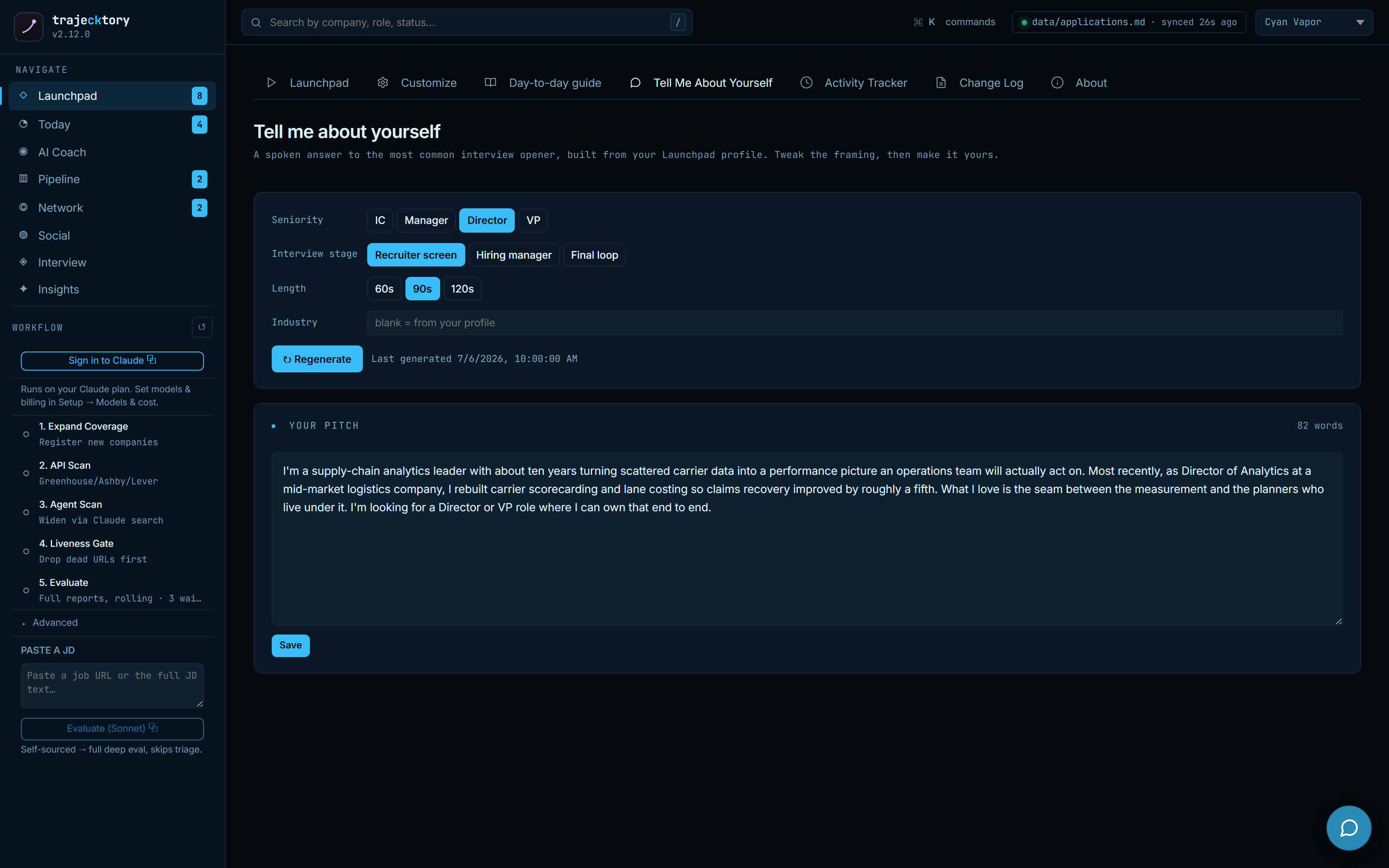
A sixteen-chapter day-to-day guide walks the whole app one tab at a time, honest about what to ignore on your first morning, so the surface area never becomes a wall. A Tell-Me-About-Yourself editor turns the profile into a parameterized spoken pitch you can tune by seniority, stage, and length. The tool onboards its own operator.
Auditable by default
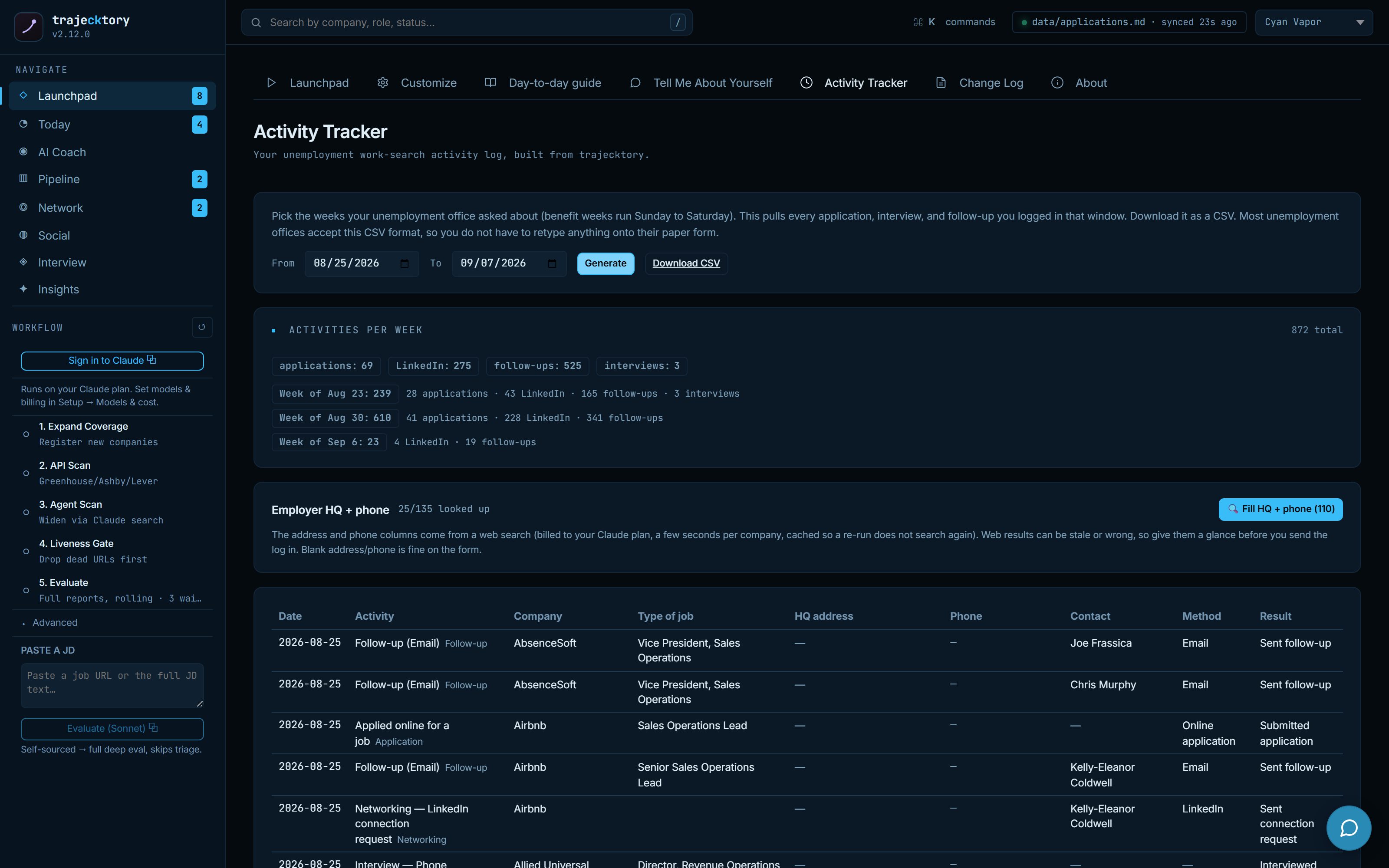
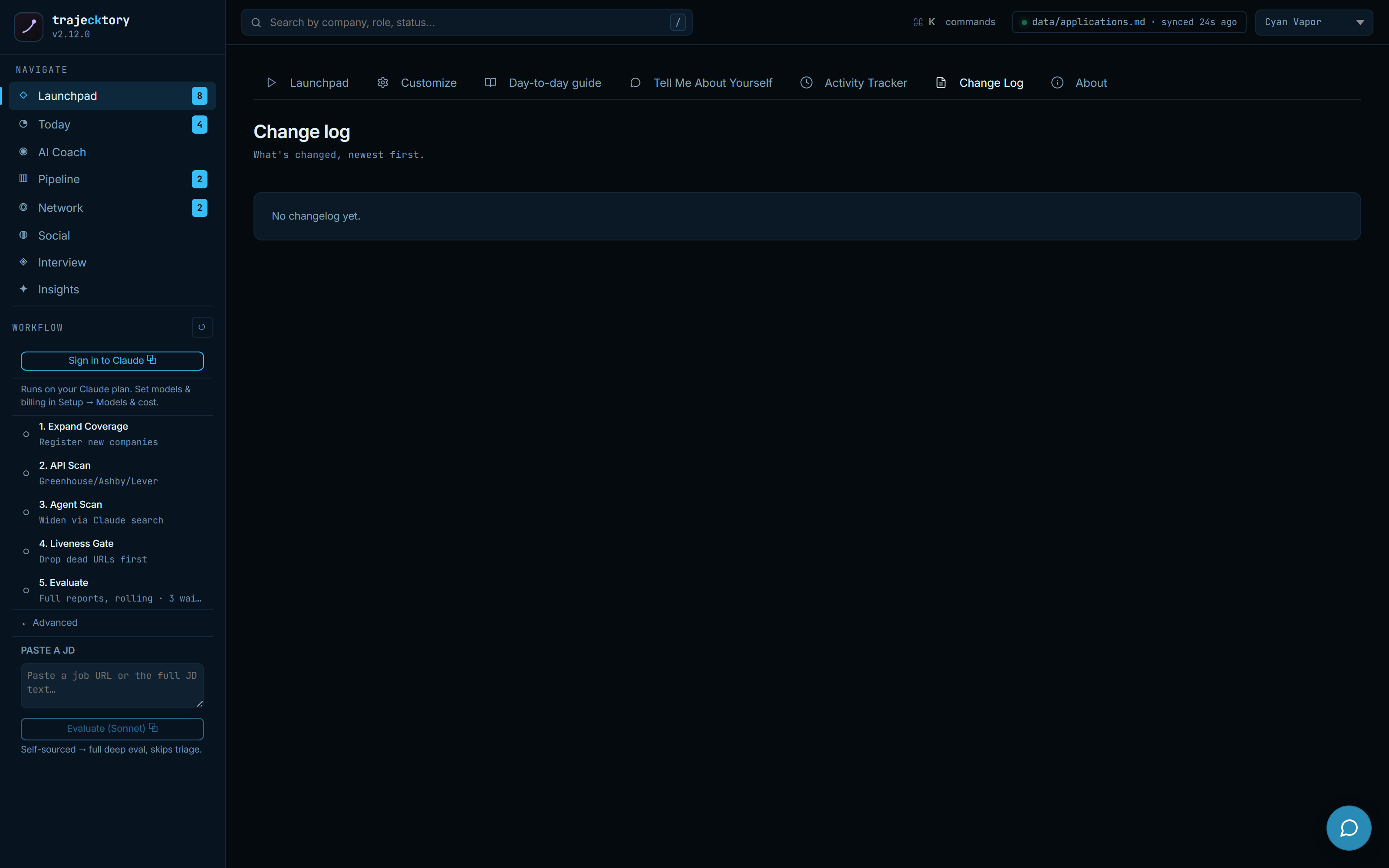
Two more surfaces close the loop on trust. An Activity Tracker builds a dated work-search report from everything already logged, applications, interviews, follow-ups, connects, and exports it as the CSV an unemployment office will accept, so nothing has to be retyped onto their form. A plain-language change log explains what shipped, and an About page states the operating principles and the trust boundaries out loud.
Onboarding with a readiness gate, explicit cost governance, self-service personalization, a guide that teaches the operating model, and audit-ready exports: get it right, move fast, know what it costs, and prove what you did.
I did not set out to ship a product. I set out to run my own pipeline the right way, and the fact that it ended up looking like a RevOps platform is the point.
This is how I think about the work, and this is what I would build for the team I run next. It is open source and I built it solo. Every dashboard here passes one test: would the person looking at it change their behavior tomorrow because of it, and does it show them how their work moves the number?